
Tech
Vidnoz AI: Personalize Your Outreach & Boost Conversions

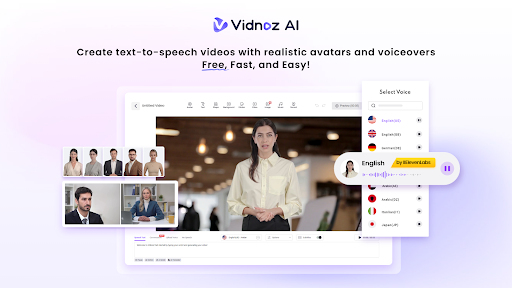
Businesses can improve their customer relationships with personalised outreach. But making single videos takes quite a lot of time. AI video tools can simplify this process for businesses. They can create videos without advanced editing skills or equipment.
- Why Personalized Videos Matter for Outreach
- How Vidnoz AI Helps Personalize Outreach
- How to Create a Personalized Outreach Video with Vidnoz AI
- Step 1: Choose an Avatar and Template
- Step 2: Add Your Outreach Script
- Step 3: Select a Voice and Customize
- Step 4: Generate and Share Your Video
- Ways Businesses Can Use AI Videos for Outreach
- Final Thoughts
Vidnoz AI is a free-to-use AI-driven video maker. It includes tools to produce videos rapidly and easily. AI avatars, voices, templates, and editing tools are available for users. The site also features an easy-to-use interface for novices.
Why Personalized Videos Matter for Outreach
Generic messages can sometimes be easy for customers to ignore. Personalized videos can make outreach messages more relevant. Businesses can use videos to introduce services and explain products. They can also present offers or contact potential customers.
Creating every video manually can require significant time and resources. AI tools can make this process more convenient. Users can select an avatar and prepare their script. They can then choose a voice and customise the video.
How Vidnoz AI Helps Personalize Outreach
Vidnoz AI provides several features for creating business videos. These features can support different outreach and communication requirements.
1,900+ AI Avatars
Vidnoz AI provides more than 1,900 AI avatars. These avatars represent different professional roles and styles. Users can choose an avatar that suits their video. There are also custom avatar options for personalised presentations, too.
Businesses can choose the various avatars to be used for various audience groups
This can help create videos with suitable visual styles.
2,000+ Realistic AI Voices
The platform provides more than 2,000 realistic AI voices. Users can select different voices for their video content. Different styles and tones can support various communication needs.
Vidnoz AI also provides voice cloning capabilities. Users can create synthetic voices using audio recordings. This option can provide another way to personalize video content.
2,800+ Video Templates
Vidnoz AI provides more than 2,800 pre-designed video templates. These templates cover different types of video content. Users can create tutorials, product demos, and sales presentations.
Templates can reduce the time needed for video design. Users can also choose different aspect ratios for platforms.
How to Create a Personalized Outreach Video with Vidnoz AI
Creating an outreach video can follow a simple process. Users can complete the main steps without advanced editing experience.
Step 1: Choose an Avatar and Template
First, choose an avatar that matches your business message. Consider the audience before selecting the avatar style. Then choose a suitable template for your video.
Pre-designed templates provide a useful starting point. They can also reduce the amount of manual design work.
Step 2: Add Your Outreach Script
Next, enter the message for your target audience. Keep the script clear and focused. Vidnoz AI also provides an AI script generator.
Users can enter an idea, language, and preferred tone. The tool can then generate suitable video speech. Users can review and adjust the generated script.
Step 3: Select a Voice and Customize
Select the right AI voice for the message. Implicitly consider the tone and audience when you choose. The user can also edit various parts of the video.
The editor supports background changes and script editing. Users can also add media and subtitle effects. These options provide more control over the final video.
Step 4: Generate and Share Your Video
Review the video before generating the final version. Vidnoz AI is designed for fast video generation. Users can download completed videos in HD.
The finished video can support different outreach activities. Businesses can then share videos with their intended audiences. Each user can create videos using 30 free credits per day.
Ways Businesses Can Use AI Videos for Outreach
AI-generated videos can support several types of business communication. Sales teams can introduce products through short videos. They can also explain services to potential customers.
Marketing teams can create promotional videos for campaigns. Customer support teams can explain common processes. Businesses can also create tutorials and training materials.
A Vidnoz AI Video Generator can simplify regular video production. Users can create content for different business scenarios. These include learning, business, and social media content.
Final Thoughts
Personalised videos can add another format to business outreach. Vidnoz AI combines avatars, voices, templates, and editing tools. Its simple interface can support users without editing experience.
Businesses can use these tools for different communication needs. They can create outreach videos, product demonstrations, and tutorials. The platform provides several options for creating and customising videos.


Music has always combined artistic expression with practical design. From the shape of a guitar body to the arrangement of holes on a wind instrument, physical objects influence how musicians create, perform, and experience sound. Today, AI 3D modeling is introducing new ways to explore these designs, helping musicians, instrument makers, hobbyists, and creative professionals turn early ideas into three-dimensional concepts.
- Why Personalized Videos Matter for Outreach
- How Vidnoz AI Helps Personalize Outreach
- How to Create a Personalized Outreach Video with Vidnoz AI
- Step 1: Choose an Avatar and Template
- Step 2: Add Your Outreach Script
- Step 3: Select a Voice and Customize
- Step 4: Generate and Share Your Video
- Ways Businesses Can Use AI Videos for Outreach
- Final Thoughts
Instead of starting every project with complex modeling software or building a physical prototype immediately, creators can use AI-powered tools to develop visual concepts, experiment with shapes, and prepare models for further refinement. These tools do not replace the knowledge of experienced instrument makers or the science behind acoustics. However, they can make the early stages of creative exploration more accessible.
From personalized guitar accessories to experimental electronic music controllers, AI 3D modeling offers opportunities to rethink how music-related objects are designed. Understanding its potential—and its limitations—can help creators decide where these tools fit into their workflows.
How AI 3D Modeling Fits into Music-Related Design
Traditional instrument design often involves sketching, technical drawing, digital modeling, material selection, and physical prototyping. Each stage requires different skills, and even a relatively small design change can take time to visualize.
AI 3D modeling offers another starting point. Users can describe an idea in text, provide reference images, or combine these approaches to generate a three-dimensional model. The result can serve as a visual reference for further design work rather than a finished, performance-ready instrument.
For example, someone imagining a futuristic synthesizer controller could describe its overall shape, surface details, button layout, and visual style. An AI tool might generate a concept that helps the designer communicate the idea before building a more accurate model.
Image-to-3D workflows are also useful when a creator already has a sketch, photograph, or collection of visual references. Instead of translating every visual element into geometry manually, the creator can use AI to produce an initial model and then refine it.
Some platforms, including Hi3D, support image-to-3D generation and AI 3D model texturing. These capabilities can help users explore the appearance of music-related objects and develop visual concepts without beginning with a completely empty modeling workspace.
The important distinction is that a visually convincing model is not necessarily a functional musical instrument. AI-generated geometry is best treated as an initial design asset that may require substantial technical work before it can be manufactured or played.
Exploring New Shapes for Musical Instruments
Instrument design balances appearance, comfort, construction, and sound. Traditional forms often reflect generations of practical knowledge, but designers still experiment with materials, proportions, and visual styles.
AI 3D modeling can make this experimentation easier by generating alternative forms that would otherwise require significant manual modeling.
Rethinking the Appearance of String Instruments
Guitars, ukuleles, basses, and other string instruments provide many opportunities for visual experimentation. A designer might explore an asymmetrical guitar body, a sculptural headstock, geometric surface patterns, or a futuristic enclosure for an electronic string instrument.
AI-generated models can help compare different silhouettes before a detailed design is developed. A musician could also use reference images to explore a particular visual direction, such as a vintage-inspired instrument with modern decorative elements.
However, the shape of a string instrument affects more than its appearance. Body construction, neck geometry, string tension, bridge placement, and other technical details influence playability and performance. An attractive AI-generated guitar body should therefore be treated as a concept until an experienced designer checks its proportions and structural requirements.
Experimenting with Wind and Percussion Instruments
Wind and percussion instruments offer different design possibilities. Creators may explore unusual exterior forms for whistles, experimental flutes, hand percussion instruments, shakers, or electronic percussion accessories.
For example, an artist developing a collection of decorative percussion instruments could use AI to investigate different body shapes, textures, and visual themes. A music workshop might also create concepts for simple sound-making objects intended for demonstrations or creative activities.
Yet instruments that depend on precise internal channels, resonating chambers, or carefully positioned openings require more than surface-level modeling. Their geometry must be designed and tested according to the way sound is produced.
AI can help generate visual directions, but acoustic performance still depends on appropriate engineering, materials, and testing.
Designing Personalized Music Accessories
Not every music-related project requires designing an entirely new instrument. Accessories are often more approachable because they can focus on organization, comfort, appearance, or convenience rather than directly producing sound.
AI 3D modeling can help creators develop concepts for objects that complement existing instruments and equipment.
Guitar Picks, Knobs, and Decorative Components
Small accessories can provide room for personal expression. Guitar picks, instrument knobs, decorative covers, and non-structural embellishments can be explored in different shapes, patterns, and styles.
A musician might want a set of picks inspired by a favorite visual theme, while a designer could experiment with textured surfaces or distinctive geometric outlines. AI-generated models can provide starting points for these ideas.
The practical requirements depend on the object. A pick needs a suitable thickness, edge profile, and material to feel comfortable and perform as intended. A replacement control knob must fit the relevant shaft and remain compatible with the equipment.
AI can help establish an initial appearance, but accurate dimensions and physical testing are still necessary.
Stands, Holders, and Workspace Accessories
Music equipment often occupies a surprisingly large amount of space. Headphones, cables, picks, tuners, small controllers, and other accessories can become difficult to organize, especially in a compact home studio.
Three-dimensional modeling provides a way to explore customized holders and storage solutions. A creator might design a headphone stand that matches a desk setup, a cable organizer for a particular workspace, or a compartment system for small accessories.
These objects are particularly suitable for concept modeling because their primary purpose is often straightforward. A designer can establish the desired dimensions, examine the shape, and revise the design before manufacturing.
If an accessory will support expensive equipment or experience repeated physical stress, its strength and stability must be evaluated before use. A visually appealing model alone cannot guarantee that it will perform reliably.
Personalizing Existing Equipment
Musicians often want their equipment to reflect their individual styles. Custom decorative panels, equipment labels, non-functional covers, and exterior design elements can offer opportunities for personalization.
AI-generated concepts can help explore different visual directions, from minimal geometric patterns to elaborate ornamental designs. Reference images can be particularly useful when a creator wants several related accessories to share a consistent style.
Before producing a replacement component, users should confirm that its dimensions, mounting points, material, and intended use are appropriate. Components that affect electrical connections, moving parts, or instrument operation may require specialized design knowledge.
Creating Experimental Electronic Music Controllers
Electronic music has expanded the range of objects musicians use to produce and manipulate sound. MIDI controllers, synthesizers, drum pads, modular equipment, and custom interfaces all combine physical design with electronic functionality.
This creates an interesting opportunity for AI 3D modeling: exploring the physical form of a music-making device before finalizing its electronics.
Exploring Controller Layouts
A controller may include knobs, sliders, buttons, pads, screens, or other input components. Their arrangement influences how musicians interact with the device during performance.
A designer could use AI to explore different enclosure shapes, angled surfaces, compact layouts, or distinctive visual themes. The generated model might help communicate the intended appearance of a controller to an electronics engineer or fabrication specialist.
However, functional layouts require accurate measurements. Components must fit their openings, wiring needs sufficient space, and the enclosure must provide appropriate access for assembly and maintenance.
An AI-generated enclosure is therefore a useful visual starting point, not a substitute for a dimensionally accurate CAD model.
Designing Modular Music Equipment
Modular systems allow musicians to combine different components according to their creative needs. This flexibility also creates design challenges: equipment needs to fit together, remain accessible, and accommodate connections and controls.
AI 3D modeling can support early exploration of modular enclosures, component groupings, and visual arrangements. Designers can compare whether a compact horizontal layout or a taller vertical structure better suits a proposed concept.
Once the preferred direction is selected, the design must be translated into precise dimensions and checked against the relevant hardware specifications. Connector spacing, ventilation, electrical safety, and mechanical stability cannot be determined reliably from appearance alone.
For creators interested in experimental music hardware, this division of labor can be useful. AI helps explore what a device might look like, while technical design establishes how it will actually work.
Using AI 3D Modeling for Music Production Environments
Music production involves more than instruments. Recording studios, performance spaces, and live events contain numerous objects that contribute to both functionality and visual identity.
AI 3D modeling can help artists and production teams explore these environments before investing in physical construction.
Visualizing Studio Layouts and Equipment Concepts
A home studio may need to accommodate a desk, monitors, a keyboard, recording equipment, and instrument storage in a limited space. Three-dimensional models can help creators understand how different arrangements might look and how objects relate spatially.
For example, a producer planning a compact recording corner could create simplified models of equipment and compare possible arrangements. A designer developing a studio concept might explore different styles for equipment enclosures, decorative panels, or furniture accessories.
AI-generated objects can provide useful visual references, but they should not replace accurate measurements when planning an actual room. Speaker placement, cable access, ventilation, and acoustic treatment require separate consideration.
Developing Visual Concepts for Live Performances
Live music productions often use themed stages, decorative structures, props, and custom visual elements. Designers need to communicate their ideas clearly before fabrication begins.
AI 3D modeling can help transform mood boards and reference images into three-dimensional concepts. A production team might explore futuristic stage props, sculptural instrument stands, or decorative objects that complement a performer’s visual identity.
These models can support discussions among musicians, visual designers, and fabrication teams. They can also help identify aesthetic inconsistencies before a project moves into detailed production.
Large stage structures and objects used in public performances require professional engineering and safety checks. AI-generated visuals are useful for communicating an idea, but they do not establish structural integrity or safe installation methods.
From AI-Generated Concepts to Physical Objects
For music-related projects, the path from a digital model to a physical object depends on the object’s purpose. A decorative accessory has different requirements from a precision instrument component or an electronic enclosure.
AI 3D modeling can accelerate the early design stage, but creators should understand the steps that may follow.
Refine the Model
Generated geometry may contain uneven surfaces, unnecessary details, disconnected elements, or proportions that are unsuitable for manufacturing. Some models may also lack the internal structures required for a functional object.
A designer should inspect the geometry and make corrections in appropriate 3D software. Depending on the project, this may involve adjusting dimensions, rebuilding certain features, simplifying the surface, or adding mounting points.
The amount of refinement required varies considerably. A decorative concept may need only modest changes, while a functional component may require a complete technical redesign.
Choose an Appropriate Production Method
Different objects suit different manufacturing approaches. Three-dimensional printing can be useful for prototypes, small accessories, customized enclosures, and objects with complex shapes. For larger designs, creators may need to split 3d model into parts to make printing and assembly easier. Other projects may be better suited to machining, molding, woodworking, or a combination of processes.
Material selection also matters. A printed enclosure for a music controller may need to accommodate heat, screws, and repeated handling. For larger designs, creators may need to split 3d model for printing into smaller sections for easier production and assembly. A decorative object may prioritize surface quality and appearance instead.
Creators should evaluate the intended use, manufacturing process, material properties, and expected loads before deciding how to produce a model.
Test Before Finalizing
Physical testing helps reveal issues that are difficult to identify from a digital preview. An accessory might be uncomfortable to hold, a holder might not fit the intended equipment, or an enclosure might leave insufficient room for connectors.
For objects intended to interact directly with musical instruments, the testing process should reflect their specific purpose. Components affecting tuning, sound production, electrical operation, or structural support may require evaluation by people with relevant technical expertise.
An iterative workflow—generate, inspect, refine, produce, and test—helps turn promising visual ideas into more practical designs.
Limitations to Consider When Using AI for Instrument Design
AI 3D modeling is useful for exploring possibilities, but several limitations deserve attention.
Visual quality does not guarantee functionality. A model may look like a recognizable guitar, flute, or synthesizer while lacking the geometry needed for real performance. Acoustic behavior, mechanical tolerances, and electronic compatibility require specialized knowledge.
Generated geometry may need substantial cleanup. Some tools produce models that are difficult to edit or manufacture directly. Designers should check mesh quality, scale, surface continuity, and file compatibility before continuing.
Materials influence the final result. A design that appears convincing on screen may behave differently when printed or fabricated. Weight, durability, flexibility, temperature resistance, and surface finish all affect suitability.
Intellectual property matters. Using a reference image of an existing instrument, copying a recognizable product design, or reproducing protected artwork may raise legal concerns. Creators should consider permissions, licensing terms, and commercial-use restrictions when developing designs based on third-party material.
Testing remains essential. Equipment used during performances can be exposed to movement, repeated handling, and demanding conditions. Any part that affects safety or instrument operation should receive appropriate technical review rather than being accepted solely because an AI tool generated it.
These limitations do not eliminate the value of AI. Instead, they help clarify where the technology works best: generating options, communicating concepts, and supporting early-stage experimentation.
Choosing an AI 3D Modeling Workflow for Music Projects
The right workflow depends on the creator’s starting point and intended outcome.
Someone with a clear visual idea may prefer text-to-image generation to explore different instrument styles before moving into 3D. A designer with photographs or sketches may find image-to-3D generation more useful. Someone who already has a model but wants to explore its appearance may benefit from AI-assisted texturing.
For example, Hi3D offers image-to-3D generation and AI-assisted texturing, which can support visual exploration of music-related objects. A creator could use these capabilities to develop an initial concept for a decorative instrument component or an equipment accessory, then refine the result in a suitable modeling application.
When comparing tools, consider whether the output can be exported in a format compatible with the next stage of the workflow. Also evaluate how much manual cleanup is required, whether the interface suits your experience level, and whether the platform supports the type of model you want to create.
Beginners may benefit most from a tool that makes experimentation straightforward. Experienced designers may prioritize control over geometry, export options, and compatibility with established CAD or digital modeling workflows.
Rather than expecting one AI platform to handle every stage, creators can combine tools according to the needs of their projects.
Start with the job
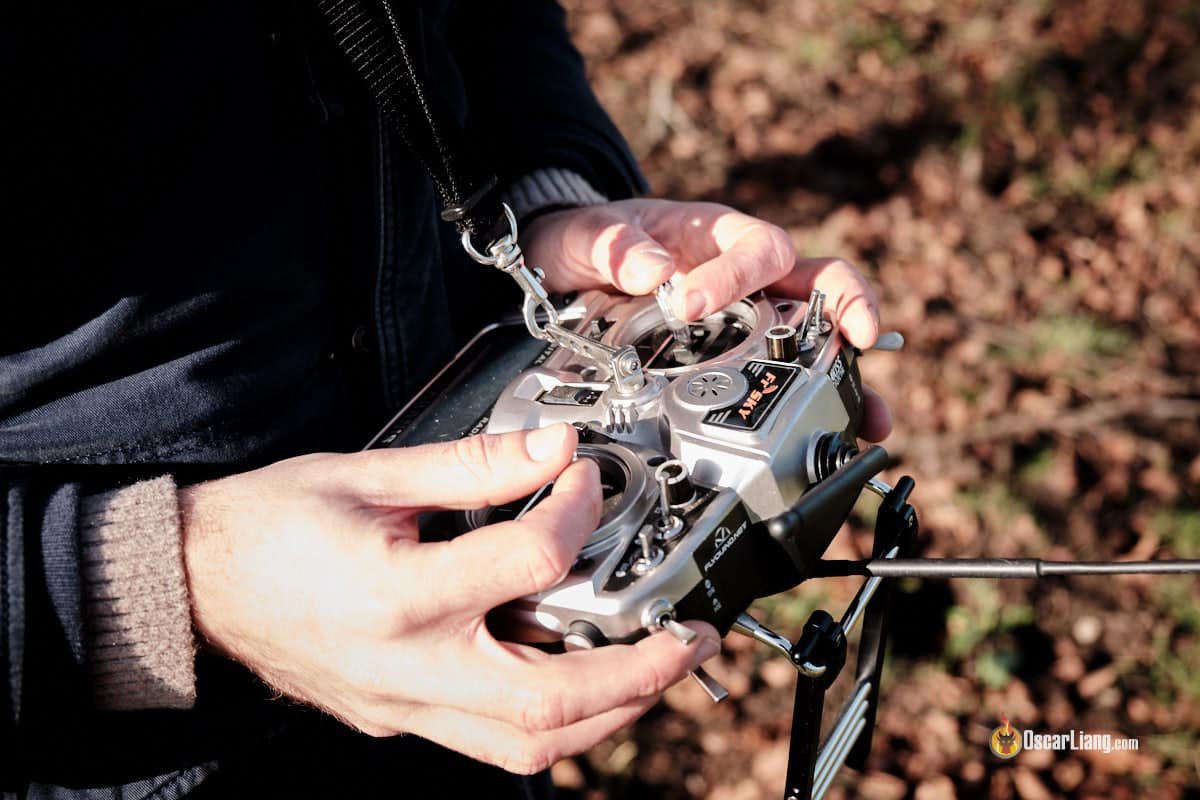
A radio transmitter should be chosen for the work it performs in a complete aircraft, not as an isolated specification. Its job is to give the pilot a reliable and comfortable control link to the aircraft. That role connects it to every other major decision in the build. Before comparing listings, write down the aircraft size, intended flying style and the parts already selected. This simple note prevents a popular component from becoming an expensive mismatch. Good FPV builds begin with a system view: the airframe, power source, propulsion, electronics and pilot equipment must work together under real flight loads.
Build compatibility before checkout
The most important checks are receiver protocol, module compatibility, gimbal feel, switch layout, power options and hand size. Read each product page with those questions open beside it. Measurements and electrical ratings are not decoration; they describe the boundaries within which the part can operate safely. Compare them with the frame manual, the wiring plan and the components on the bench. If a detail is missing, do not fill the gap with an assumption. Confirm it before soldering. A few minutes of compatibility work is more useful than changing several parts after the first powered test.
Choose for the way you fly
There is rarely one universal best option. In this category, pilots may choose among compact radios, full-size transmitters and external-module capable designs. A compact and light setup may suit a smaller aircraft, while a more robust arrangement can make sense for sustained load or a larger platform. Think about where and how the aircraft will fly: relaxed practice, technical freestyle, racing, filming or longer-distance cruising. The right component is the one that supports that mission without adding unnecessary weight, complexity or current demand. This is why a copied parts list should be treated as a reference, not a rule.
Use specifications to compare candidates
When comparing several options, focus on measurable differences rather than marketing language. Confirm the physical footprint first, then the electrical range, interfaces, included hardware and expected operating conditions. A clean comparison table can reduce the choice to two or three viable candidates. At that point, consider repairability and spares. FPV aircraft experience vibration and impacts, so a selection that can be maintained sensibly is often better than one that only looks impressive on paper. Keep the decision tied to the actual aircraft, not to a theoretical maximum specification.
Use the category page as a checklist
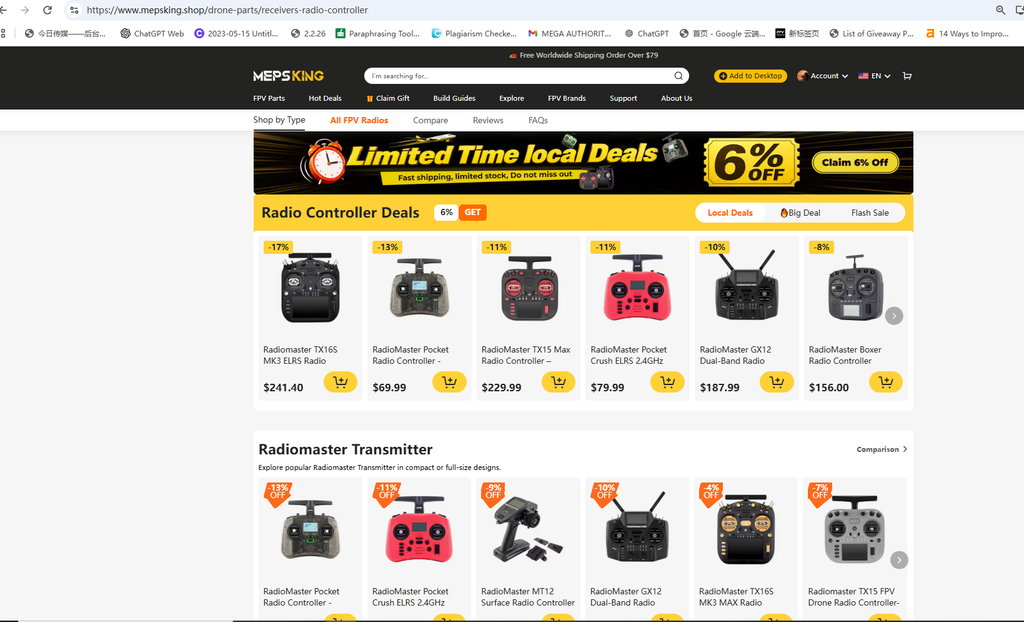
A focused radio controller category can make research faster when it helps pilots compare compatible options in one place. Use it to identify candidates, then return to the build checklist before adding anything to the cart. Verify the component against the required voltage, size, connector or mounting system; then verify the adjacent components it must work with. This sequence keeps the keyword search useful for the reader while preserving the practical discipline that good FPV assembly requires.
Plan a safe first setup
New parts deserve a careful first setup. The common problems in this category include protocol mismatch, poor switch assignment, an unfamiliar grip and forgotten radio battery care. Avoid rushing directly to an aggressive setting or a long first flight. Inspect the part and wiring, use appropriate safety equipment, and make sure the workspace is clear. Keep a simple record of the component version, relevant settings and any changes made during setup. If a problem appears later, that record turns troubleshooting from guesswork into a controlled process. It also makes it easier to restore a known-good configuration after maintenance.
Source with the whole build in mind
A useful shopping decision accounts for the rest of the build, including tools, connectors, spares and the next likely repair. A practical parts source such as MEPSKING can be useful when the same build requires connected categories, clear specifications and replacement parts. The value is not in adding more items to an order. It is in avoiding missing adapters, incompatible hardware and last-minute substitutions. For a first build, buy the essentials and a small set of consumables. For an established build, prioritize exact replacement compatibility so that a repair does not create a new variable in the setup.
Test in a controlled sequence
The first evaluation should be deliberate: binding the receiver, checking channel mapping, setting failsafe and making a range check before flight. Stop if there is unusual heat, vibration, a warning, a poor connection or behavior that does not match the configuration. Change one variable at a time and note the result. This applies whether the pilot is assembling a small indoor quad or refining a five-inch platform. A structured first test protects the equipment and teaches the pilot what the component contributes to the aircraft’s feel and reliability.
Make the final decision
Before purchasing, answer five questions: does it fit physically, operate within the intended electrical range, work with the selected adjacent components, suit the flying goal and have a sensible repair path? If each answer is clear, the choice is usually sound. That method is more durable than chasing a single headline number. It produces an FPV build that is easier to assemble, easier to inspect and more predictable in the air. The best result is not simply a part that turns on; it is a setup that lets the pilot fly with confidence and maintain it with purpose.
Keep the build record current
After the aircraft is flying well, save the information that made it work. Record the exact radio transmitter version, related settings, connector choices, battery system and preferred replacement parts. Photograph the wiring before closing the frame and keep a note with the purchase details. This turns future maintenance into a short, predictable job instead of an exercise in reconstruction. It also gives the pilot a trustworthy baseline when experimenting with a different propeller, payload or tune. Consistent records are a small habit with a large effect on safe, repeatable FPV ownership.


Finding a convenient way to watch live television, sports, movies, and entertainment has become increasingly important for modern viewers. An IPTV Portugal Subscription offers a flexible way to access television content over an internet connection instead of relying solely on traditional cable or satellite services. With the right authorized IPTV provider, viewers in Portugal can enjoy a wide range of channels and entertainment options across compatible devices.
What Is IPTV Portugal?
IPTV Portugal refers to television services delivered through Internet Protocol technology. Rather than receiving programming through conventional broadcast, cable, or satellite signals, IPTV delivers content through a broadband internet connection.
This technology can support live television, on-demand programming, sports coverage, movies, series, news, entertainment, and other digital content. Depending on the provider and subscription package, customers may have access to Portuguese channels as well as international programming.
An IPTV Portugal Subscription can be particularly useful for people who want more flexibility in how, where, and when they watch television.
Benefits of an IPTV Portugal Subscription
One of the biggest advantages of IPTV is flexibility. Traditional television packages can sometimes limit users to specific hardware or viewing locations. Internet-based television can provide more freedom through compatible smart devices and applications.
1. Live TV Channels
A quality IPTV service can provide access to a broad selection of live TV channels in Portugal. Depending on the legally licensed content available from the provider, subscribers may find news, entertainment, documentaries, lifestyle programming, children’s channels, and general television networks in one place.
For viewers who enjoy having numerous channels available without constantly changing services, a well-organized IPTV platform can make the viewing experience more convenient.
2. Sports Entertainment
Sports remain one of the most popular reasons people explore IPTV services. An authorized IPTV Portugal service may provide access to sports channels and legally licensed sports programming, allowing viewers to follow football, basketball, motorsports, tennis, and other events.
Sports fans should always choose providers that have the appropriate broadcasting rights for the content they offer. This helps ensure reliable access while supporting legitimate content distribution.
3. Movies and TV Series
In addition to live television, many IPTV platforms provide access to movie and series libraries. Depending on the subscription, users may discover entertainment content across different categories, including drama, comedy, action, documentaries, and family programming.
Having live and on-demand entertainment available through one compatible platform can create a more streamlined viewing experience.
4. HD and 4K Streaming
Modern viewers increasingly expect high-quality picture resolution. Depending on the provider, internet connection, and content availability, IPTV Portugal services may support HD or 4K streaming.
A stable and sufficiently fast internet connection is essential for high-resolution streaming. Users should also ensure that their television or streaming device supports the resolution they want to enjoy.
Devices Compatible With IPTV
One of the attractive features of IPTV technology is compatibility with a wide range of modern devices. Depending on the provider and application, users may be able to watch content through:
- Smart TVs
- Android TV devices
- Streaming boxes
- Smartphones
- Tablets
- Computers
- Compatible media players
Before purchasing an IPTV Portugal Subscription, it is important to verify device compatibility and check whether the provider offers official setup instructions or applications.
How to Choose the Best IPTV Portugal Service
Not every IPTV provider offers the same level of quality, reliability, or legal content access. Comparing providers carefully can help users make a better decision.
Start by checking the channel selection and whether the content you want is officially licensed. Next, consider streaming quality, supported devices, customer support, subscription terms, and overall service reliability.
A trustworthy IPTV provider should clearly explain its service, pricing, supported devices, and content rights rather than making unrealistic promises.
It is also helpful to look for transparent policies and responsive customer support. A provider that offers clear information makes it easier for customers to understand exactly what they are purchasing.
IPTV Portugal for Modern Viewers
The popularity of internet-based entertainment continues to grow because viewers want convenience and flexibility. Instead of depending on a single traditional television platform, users can increasingly choose digital services that fit their viewing habits.
An IPTV Subscription can combine live television and on-demand entertainment in a way that suits households with different preferences. One person may want sports coverage, another may prefer Portuguese television, while someone else may want movies and international programming.
The ability to access entertainment on multiple compatible screens can also make IPTV a practical option for modern households.
Importance of a Stable Internet Connection
The quality of IPTV streaming depends heavily on internet performance. A reliable broadband connection can help reduce buffering and improve playback stability, especially when watching HD or 4K content.
Users should also consider their home network. Wi-Fi congestion, outdated routers, multiple connected devices, and weak wireless signals can affect streaming performance.
For the best possible experience, viewers should use a dependable internet connection and keep their streaming device and applications updated.
Conclusion
An IPTV Portugal Subscription can provide a flexible approach to modern television, combining live channels, sports, movies, series, and entertainment through an internet connection. With support for compatible smart TVs, mobile devices, computers, and streaming platforms, IPTV can fit a variety of viewing habits.
When choosing an IPTV service, focus on authorized content, reliable streaming, device compatibility, transparent pricing, and quality customer support. Selecting a legitimate provider is essential for a dependable and enjoyable viewing experience.
Whether you are interested in IPTV Portugal, live TV, sports programming, movies, or HD and 4K entertainment, comparing available services carefully can help you find a solution that matches your needs and viewing preferences.

8 Simple Tools That Help You Handle PDFs Conversion Faster

Is NippyBox Still Working in 2026? Everything You Need to Know

Improve Your Outdoor Space with Professional Stump Grinder Services

Alex Pettyfer Net Worth, Wife, Age, Height, Children, Career and More

Brad Williams Net Worth, Wife, Height, Age, Daughter, Family, Career and More

Eldorado.gg Review 2026: How It Works, Safety, Fees, and Risks
-
Celebrity10 months ago
Alex Pettyfer Net Worth, Wife, Age, Height, Children, Career and More
-
Celebrity10 months ago
Brad Williams Net Worth, Wife, Height, Age, Daughter, Family, Career and More
-
Blog1 month ago
Eldorado.gg Review 2026: How It Works, Safety, Fees, and Risks
-
 Anime11 months ago
Sanzoku Bandits of One Piece: Origins, Higuma, and Their Role in Dawn Island
-
 Celebrity10 months ago
John McGinn Net Worth, Age, Height, Wife, Childrens, Career and More
-
 Celebrity10 months ago
Frances de la Tour Net Worth, Age, Height, Husband, Childrens, Career and More
-
 Celebrity10 months ago
Will Trickett Net Worth, Wife, Childrens, Age, Career and More
-
 Blog2 months ago
Crackstube: A Complete Guide to the Digital Publishing Platform