
Technology
How can the right interlock provider make compliance easier to manage?


The vast majority of “violations” reported by monitoring officers are not in fact drinking events. Rather they represent missed calibration windows, failed rolling retest(s) caused by mouth alcohol, and lockouts caused by a participant being unable to reach someone late on a Sunday night. Much of this is in the control of the provider of the device.
- Appointment access is the single biggest driver of technical violations
- Calibration handling separates competent providers from the rest
- Support quality is measured by resolution, not availability
- Reporting should reduce your review time, not add to it
- Clear participant instruction prevents the errors you end up reviewing
To differentiate between interlock providers once the hardware has been selected to meet the interlock requirements, look at the following five areas of provider differentiation.
Appointment access is the single biggest driver of technical violations
The problem of device accuracy has been largely solved among the certified manufacturers. However, access to the device has not. A participant who is required to travel 90 minutes to a service center outside of business hours will inevitably miss a window and you will have to report the violation.
What to assess before you recommend a provider
- Distance from the participant’s home or work to the nearest two service centers, not just the nearest one
- Availability of early morning, evening, and Saturday slots
- Average wait between a booking request and the first available appointment
- Whether mobile or on-site installation is offered for participants without reliable transportation
- Whether a missed appointment can be rebooked the same week
Providers with more locations (i.e. A denser service network) generally end up producing cleaner compliance records. If too many of your participants are outside of your service cycle (i.e. Too far from any service center) then you’re bound to have a high rate of ‘missed windows’. For participants based along the Ventura County coast, an established option such as Low Cost Interlock Oxnard keeps the drive to a service appointment short enough that calibration windows are rarely missed.
Calibration handling separates competent providers from the rest
Calibration visits, These occur every 30-60 days depending on jurisdiction and are much more significant than they appear. The typical visit consists of a data download, a physical inspection of the device(s), a tamper attempt, and most importantly an opportunity to correct a violation prior to it actually becoming a violation.
Grace periods, reminders, and early service
Reminders are typically sent to the violator in a variety of ways such as text messages to the participant and/or owner seven days prior to the servicing of the Interlock. A call to the owner and/or violator three days prior to the scheduled service time for the Interlock is typical as well as an in-device countdown to the servicing of the Interlock that cannot be deleted by the violator. We look for flexibility in the servicing of the Interlock for instances when a violator is late for a servicing of the Interlock. Some providers file automatic violation reports for late arrivals. Others document the late arrival and service the Interlock and note the circumstances in the report. This area affects the reviewer considerably.
Support quality is measured by resolution, not availability
In the instance where 2am calls do occur, be wary of the provider’s 24/7 support claims. Instead ask what the support line can actually do for you when a lockout occurs and a participant can lose their job the next day. Can they issue an unlock code immediately? Will they verify a participant’s identity over the phone and record the event in due course?
Questions that reveal real capability
- Can the first person who answers issue an unlock code, or is it escalated?
- What is the average call wait outside business hours?
- Is multilingual support available, and at what hours?
- Can monitoring authorities call a dedicated line rather than the consumer queue?
Reporting should reduce your review time, not add to it
Reporting – how they send the data is typically where the biggest differences are between the providers and how they report to you. Raw data logs (i.e. All the events) can be hundreds or thousands of lines long and are technically compliant but of little to no value.
| Capability | Weak implementation | What to require |
| Event delivery | Monthly PDF after calibration download | Real-time upload via camera-equipped, connected device |
| Violation classification | All failed tests reported identically | Separated by BAC level, retest status, and photo verification |
| Portal access | Request records by phone or email | Self-service login with full participant history |
| State submission | Manual, provider-dependent timing | Automated transmission within the statutory deadline |
Clear participant instruction prevents the errors you end up reviewing
Often it is the case that many failed tests are attributed to individuals who were not taught the correct breath test or had not been told that items such as mouthwash, kombucha and even some medications can give a false positive for alcohol. This is an area where providers can add value by conducting a full hands-on installation briefing, issuing participants with a printed copy of a quick reference card and providing further detail on safe pull-over practices and the process of rolling retests.
What good onboarding includes
In particular, look to see if the participant completes three full tests during the demonstration. He or she should also receive a printed copy of the quick reference card for the breath testing device installed in the vehicle. In addition, be sure the tester fully explains the participant’s rolling retest procedure as well as the Safe Pull-over procedure. Fifteen minutes of a provider’s time up front can save you hours of reviewing additional, unnecessary cases in the first few weeks of a program.
Vetting these issues takes about an hour per provider but will pay off in short order by reducing the amount of time you need to spend reviewing unnecessary cases.

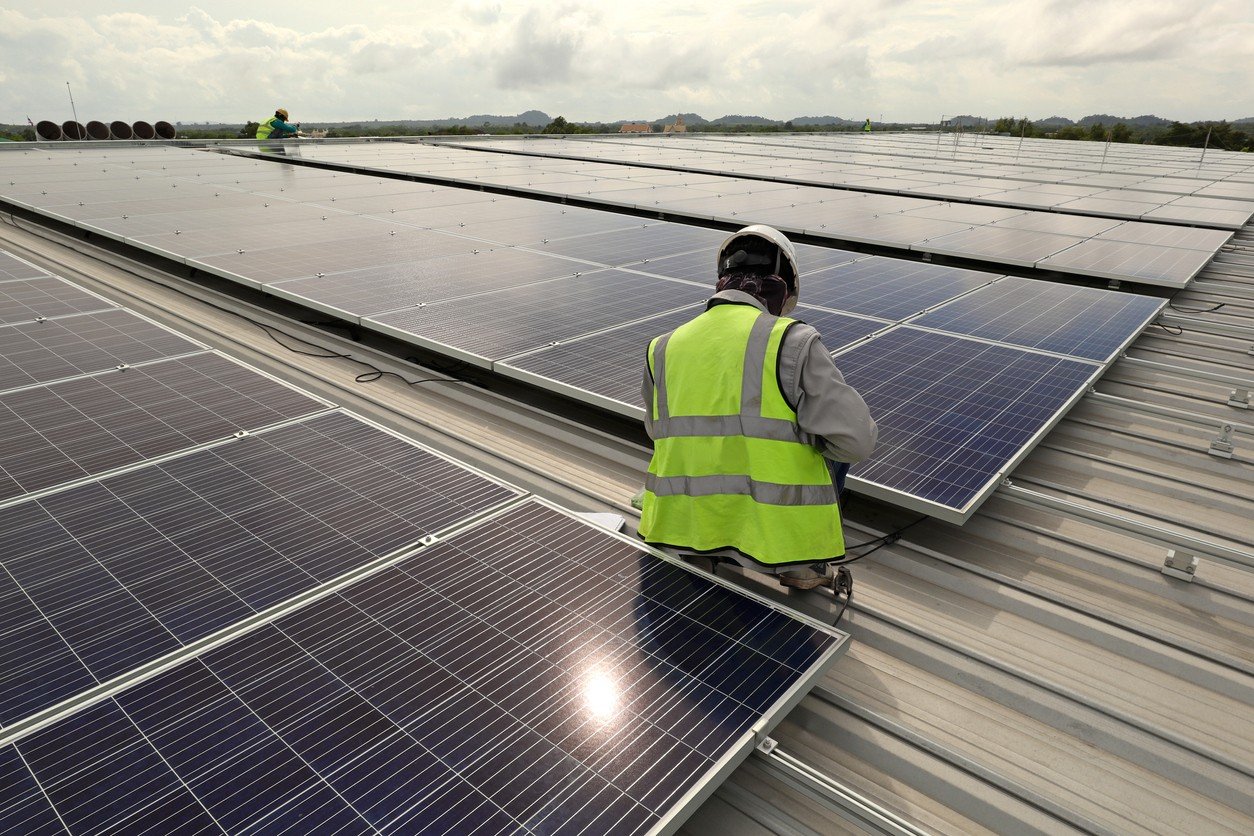
Businesses in Phoenix face significant electricity demands, particularly during the summer when cooling systems operate for extended periods. Solar installation can help commercial property owners manage energy expenses and generate electricity from sunlight. However, choosing the right contractor requires careful research.
- 1. Experience With Commercial Solar Projects
- 2. Detailed Property Assessment
- 3. Equipment Quality and Compatibility
- 4. Licensing, Insurance, and Safety
- 5. Transparent Pricing and Project Scope
- 6. Installation Timeline and Business Operations
- 7. Warranty and After-Installation Support
- Make an Informed Hiring Decision
Before hiring a commercial solar contractor in Phoenix, businesses should evaluate several factors to ensure the proposed installation meets their operational needs.
1. Experience With Commercial Solar Projects
Larger systems and more detailed planning are required for commercial installations than for residential projects. As a result, experience is one of the initial things you should consider.
Inquire with a potential contractor about their commercial experience. Check for experience in offices, warehouses, retail buildings, or industrial facilities that are like yours. This is a way to find out if the contractor is capable of taking on your project and its requirements.
2. Detailed Property Assessment
You should contact a solar professional to assess your property before you install a solar system. This evaluation can be used to assess space available and system capacity.
The contractor needs to check the electricity use, roof surface, orientation to the sun and shade. These factors affect the design of the system as well as the amount of energy to be expected.
Don’t hire a company that offers a generic package without first assessing your property. If you have a good assessment, it will make for a better installation.
3. Equipment Quality and Compatibility
The solar panels and the inverters are important components of the system performance. With quotes from a solar company in Phoenix, ask about equipment recommended by the contractor and why them.
Check out panel specs, inverter characteristics, and manufacturer warranties. Equipment should be designed to meet the energy needs and installation conditions for your property.
In addition, inquire about the interaction of the chosen components. A contractor should clearly communicate technical information, which will help you understand what your business will get.
4. Licensing, Insurance, and Safety
When installing a solar system as a business, safety and compliance should be taken into account because it is electrical work. Check the contractor’s licenses and insurance for the project.
Inquire about the company’s adherence to necessary electrical and building codes. It’s also important to know who will oversee the installation and schedule required inspections.
These checks minimize the risk of potential problems and give peace of mind through the contractor’s professional approach.
5. Transparent Pricing and Project Scope
While price is important, it is dangerous to go for the cheapest quote without checking out the details. Proposals from various contractors can vary in terms of the equipment, the installation services, and project needs they provide.
Ask for a detailed quote, which will include equipment costs, labor, installation, and any other costs. When looking at the total scope of the project, rather than just the final price, compare it.
It’s also important to discuss the terms of payment and the estimated time frame for installation. Documentation is useful to avoid any extra costs and miscommunications.
6. Installation Timeline and Business Operations
Construction often requires business to keep functioning on a daily basis. So discuss the installation schedule before signing an agreement.
Inquire about methods of equipment delivery, equipment installation, and inspection. Having a well-structured plan enables property managers to prepare for temporary interruptions.
The contractor should also discuss with the client how the team will communicate progress and how they will handle unforeseen delays.
7. Warranty and After-Installation Support
Solar systems need quality equipment and installation to operate efficiently. When hiring a contractor, check the manufacturer’s warranties and questions about manufacturer warranties for installation.
In addition, talk about what support is provided once the project is done. Learn how the company deals with equipment problems, system performance problems and repair requests.
After installation, consistent communication can assist businesses in resolving issues before it becomes a hassle.
Make an Informed Hiring Decision
Selecting the right contractor involves balancing experience, system design, equipment quality, safety, pricing, and long-term support. Compare proposals carefully and ask questions before making a commitment. Businesses exploring commercial solar installation in Phoenix and across Arizona can consider Watt Masters when evaluating providers for their commercial solar projects.

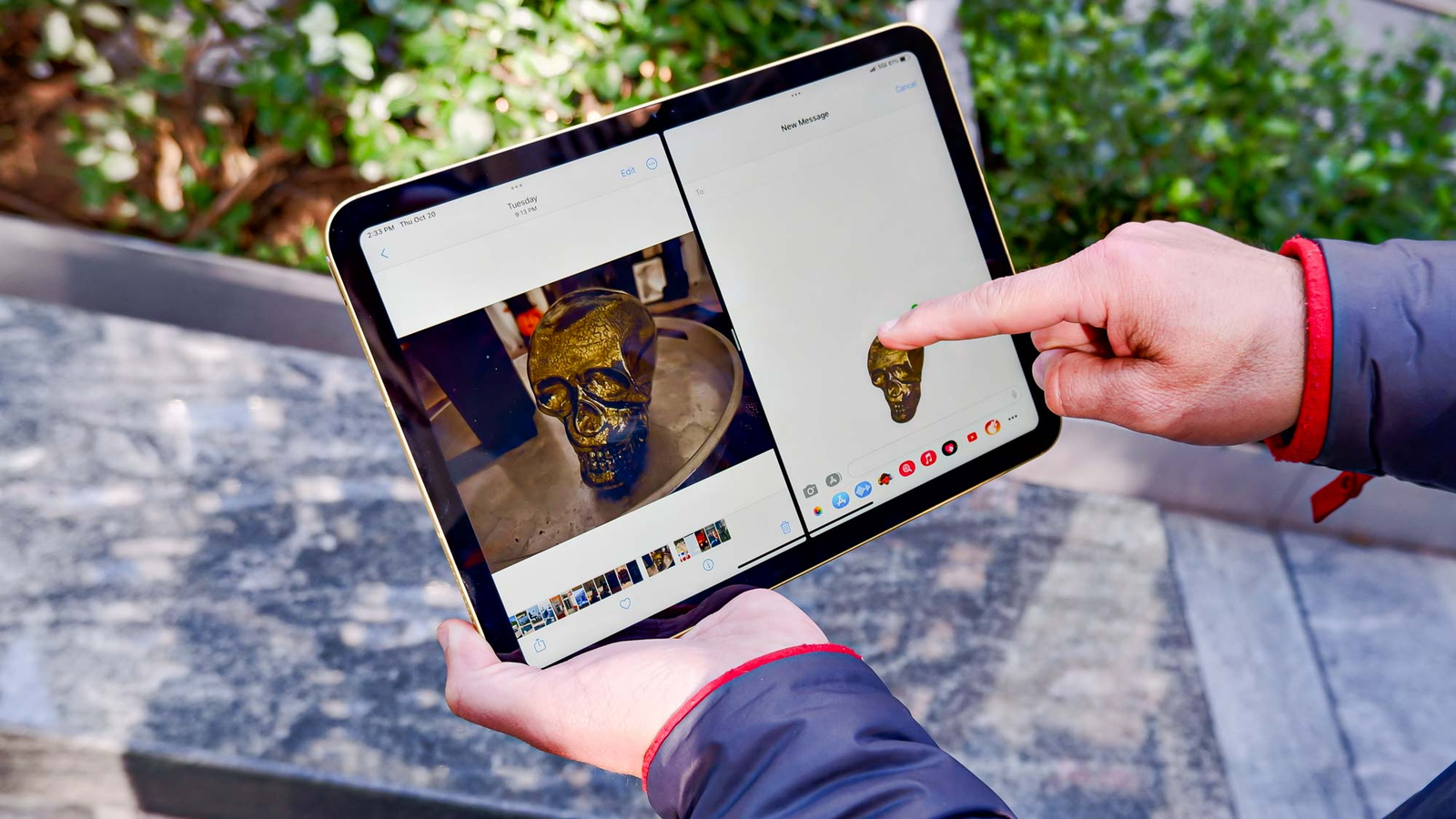
To turn your iPad into the perfect binge-watching device, choose the right model and screen size, adjust display and sound settings, download episodes for offline viewing, use a good stand or case, pair quality headphones, manage battery life and set up your apps and profiles. A few simple changes make your iPad a portable cinema for long flights, lazy weekends and late-night marathons.
- 1. Choose the right iPad for watching shows
- 2. Adjust display settings
- 3. Improve the sound
- 4. Download episodes for offline viewing
- 5. Use a good stand or case
- 6. Pair quality headphones
- 7. Manage battery life
- Set up apps and profiles
- Binge-watching habits worth keeping
- Make the most of picture-in-picture and multitasking
- Protect your iPad on the go
- Frequently asked questions
- Which iPad has the best screen for movies?
- How much storage do I need for downloads?
- Can I connect my iPad to a TV?
- Do downloaded episodes expire?
- Are AirPods worth it for watching shows?
- Is an iPad better than a laptop for watching shows?
- How can I reduce eye strain during long viewing sessions?
- Final thoughts
Many people watch more shows on their iPad than on their TV. It is light, has a beautiful screen and goes everywhere with you. Here are seven easy tips to make every episode look and sound its best.
1. Choose the right iPad for watching shows
If you are buying a new iPad mainly for entertainment, screen size and display quality matter most. The standard iPad is great value for casual viewing. The iPad Air offers a brighter, laminated display and more power. The iPad Pro has the best screen, with excellent contrast and brightness for HDR content, while the iPad mini is perfect for watching in bed or on a crowded commute.
If you are comparing models, AppleBitcoin’s iPad range lists the current models with their screen sizes and storage options side by side, which makes it easier to pick the right one for your viewing habits.
2. Adjust display settings
A few display tweaks can improve your viewing experience:
- Turn on True Tone for more natural colours in different lighting.
- Use Night Shift in the evening to reduce blue light.
- Lower auto-brightness in dark rooms to avoid eye strain.
- Turn on Dark Mode so menus do not glare between episodes.
3. Improve the sound
iPad speakers are surprisingly good, but you can make them better. Turn on spatial audio in supported apps for a more immersive experience, and use the sound settings to adjust volume limits. If dialogue is hard to hear, turn on subtitles or enable the “dialogue boost” option available in some streaming apps.
4. Download episodes for offline viewing
Most streaming apps let you download episodes before you travel. Download over Wi-Fi to save mobile data, and choose a higher quality setting if you have enough storage. Check how long downloads stay available, as many apps remove them after a set time. Delete watched episodes regularly to free up space.
5. Use a good stand or case
Holding an iPad for hours is tiring. A folding case, adjustable stand or pillow stand keeps the screen at a comfortable angle on a table, desk or bed. Some cases include keyboards, which are handy if you also use your iPad for work.
6. Pair quality headphones
Wireless headphones or earbuds with noise cancellation are ideal for watching on planes, trains or in shared homes. AirPods switch automatically between your Apple devices and support spatial audio with head tracking for a cinema-like feel.
7. Manage battery life
Video streaming uses a lot of battery. To make it last through a marathon:
- Download episodes instead of streaming when possible.
- Lower screen brightness.
- Close apps you are not using.
- Carry a power bank or a USB-C charger.
Set up apps and profiles
Organise your streaming apps in one folder or on your home screen for quick access. Create separate profiles for family members so recommendations stay relevant, and use Screen Time to manage how much children watch. Turn on Guided Access if you want to lock a child into one app during a long trip.
Binge-watching habits worth keeping
Long viewing sessions are more enjoyable with a few healthy habits. Take short breaks between episodes to stretch and rest your eyes, keep a glass of water nearby and avoid watching right up until you fall asleep. Turning on the autoplay countdown, rather than instant autoplay, gives you a moment to decide whether to keep going.
Make the most of picture-in-picture and multitasking
Your iPad can keep a show playing while you do other things. Picture-in-picture lets you shrink a video into a small window while you chat, browse or check email, and Split View lets you watch in one half of the screen while you scroll social media or follow along with a recap in the other. These features work in most major streaming apps and turn your iPad into a great second screen during live events.
Protect your iPad on the go
If you watch on trains, planes and in cafés, protect your iPad with a sturdy case and a screen protector. Turn on Find My iPad so you can locate it if it is lost, and set a strong passcode. Avoid logging in to streaming accounts on shared or public devices, and sign out of any you no longer use. These small steps keep your account and your device safe wherever you binge.
Frequently asked questions
Which iPad has the best screen for movies?
The iPad Pro has the best display for movies, especially HDR content, but the iPad Air is excellent value.
How much storage do I need for downloads?
128GB is a comfortable minimum if you download shows regularly. Heavy downloaders should consider 256GB or more.
Can I connect my iPad to a TV?
Yes. You can use AirPlay with compatible TVs or an adapter to connect to an HDMI input.
Do downloaded episodes expire?
Many streaming services limit how long downloads stay available, often 48 hours after you start watching. Check each app’s rules.
Are AirPods worth it for watching shows?
Yes, especially models with spatial audio and noise cancellation, which make viewing far more immersive.
Is an iPad better than a laptop for watching shows?
For many people, yes. An iPad is lighter, easier to hold in bed or on a plane and has a long battery life, while a laptop is better if you also need a keyboard for work.
How can I reduce eye strain during long viewing sessions?
Lower the brightness in dark rooms, use Night Shift in the evening and follow the 20-20-20 rule: every 20 minutes, look at something 20 feet away for 20 seconds.
Final thoughts
With the right settings, a comfortable stand and good headphones, your iPad can rival a home cinema. Set it up once, download your favourite shows and enjoy your next binge wherever you are.


Creating one useful image is different from producing several that belong together. With ai image generation, a blog series, social campaign, presentation, or creative story can quickly accumulate pictures with mismatched colors, viewpoints, and levels of detail. A coherent set needs a shared direction and a clear purpose for each image. This guide explains how to plan that direction, generate individual candidates, and refine the collection without making every picture look identical.
- 1. Choose the right iPad for watching shows
- 2. Adjust display settings
- 3. Improve the sound
- 4. Download episodes for offline viewing
- 5. Use a good stand or case
- 6. Pair quality headphones
- 7. Manage battery life
- Set up apps and profiles
- Binge-watching habits worth keeping
- Make the most of picture-in-picture and multitasking
- Protect your iPad on the go
- Frequently asked questions
- Which iPad has the best screen for movies?
- How much storage do I need for downloads?
- Can I connect my iPad to a TV?
- Do downloaded episodes expire?
- Are AirPods worth it for watching shows?
- Is an iPad better than a laptop for watching shows?
- How can I reduce eye strain during long viewing sessions?
- Final thoughts
Define what the project needs before generating images
List the actual deliverables and where they will appear. A blog project might need a feature image and several explanatory illustrations. A social series might need an introduction, examples, and a summary card. A campaign might need a wide banner, portrait announcement, and supporting visuals.
Write the job of each image beside its destination. One may establish the subject; another may clarify a comparison; another may support a practical next step. This prevents a collection of attractive pictures from becoming a project with no clear visual structure.
Decide whether the images will be seen in order or independently. A carousel needs progression between frames. Several article images need to support the relevant sections without necessarily forming a continuous scene. A campaign can share an identity across placements even when viewers encounter only one asset.
Generate according to those needs rather than setting an arbitrary image count. If two images contribute the same information, consider whether the project actually needs both.
Choose a small set of shared visual rules
Identify the choices that should connect the collection: palette, illustration treatment, lighting, viewpoint, background complexity, and the way subjects occupy the frame. Keep the rules concrete enough to use while writing prompts and reviewing candidates.
For example, a research-themed editorial project could use a restrained blue-and-cream palette, simple paper objects, soft overhead light, and an uncluttered desk viewed from above. Those choices establish a recognizable family while allowing different arrangements to explain different ideas.
Separate shared rules from image-specific decisions. The palette might remain stable while object position changes to accommodate a headline. The illustration treatment might stay consistent while the subject changes from cards to folders. Uniformity should not prevent an image from doing its own job.
Avoid relying on a vague phrase such as “same premium style” as the whole specification. Describe the visible qualities you want another person to recognize across the set.
Create a reference image before expanding the collection
Develop one representative candidate and inspect it inside the actual project layout. Choose a scene that contains enough of the intended treatment to guide later images without being unnecessarily complicated.
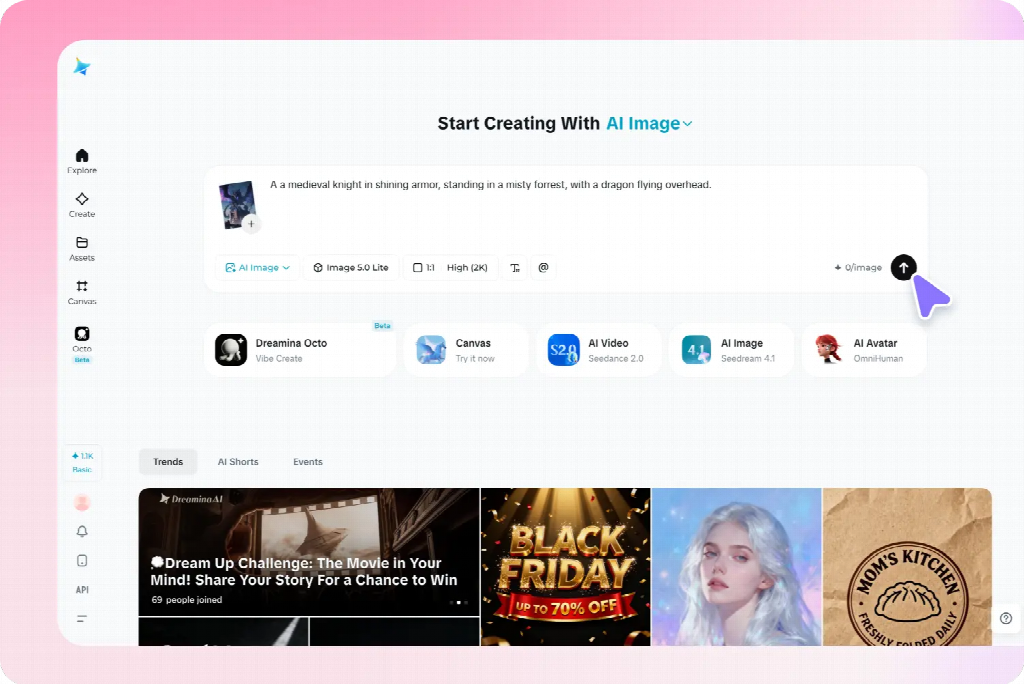
In Dreamina, use a written description or supported reference to explore that first image. A proposed brief is: “Original editorial illustration of three groups of plain reference cards beside one closed notebook, overhead view, muted blue and warm cream colors, soft consistent shadows, simple shapes, clear background, no lettering, logos, decorative charts, or extra stationery.”
Review more than its attractiveness. Does the viewpoint support the project? Are the objects readable at the intended size? Does the detail level leave room for the accompanying content? Correct obvious structural problems before treating the image as a reference.
Keep the approved source and a short description of what it establishes. A reference can communicate style, object appearance, or composition, but it does not guarantee that every later result will preserve those features exactly. The prompts here are suggested examples, not reports of tested outputs.
Give each image a separate, focused prompt
Use the shared direction as a stable starting point, then describe the specific subject, relationship, and composition needed for each image. Do not paste the entire project plan into every request.
For a comparison graphic, the brief might specify two clearly separated arrangements of the same paper objects. For a section about selecting information, it might show one card separated from a larger group. For a summary, it might show several groups connected to a central notebook.
Keep each image’s visible state explicit. “Three organized groups” differs from “scattered cards awaiting sorting.” If the prompt describes both conditions without explaining the intended arrangement, the result may blend them into an unclear composition.
Where supported, supply the approved reference and explain its role. Retain the palette and illustration treatment while changing the subject arrangement. Review the output for the requested difference as well as the shared features.
Apply the method to blog and explanatory images
For an article or presentation, begin with the difficult points the visuals need to clarify. A feature image can introduce the broad subject, while supporting pictures explain particular relationships. They can belong to one family without repeating the same composition.
For a planning article, one image might establish the scattered information, another show categories, and a third illustrate a selection decision. Keep comparable objects and viewpoint when they help readers inspect the change. Add exact labels separately when that provides better control.
Do not force an explanatory picture to imitate a feature image’s decorative density. A simpler arrangement may be more useful when the audience needs to compare details. Preserve the shared treatment while allowing the amount of information to match the task.
Use verified source material for precise data, interfaces, real product features, or documented processes. Generated conceptual illustrations can support an explanation without pretending to establish factual evidence.
Adapt the set for social and promotional content
A social series needs a recognizable direction and a distinct contribution from each card. Use a shared palette or motif while changing the image to support the actual message. Avoid producing several near-identical scenes with only a different caption.
For a campaign, distinguish introductory, explanatory, and reminder assets. The introduction may establish the situation; the explanatory visual may need approved product material; the reminder may need a calmer background for practical copy. Their layouts can differ while their treatment remains related.
Preview each image with its real headline or caption. A wide banner’s useful empty region may disappear in a portrait crop. Change the subject position or create a companion composition rather than assuming one source can simply be resized for every placement.
For authentic products, retain accurate source assets and use generated material for appropriate supporting roles. A consistent-looking collection is not successful if it repeatedly alters the item being promoted.
Keep recurring characters and objects recognizable
For creative illustrations, record the features that matter for recognition: a character’s clothing, an object’s silhouette, or a setting’s main landmarks. Use a few clear references rather than expecting perfect repetition of every incidental surface.
A fictional traveler might retain a blue coat and small cream bag across several scenes. The action and setting can change, but the bag should not disappear without a reason. If it changes hands, decide whether the story establishes that change or whether the image needs correction.
A story also needs the right information at the right moment. Do not reveal an outcome in an earlier illustration simply because the full plot was included in the prompt. Brief the current scene rather than asking the generator to summarize the entire narrative.
These continuity checks are one application of the broader method. An explanatory set needs dependable object relationships; a promotional set needs accurate items and a coherent identity. Choose the important constants according to the project.
Review the collection together, not only image by image
Place the candidates side by side in a simple overview, then inspect them in their actual sequence or placements. A picture that looks effective alone may use much stronger contrast or a different viewpoint from the rest.
Compare subject scale, background complexity, lighting, and visual weight. Identify which difference is distracting and which is justified by the task. A summary graphic may need fewer objects; a comparison may need a more structured arrangement.
Then check meaning. Does each picture support its assigned message? Does an accidental change in object size or state suggest information the content never intended? Consistency includes reliable communication, not only matching colors.
Ask a reviewer what connects the set and what they understand from each image. If everything looks related but the individual messages are indistinguishable, increase purposeful variation rather than adding more decorative consistency.
Correct mismatches at the right level
For a small defect in an otherwise suitable candidate, a selected-area correction may preserve the useful composition. Review nearby boundaries and shadows after the change. If the whole treatment differs, a new candidate using the approved direction may be more appropriate.
If a reference-led result repeats the wrong composition, clarify what should change. If the colors drift, restate the limited palette. If the viewpoint varies unintentionally, describe the shared view in concrete terms rather than adding more style adjectives.
Keep exact wording, labels, and required information editable in the finishing layout when that offers better control. Do not regenerate an entire picture solely to correct a date or line break that can be handled reliably as text.
When replacing one image, review the surrounding set again. A correction can improve the individual asset while creating a new mismatch in scale or emphasis. Approve the replacement for its actual role in the collection.
Keep a usable master set for future changes
Store the approved references, shared visual rules, individual prompts, editable layouts, and final exports together. Identify which version belongs to each destination so a rejected candidate is not reused because it has an attractive thumbnail.
For an ongoing series, add a short note explaining the job of each image and what should remain stable. A new contributor can then create another relevant asset without copying the previous picture or inventing an unrelated direction.
Check final crops and text at the actual viewing size before distribution. Fine details can disappear, and a new caption can change the interpretation of an otherwise familiar image. Reuse the visual reasoning, not just the file.
A strong set combines recognizable shared choices with meaningful differences. Planning both allows AI generation to support a coherent project, with each image contributing something specific instead of merely increasing the number of assets.

Renting a Stylish Coupe in Dubai: What Actually Matters

How to Tell Real Korean Toxin Brands From Copycat Vials Before You Buy

A Practical Guide to Fortnite Accounts and V-Bucks

Alex Pettyfer Net Worth, Wife, Age, Height, Children, Career and More

Brad Williams Net Worth, Wife, Height, Age, Daughter, Family, Career and More

Eldorado.gg Review 2026: How It Works, Safety, Fees, and Risks
-
Celebrity11 months ago
Alex Pettyfer Net Worth, Wife, Age, Height, Children, Career and More
-
Celebrity11 months ago
Brad Williams Net Worth, Wife, Height, Age, Daughter, Family, Career and More
-
Blog2 months ago
Eldorado.gg Review 2026: How It Works, Safety, Fees, and Risks
-
 Anime12 months ago
Sanzoku Bandits of One Piece: Origins, Higuma, and Their Role in Dawn Island
-
 Celebrity11 months ago
John McGinn Net Worth, Age, Height, Wife, Childrens, Career and More
-
 Celebrity11 months ago
Frances de la Tour Net Worth, Age, Height, Husband, Childrens, Career and More
-
 Celebrity11 months ago
Will Trickett Net Worth, Wife, Childrens, Age, Career and More
-
 Blog3 months ago
Crackstube: A Complete Guide to the Digital Publishing Platform