
Technology
7 Factors to Consider When Hiring a Commercial Solar Contractor in Phoenix

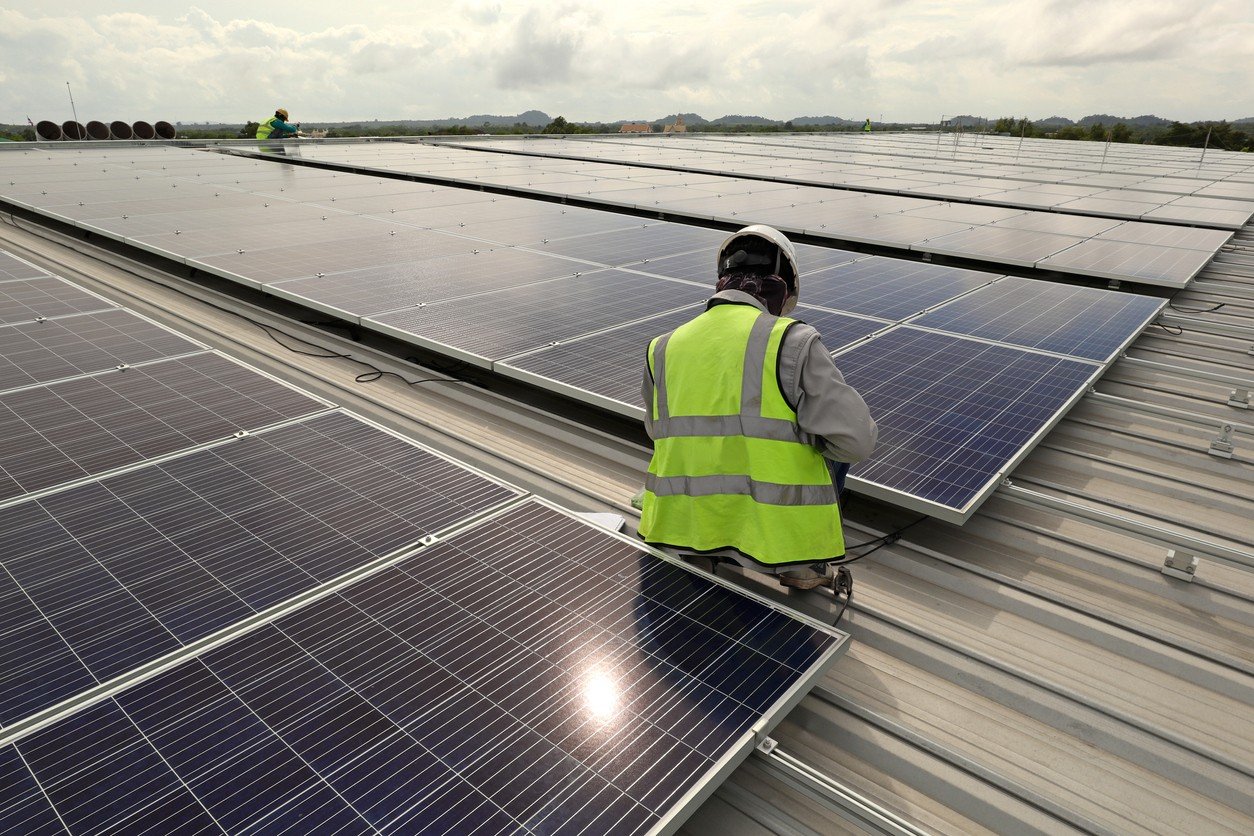
Businesses in Phoenix face significant electricity demands, particularly during the summer when cooling systems operate for extended periods. Solar installation can help commercial property owners manage energy expenses and generate electricity from sunlight. However, choosing the right contractor requires careful research.
- 1. Experience With Commercial Solar Projects
- 2. Detailed Property Assessment
- 3. Equipment Quality and Compatibility
- 4. Licensing, Insurance, and Safety
- 5. Transparent Pricing and Project Scope
- 6. Installation Timeline and Business Operations
- 7. Warranty and After-Installation Support
- Make an Informed Hiring Decision
Before hiring a commercial solar contractor in Phoenix, businesses should evaluate several factors to ensure the proposed installation meets their operational needs.
1. Experience With Commercial Solar Projects
Larger systems and more detailed planning are required for commercial installations than for residential projects. As a result, experience is one of the initial things you should consider.
Inquire with a potential contractor about their commercial experience. Check for experience in offices, warehouses, retail buildings, or industrial facilities that are like yours. This is a way to find out if the contractor is capable of taking on your project and its requirements.
2. Detailed Property Assessment
You should contact a solar professional to assess your property before you install a solar system. This evaluation can be used to assess space available and system capacity.
The contractor needs to check the electricity use, roof surface, orientation to the sun and shade. These factors affect the design of the system as well as the amount of energy to be expected.
Don’t hire a company that offers a generic package without first assessing your property. If you have a good assessment, it will make for a better installation.
3. Equipment Quality and Compatibility
The solar panels and the inverters are important components of the system performance. With quotes from a solar company in Phoenix, ask about equipment recommended by the contractor and why them.
Check out panel specs, inverter characteristics, and manufacturer warranties. Equipment should be designed to meet the energy needs and installation conditions for your property.
In addition, inquire about the interaction of the chosen components. A contractor should clearly communicate technical information, which will help you understand what your business will get.
4. Licensing, Insurance, and Safety
When installing a solar system as a business, safety and compliance should be taken into account because it is electrical work. Check the contractor’s licenses and insurance for the project.
Inquire about the company’s adherence to necessary electrical and building codes. It’s also important to know who will oversee the installation and schedule required inspections.
These checks minimize the risk of potential problems and give peace of mind through the contractor’s professional approach.
5. Transparent Pricing and Project Scope
While price is important, it is dangerous to go for the cheapest quote without checking out the details. Proposals from various contractors can vary in terms of the equipment, the installation services, and project needs they provide.
Ask for a detailed quote, which will include equipment costs, labor, installation, and any other costs. When looking at the total scope of the project, rather than just the final price, compare it.
It’s also important to discuss the terms of payment and the estimated time frame for installation. Documentation is useful to avoid any extra costs and miscommunications.
6. Installation Timeline and Business Operations
Construction often requires business to keep functioning on a daily basis. So discuss the installation schedule before signing an agreement.
Inquire about methods of equipment delivery, equipment installation, and inspection. Having a well-structured plan enables property managers to prepare for temporary interruptions.
The contractor should also discuss with the client how the team will communicate progress and how they will handle unforeseen delays.
7. Warranty and After-Installation Support
Solar systems need quality equipment and installation to operate efficiently. When hiring a contractor, check the manufacturer’s warranties and questions about manufacturer warranties for installation.
In addition, talk about what support is provided once the project is done. Learn how the company deals with equipment problems, system performance problems and repair requests.
After installation, consistent communication can assist businesses in resolving issues before it becomes a hassle.
Make an Informed Hiring Decision
Selecting the right contractor involves balancing experience, system design, equipment quality, safety, pricing, and long-term support. Compare proposals carefully and ask questions before making a commitment. Businesses exploring commercial solar installation in Phoenix and across Arizona can consider Watt Masters when evaluating providers for their commercial solar projects.


To turn your iPad into the perfect binge-watching device, choose the right model and screen size, adjust display and sound settings, download episodes for offline viewing, use a good stand or case, pair quality headphones, manage battery life and set up your apps and profiles. A few simple changes make your iPad a portable cinema for long flights, lazy weekends and late-night marathons.
- 1. Choose the right iPad for watching shows
- 2. Adjust display settings
- 3. Improve the sound
- 4. Download episodes for offline viewing
- 5. Use a good stand or case
- 6. Pair quality headphones
- 7. Manage battery life
- Set up apps and profiles
- Binge-watching habits worth keeping
- Make the most of picture-in-picture and multitasking
- Protect your iPad on the go
- Frequently asked questions
- Which iPad has the best screen for movies?
- How much storage do I need for downloads?
- Can I connect my iPad to a TV?
- Do downloaded episodes expire?
- Are AirPods worth it for watching shows?
- Is an iPad better than a laptop for watching shows?
- How can I reduce eye strain during long viewing sessions?
- Final thoughts
Many people watch more shows on their iPad than on their TV. It is light, has a beautiful screen and goes everywhere with you. Here are seven easy tips to make every episode look and sound its best.
1. Choose the right iPad for watching shows
If you are buying a new iPad mainly for entertainment, screen size and display quality matter most. The standard iPad is great value for casual viewing. The iPad Air offers a brighter, laminated display and more power. The iPad Pro has the best screen, with excellent contrast and brightness for HDR content, while the iPad mini is perfect for watching in bed or on a crowded commute.
If you are comparing models, AppleBitcoin’s iPad range lists the current models with their screen sizes and storage options side by side, which makes it easier to pick the right one for your viewing habits.
2. Adjust display settings
A few display tweaks can improve your viewing experience:
- Turn on True Tone for more natural colours in different lighting.
- Use Night Shift in the evening to reduce blue light.
- Lower auto-brightness in dark rooms to avoid eye strain.
- Turn on Dark Mode so menus do not glare between episodes.
3. Improve the sound
iPad speakers are surprisingly good, but you can make them better. Turn on spatial audio in supported apps for a more immersive experience, and use the sound settings to adjust volume limits. If dialogue is hard to hear, turn on subtitles or enable the “dialogue boost” option available in some streaming apps.
4. Download episodes for offline viewing
Most streaming apps let you download episodes before you travel. Download over Wi-Fi to save mobile data, and choose a higher quality setting if you have enough storage. Check how long downloads stay available, as many apps remove them after a set time. Delete watched episodes regularly to free up space.
5. Use a good stand or case
Holding an iPad for hours is tiring. A folding case, adjustable stand or pillow stand keeps the screen at a comfortable angle on a table, desk or bed. Some cases include keyboards, which are handy if you also use your iPad for work.
6. Pair quality headphones
Wireless headphones or earbuds with noise cancellation are ideal for watching on planes, trains or in shared homes. AirPods switch automatically between your Apple devices and support spatial audio with head tracking for a cinema-like feel.
7. Manage battery life
Video streaming uses a lot of battery. To make it last through a marathon:
- Download episodes instead of streaming when possible.
- Lower screen brightness.
- Close apps you are not using.
- Carry a power bank or a USB-C charger.
Set up apps and profiles
Organise your streaming apps in one folder or on your home screen for quick access. Create separate profiles for family members so recommendations stay relevant, and use Screen Time to manage how much children watch. Turn on Guided Access if you want to lock a child into one app during a long trip.
Binge-watching habits worth keeping
Long viewing sessions are more enjoyable with a few healthy habits. Take short breaks between episodes to stretch and rest your eyes, keep a glass of water nearby and avoid watching right up until you fall asleep. Turning on the autoplay countdown, rather than instant autoplay, gives you a moment to decide whether to keep going.
Make the most of picture-in-picture and multitasking
Your iPad can keep a show playing while you do other things. Picture-in-picture lets you shrink a video into a small window while you chat, browse or check email, and Split View lets you watch in one half of the screen while you scroll social media or follow along with a recap in the other. These features work in most major streaming apps and turn your iPad into a great second screen during live events.
Protect your iPad on the go
If you watch on trains, planes and in cafés, protect your iPad with a sturdy case and a screen protector. Turn on Find My iPad so you can locate it if it is lost, and set a strong passcode. Avoid logging in to streaming accounts on shared or public devices, and sign out of any you no longer use. These small steps keep your account and your device safe wherever you binge.
Frequently asked questions
Which iPad has the best screen for movies?
The iPad Pro has the best display for movies, especially HDR content, but the iPad Air is excellent value.
How much storage do I need for downloads?
128GB is a comfortable minimum if you download shows regularly. Heavy downloaders should consider 256GB or more.
Can I connect my iPad to a TV?
Yes. You can use AirPlay with compatible TVs or an adapter to connect to an HDMI input.
Do downloaded episodes expire?
Many streaming services limit how long downloads stay available, often 48 hours after you start watching. Check each app’s rules.
Are AirPods worth it for watching shows?
Yes, especially models with spatial audio and noise cancellation, which make viewing far more immersive.
Is an iPad better than a laptop for watching shows?
For many people, yes. An iPad is lighter, easier to hold in bed or on a plane and has a long battery life, while a laptop is better if you also need a keyboard for work.
How can I reduce eye strain during long viewing sessions?
Lower the brightness in dark rooms, use Night Shift in the evening and follow the 20-20-20 rule: every 20 minutes, look at something 20 feet away for 20 seconds.
Final thoughts
With the right settings, a comfortable stand and good headphones, your iPad can rival a home cinema. Set it up once, download your favourite shows and enjoy your next binge wherever you are.


Creating one useful image is different from producing several that belong together. With ai image generation, a blog series, social campaign, presentation, or creative story can quickly accumulate pictures with mismatched colors, viewpoints, and levels of detail. A coherent set needs a shared direction and a clear purpose for each image. This guide explains how to plan that direction, generate individual candidates, and refine the collection without making every picture look identical.
- 1. Choose the right iPad for watching shows
- 2. Adjust display settings
- 3. Improve the sound
- 4. Download episodes for offline viewing
- 5. Use a good stand or case
- 6. Pair quality headphones
- 7. Manage battery life
- Set up apps and profiles
- Binge-watching habits worth keeping
- Make the most of picture-in-picture and multitasking
- Protect your iPad on the go
- Frequently asked questions
- Which iPad has the best screen for movies?
- How much storage do I need for downloads?
- Can I connect my iPad to a TV?
- Do downloaded episodes expire?
- Are AirPods worth it for watching shows?
- Is an iPad better than a laptop for watching shows?
- How can I reduce eye strain during long viewing sessions?
- Final thoughts
Define what the project needs before generating images
List the actual deliverables and where they will appear. A blog project might need a feature image and several explanatory illustrations. A social series might need an introduction, examples, and a summary card. A campaign might need a wide banner, portrait announcement, and supporting visuals.
Write the job of each image beside its destination. One may establish the subject; another may clarify a comparison; another may support a practical next step. This prevents a collection of attractive pictures from becoming a project with no clear visual structure.
Decide whether the images will be seen in order or independently. A carousel needs progression between frames. Several article images need to support the relevant sections without necessarily forming a continuous scene. A campaign can share an identity across placements even when viewers encounter only one asset.
Generate according to those needs rather than setting an arbitrary image count. If two images contribute the same information, consider whether the project actually needs both.
Choose a small set of shared visual rules
Identify the choices that should connect the collection: palette, illustration treatment, lighting, viewpoint, background complexity, and the way subjects occupy the frame. Keep the rules concrete enough to use while writing prompts and reviewing candidates.
For example, a research-themed editorial project could use a restrained blue-and-cream palette, simple paper objects, soft overhead light, and an uncluttered desk viewed from above. Those choices establish a recognizable family while allowing different arrangements to explain different ideas.
Separate shared rules from image-specific decisions. The palette might remain stable while object position changes to accommodate a headline. The illustration treatment might stay consistent while the subject changes from cards to folders. Uniformity should not prevent an image from doing its own job.
Avoid relying on a vague phrase such as “same premium style” as the whole specification. Describe the visible qualities you want another person to recognize across the set.
Create a reference image before expanding the collection
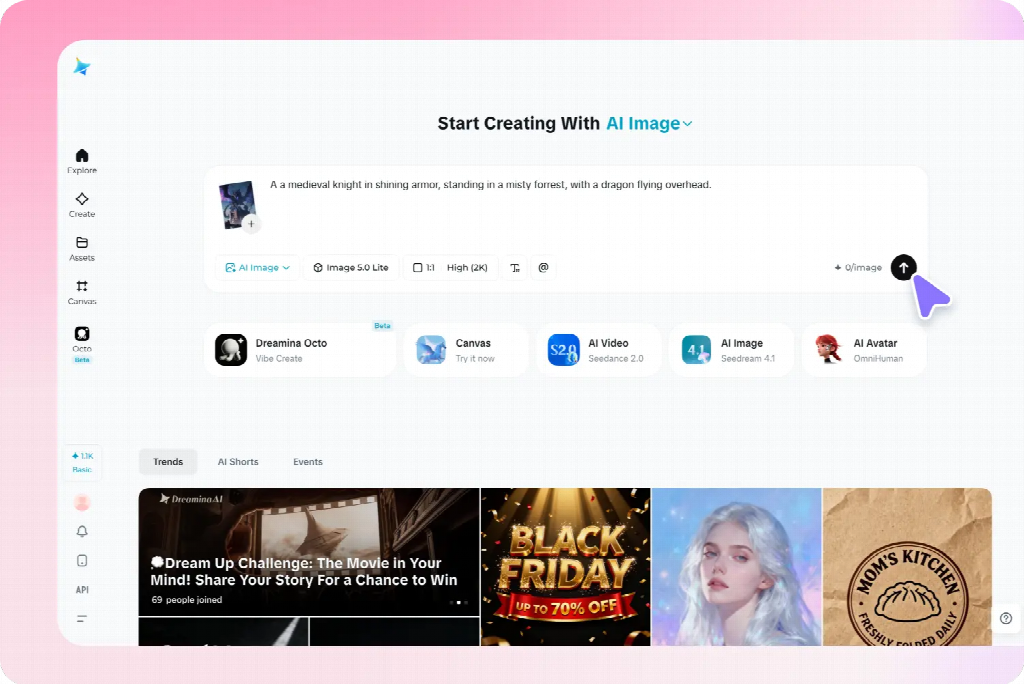
Develop one representative candidate and inspect it inside the actual project layout. Choose a scene that contains enough of the intended treatment to guide later images without being unnecessarily complicated.
In Dreamina, use a written description or supported reference to explore that first image. A proposed brief is: “Original editorial illustration of three groups of plain reference cards beside one closed notebook, overhead view, muted blue and warm cream colors, soft consistent shadows, simple shapes, clear background, no lettering, logos, decorative charts, or extra stationery.”
Review more than its attractiveness. Does the viewpoint support the project? Are the objects readable at the intended size? Does the detail level leave room for the accompanying content? Correct obvious structural problems before treating the image as a reference.
Keep the approved source and a short description of what it establishes. A reference can communicate style, object appearance, or composition, but it does not guarantee that every later result will preserve those features exactly. The prompts here are suggested examples, not reports of tested outputs.
Give each image a separate, focused prompt
Use the shared direction as a stable starting point, then describe the specific subject, relationship, and composition needed for each image. Do not paste the entire project plan into every request.
For a comparison graphic, the brief might specify two clearly separated arrangements of the same paper objects. For a section about selecting information, it might show one card separated from a larger group. For a summary, it might show several groups connected to a central notebook.
Keep each image’s visible state explicit. “Three organized groups” differs from “scattered cards awaiting sorting.” If the prompt describes both conditions without explaining the intended arrangement, the result may blend them into an unclear composition.
Where supported, supply the approved reference and explain its role. Retain the palette and illustration treatment while changing the subject arrangement. Review the output for the requested difference as well as the shared features.
Apply the method to blog and explanatory images
For an article or presentation, begin with the difficult points the visuals need to clarify. A feature image can introduce the broad subject, while supporting pictures explain particular relationships. They can belong to one family without repeating the same composition.
For a planning article, one image might establish the scattered information, another show categories, and a third illustrate a selection decision. Keep comparable objects and viewpoint when they help readers inspect the change. Add exact labels separately when that provides better control.
Do not force an explanatory picture to imitate a feature image’s decorative density. A simpler arrangement may be more useful when the audience needs to compare details. Preserve the shared treatment while allowing the amount of information to match the task.
Use verified source material for precise data, interfaces, real product features, or documented processes. Generated conceptual illustrations can support an explanation without pretending to establish factual evidence.
Adapt the set for social and promotional content
A social series needs a recognizable direction and a distinct contribution from each card. Use a shared palette or motif while changing the image to support the actual message. Avoid producing several near-identical scenes with only a different caption.
For a campaign, distinguish introductory, explanatory, and reminder assets. The introduction may establish the situation; the explanatory visual may need approved product material; the reminder may need a calmer background for practical copy. Their layouts can differ while their treatment remains related.
Preview each image with its real headline or caption. A wide banner’s useful empty region may disappear in a portrait crop. Change the subject position or create a companion composition rather than assuming one source can simply be resized for every placement.
For authentic products, retain accurate source assets and use generated material for appropriate supporting roles. A consistent-looking collection is not successful if it repeatedly alters the item being promoted.
Keep recurring characters and objects recognizable
For creative illustrations, record the features that matter for recognition: a character’s clothing, an object’s silhouette, or a setting’s main landmarks. Use a few clear references rather than expecting perfect repetition of every incidental surface.
A fictional traveler might retain a blue coat and small cream bag across several scenes. The action and setting can change, but the bag should not disappear without a reason. If it changes hands, decide whether the story establishes that change or whether the image needs correction.
A story also needs the right information at the right moment. Do not reveal an outcome in an earlier illustration simply because the full plot was included in the prompt. Brief the current scene rather than asking the generator to summarize the entire narrative.
These continuity checks are one application of the broader method. An explanatory set needs dependable object relationships; a promotional set needs accurate items and a coherent identity. Choose the important constants according to the project.
Review the collection together, not only image by image
Place the candidates side by side in a simple overview, then inspect them in their actual sequence or placements. A picture that looks effective alone may use much stronger contrast or a different viewpoint from the rest.
Compare subject scale, background complexity, lighting, and visual weight. Identify which difference is distracting and which is justified by the task. A summary graphic may need fewer objects; a comparison may need a more structured arrangement.
Then check meaning. Does each picture support its assigned message? Does an accidental change in object size or state suggest information the content never intended? Consistency includes reliable communication, not only matching colors.
Ask a reviewer what connects the set and what they understand from each image. If everything looks related but the individual messages are indistinguishable, increase purposeful variation rather than adding more decorative consistency.
Correct mismatches at the right level
For a small defect in an otherwise suitable candidate, a selected-area correction may preserve the useful composition. Review nearby boundaries and shadows after the change. If the whole treatment differs, a new candidate using the approved direction may be more appropriate.
If a reference-led result repeats the wrong composition, clarify what should change. If the colors drift, restate the limited palette. If the viewpoint varies unintentionally, describe the shared view in concrete terms rather than adding more style adjectives.
Keep exact wording, labels, and required information editable in the finishing layout when that offers better control. Do not regenerate an entire picture solely to correct a date or line break that can be handled reliably as text.
When replacing one image, review the surrounding set again. A correction can improve the individual asset while creating a new mismatch in scale or emphasis. Approve the replacement for its actual role in the collection.
Keep a usable master set for future changes
Store the approved references, shared visual rules, individual prompts, editable layouts, and final exports together. Identify which version belongs to each destination so a rejected candidate is not reused because it has an attractive thumbnail.
For an ongoing series, add a short note explaining the job of each image and what should remain stable. A new contributor can then create another relevant asset without copying the previous picture or inventing an unrelated direction.
Check final crops and text at the actual viewing size before distribution. Fine details can disappear, and a new caption can change the interpretation of an otherwise familiar image. Reuse the visual reasoning, not just the file.
A strong set combines recognizable shared choices with meaningful differences. Planning both allows AI generation to support a coherent project, with each image contributing something specific instead of merely increasing the number of assets.
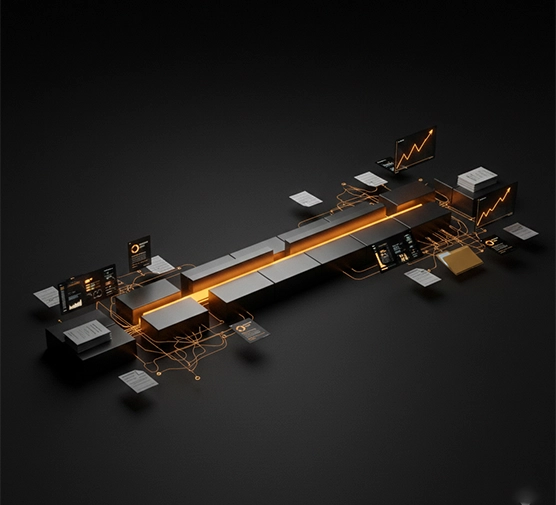
A client of mine once ran a dashboard that was green across the board. Every developer, every supplier, every stakeholder had hit their own deadline that week. He was genuinely confused two weeks later when the launch date slipped for the third time.
- How Can a Project Be Late When Everyone Finishes Their Tasks?
- The Hidden Time Between Tasks Is Where Deadlines Start to Drift
- 7 Reasons UK IT Projects Slip Even When Tasks Stay on Schedule
- Why Being 90% Complete Can Still Leave You Weeks From Launch?
- Warning Signs Your IT Project Is Drifting
- Why Busy Teams Can Still Make Very Little Progress?
- How to Stop Deadline Drift Before It Becomes a Missed Deadline?
- When Does a UK Business Need External Project Management?
- What Outsourced Project Management Can Change?
- Task Problem or Management Problem?
- Frequently Asked Questions
- Conclusion
IT projects rarely fall apart because someone dropped the ball. They fall apart in the space between the balls, in the approvals, the hand-offs, the decisions that sat in someone’s inbox for four days. This is exactly the space outsourced IT project management exists to fill, not by fixing lazy teams, but by owning the connective tissue nobody else is watching. Finishing your tasks and finishing the project sound like the same thing. They aren’t.
How Can a Project Be Late When Everyone Finishes Their Tasks?
Take a fairly ordinary week. The developer finishes the API, the designer wraps up the interface, the supplier delivers hardware on schedule. Every box on the tracker turns green.
Yet launch is still weeks away. The API sits unintegrated. Nobody’s approved the interface. UAT, user acceptance testing, where real users try the system before it goes live, hasn’t started. A finished task is one piece; a finished outcome needs every piece connected, in order, at the right moment. What controls a launch date isn’t how many tasks got ticked off. It’s the critical path, the chain of dependent steps that actually determines when you go live.
The Hidden Time Between Tasks Is Where Deadlines Start to Drift
One team finishes early, then sits waiting on something another team hasn’t handed over yet. That waiting never shows up on anyone’s task list, because technically, nobody’s behind. Approvals do the same thing, sitting untouched for days without anyone noticing, and decisions are worse in some ways: a five-minute call can cost a week if nobody’s job is to chase it down.
7 Reasons UK IT Projects Slip Even When Tasks Stay on Schedule
Hidden dependencies were never mapped. Teams lean on systems, systems lean on suppliers. Miss one link, and the delay spreads downstream.
Hand-offs create time nobody can see. Work passes from IT to Finance to Security and back. Everyone does their bit properly, yet time vanishes in the gaps.
One person quietly becomes the bottleneck. A specialist gets pulled into three workstreams at once, hitting every deadline assigned to her personally while the wider project stalls anyway.
Small changes carry a bigger footprint than expected. A minor tweak to a requirement kicks off new development, integration, testing, and sign-off. The change was tiny; what it touched wasn’t.
Integration takes longer than building the parts. System A plus System B plus System C doesn’t just add up to a finished product. Integration is where incompatible systems and configuration issues surface, usually all at once.
Testing turns “finished” work back into active work. Test it, find a problem, fix it, retest, get it approved. “Development complete” doesn’t mean “ready to launch.”
Third parties can hold part of your timeline hostage. Cloud providers, telecoms companies, payment processors. Your own team can be entirely on schedule while the project waits on somebody outside your building.
Why Being 90% Complete Can Still Leave You Weeks From Launch?
Not every task carries equal weight, even though status reports treat them as if they do. Finishing twenty small tasks might move your finish date by almost nothing. Finishing one task on the critical path might shift it by three weeks on its own. The last 10% is usually where everything collides: integration, UAT, security checks, final sign-off. “We’re 90% done” tells you little unless someone can say what’s sitting in that last tenth.
Warning Signs Your IT Project Is Drifting
Milestone dates keep sliding without a clear reason. The same “waiting for” item reappears week after week. Decisions sit open for days with nobody’s name against them. Teams keep saying “almost there,” yet nothing launches. Suppliers can’t confirm dates, and scope changes get waved through informally. If a few of these sound familiar, the drift has already started.
Why Busy Teams Can Still Make Very Little Progress?
People confuse being busy with getting somewhere, and it’s an easy trap under pressure. A team can close forty tickets and send a hundred emails while the thing the business actually needs stays stuck. The more useful question isn’t how many tasks got closed this week. It’s simpler: can the system go live?
How to Stop Deadline Drift Before It Becomes a Missed Deadline?
Map dependencies before work starts, not after something’s stalled. Work out the critical path early, so everyone knows which activities genuinely control the finish date. Give every blocker a name attached to it, “the team needs to sort this” solves nothing, “Sarah owns this, resolved by Thursday” actually moves. Put deadlines on decisions too, not just deliverables.
When Does a UK Business Need External Project Management?
A few signs tend to show up together: an internal team stretched too thin for coordination, nobody clearly owning the space between departments, constant chasing for updates that should be automatic, suppliers with timelines that don’t line up, and senior staff spending more hours coordinating than running the business.
This is usually the point where outsourced IT project management becomes worth considering, not because outsourcing is automatically the better path, but because someone needs to own the connections between teams that nobody currently does.
What Outsourced Project Management Can Change?
| Project pain | What external oversight provides |
| Hidden dependencies | Dependency tracking from day one |
| Constant chasing | Proactive follow-up, not reactive panic |
| Unclear ownership | A named person against every blocker |
| Moving milestones | Ongoing schedule monitoring |
| Supplier delays | Direct third-party coordination |
| Slow decisions | Decisions tracked like any other deliverable |
What would actually be different if one person owned the whole project instead of everyone owning their own slice of it? That question tells you more than any generic list of outsourced project management services ever could.
Task Problem or Management Problem?
A task problem is straightforward: someone genuinely can’t get their assigned work finished. A management problem looks different. The work itself is done, but nobody’s sure what happens next, another team is stuck waiting, or a decision that should’ve taken an hour has sat untouched for a week.
Frequently Asked Questions
Why can an IT project be late if everyone completes their tasks on time?
Tasks lean on each other more than status reports let on. A finished task still needs integration, approval, or testing before it’s real progress. That step gets skipped in reporting far too often.
What’s the difference between task completion and project completion?
A task is one piece of work, finished on its own. Project completion needs every piece connected, in order, at the right moment. Finishing one doesn’t guarantee the other.
How do dependencies cause IT project delays?
One team’s finished work often becomes another team’s starting point. A late hand-off pushes everything scheduled after it further down the line. Across several teams, those small delays stack up fast.
What are the early warning signs of IT project delays?
Milestone dates that keep sliding are usually the first sign. Repeated “waiting for” items and stalled decisions tend to follow close behind. Spot two or three together and drift’s already started.
When should a business consider external IT project management?
Once nobody clearly owns the gaps between different teams, honestly. It’s also worth it when senior staff spend more time coordinating than actually delivering. At that point, someone needs to own the whole picture, not just their corner of it.
Conclusion
A project doesn’t succeed simply because everyone finishes their own piece of it. It succeeds when those pieces connect at the right time, in the right order, with approvals and decisions already sorted. Track the dependencies. Watch the critical path. Put a name against every blocker.
Eco Outsourcing is who closes that space for UK businesses, taking ownership of the connections between teams so deadlines stop drifting in the first place.

Renting a Stylish Coupe in Dubai: What Actually Matters

How to Tell Real Korean Toxin Brands From Copycat Vials Before You Buy

A Practical Guide to Fortnite Accounts and V-Bucks
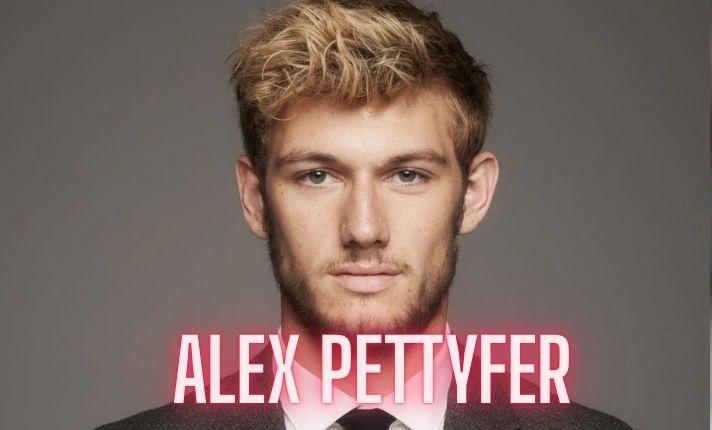
Alex Pettyfer Net Worth, Wife, Age, Height, Children, Career and More

Brad Williams Net Worth, Wife, Height, Age, Daughter, Family, Career and More

Eldorado.gg Review 2026: How It Works, Safety, Fees, and Risks
-
Celebrity11 months ago
Alex Pettyfer Net Worth, Wife, Age, Height, Children, Career and More
-
Celebrity11 months ago
Brad Williams Net Worth, Wife, Height, Age, Daughter, Family, Career and More
-
Blog2 months ago
Eldorado.gg Review 2026: How It Works, Safety, Fees, and Risks
-
 Anime12 months ago
Sanzoku Bandits of One Piece: Origins, Higuma, and Their Role in Dawn Island
-
 Celebrity11 months ago
John McGinn Net Worth, Age, Height, Wife, Childrens, Career and More
-
 Celebrity11 months ago
Frances de la Tour Net Worth, Age, Height, Husband, Childrens, Career and More
-
 Celebrity11 months ago
Will Trickett Net Worth, Wife, Childrens, Age, Career and More
-
 Blog3 months ago
Crackstube: A Complete Guide to the Digital Publishing Platform