
Business
8 Simple Tools That Help You Handle PDFs Conversion Faster

Key Takeaways
- Use reputable platforms like ConvertPDF, Small PDF, and PDF24 for quick and trustworthy PDF conversions through a variety of file formats.
- Choose tools with intuitive interfaces and the ability to work in batches for added convenience and productivity.
- Choose services that offer strong protection and security when handling sensitive documents.
- Look for features and services like OCR for scanned documents or cloud integration to make document management and accessibility easier.
- Enjoy free or low-priced conversion tools without sacrificing quality or restricting core features.
- Look for formatting retention, editing options, professional-looking conversions, and rapid post-conversion editing flexibility.
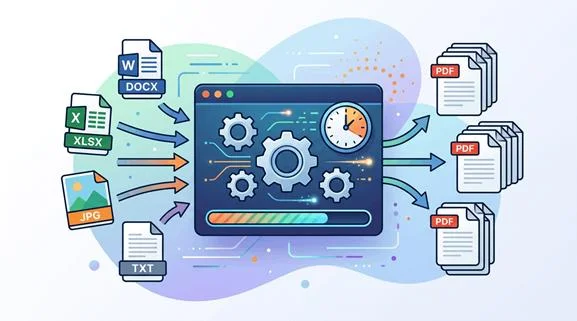
PDFs faster converts files to and from PDF format in less time, with fewer steps and less fuss!
Plenty of online services allow you to exchange, combine or divide files in seconds. Batch uploads, drag-and-drop tools and cloud sync all help things along for both work and study.
This post rounds up the top methods and tools for rapid PDF alterations, from one-click web apps to convenient mobile solutions.
1. ConvertPDF
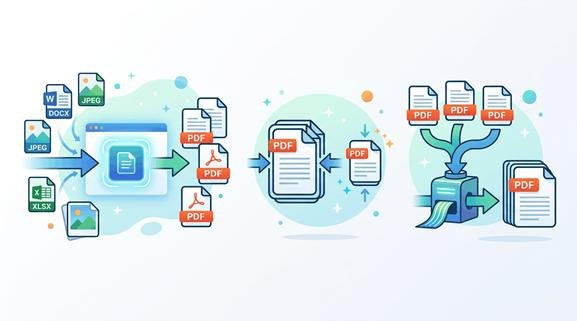
You can do Fast and smooth PDF conversion across multiple file types with this online converter. Switching a PDF into an editable Word document or an AI file for graphic work is only a couple of clicks away with ConvertPDF. Most will find the interface straightforward and clear, making it simple for both newcomers and seasoned pros. Jobs that would take hours, like copy-pasting text or extracting images manually, now finish in minutes.
For instance, someone who needs to convert multi-page PDFs into editable presentations no longer has to copy and paste each paragraph or reformat headings. The site takes care of these steps in seconds, saving time and hassle. The output quality is one of ConvertPDF’s strongest points. The service’s clever algorithms preserve formatting, fonts, and images sharp and true to the original file.
When you move a PDF image into Adobe Illustrator, the converter preserves the information and the structure, so you can modify without losing quality. It’s a dependable go-to for students writing up reports, designers needing to bring vector graphics up to date, or business users tidying files for clients. Sometimes, large or intricate files can delay conversions, but these are mostly completed fast. A typical report of under 10 MB, for example, takes less than a minute.
Getting to ConvertPDF is straightforward as it’s web-based and works on any device. A laptop in the office, a tablet in a coffee shop, or a phone on the go. This flexibility means your documents are always to hand, so you can keep projects rolling wherever you are. The platform offers both free and premium service options.
The free tier assists with basic conversions, while premium users receive quicker support and better-quality results if they need more complex assistance. Manually working with PDFs is oftentimes slow and drab, especially for longer documents or if you’re looking to turn a PDF into a web-optimised post. ConvertPDF takes much of that hassle away by doing the heavy lifting.
Users simply upload the file, choose the output type, and sit back for a moment. Naturally, file type and size still make a difference. Massive or intricate files might take a bit longer, or some features may not convert flawlessly. Still, the time savings are evident. What would once have taken a week’s work, say converting a pile of reports, now takes an afternoon.
2. Small Pdf
Small PDF is a reliable online PDF converter with a lot to offer. Users rely on it to convert files quickly, but its toolbox extends way beyond that. Small PDF provides a complete suite of PDF capabilities, from merging and splitting to unlocking and e-signing.
Its web-based nature means you don’t have to download anything or even sign up for basic conversions, so it’s a good option for anyone who likes to get things done fast and without hassle. For example, uploading a scanned invoice to compress it or converting a Word document into a PDF for work reports can be done in a couple of clicks.
Navigating Small PDF is easy and fluid. Its layout is tidy, and all the tools are on display. There is no secret menu or puzzling choices, which means even first-timers can find what they want quickly.
For those pressed for time, its batch processing capability is a godsend. It allows users to convert or compress multiple PDFs at once, which means jobs that used to take ages can now be done in minutes. Someone with a dozen receipts from a business trip can zip them all up instead of fussing around with each file.
A great advantage is that Small PDF doesn’t require you to pay just to get started. Basic tools, such as compression and conversion, are free to use without registering. Compression achieves this by identifying and eliminating repeated patterns, reducing file size while preserving information and maintaining the appearance of the text.
We know many users are concerned with document quality. Small Pdf maintains crisp fonts and imagery even when reducing files. It can reduce PDF file sizes by up to 99%, which is handy for anyone who needs to email them or upload them to systems with strict size limits.
For example, reducing a 10 MB PDF to less than 1 MB puts it within reach of many web forms. Some tools allow you to set a target size, like reducing a PDF to 100 KB.
Speed and privacy are discussed. Files can be compressed in seconds by dragging and dropping them into the tool. For extra peace of mind, files are removed from the servers after just one hour.
That’s a big tick in the box when dealing with private or sensitive data, as it means there’s no long-term storage or risk of leaks.
3. Pdf24
Next up is Pdf24, which excels with its extensive suite of PDF tools, suitable for nearly any document task. Users are presented with options to merge, split, compress, and rearrange PDFs, which means you can trim or join even large files without a hitch. For example, if someone needs to extract a single page or batch files for a work report, Pdf24 provides speedy methods to do so.
Batch processing is a boon for anyone working with dozens of documents at a time, making it a time-saver in busy office environments. One of Pdf24’s main attractions is its secure file handling. We built each conversion with privacy in mind, enforcing strong data protection so files won’t leak or fall into the wrong hands.
In the case of confidential contracts or personal records, users can count on the tool’s security protocols. For those who want some extra peace of mind, Pdf24’s offline version, the PDF24 Creator, keeps files on your local Windows machine instead of online. It’s Windows 10 and 11 only, meaning Microsoft users get the complete suite of tools in a secure offline environment.
PDF24 appeals to all experience levels with its straightforward, easy-to-use interface. Beginners will be comfortable with straightforward menus and step-by-step processes, while pros will value advanced settings such as file compression and format tweaks. You can even print to a virtual PDF24 printer, making PDF creation as simple as sending a file to print.
For example, a student can create a PDF of their essay by printing from Word, and an office worker converts a presentation to PDF for distribution. Cloud storage integration adds another layer of convenience. Users can save and manage their converted files in the cloud, ready to be accessed from anywhere, be it your home desktop or work laptop.
This alleviates the need for teams to share resources and collaborate by sending massive email attachments. The software is free for everyone — companies and agencies included, which is why it has such a strong following.
Even better, users can choose different editions of the Creator. The 9.x version, for instance, builds on 11.x but omits some of the latest additions, providing additional flexibility based on what works best.
4. Pdf Simpli
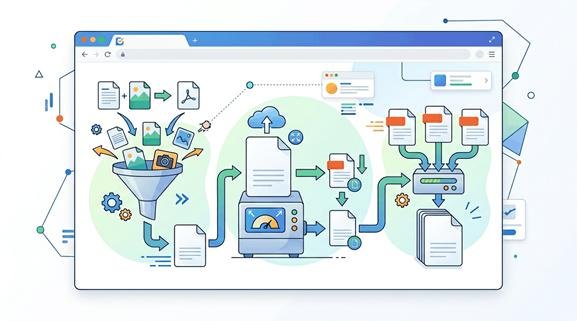
Pdf Simpli – Best for quick and easy PDF conversion. Pdf Simpli is notable for its fast and straightforward conversions, making it a good option when time and simplicity are important. Converting files from Word, Excel, or image formats to PDF or vice versa is effortless.
Accuracy-wise, the tool does a pretty good job too. For instance, a DOCX CV maintains its structure and formatting after converting to PDF, so the end result looks identical. That reliability is useful when it is a race against the clock.
Next up, Pdf Simpli works directly from any browser. There is no need to install any software or worry about device compatibility. It is perfect for those who want to work with files on trains, in coworking spaces or simply toggling between home and office PCs.
User privacy is a top concern, the platform says, with 100% security for all uploads and downloads. This gives peace of mind to anyone handling personal or work documents.
For editing purposes, the annotation tools on Pdf Simpli are user-friendly and customisable. Making annotations, moving text boxes with the Pointer button, or marking key points is seamless.
To highlight, users tap the Highlight icon in the top toolbar, select the text, and release the mouse. There is no steep learning curve. It is excellent for small adjustments, such as signing a document or making a final change to a report.
It’s not all black and white. The three buttons – Convert, Download, Save – all look the same, which can trip people up if they’re in a hurry. For a newcomer, it’s all too easy to click the wrong one and waste time. Worth mentioning is the payment system. One-click downloads usually trigger a monthly subscription that auto-renews and can be more expensive than you realise.
The words are frequently harder to spot prior to purchase, so consumers might want to read the small print before buying. If anything does go wrong, refunds are generally processed in one or two business days, which is fair by industry standards.
In a nutshell, Pdf Simpli serves the would-be fast and furious PDF users. It’s handy for those just wanting to get a job done, particularly for instant or once-off jobs.
5. Pdf House
Pdf House is notable for its quick and easy file conversion. Preparing a PDF takes only a couple of clicks, and it’s swift even with larger files. Nobody wants to hang around for a single-file change, so quickness is a genuine selling point here.
For instance, uploading a multi-page report or a bundle of scanned receipts doesn’t choke or hang. Pdf House simply gets on with it, converted files appear in your downloads before you’ve had a chance to switch tabs.
A lot of these free PDF conversion tools make you pay at the last step. Pdf House is clear about its service. There are no hidden charges and you’ll never hit a paywall unexpectedly. Everyone can convert any file, be it a school paper, business contract or travel plan, without unexpected fees. For students or freelancers who are watching their pennies, this can really help.
A batch of Word documents, PowerPoint slides, or images gets processed with no size limit or frequency of use for the tool. One of the real worries with online PDF converters is preserving the aesthetic of the original. House will keep the formatting in place. Fonts, images, spacing and tables carry over, so you don’t have to correct formatting errors post-conversion.
This is useful for documents such as CVs, invoices or marketing brochures, where an adjustment in layout can be distracting or unprofessional. For example, a contract with significant header sections emerges just as neat as it went in. That level of consistency saves time and headaches, particularly for anyone sending out client-facing documents.
Once converted, Pdf House provides plenty of editing tools to make adjustments without hopping to another app. You can merge files, add text, incorporate images or draw shapes directly in the PDF. These features serve to spruce up a document or add finishing touches.
Imagine refreshing a project proposal with a logo or adding a digital signature to an agreement. Everything is done online, so there is no need to download heavy software or fret about compatibility. The workflow remains slick and focused.
6. ILovePdf
ILovePdf’s extensive suite of online PDF conversion and editing tools makes this a go-to option for all sorts of document requirements. It is more than just a converter. It collates tools for editing, merging, splitting and securing PDFs all in one place.
Whether it’s contracts, reports or presentations, the versatility is useful. For example, merging multiple travel receipts into one file or splitting a bulky research paper into smaller chunks gets done in seconds.
ILovePdf’s editing tools offer much more than simple edits. You can play with font types, sizes, colours, and formatting for a polished finish. Images or clickable links are easy to add, so a training manual could feature brand logos or links to further reading.
Editing visuals post-conversion means you do not have to hop around apps to get the layout right. There is even a way to build interactive forms with signature fields, text boxes, and checkboxes, so gathering feedback or signatures is straightforward. It is good for team surveys, event registrations or approval forms.
Simplicity is at the heart of ILovePdf. Each task receives step-by-step instructions, meaning even novice users will feel comfortable. A neat list of things to do pops up whenever you upload a file, and suggestions lead you through converting, merging or editing.
You don’t have to go searching for secret settings or untangle baffling jargon. This proves to be a time and stress saver on busier days.
It’s not just browser access either. The platform does both a desktop app and a mobile app so you can work on documents on the go or at your desk. Safety comes first, with servers protected under European law.
Uploaded files are cleared automatically after 2 hours to protect sensitive data from unwanted eyes. This provides peace of mind, particularly when working with sensitive documents such as invoices or contracts.
An extra newcomer is the translation function. Translating PDFs into various languages opens up opportunities to share documents with overseas teams or clients. This allows a business to send the same brochure in French, Spanish, or Japanese without special software.
7. Go Nitro
Go Nitro is an app with robust PDF conversion tools and time-saving features, a must for anyone who deals with documents on a daily basis. Go Nitro gives you faster conversions so you’re waiting less and working on things that matter!
A couple of clicks are all it takes to convert a PDF to an editable document, spreadsheet or even a PowerPoint slide, with the original formatting intact.
The PDF to Excel tool is one I like most, as it pulls tables into spreadsheets, so you don’t need to copy and paste, which is great for finance reports or data analysis. Going Go Nitro opens up advanced OCR (Optical Character Recognition). This feature enables users to change scanned PDFs into searchable and editable files.
For example, if someone has a pile of dusty paper contracts that have been scanned, Go Nitro takes those scans and creates Word documents from them, ready for you to update or quickly reference.
The program deals with awkward file structures well, such as files containing extensive tables, pictures, or sophisticated formatting. Users can switch between PDF and Microsoft Office formats, making document management seamless.
One of the big strengths is the editing suite. Logos, bookmarks, hyperlinks, watermarks or page numbers can be added directly to your PDFs. This is useful when you need to prepare files for presenting, sharing with coworkers, or simply keeping your documents tidy for later. You can export PDF content to PowerPoint slides.
Meetings will run more smoothly with visuals and text transferring cleanly to be discussed or collaborated on. Thousands of professionals, from lawyers to teachers, can access clean, editable slides in only a few steps. Pricing is flexible, with options to suit a range of needs and budgets.
Freelancers, small businesses, or large teams can choose what works for them without unnecessary extras. For the undecided, Go Nitro includes a free trial, letting you test all features before you purchase. This is useful if you want to preview conversion quality or investigate the tools without risk.
In this day and age, turning PDFs to Word, Excel, PowerPoint, or images is a daily routine, and Go Nitro takes care of it all hassle-free.
8. Free PDF Convert
Free PDF Convert is notable for its straightforward and affordable solution to manage file conversions. The tool bypasses complex setups and circumvents the paywalls that frequently prevent access to key features. Anyone who needs to convert files to PDF or revert from PDF back to Word or image formats can do so quickly and for free.
Free PDF Convert functions on both desktop and mobile, so it fits into daily life at work, school or home. For example, someone might use it to convert a Word job application into a PDF for emailing or save a scanned receipt as a PDF for record-keeping.
Unlimited access to basic tools is one of the best things about Free PDF Convert. There is no need to purchase a monthly subscription or create an account. Users simply upload files, select a format, and then start the process.
Word files, image formats such as JPEG or PNG, and even spreadsheets can all be converted into PDF with a few clicks. The reverse works as well, so PDFs can be converted back into Word and other formats. It is great for anyone who wants fast results without waiting long or incurring hidden fees.
Take one student who uses it to convert notes scribbled in disparate file types into one tidy PDF, thus saving precious moments when exams roll around.
A reliable internet connection is essential for seamless PDF conversion. As Free PDF Convert operates online, the quality of your connection determines how fast and reliable the service is. Files upload faster, and downloads complete faster when the internet is stable.
This is most important for larger files or when you have a short deadline. A person working from a café with shaky Wi-Fi, for example, may experience slower speeds or have to retry uploads. Using a trusted home or office network generally scores more.
Free PDF Convert offers a variety of output formats, so it’s versatile for different uses. Files can be converted to PDF, Word, Excel, PowerPoint, or image formats. It even supports multiple languages: English, Spanish, and French.
This helps global users get the most out of the tool. Security is another consideration. Free services occasionally display ads or provide basic security, but uploading sensitive files requires caution.
Most users just want to convert regular documents, such as forms and flyers, while keeping personal or important files on more secure systems.
Conclusion
To save time and avoid headaches, pick a tool that works best for you. All of the above PDF converters save you time in a real sense. For example, Small Pdf is great for quick jobs, while ConvertPDF.ai handles larger volumes with less lag. ILovePdf is simple, clean, and good for people who like less fuss.
Just like a well-oiled office or a speedy working day, these tools assist you with more, fewer clicks and lower strain. Give a few a go and see which fits your workflow the best. Keep work smooth and sharp, choose a service that fits your rhythm and scale, and let the robots do the legwork.


There is a difference between watching television and settling in for a proper binge. Three episodes in, the difference announces itself in your neck, your eyes and the nest of cables you keep meaning to sort out. A room that works for a half-hour show can quietly punish you over a five-hour finale weekend, which is why the best viewing rooms are designed for endurance as much as for looks.
The encouraging part is that none of the fixes require a cinema room or a wall-sized screen. They come down to five decisions: what the television sits on, how high the screen is, where the cables go, what you sit on, and how the light behaves after dark. Get those right and the room disappears, leaving just you and the story.
Start with the console and the screen height
The piece under the television does more than hold it up. A well-chosen tv console sets the screen at a comfortable height, hides the boxes and consoles every setup collects, and gives soundbars and speakers a stable home. Too high and you will feel the strain in your neck before the second episode ends. Too low and you end up looking down, which is just as tiring over a long session.
A reliable guide is that the centre of the screen should sit close to eye level when you are seated, roughly one hundred to one hundred and ten centimetres from the floor for most sofas. Measure your seat height first, then work backwards to the console height you need. If you wall-mount the screen, the console still earns its place below it, grounding the setup visually and housing everything that would otherwise sprawl across the floor.
Choose a stand that suits the room, not just the screen
Style is not a distraction from function here; it decides whether the viewing wall feels calm or chaotic for the hundreds of hours you will spend facing it. A modern tv stand with clean lines, closed cabinets and a low profile tends to suit binge rooms especially well, because it hides visual clutter and keeps attention on the screen once the lights go down.
Win the cable war once and for all
Nothing breaks immersion like a glowing power strip and a tangle of leads reflected in a dark scene. The fix takes an afternoon and lasts for years. Route everything through the back of the console, group cables by destination, and label both ends of each one with a small tag. When you eventually swap a device, you will thank yourself.
A cable management box on the floor behind the console hides the power strip and the worst of the slack. Velcro ties beat plastic zip ties because you can undo them without scissors. Keep power cables and speaker or signal cables in separate bundles where you can, which reduces the chance of interference hum through speakers.
Seating for the long haul
Your sofa is the true marathon equipment. For long sessions, look for a seat depth that lets you sit back with your feet up without sliding forward, lumbar support that holds you when you stop paying attention to posture, and armrests at a height that supports a drink, a bowl and a tired arm. Recliners and chaise ends are popular for a reason, but a firm, supportive sofa with good cushions and a footstool can serve just as well.
Distance completes the equation. As a comfortable starting point, sit roughly one and a half to two and a half metres from a large television, adjusting until text on screen is easy to read and your eyes are not scanning left and right during wide shots. If two people watch at very different angles, a curved arrangement or swivel chairs at the edges keep necks happier than a straight line of seats facing forwards.
Lighting that protects your eyes and the picture
Watching in total darkness feels cinematic and strains your eyes, because they constantly adjust between the bright screen and the black room. A soft light behind the television, known as bias lighting, eases that contrast and can make dark scenes look richer. Failing that, a dim lamp behind the seating, pointed away from the screen, achieves a similar balance.
What you want to avoid is any light reflecting in the screen. Position lamps to the side or behind viewers, use shades that direct light down or up, and put everything on dimmers if you can. Blackout curtains or a good blind matter for daytime viewing, especially in rooms with windows opposite the television, where one bright reflection can wash out an entire afternoon match or matinee.
Sound and the small finishing touches
Soft furnishings are quiet sound treatment. A rug between sofa and screen, curtains and upholstered furniture all reduce echo in hard-floored rooms. Finish with the ritual objects: a tray for snacks, coasters where drinks actually land, and a blanket that lives in the room. The perfect binge room is not the most expensive one. It is the one where, at episode four, nothing hurts, nothing buzzes, and nothing pulls you out of the story.
Ready when the next season drops
A great binge-watching room is built from unglamorous decisions made carefully: the screen at eye level, a console that swallows the clutter, cables tamed once and forgotten, a seat that supports you for hours and light that flatters the picture instead of fighting it. None of it needs to happen in one weekend. Start with screen height and cables, and each upgrade after that will be felt in every episode. When the next season lands at midnight, your room will be ready, even if you pretend you will only watch one.
Business
Custom Label: How to Choose the Right Materials, Adhesives, and Manufacturer for Your Business

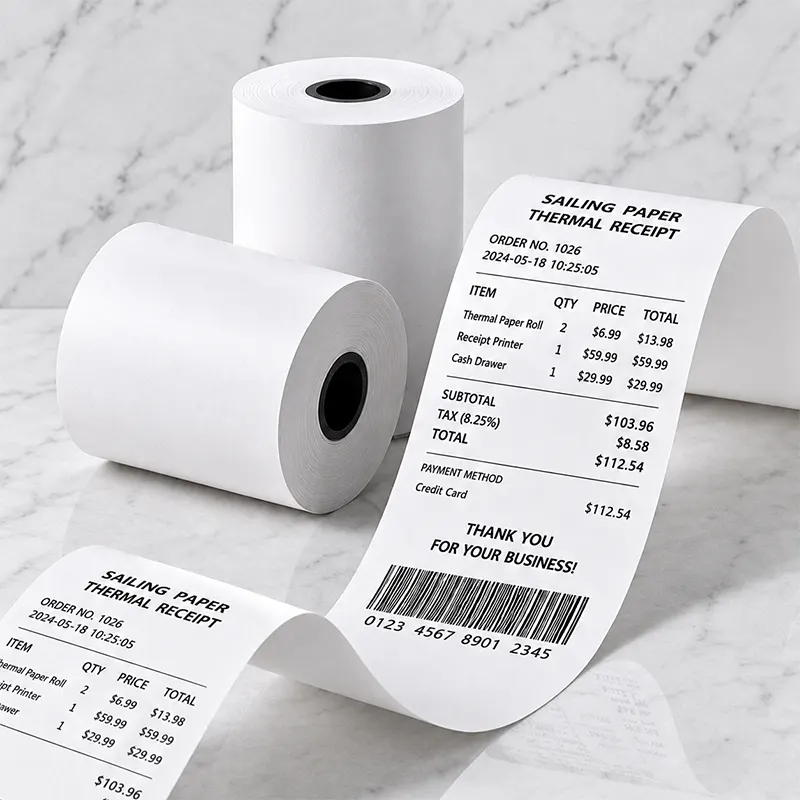
A custom label plays an important role in product identification, packaging, branding, and everyday business operations. Manufacturers, retailers, wholesalers, and eCommerce companies use labels to display product information, organize inventory, support shipping processes, and maintain a consistent brand image. Choosing the right label is therefore an important decision for businesses that depend on reliable packaging and product presentation.
- Quick Answer: What Should You Consider When Ordering a Custom Label?
- 1. Understand the Different Types of Custom Label Materials
- 2. Select the Right Adhesive for Your Custom Label
- 3. Customize the Label Design According to Your Business Needs
- 4. Check Printing Compatibility Before Placing an Order
- 5. Choose the Right Custom Label for Different Industries
- 6. Why Choose a Reliable Custom Label Manufacturer?
- 7. Evaluate Standard Label Quality Before Bulk Purchasing
- 8. Consider International Shipping, Storage, and Long-Term Supply
- Frequently Asked Questions About Custom Label
- 1. What is a custom label?
- 2. Which material is best for a custom label?
- 3. Can custom label have different adhesive options?
- 4. What information should I provide when requesting a custom label quotation?
- 5. Why should I request samples before bulk production?
- 6. Can custom label be supplied for international markets?
- Final Takeaway
However, selecting a suitable custom label involves more than choosing a design or printing a company logo. Material quality, adhesive performance, label dimensions, printing compatibility, and manufacturing consistency all affect how well a label performs. A label designed for a cardboard package, for example, may require different material and adhesive characteristics from one applied to a plastic container or glass bottle.
For businesses purchasing labels in bulk, understanding these factors can help reduce production problems, improve packaging consistency, and establish a dependable supply relationship. This guide explains what buyers should consider when selecting standard custom label and evaluating a suitable manufacturer.
Quick Answer: What Should You Consider When Ordering a Custom Label?
When choosing a custom label for your business, focus on the following factors:
- Label material: Select paper or synthetic material according to the packaging surface and application.
- Adhesive type: Choose an adhesive that provides reliable bonding under normal storage and handling conditions.
- Label dimensions: Confirm the required width, length, shape, and roll specifications.
- Printing requirements: Make sure the material supports your preferred printing method.
- Design and customization: Consider branding, product information, barcodes, and packaging requirements.
- Quality inspection: Evaluate material consistency, print clarity, adhesive performance, and cutting accuracy.
- Manufacturer reliability: Choose a supplier that can support samples, bulk orders, and repeat production.
These factors help businesses select standard labels that meet their practical requirements rather than making purchasing decisions based only on appearance or price.
1. Understand the Different Types of Custom Label Materials
Material selection is one of the first decisions buyers need to make when ordering custom label. The right option depends on the product being labeled, the packaging surface, the printing method, and the conditions in which the label will be used.
Paper labels are widely used for retail products, shipping packages, cartons, and general product identification. They provide a practical printing surface for text, logos, barcodes, and other product information. For many everyday packaging applications, paper labels offer a cost-effective solution.
Synthetic materials may be more suitable when a label needs additional resistance to moisture, oil, tearing, or frequent handling. They are commonly considered for products that require more durable identification during storage and distribution.
Thermal label materials are another option for businesses that print variable information, including shipping addresses, barcodes, product details, and inventory codes. They are particularly useful in retail, logistics, and warehouse operations.
Before choosing a material, buyers should consider:
- The type and texture of the packaging surface.
- Whether the product will be stored indoors or outdoors.
- The expected exposure to moisture, heat, or cold.
- How long the label needs to remain readable.
- The printing equipment and process used by the business.
- The required appearance and durability of the finished label.
A suitable manufacturer should explain the available material options and help buyers select a product that matches their actual application.
2. Select the Right Adhesive for Your Custom Label
The adhesive is just as important as the label’s face material. Even a well-designed custom label may fail if it cannot remain securely attached to the intended surface.
Different packaging materials have different surface characteristics. Cardboard, glass, plastic, metal, and coated packaging may require different adhesive performance. Buyers should therefore avoid assuming that one adhesive will work equally well for every product.
Permanent adhesives are commonly used when labels need to remain attached throughout normal product handling, storage, and transportation. Removable adhesives are suitable for applications where labels need to be taken off without leaving excessive residue or damaging the underlying surface.
Some products also require specialized adhesives. For example, labels applied to refrigerated packaging may need an adhesive designed for low-temperature conditions. Similarly, packaging with textured or difficult surfaces may require stronger initial bonding.
| Adhesive Type | Main Characteristics | Common Applications |
| Permanent adhesive | Designed for lasting attachment | Product packaging and shipping |
| Removable adhesive | Allows easier removal when required | Temporary identification and promotional labels |
| High-tack adhesive | Provides strong initial bonding | Selected packaging surfaces requiring stronger adhesion |
| Freezer-grade adhesive | Designed for low-temperature applications | Refrigerated and frozen product packaging |
The best way to evaluate adhesive performance is to test a sample on the actual packaging surface. Buyers should check whether the label attaches evenly, stays in place, and performs as expected under normal working conditions.
3. Customize the Label Design According to Your Business Needs
Customization allows businesses to create labels that match their product identity and operational requirements. A custom label can include a company logo, product name, barcode, instructions, ingredients, or other information relevant to its application.
However, customization should not focus only on visual appearance. The design must also remain practical and readable after printing and application.
Important design considerations include:
Label layout: Arrange product information, branding elements, and other details in a clear and organized way. Important information should be easy to locate.
Color and printing: Select colors and printing methods that produce consistent results and support brand recognition. The chosen material should be suitable for the intended printing process.
Finish: Depending on the application, businesses may consider glossy, matte, or other available surface finishes. The finish should complement the product design without affecting readability.
Shape and cutting: The label shape should fit the available packaging surface. Accurate cutting also helps maintain a consistent appearance across different products.
Functional information: Consider whether the label needs to include barcodes, batch numbers, product details, handling instructions, or variable information.
For businesses with multiple product lines, it is useful to maintain consistent branding while adjusting label dimensions and information according to each product. A well-planned design can improve product presentation and make packaging operations more organized.
4. Check Printing Compatibility Before Placing an Order
Printing compatibility is an important part of the purchasing process. A custom label must work with the printing equipment used by the business. Otherwise, companies may experience feeding problems, inconsistent print quality, or unnecessary material waste.
Different applications may require different printing methods. Direct thermal printing is commonly used for shipping, retail, and logistics labels because it supports the printing of variable information without requiring a separate ink ribbon. Thermal transfer printing may be preferred for applications requiring a different material and printing combination.
Other printing methods may be suitable for pre-printed product labels, depending on the design, quantity, and material selected.
Before approving an order, buyers should confirm:
- Whether the material supports the intended printing method.
- Whether the label dimensions are compatible with the printer.
- Whether barcodes and small text print clearly.
- Whether the labels feed and dispense properly.
- Whether the adhesive and surface finish suit the application.
- Whether the printed design remains consistent across the production batch.
Requesting samples and testing them with the actual equipment is a practical way to identify compatibility issues before purchasing in bulk.
5. Choose the Right Custom Label for Different Industries
Different industries have different labeling priorities. A manufacturer labeling industrial products may focus on durability and clear identification, while a food business may need labels that display product information and remain attached under the expected storage conditions.
Understanding the application helps buyers avoid selecting a label based only on general specifications.
| Industry | Important Label Requirements | Key Buying Consideration |
| Food and beverage | Clear product information and suitable material performance | Moisture and storage conditions |
| Retail and eCommerce | Product details, branding, and barcodes | Printing and application efficiency |
| Logistics and warehousing | Readable shipping information and dependable adhesion | Printer compatibility and handling |
| Manufacturing | Consistent product identification | Material suitability and durability |
| Healthcare and laboratory | Clear identification and accurate information | Application-specific material requirements |
For international buyers, regional requirements may also influence material and design decisions. Products distributed across different markets may need multilingual information, specific product details, or labeling formats suitable for local business and regulatory requirements.
Companies selling across North America, Europe, the Middle East, and Asia should discuss these requirements with their manufacturer before production begins. This helps ensure that the selected custom label supports the intended market without requiring avoidable changes later.
6. Why Choose a Reliable Custom Label Manufacturer?
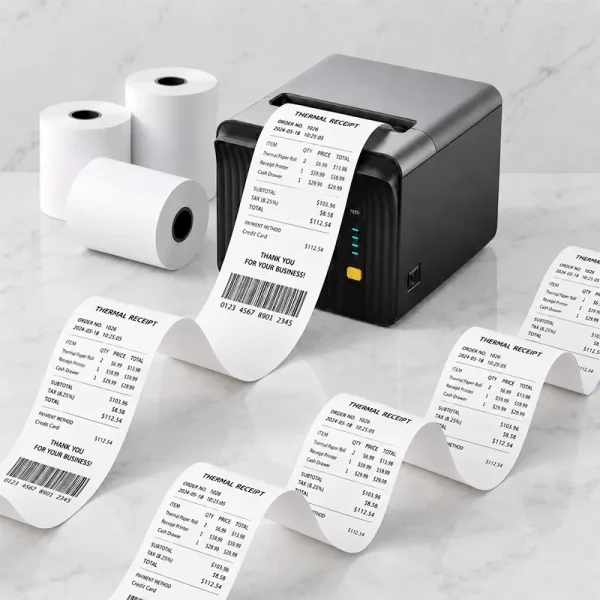
Finding a suitable manufacturer is an important step for businesses that purchase labels regularly. A supplier should understand the buyer’s application, explain available material and adhesive options, and provide clear information about customization and production.
SailingLabel is a brand that businesses can explore when looking for customized labeling solutions. Buyers can review its available label products and discuss their requirements regarding materials, adhesives, dimensions, printing, and finishes.
When evaluating a potential manufacturer, consider the following:
- Experience with the type of label your business requires.
- Availability of suitable face materials and adhesives.
- Support for customized designs and product specifications.
- Printing and converting capabilities relevant to the order.
- Die-cutting and slitting options, where applicable.
- Quality inspection procedures.
- Sample availability before bulk production.
- Communication and support for international orders.
It is also important to understand which production processes the manufacturer performs directly. Some companies produce label materials, while others focus on printing, converting, slitting, and finishing. Confirming these capabilities helps buyers understand what the supplier can provide for a specific order.
A reliable manufacturing relationship should be based on product suitability, consistent quality, and clear communication rather than simply the lowest quotation.
7. Evaluate Standard Label Quality Before Bulk Purchasing
Standard labels are widely used for product identification, packaging, shipping, retail operations, and inventory management. Before placing a bulk order, businesses should evaluate whether the labels meet their everyday operational requirements.
Quality assessment should cover several practical areas.
Material consistency: Check that the label material has a uniform surface and is suitable for the intended packaging application. The material should also support the required printing process.
Printing clarity: Examine text, logos, graphics, and barcodes to ensure that important information is sharp, readable, and correctly positioned.
Adhesive performance: Apply the label to the intended packaging surface. Check that it attaches evenly and remains in place during normal storage, handling, and transportation.
Cutting accuracy: Review the label dimensions, shape, and edges. Consistent cutting helps ensure that labels fit the packaging and can be applied properly.
Printer compatibility: Test the labels with the equipment used in daily operations. Check whether they feed smoothly, print correctly, and dispense without unnecessary interruptions.
Packaging condition: Confirm that finished labels are properly packed to protect them from dust, moisture, and physical damage during storage and transportation.
For wholesalers, distributors, and manufacturers, these checks are particularly important because product inconsistencies can affect multiple customers and repeat orders. Approving a sample before mass production helps businesses confirm the required specifications and reduce the risk of receiving unsuitable products.
8. Consider International Shipping, Storage, and Long-Term Supply
For businesses sourcing labels internationally, the purchasing process does not end when the product is manufactured. Packaging, transportation, communication, and repeat-order planning can all affect the overall buying experience.
Before confirming an international order, buyers should clarify the agreed delivery terms, shipping method, production schedule, and packaging arrangements. They should also confirm how the manufacturer will communicate progress and handle any quality concerns.
Storage is another consideration. Unused labels should be kept in suitable conditions and protected from excessive moisture, direct sunlight, dust, and other factors that may affect the material or adhesive.
For businesses operating in multiple regions, it is also useful to maintain consistent product specifications between orders. Keeping approved samples, design files, and material details can make repeat purchasing more straightforward.
A dependable supply arrangement helps businesses maintain product consistency and plan their packaging operations with greater confidence.
Frequently Asked Questions About Custom Label
1. What is a custom label?
A custom label is a label designed according to a business’s specific requirements. It may include a company logo, product information, barcode, instructions, or other details, with selected materials, adhesives, and finishes.
2. Which material is best for a custom label?
The best material depends on the product, packaging surface, printing method, and working environment. Paper, thermal paper, and synthetic materials may all be suitable for different applications.
3. Can custom label have different adhesive options?
Yes. Depending on the manufacturer’s available materials, buyers may choose permanent, removable, or specialized adhesives for particular applications, including low-temperature environments.
4. What information should I provide when requesting a custom label quotation?
Buyers should provide the intended application, label design, material preference, adhesive requirements, printing method, estimated order quantity, and delivery destination. Sharing a sample or reference image can also help clarify the requirements.
5. Why should I request samples before bulk production?
Samples allow businesses to evaluate material quality, printing clarity, adhesive performance, and compatibility with their packaging or equipment before committing to a larger order.
6. Can custom label be supplied for international markets?
Manufacturers may support international buyers with customized products and export arrangements. Buyers should confirm product specifications, labeling requirements, shipping terms, and delivery arrangements for their destination market.
Final Takeaway
Choosing the right custom label requires a clear understanding of the product, packaging surface, printing process, and conditions in which the label will be used. Material selection, adhesive performance, design quality, and manufacturing consistency all contribute to the final result.
Businesses should evaluate their requirements carefully, request samples, and confirm production details before placing bulk orders. Working with a manufacturer that understands customization and can communicate clearly about product options can also make international sourcing more manageable.
By focusing on practical performance rather than appearance alone, businesses can choose a custom label that supports product identification, brand presentation, and reliable day-to-day operations.

Buying a used car is exciting until something goes wrong a few weeks later. The gearbox starts making a noise, the engine warning light comes on, or you discover rust damage that nobody mentioned at the viewing. Many buyers assume they simply have bad luck, especially if the car was sold at a fair price and seemed fine during the test drive. Under Swedish consumer law, that is often not the end of the story. If you bought the car from a dealer, you have stronger rights than most people realise.
The Consumer Sales Act Protects Buyers
When a consumer buys a car from a business, the purchase is covered by the Consumer Sales Act, called konsumentköplagen. The key rule is that the seller is responsible for defects that were present when the car was delivered, even if the problem only showed itself later. A defect can be a fault that was hidden, wear that is far beyond what the age and mileage of the car would suggest, or a mismatch between the car and what the dealer promised in the advert or during the sale.
This protection cannot be signed away. A dealer cannot remove your legal rights by writing that the car is sold as seen, although the price and the information you were given still matter when a defect is assessed. The older and cheaper the car, the more wear you are expected to accept. The newer and more expensive it is, the stronger your position when something fails.
Complain in Time and Know Your Remedies
The most important step is to complain to the dealer, called reklamation, within a reasonable time after you discover the defect. Do not just book the car into a workshop and pay the bill yourself, because repairing the car first can make it much harder to prove what was wrong. Contact the dealer in writing, describe the problem clearly and keep copies of everything, including the purchase agreement, the advert and any inspection reports.
The usual order of remedies starts with repair. The dealer normally has the right to fix the defect first, or to offer a replacement car of the same kind. If repair is not possible, takes too long or fails, you can demand a price reduction that matches the defect. For a serious defect that substantially affects the value or use of the car, you may be able to cancel a car purchase in Sweden altogether and return the car against a refund. Each step depends on how significant the defect is and how the dealer responds.
When a Dispute Needs Legal Help
Many cases are solved once the dealer understands that the buyer knows the rules. Others stall, with the dealer blaming normal wear or claiming the fault appeared after delivery. That is when documentation and a clear legal assessment matter. An independent inspection can show when a fault likely started, and a lawyer can judge whether your claim is strong enough to push further, for example through the National Board for Consumer Disputes or the court.
Buyers who want an early view of their position often speak to a firm that handles car purchase disputes, such as Advantage Law Firm in Stockholm. The main point, though, applies to everyone. If a defect appears soon after you buy a used car from a dealer in Sweden, act quickly, complain in writing and get advice before you pay for repairs yourself. Your rights are real, but they work best when you use them in the right order.

Build a Living Room Worth Bingeing In: The Complete Setup for Marathon Viewing Nights

How to Help Your Child Prepare for a Science Fair: A Step-by-Step Guide for Parents

Custom Label: How to Choose the Right Materials, Adhesives, and Manufacturer for Your Business

Alex Pettyfer Net Worth, Wife, Age, Height, Children, Career and More

Brad Williams Net Worth, Wife, Height, Age, Daughter, Family, Career and More

Eldorado.gg Review 2026: How It Works, Safety, Fees, and Risks
-
Celebrity11 months ago
Alex Pettyfer Net Worth, Wife, Age, Height, Children, Career and More
-
Celebrity11 months ago
Brad Williams Net Worth, Wife, Height, Age, Daughter, Family, Career and More
-
Blog3 months ago
Eldorado.gg Review 2026: How It Works, Safety, Fees, and Risks
-
 Anime1 year ago
Sanzoku Bandits of One Piece: Origins, Higuma, and Their Role in Dawn Island
-
 Celebrity12 months ago
John McGinn Net Worth, Age, Height, Wife, Childrens, Career and More
-
 Anime1 year ago
Shimotsuki Ushimaru – The Last Daimyo of Wano Country Explained
-
 Celebrity12 months ago
Frances de la Tour Net Worth, Age, Height, Husband, Childrens, Career and More
-
 Celebrity12 months ago
Will Trickett Net Worth, Wife, Childrens, Age, Career and More