
Business
How to Speed Up an Old Samsung Phone Like It’s Brand New

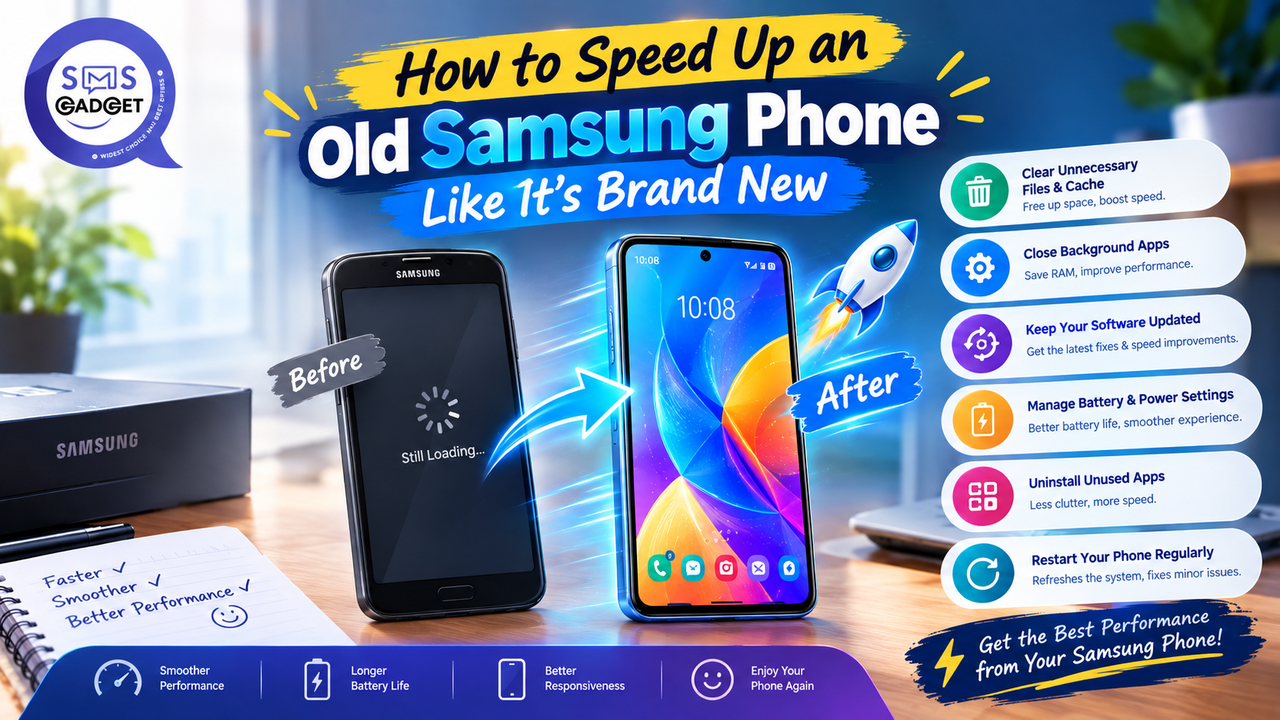
Your Samsung phone used to feel snappy, apps opened instantly, switching between them was smooth, and nothing hesitated. Now every tap feels like it’s waiting for something. Sound familiar?
- Why Does an Old Samsung Phone Slow Down Over Time?
- Storage Getting Full
- Too Many Background Apps & Bloatware
- Battery Degradation
- Outdated Software / Missed Updates
- Accumulated Cache & Junk Files
- Quick & Safe Fixes (Start Here — No Risk)
- Restart Your Phone Properly
- Clear App Cache via Device Care
- Free Up Storage with the Memory Cleaner Tool
- Turn Off Unnecessary Animations
- Update to the Latest One UI/Software Version
- Samsung-Specific Tools You’re Probably Not Using
- Using Device Care for Full Optimization
- Running Diagnostics with the Samsung Members App
- Disabling Bixby and Other Rarely-Used Samsung Features
- Managing Galaxy Store Auto-Updates and Background Syncing
- Turning Off/Limiting Good Lock Modules
- Free Up Storage the Right Way
- Finding and Deleting Large/Duplicate Files
- Moving Photos & Videos to Google Photos or Cloud Backup
- Uninstalling Apps You Don’t Use
- Using a MicroSD Card for Extra Storage
- Battery & Performance — The Hidden Connection
- How an Aging Battery Silently Slows Down Your Phone
- Checking Battery Health in Settings
- When a Battery Replacement Makes Sense
- Advanced Options (Try These If Basic Fixes Aren’t Enough)
- Factory Reset — When and How to Do It Safely
- Reinstalling Only Essential Apps After Reset
- Disabling/Uninstalling Pre-Installed Bloatware
- A Word of Caution on Custom ROMs
- When Should You Stop Trying and Upgrade Instead?
- Signs Your Phone Has Genuinely Reached Its Limit
- Repair/Upgrade Cost Comparison
- Budget-Friendly Samsung Upgrade Options in Bangladesh
- Frequently Asked Questions
- Does a factory reset really make an old Samsung phone faster?
- Why does my Samsung phone lag even after clearing cache?
- Is it safe to disable Bixby and other Samsung apps?
- How often should I restart my Samsung phone for best performance?
- Does replacing the battery actually improve phone speed?
- Final Checklist — Speed Up Your Samsung Phone Step by Step
This happens gradually, not overnight, and it’s rarely just one thing. Software bloat builds up, storage fills with clutter, the battery ages and starts throttling performance, and background apps quietly eat into resources the phone used to have to spare. The good news is that most of this is fixable, some of it in minutes, with zero risk.
This guide moves from the safest, quickest fixes through to more advanced options in order, so the easy wins get tried before anything more involved.
Why Does an Old Samsung Phone Slow Down Over Time?
Storage Getting Full
Android and,, by extension, One UI, need a reasonable amount of free storage to manage temporary files and background processes efficiently. Once storage creeps above roughly 90% full, the whole system can noticeably slow down, even if none of the individual apps have changed.
Too Many Background Apps & Bloatware
Every app running in the background, whether actively used or not, competes for RAM and processing power. Over time, installed apps and pre-loaded bloatware accumulate, and a phone that once ran five background apps comfortably might now be juggling twenty.
Battery Degradation
As a battery ages, its ability to deliver consistent power output declines. To protect the aging cell, the phone’s system can throttle CPU performance, meaning a big part of that “slow” feeling might actually be the battery, not the software at all.
Outdated Software / Missed Updates
Skipped software updates mean missing out on the performance optimizations and bug fixes Samsung regularly ships, older, unpatched software is often measurably less efficient than the current version for the same hardware.
Accumulated Cache & Junk Files
Cached data is supposed to speed things up by avoiding repeated downloads, but over months and years, poorly managed cache can bloat past its usefulness and start dragging the system down instead of helping it.
Quick & Safe Fixes (Start Here — No Risk)
Restart Your Phone Properly
A simple restart clears temporary memory and stops any runaway background processes accumulated since the last reboot. Setting up an auto-restart schedule (Settings > General Management > Reset > Auto restart) once a week keeps this maintenance running without having to remember it.
Clear App Cache via Device Care
Go to Settings > Battery and Device Care > Storage, and clear cached data across apps. This is completely safe, it doesn’t touch personal data, just temporary files apps can regenerate as needed.
Free Up Storage with the Memory Cleaner Tool
Device Care’s built-in storage cleaner identifies unused apps, duplicate files, and large media automatically, making it the fastest way to reclaim space without manually hunting through folders.
Turn Off Unnecessary Animations
In Developer Options (enabled by tapping Build Number seven times under Settings > About Phone), reducing Window, Transition, and Animator animation scale to 0.5x, or off entirely, makes the interface feel noticeably snappier, even on hardware that hasn’t changed at all.
Update to the Latest One UI/Software Version
Checking Settings > Software Update regularly ensures the phone is running Samsung’s latest performance and security optimizations for that model.
Samsung-Specific Tools You’re Probably Not Using
Using Device Care for Full Optimization
Beyond just cache clearing, Device Care’s one-tap “Optimize Now” feature checks battery, storage, memory, and security together, closing unused background processes and flagging issues in a single pass, most users only ever touch a fraction of what this tool actually does.
Running Diagnostics with the Samsung Members App
The Samsung Members app includes a built-in diagnostics tool that checks hardware components, battery, touchscreen, and sensors directly, which can help rule out (or confirm) whether a hardware issue is contributing to the slowdown.
Disabling Bixby and Other Rarely-Used Samsung Features
Bixby, along with features like Bixby Vision and Bixby Routines, run background processes even when rarely used. Disabling what isn’t actively used (Settings > Advanced Features, or holding the relevant button/gesture shortcut) frees up a small but real amount of background resource usage.
Managing Galaxy Store Auto-Updates and Background Syncing
The Galaxy Store, much like the Play Store, can auto-update apps and sync data in the background. Adjusting this to Wi-Fi-only updates, or manual updates entirely, under Galaxy Store > Settings, reduces unnecessary background activity.
Turning Off/Limiting Good Lock Modules
For anyone who’s installed Good Lock modules for extra customization, it’s worth reviewing which are still active, each module adds a small amount of background overhead, and modules installed years ago and forgotten about are an easy thing to overlook.
Free Up Storage the Right Way
Finding and Deleting Large/Duplicate Files
Device Care’s storage analyzer breaks down usage by file type and size, making it straightforward to spot large downloads, duplicate screenshots, or forgotten video files taking up disproportionate space.
Moving Photos & Videos to Google Photos or Cloud Backup
Backing up photos and videos to Google Photos (or Samsung Cloud) and then removing the local copies can free up a substantial chunk of storage, particularly on phones that have accumulated years of camera media.
Uninstalling Apps You Don’t Use
Any app not opened in the last few months is a reasonable candidate for removal. Where available, switching to a “Lite” version of an app (common for social media and messaging apps) keeps the functionality while using a fraction of the storage and background resources.
Using a MicroSD Card for Extra Storage
On Samsung models that still support expandable storage, a microSD card offers a low-cost way to offload photos, videos, and some apps, relieving pressure on internal storage without deleting anything.
Battery & Performance — The Hidden Connection
How an Aging Battery Silently Slows Down Your Phone
As battery capacity and its ability to deliver peak current both decline with age, the phone’s power management system can automatically reduce CPU clock speeds to prevent unexpected shutdowns, a protective measure that shows up to the user simply as the phone feeling slower.
Checking Battery Health in Settings
Under Settings > Battery and Device Care > Battery > Battery Information (or through the Samsung Members diagnostics tool), the current battery health percentage relative to original design capacity can be checked directly.
When a Battery Replacement Makes Sense
Once battery health drops meaningfully below its original capacity, commonly cited as a rough threshold around 80%, a replacement often restores a noticeable amount of the phone’s original responsiveness. In Bangladesh, getting this done through Samsung’s official service centers ensures a genuine battery and keeps any remaining warranty intact, rather than risking a lower-quality aftermarket part from an unauthorized repair shop.
Advanced Options (Try These If Basic Fixes Aren’t Enough)
Factory Reset — When and How to Do It Safely
If the basics haven’t resolved the slowdown, a factory reset (Settings > General Management > Reset > Factory Data Reset) wipes accumulated software clutter entirely. Before starting, back up photos, contacts, and app data through Samsung Cloud or Google’s backup tools, and make sure the Google account and Samsung account credentials are on hand to sign back in afterward.
Reinstalling Only Essential Apps After Reset
After a reset, resist the urge to reinstall everything at once, bringing back only the apps actually used regularly avoids recreating the same clutter that caused the slowdown in the first place.
Disabling/Uninstalling Pre-Installed Bloatware
Many pre-loaded apps can be disabled (if not fully uninstalled) under Settings > Apps, even if Samsung doesn’t allow full removal, disabling stops them from running in the background even though the app icon remains present in the app list.
A Word of Caution on Custom ROMs
Installing a custom ROM can, in theory, strip out even more bloat and squeeze out extra performance, but it also voids warranty, carries a real risk of bricking the device if done incorrectly, and loses access to Samsung Knox-dependent features like Samsung Pay. For most users, the risk far outweighs the marginal performance gain, and it’s not something to attempt without already being comfortable with the process.
When Should You Stop Trying and Upgrade Instead?
Signs Your Phone Has Genuinely Reached Its Limit
If a factory reset doesn’t meaningfully improve performance, if the battery can no longer make it through a normal day even after replacement, or if the phone can no longer run the current app versions smoothly, that’s a fairly reliable sign the hardware itself, not just the software, has reached its practical limit.
Repair/Upgrade Cost Comparison
A battery replacement is almost always worth it relative to its cost. But if a phone needs a battery replacement and is also short on storage and RAM by today’s standards, the combined cost of fixing all three can start approaching a meaningful fraction of a new budget phone’s price, at which point upgrading often makes more financial sense than continuing to patch an aging device.
Budget-Friendly Samsung Upgrade Options in Bangladesh
For anyone deciding it’s time to move on, checking current Samsung mobile price listings across the A series is a good starting point, several current models deliver a meaningfully faster, smoother experience at a genuinely accessible price, without needing to stretch to a flagship. Buying through an authorized Samsung mobile shop also means the new device comes with a valid local warranty from day one.
Frequently Asked Questions
Does a factory reset really make an old Samsung phone faster?
Yes, in most cases, it clears out years of accumulated software clutter, cache buildup, and fragmented settings that gradual maintenance alone can’t fully undo. It’s most effective as a later step, after the simpler fixes have already been tried.
Why does my Samsung phone lag even after clearing cache?
If lag persists after clearing the cache, the cause is often either an aging battery throttling performance, storage still running close to full capacity, or too many background apps still active; it is worth checking all three rather than assuming cache was the only issue.
Is it safe to disable Bixby and other Samsung apps?
Yes. Disabling features like Bixby doesn’t affect core phone functionality and can be re-enabled at any time through Settings if needed later.
How often should I restart my Samsung phone for best performance?
Once a week is a reasonable rule of thumb for most users, and setting up the built-in auto-restart schedule removes the need to remember to do it manually.
Does replacing the battery actually improve phone speed?
Yes, often noticeably, an aging battery can trigger automatic performance throttling to prevent unexpected shutdowns, so a fresh battery can restore a real portion of the phone’s original responsiveness, separate from any software fixes.
Final Checklist — Speed Up Your Samsung Phone Step by Step
- Restart the phone and set up a weekly auto-restart
- Clear app cache through Device Care
- Run the Memory Cleaner / Optimize Now tool
- Reduce or turn off animations in Developer Options
- Update to the latest software version
- Disable Bixby and other unused Samsung features
- Back up and delete large or duplicate files
- Uninstall unused apps, switching to Lite versions where possible
- Check battery health and consider a replacement if it’s significantly degraded
- If nothing else works, back up and perform a factory reset
Working through this list in order usually brings back a meaningful chunk of that original snappy feeling, and if it doesn’t, at least there’s a clear answer as to why.

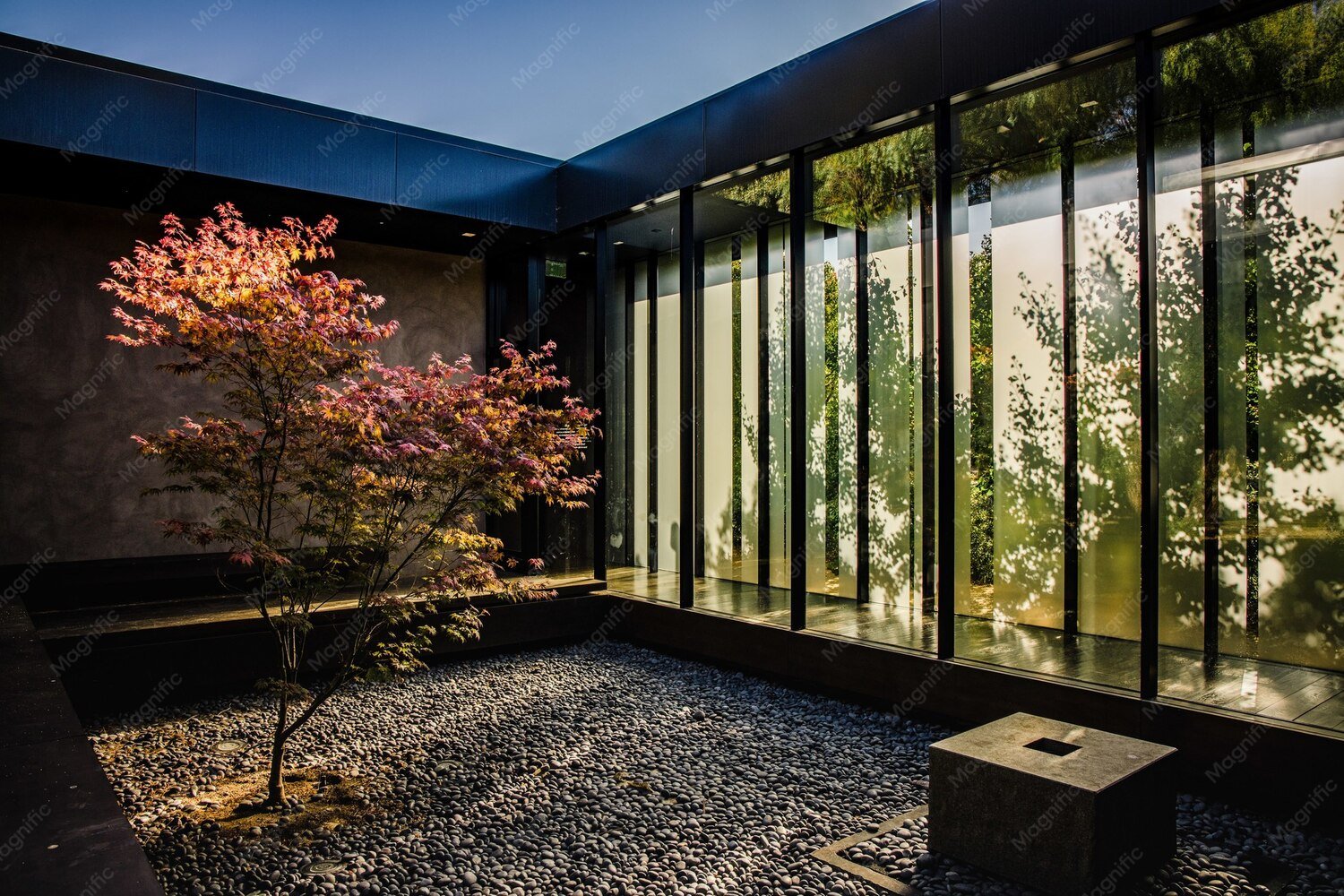
Dubai homeowners want a place to sit beside their gardens without dealing with blowing dust, sharp afternoon sun or sudden rain. A well-planned Outdoor Glass Room can turn an unused patio into a bright seating area while keeping the view open. It can also give cafés and hospitality spaces a more flexible setting for guests.
- Why Does an Old Samsung Phone Slow Down Over Time?
- Storage Getting Full
- Too Many Background Apps & Bloatware
- Battery Degradation
- Outdated Software / Missed Updates
- Accumulated Cache & Junk Files
- Quick & Safe Fixes (Start Here — No Risk)
- Restart Your Phone Properly
- Clear App Cache via Device Care
- Free Up Storage with the Memory Cleaner Tool
- Turn Off Unnecessary Animations
- Update to the Latest One UI/Software Version
- Samsung-Specific Tools You’re Probably Not Using
- Using Device Care for Full Optimization
- Running Diagnostics with the Samsung Members App
- Disabling Bixby and Other Rarely-Used Samsung Features
- Managing Galaxy Store Auto-Updates and Background Syncing
- Turning Off/Limiting Good Lock Modules
- Free Up Storage the Right Way
- Finding and Deleting Large/Duplicate Files
- Moving Photos & Videos to Google Photos or Cloud Backup
- Uninstalling Apps You Don’t Use
- Using a MicroSD Card for Extra Storage
- Battery & Performance — The Hidden Connection
- How an Aging Battery Silently Slows Down Your Phone
- Checking Battery Health in Settings
- When a Battery Replacement Makes Sense
- Advanced Options (Try These If Basic Fixes Aren’t Enough)
- Factory Reset — When and How to Do It Safely
- Reinstalling Only Essential Apps After Reset
- Disabling/Uninstalling Pre-Installed Bloatware
- A Word of Caution on Custom ROMs
- When Should You Stop Trying and Upgrade Instead?
- Signs Your Phone Has Genuinely Reached Its Limit
- Repair/Upgrade Cost Comparison
- Budget-Friendly Samsung Upgrade Options in Bangladesh
- Frequently Asked Questions
- Does a factory reset really make an old Samsung phone faster?
- Why does my Samsung phone lag even after clearing cache?
- Is it safe to disable Bixby and other Samsung apps?
- How often should I restart my Samsung phone for best performance?
- Does replacing the battery actually improve phone speed?
- Final Checklist — Speed Up Your Samsung Phone Step by Step
Yet a beautiful photograph does not tell the whole story. Glass specification, shading, ventilation, roof structure and approvals matter as much as appearance. This 2026 guide explains practical design choices, realistic pricing considerations and the steps behind a safer installation in Dubai.
What Is an Outdoor Glass Room?
An Outdoor Glass Room is an enclosed or partly enclosed space with large glazed panels, usually supported by aluminium or another engineered frame. It can connect directly to a home or stand beside a garden. Unlike a simple pergola, it may have fitted doors and weather seals; unlike a traditional masonry extension, transparent walls remain its main visual feature.
A sunroom or conservatory may look similar, but its roof, climate control and structural requirements can differ. Choosing an Outdoor Glass Room depends on summer use and comfort goals. An attractive enclosure without heat management can quickly become unpleasant.
Popular Outdoor Glass Room Designs in Dubai
The strongest Outdoor Glass Room Designs respond to the site rather than copying a showroom picture. Owners should review the direction of the sun, existing drainage and how often the doors need to open.
Frameless glass rooms
A Frameless outdoor glass room creates a clean view through wide glass panels and minimal visible supports. It suits a garden-facing seating area, but the structural glass, connections and door hardware still need careful engineering.
Aluminium-frame glass rooms
An Aluminium framed glass room offers neat profiles, colour options and a practical way to carry glass and doors. For an air-conditioned Outdoor Glass Room, thermal breaks may help. This design works well with a modern villa façade.
Sliding glass rooms for villas
Sliding doors allow people to open the room to the garden in cooler weather. A Glass room for villa Dubai design often benefits from broad openings, tracks that drain properly and handles that remain easy to operate.
Garden, rooftop and custom extensions
An Outdoor garden glass enclosure can create a reading spot or family lounge. Rooftop rooms need special attention to wind, waterproofing and load capacity. A Glass room extension Dubai project must also be checked for setbacks and applicable approvals before the design is finalised.
Outdoor Glass Room Price in Dubai: 2026 Cost Guide
There is no reliable one-price-fits-all figure for an Outdoor Glass Room. A basic enclosure and a fully insulated, cooled extension are different projects. A September 2026 Dubai supplier guide cites advertised basic setups from about AED 800 per square metre, but that is a market indication, not a confirmed complete-room quotation or a Royal Rose price.
The final quotation depends on measured area, panel dimensions, glass type, safety requirements, framing system, roof build-up, access to the site, doors and hardware. Insulation, blinds, air-conditioning, lighting and foundation work may add separate costs. Oversized panels and complex corners can increase fabrication and installation work.
Before comparing offers, property owners should request a written, itemised scope. The following comparison helps identify what a quotation actually includes:
| Project scope | What to confirm in the quote |
| Basic glass enclosure | Frame, safety glass, doors, roof coverage and seals |
| Comfort-focused room | Solar-control glass, insulated roof, shading and ventilation |
| Full custom extension | Engineering, groundwork, electrical work, cooling and approvals |
An Outdoor Glass Room quote should list materials, warranties and exclusions.
Top Benefits of Installing an Outdoor Glass Room
The main appeal of an Outdoor Glass Room is that it preserves a sense of openness while making a patio more useful. Large panels bring daylight inside and keep gardens, pools or landscaped terraces visible.
It also creates a flexible place for reading, family meals or entertaining. When properly detailed, glazing and sealed doors can reduce direct exposure to wind, dust and light rain. A refined enclosure can complement the appearance of a villa, although no installation can guarantee higher resale value.
Comfort requires planning. Solar-control glazing, a shaded roof, air movement and appropriately sized cooling all affect how the space feels. Owners who plan to use the room at midday should discuss these systems at the start, rather than after installation.
Best Glass and Aluminium Materials
An Outdoor Glass Room should be specified for safety and local conditions. Toughened glass is strong but breaks into small fragments when it fails. Laminated safety glass uses an interlayer that helps hold fragments together; roof and overhead glazing require particular care and a qualified design decision.
Double-glazed units can improve thermal performance when paired with suitable coatings, seals and frames. Solar-control glass reduces some incoming solar heat, but it cannot replace shading or cooling. Aluminium resists corrosion well when correctly finished and maintained; thermal breaks may reduce heat transfer through the frame.
Ask about gaskets, locking hardware, drainage outlets, roof connections and access for future cleaning. In an Outdoor Glass Room, such details affect leaks and operation.
Outdoor Glass Room Installation Process in Dubai
A well-managed Outdoor Glass Room project starts with a site visit rather than a price guessed from pictures.
- Survey and design
The installer measures openings, checks wall and slab conditions, studies sun exposure and discusses how the space will be used. Drawings should show doors, roof slope, drainage and key dimensions.
- Approvals and materials
Before work begins, the owner or contractor should check whether Dubai Municipality, the relevant free-zone authority or the community developer requires consent. Dubai Municipality publishes permits for villa extensions and building modifications; the exact route depends on the location and scope.
- Fabrication and fitting
Once specifications are approved, profiles and glazing are prepared. The team installs supports, frames, panels, doors and weather seals using an appropriate structural and safety method. Roof connections and drainage paths deserve close inspection.
- Testing and handover
Doors should slide and lock smoothly. The team should check seal continuity, drainage, glass condition and finish quality, then provide maintenance guidance and relevant warranty information.
How to Choose a Glass Room Company in Dubai
Choosing a company for an Outdoor Glass Room Dubai project involves more than attractive images. Customers should ask to see comparable completed work, review material specifications and check who handles design, approvals and installation.
A credible proposal identifies the glass type, frame finish, roof system, door hardware, estimated schedule, payment milestones and warranty terms. Written exclusions are essential: electrical services, cooling and permits may not be included. A clear explanation of maintenance is another sign of a considered design.
Why Consider Royal Rose Glass Aluminium?
Royal Rose Glass Aluminium presents customised Glass Rooms Dubai solutions designed for homes and gardens. Its published service information describes aluminium framing, double-glazed toughened glass options, lockable glass doors and optional blinds or awnings. The company also offers related patio-room and glass systems.
For a Luxury Outdoor Glass Room, these choices can help match the enclosure to the villa’s architecture and intended use. Property owners can review the company’s glass-room service page and request a site-specific proposal rather than rely on a generic rate. View the service here: https://royalroseglassaluminium.ae/glass-rooms-dubai/
Frequently Asked Questions
How much does an outdoor glass room cost in Dubai?
The price depends on size, frame, glazing, roofing and finishing. Basic advertised per-square-metre rates may not cover cooling, permits or groundwork. An itemised site quotation gives a more useful total.
Which glass is best for an outdoor glass room?
The specification depends on location and safety demands. Laminated safety glazing may be important overhead, while insulated solar-control units can help with heat. The final selection should follow engineering requirements.
Can glass rooms stay comfortable during Dubai summers?
Yes, when planned for the climate, but glass alone does not keep the room cool. Suitable shading, solar-control glazing, ventilation and properly designed air-conditioning may be necessary.
How long does installation usually take?
Timelines vary with site access, design complexity, fabrication and approvals. A simple enclosure can have a different schedule from a custom extension. The contractor should provide milestones after surveying the site.
Are permits required for a glass room in Dubai?
They may be. A fixed roof or structural extension may need permission from the relevant authority or developer. The owner should confirm requirements before ordering materials or starting construction.
Conclusion: Make Outdoor Space Work Harder
The right Outdoor Glass Room combines open views with sensible engineering and day-to-day comfort. Dubai owners benefit most when the design includes safety glass, shade, drainage and a clear approval plan from the beginning. Comparing detailed quotes and inspecting similar finished work can prevent expensive surprises. Royal Rose Glass Aluminium offers customised options for homeowners looking to explore a practical, elegant enclosure. The next step is a measured site assessment and a specification built around the property.
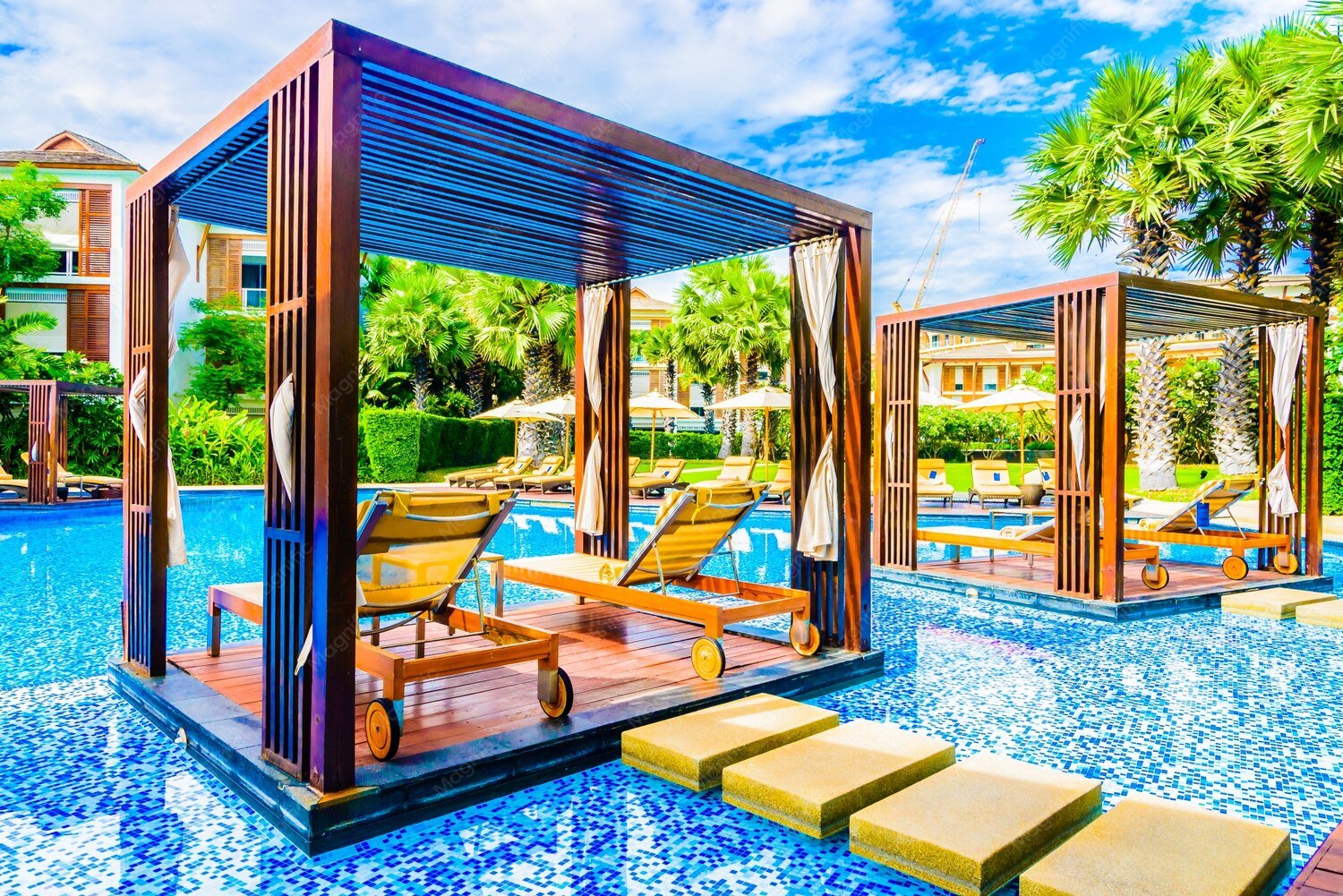
Dubai’s patios, rooftops, and commercial courtyards need more than fixed shade. Sunlight changes by the hour. Motorized Pergolas Dubai give owners an easy way to respond: press a button, adjust the roof, and make the space more inviting. Aluminium frames look modern, while optional lighting and sensors simplify use. They cannot replace air conditioning during extreme summer heat, but they can help make outdoor areas more comfortable when conditions allow. This guide covers seven popular designs, 2026 price examples, benefits, installation steps, and practical buying advice.
- Why Does an Old Samsung Phone Slow Down Over Time?
- Storage Getting Full
- Too Many Background Apps & Bloatware
- Battery Degradation
- Outdated Software / Missed Updates
- Accumulated Cache & Junk Files
- Quick & Safe Fixes (Start Here — No Risk)
- Restart Your Phone Properly
- Clear App Cache via Device Care
- Free Up Storage with the Memory Cleaner Tool
- Turn Off Unnecessary Animations
- Update to the Latest One UI/Software Version
- Samsung-Specific Tools You’re Probably Not Using
- Using Device Care for Full Optimization
- Running Diagnostics with the Samsung Members App
- Disabling Bixby and Other Rarely-Used Samsung Features
- Managing Galaxy Store Auto-Updates and Background Syncing
- Turning Off/Limiting Good Lock Modules
- Free Up Storage the Right Way
- Finding and Deleting Large/Duplicate Files
- Moving Photos & Videos to Google Photos or Cloud Backup
- Uninstalling Apps You Don’t Use
- Using a MicroSD Card for Extra Storage
- Battery & Performance — The Hidden Connection
- How an Aging Battery Silently Slows Down Your Phone
- Checking Battery Health in Settings
- When a Battery Replacement Makes Sense
- Advanced Options (Try These If Basic Fixes Aren’t Enough)
- Factory Reset — When and How to Do It Safely
- Reinstalling Only Essential Apps After Reset
- Disabling/Uninstalling Pre-Installed Bloatware
- A Word of Caution on Custom ROMs
- When Should You Stop Trying and Upgrade Instead?
- Signs Your Phone Has Genuinely Reached Its Limit
- Repair/Upgrade Cost Comparison
- Budget-Friendly Samsung Upgrade Options in Bangladesh
- Frequently Asked Questions
- Does a factory reset really make an old Samsung phone faster?
- Why does my Samsung phone lag even after clearing cache?
- Is it safe to disable Bixby and other Samsung apps?
- How often should I restart my Samsung phone for best performance?
- Does replacing the battery actually improve phone speed?
- Final Checklist — Speed Up Your Samsung Phone Step by Step
What Are Motorized Pergolas and How Do They Work?
A motorized pergola is an outdoor structure with a roof operated by an electric motor. Instead of moving roof panels by hand, you use a remote, wall switch, or compatible phone app.
Most Motorized Pergolas Dubai buyers compare two systems. A motorized louvered roof has aluminium blades that tilt to change the amount of sun and airflow beneath them. A retractable roof slides or folds back to uncover more of the sky; some use weather-resistant fabric, while others use moving rigid panels.
Modern smart pergola systems can also include rain sensors, adjustable LED lights, side screens, and home-automation connections. Check compatibility before ordering: phone control and weather sensors are often optional. A well-designed closed louvered roof can drain rainwater through built-in gutters, but wind-driven rain protection varies by product.
7 Best Motorized Pergola Designs in Dubai for 2026
The best Motorized Pergolas Dubai design depends on your space, sun exposure, and structural limits. Here are seven options.
1. Modern Aluminium Motorized Pergolas
Slim, powder-coated aluminium suits modern villas and offices. Black, charcoal, or white finishes match glass and stone. Aluminium resists corrosion and needs less upkeep than timber, but moving parts still need attention. Choose this style for simple, elegant shade. In 2026, integrated lighting and neat, hidden fixings are popular finishing touches.
2. Motorized Louvered Roof Pergolas
A Motorized Louvered Pergola Dubai system tilts roof blades to control light and airflow. Open them for an evening breeze or angle them for afternoon shade. For rain protection, check gutter design and weather ratings. Ideal for patios, gardens, and dining areas.
3. Retractable Motorized Pergola Designs
Want open sky in cooler weather? A retractable roof slides or folds away. Fabric covers suit cafés and terraces; some premium models have retracting rigid panels. Ask about dust, drainage, and safe wind limits. For fabric roofs, request UV ratings and a clear replacement policy.
4. Luxury Freestanding Garden Pergolas
Freestanding models stand on independent columns and suit garden majlis seating or family dining. Custom sizes, privacy screens, and warm LED lights complete the look. Strong footings matter, especially on wide structures.
5. Wall-Mounted Motorized Pergolas
Wall-mounted roofs shade villa patios, restaurants, and shopfronts without many ground posts. The wall must support secure structural fixings; cladding is not enough. Check the waterproofed connection and required approvals.
6. Smart Rooftop and Poolside Pergolas
Rooftops and pool decks need attention to wind, salt exposure, drainage, and structural loads. Optional sensors, lighting, and screens improve comfort. When choosing Motorized Pergolas Dubai for elevated sites, demand a structural check and written wind limits.
7. Commercial Motorized Pergolas for Restaurants and Hotels
For cafés, malls, and hotels, Motorized Pergolas Dubai can make outdoor tables more useful in suitable weather. Linked roof sections, lights, and screens suit larger sites. Plan for clear walkways, emergency access, staff controls, and maintenance. For mall terraces, avoid blocking storefront signs or customer queues.
Motorized Pergolas Dubai Prices in 2026
Average Motorized Pergola Prices in Dubai
The Motorized Pergola Price Dubai depends heavily on size and specification. As a real supplier example, LAA’s Dubai price grid lists motorized louvered roofs at approximately AED 1,465–2,282 per m², including 5% VAT and installation. Its page labels the rates as draft pricing, so treat them as an indicative supplier quote, not a citywide average.
For scale, its listed 3 × 3 m freestanding model is AED 18,585, while a 6 × 4 m freestanding model is AED 35,753. Larger roofs may cost less per square metre. Premium automation, custom spans, and retractable roof systems need their own quotations; do not assume they share the same rate.
For Motorized Pergolas Dubai, always compare written inclusions.
Factors Affecting Pergola Installation Costs
Costs change with roof size, frame strength, motors, finishes, extras, electrical work, and site access. Ask for a written breakdown of supply, installation, VAT, permit costs, and warranty. That prevents an attractive starting price from becoming an expensive surprise.
Top Benefits of Installing Motorized Pergolas in Dubai
Smart Sunlight and Shade Control
Change roof angles as the sun moves. Motorized Pergolas Dubai let you choose more daylight in cooler hours and stronger shade when the sun is high.
Improved Outdoor Comfort
A shaded seating area receives less direct sun. Adjustable louvers also allow airflow when opened, although outdoor comfort still depends on temperature, humidity, and wind.
Modern Architectural Appearance
Straight lines, hidden drainage, and coordinated powder-coated finishes give villas and commercial spaces a polished look without bulky permanent roofing.
Convenient Automated Operation
Remote controls simplify daily use. Selected models add schedules, phone apps, or compatible smart-home controls, helping staff and homeowners manage larger areas.
Durable and Low-Maintenance Materials
Quality exterior-grade aluminium resists rust and avoids much of the refinishing associated with timber. Regular cleaning and motor checks remain essential.
Flexible Outdoor Space Usage
Move from shaded lunches to open-air evenings. Businesses can make better use of outdoor seating when weather permits.
How to Choose the Best Motorized Pergolas in Dubai
Select High-Quality Aluminium Materials
Request the frame specification, powder-coating details, and written corrosion warranty. Coastal properties may need extra attention to coating and fixings.
Compare Louvered and Retractable Roof Systems
Choose louvers when you want fine shade and airflow control. Consider a retractable roof when opening a larger section of sky matters more. Check drainage and wind limits for both.
Check Motor and Automation Features
Ask about motor brand, noise, remote range, manual override, sensor response, replacement parts, and separate motor and structure warranties.
Choose the Right Size and Design
Measure furniture clearance, door swings, column positions, and afternoon sun angles. Oversized posts or poorly placed supports can make a useful terrace feel cramped.
Evaluate Professional Pergola Suppliers
Before ordering Motorized Pergolas Dubai, compare quotes, installation photos, engineering details, and support. We recommend suppliers who explain limitations as clearly as benefits.
Motorized Pergola Installation Process in Dubai
Step 1: Site Inspection and Measurements
Measure the site; check foundations, roof loads, utilities, and access.
Step 2: Pergola Design and Customisation
Confirm mounting, colours, roof direction, drainage, and extras.
Step 3: Material Selection and Fabrication
Approve frames, finishes, motor details, and electrics before fabrication.
Step 4: Professional Installation
Install supports, roof, gutters, controls, and safe wiring. Motorized Pergolas Dubai projects may require developer consent or authority approval, depending on the property. Dubai Municipality publishes building permit procedures, while the Dubai Development Authority provides a building-modification permit route for applicable properties. Confirm requirements before work begins.
Step 5: Testing and Final Inspection
Test roof movement, sensors, drainage, and safety settings. Collect warranties and instructions.
Maintenance Tips for Motorized Pergolas
Dust and sand settle quickly on exposed outdoor structures. Wash frames with mild soap and water, following the finish maker’s instructions. Never force a stuck roof.
For Motorized Pergolas Dubai, a simple routine helps protect the investment:
- Clear leaves and grit from gutters and drainage outlets.
- Inspect louvers, fabric, seals, rails, and moving joints.
- Check remotes, sensors, and visible wiring for damage.
- Follow the maker’s wind and heavy-rain operating limits.
- Arrange professional servicing at the recommended intervals.
After a sandstorm or unusual weather, inspect the roof before running it. Keep warranty and service records together so problems are easier to resolve.
Frequently Asked Questions About Motorized Pergolas Dubai
1. How much does a motorized pergola cost in Dubai?
One supplier lists AED 1,465–2,282 per m² installed, including VAT. Size, extras, and approvals change the quote.
2. Are motorized pergolas suitable for Dubai’s hot climate?
Yes, with suitable materials. They shade and ventilate, but do not replace air conditioning in extreme heat.
3. What is the difference between louvered and retractable pergolas?
Louvered roofs rotate blades to adjust shade. Retractable roofs move the covering away to open more of the roof area.
4. Can motorized pergolas be controlled using smartphones?
Some can. Confirm the controller, app, network requirements, and smart-home compatibility before purchase.
5. Do motorized pergolas require regular maintenance?
Yes. Clean frames and gutters, inspect moving parts, and service the motor as advised.
Conclusion
The right Motorized Pergolas Dubai solution brings flexible shade, modern styling, and easier outdoor living. Compare roof types, written specifications, realistic costs, and qualified installers before deciding. For design ideas and a tailored quotation, explore motorized pergola options in Dubai and discuss your space with a specialist.
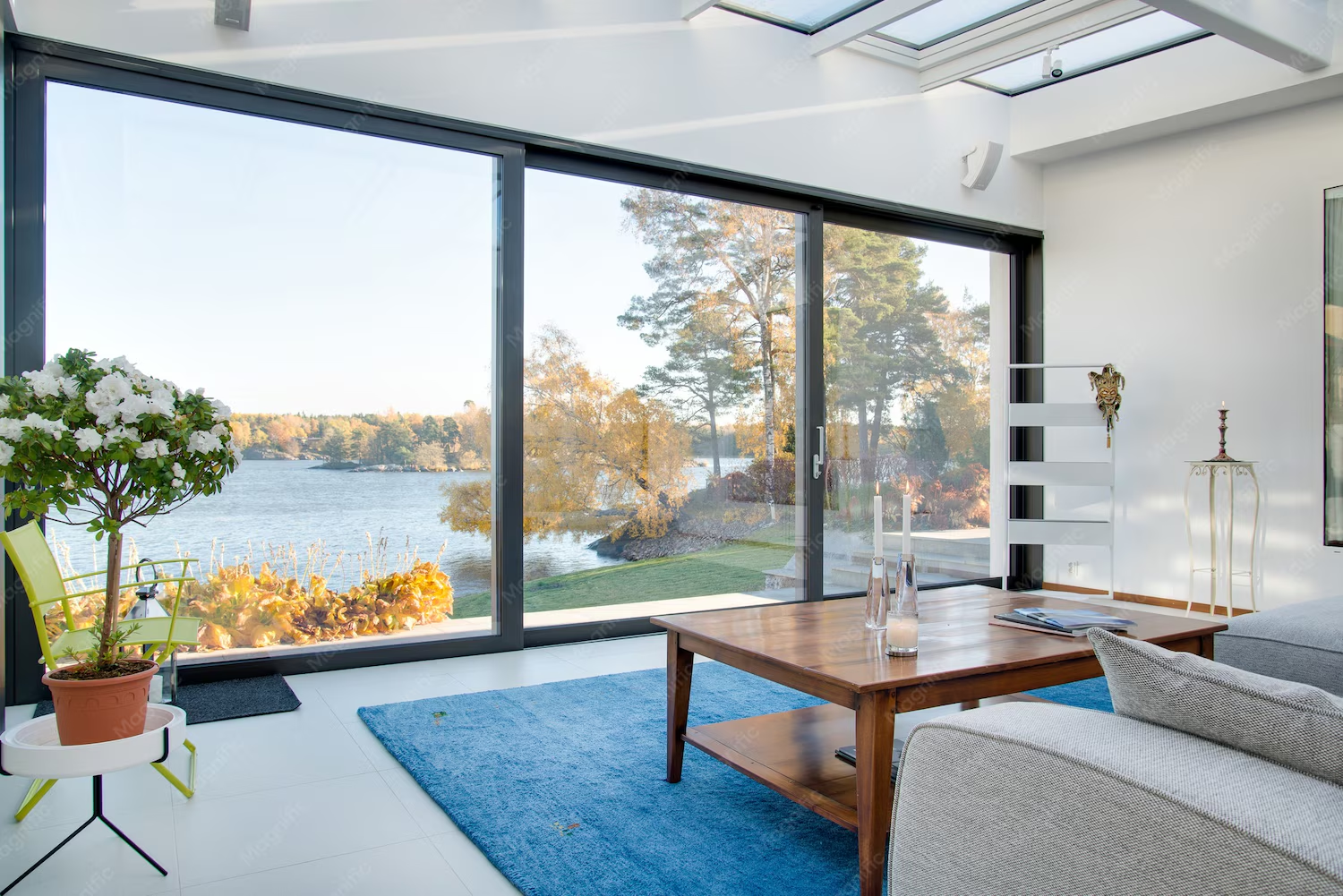
Modern buildings need windows that look elegant, improve comfort, and handle Dubai’s demanding climate. That’s why Double Glazed Sliding Windows Dubai are becoming an attractive choice for homeowners, architects, and commercial property owners.
- Why Does an Old Samsung Phone Slow Down Over Time?
- Storage Getting Full
- Too Many Background Apps & Bloatware
- Battery Degradation
- Outdated Software / Missed Updates
- Accumulated Cache & Junk Files
- Quick & Safe Fixes (Start Here — No Risk)
- Restart Your Phone Properly
- Clear App Cache via Device Care
- Free Up Storage with the Memory Cleaner Tool
- Turn Off Unnecessary Animations
- Update to the Latest One UI/Software Version
- Samsung-Specific Tools You’re Probably Not Using
- Using Device Care for Full Optimization
- Running Diagnostics with the Samsung Members App
- Disabling Bixby and Other Rarely-Used Samsung Features
- Managing Galaxy Store Auto-Updates and Background Syncing
- Turning Off/Limiting Good Lock Modules
- Free Up Storage the Right Way
- Finding and Deleting Large/Duplicate Files
- Moving Photos & Videos to Google Photos or Cloud Backup
- Uninstalling Apps You Don’t Use
- Using a MicroSD Card for Extra Storage
- Battery & Performance — The Hidden Connection
- How an Aging Battery Silently Slows Down Your Phone
- Checking Battery Health in Settings
- When a Battery Replacement Makes Sense
- Advanced Options (Try These If Basic Fixes Aren’t Enough)
- Factory Reset — When and How to Do It Safely
- Reinstalling Only Essential Apps After Reset
- Disabling/Uninstalling Pre-Installed Bloatware
- A Word of Caution on Custom ROMs
- When Should You Stop Trying and Upgrade Instead?
- Signs Your Phone Has Genuinely Reached Its Limit
- Repair/Upgrade Cost Comparison
- Budget-Friendly Samsung Upgrade Options in Bangladesh
- Frequently Asked Questions
- Does a factory reset really make an old Samsung phone faster?
- Why does my Samsung phone lag even after clearing cache?
- Is it safe to disable Bixby and other Samsung apps?
- How often should I restart my Samsung phone for best performance?
- Does replacing the battery actually improve phone speed?
- Final Checklist — Speed Up Your Samsung Phone Step by Step
These windows combine insulated glass, durable frames, and smooth sliding mechanisms to create practical, stylish spaces. They help limit unwanted heat, reduce certain types of outdoor noise, and bring more natural light indoors without taking up extra opening space.
From luxury villas and apartments to offices, shopping malls, and retail showrooms, double-glazed sliding systems offer flexibility for different architectural needs.
This 2026 guide explores seven modern designs, estimated installation prices, glazing specifications, energy-saving benefits, and essential buying considerations.
What are Double Glazed Sliding Windows?
Double-glazed sliding windows feature two glass panes separated by a sealed insulating space filled with air or an insulating gas, such as argon. This construction helps slow heat transfer between outdoor and indoor environments.
Unlike traditional hinged windows, sliding panels move horizontally along tracks. This makes them particularly useful where available space is limited.
Most Double Glazed Sliding Windows Dubai suppliers offer aluminium and uPVC frame options. Aluminium is popular for its strength, slim appearance, and weather resistance, while uPVC provides good thermal insulation.
A typical insulated glass configuration might use two 6 mm panes separated by a 12 mm cavity, creating a 24 mm glass unit.
The final specification depends on window dimensions, safety requirements, frame compatibility, and desired performance.
Top Benefits of Double Glazed Sliding Windows in Dubai
Choosing Double Glazed Sliding Windows Dubai offers several benefits beyond appearance. A properly designed window system can improve indoor comfort, support cooling efficiency, and make everyday living more convenient.
1. Better Thermal Insulation and Indoor Comfort
Dubai experiences intense sunshine and high summer temperatures. Double glazing helps slow heat movement through windows, creating more comfortable indoor spaces.
When combined with thermally broken aluminium frames, these systems offer better insulation than standard single-glazed windows with uninsulated frames.
2. Improved Noise Reduction
Traffic, construction work, and busy commercial surroundings can create unwanted noise.
Quality Sound Insulated Sliding Windows use suitable glass combinations, acoustic interlayers, and effective sealing to reduce noise entering a building.
For demanding locations, acoustic laminated glazing usually offers better targeted noise control than ordinary double glazing alone.
pilkington.com
+1
3. Energy Efficiency and Cooling Performance
Energy Efficient Sliding Windows Dubai systems help control unwanted solar heat gain.
Low-E coatings, insulated glass cavities, and thermal-break frames can reduce cooling demand when correctly specified. The U-value and solar heat gain coefficient are useful performance measures to compare.
Department of Energy
+1
4. Space-Saving Sliding Operation
Sliding panels do not swing inward or outward, making them suitable for compact apartments, kitchens, balconies, and office spaces.
5. Durability, Security, and Low Maintenance
Premium aluminium profiles resist corrosion and weather damage when properly finished.
Reliable locks, suitable safety glass, quality rollers, and secure installation help support long-term performance.
7 Modern Double Glazed Sliding Window Designs for 2026
The growing popularity of Double Glazed Sliding Windows Dubai has encouraged interest in practical systems that combine modern appearance with better glazing performance.
Here are seven designs worth considering.
1. Two Track Double Glazed Sliding Windows
Two Track Double Glazed Sliding Windows are a practical option for apartments, bedrooms, kitchens, and smaller commercial properties.
Their two-track system allows panels to slide past each other without requiring additional opening space.
Key advantages include:
- Compact construction and smooth operation.
- Suitable for standard residential openings.
- Simple cleaning and everyday maintenance.
They offer a good balance of functionality and cost.
2. Three Track Double Glazed Sliding Windows
Three Track Double Glazed Sliding Windows provide greater flexibility for wider openings.
Depending on the panel arrangement, these systems can offer a larger clear opening than a typical two-panel sliding window.
They are particularly suitable for spacious villas, offices, and commercial buildings requiring more ventilation.
However, additional tracks and panels can increase installation costs.
3. Slimline Aluminium Sliding Windows
Slimline systems are among the most attractive Double Glazed Sliding Windows Dubai design options for modern architecture.
They use narrow visible frames to create larger glass areas and cleaner sightlines.
These Slimline Aluminium Window Designs complement minimalist interiors and contemporary villa architecture.
Buyers should confirm that the selected slimline profiles can support the required insulated glass thickness and meet structural performance requirements.
4. Floor-to-Ceiling Double Glazed Sliding Windows
Floor-to-ceiling designs create expansive views and allow natural daylight to reach deeper into living spaces.
They work well in luxury villas, showrooms, offices, and modern commercial developments.
Large glass panels require suitable structural support, safe glazing specifications, and high-quality sliding hardware.
Proper solar-control glazing is especially important for sun-facing elevations.
5. Sound Insulated Double Glazed Sliding Windows
Acoustic sliding windows are designed for buildings exposed to traffic and other outside noise.
They may use laminated acoustic glass, glass panes of different thicknesses, and upgraded seals.
The overall system matters as much as the glass itself. Gaps around sliding panels can reduce acoustic performance.
These windows are suitable for bedrooms, meeting rooms, and offices requiring quieter interiors.
6. Tinted and Low-E Double Glazed Sliding Windows
Tinted and Low-E windows provide greater control over sunlight and indoor comfort.
Low-E coatings help manage radiant heat transfer, while suitable solar-control glazing reduces unwanted solar heat gain.
Tinted glass can also reduce glare and provide some daytime privacy.
These options are particularly useful for buildings exposed to strong afternoon sunshine.
7. Custom Luxury Double Glazed Sliding Windows
Luxury Double Glazed Sliding Windows Dubai systems offer custom frame colours, glass combinations, handles, locks, and opening arrangements.
They can complement premium villas, retail showrooms, hotels, and corporate buildings.
Popular features include matte-black frames, bronze finishes, larger glass panels, and premium sliding mechanisms.
The best custom designs balance visual appeal with structural strength, thermal performance, and maintenance needs.
Double Glazed Sliding Windows Dubai Prices in 2026
Average Double Glazed Sliding Window Prices
The cost of Double Glazed Sliding Windows Dubai depends on frame construction, glass specifications, window dimensions, hardware, and installation complexity.
For 2026 budgeting, published UAE supplier guides indicate that double-glazed window systems commonly start around AED 950 per square metre, while premium options can cost significantly more.
The table below combines published supplier ranges with indicative category estimates. These are budgeting guides, not confirmed quotations for individual window designs.
| Window type | Typical glass specification | Indicative supply and installation price |
| Standard aluminium sliding | Basic double glazing | AED 800–1,250/m² |
| Thermal-break aluminium | Sealed double glazing | AED 950–1,500/m² |
| Premium slimline system | Low-E or upgraded double glazing | AED 1,500–2,200/m² |
| Custom large-format system | Project-specific safety and insulated glass | Quotation required |
Pricing note: The standard aluminium range is estimated from published sliding-window prices plus double-glazing upgrade costs. Premium ranges are indicative, and bespoke work may exceed them. Actual quotations may vary with VAT, access, removal, and project scope.
Factors Affecting Sliding Window Costs
Several details influence the final Double Glazed Sliding Windows Price Dubai quotation.
- Frame quality: Thermal-break profiles usually cost more than basic aluminium.
- Window dimensions: Large or non-standard openings may require stronger systems.
- Double Glazing Glass Thickness: Thicker, laminated, or specialized glass affects material and hardware requirements.
- Hardware: Premium rollers, handles, and security locks increase costs.
- Installation: Upper-floor access, old-window removal, and finishing work can add expenses.
How to Get an Accurate Installation Quote
A reliable supplier should inspect the opening and provide a detailed written quotation.
Request information about glass thickness, coatings, frame profiles, hardware, warranties, installation charges, and expected completion dates.
Compare the full specification, not just the price per square metre.
Double Glazed vs Single Glazed Sliding Windows
Before investing in Double Glazed Sliding Windows Dubai, buyers should understand how the glazing options differ.
| Feature | Single glazed | Double glazed |
| Glass structure | One pane | Two panes with sealed cavity |
| Thermal insulation | Generally lower | Generally better |
| Noise reduction | Often limited | Can improve with suitable design |
| Initial cost | Usually lower | Usually higher |
| Cooling performance | More heat transfer | Better with suitable glazing |
| Best application | Internal or basic installations | Comfort-focused residential and commercial spaces |
Double glazing is often worth considering for air-conditioned properties exposed to strong sunshine.
However, glass alone does not determine performance.
Frame insulation, weather seals, glazing coatings, and professional installation all influence the results.
Double Glazed Sliding Windows Installation Process
Professional Double Glazed Sliding Windows Dubai installation requires careful planning to achieve proper alignment, secure fixing, and reliable weather protection.
1. Site Inspection and Window Measurements
Installers inspect the opening, measure dimensions, and assess structural and access requirements.
2. Frame and Glass Selection
The supplier helps choose suitable Premium Aluminium Window Frames, glass thickness, thermal-break profiles, and finishing options.
3. Professional Installation and Sealing
The frame is positioned, aligned, fixed, and sealed. Sliding panels and glass units are then installed using the specified hardware.
4. Final Inspection and Maintenance Guidance
Installers should test locks, rollers, drainage channels, and sliding movement.
Reliable Double Glazed Window Installation Dubai services should also provide product documentation and maintenance instructions.
How to Choose the Best Double Glazed Sliding Windows in Dubai
Selecting Double Glazed Sliding Windows Dubai should involve more than comparing attractive designs.
The right choice depends on building exposure, ventilation requirements, insulation needs, and available budget.
Consider these priorities:
- Choose two-track or three-track configurations based on opening width.
- Consider thermal-break aluminium for improved insulation.
- Select suitable Low-E or solar-control glazing for sunny elevations.
- Request acoustic performance details when outside noise is a concern.
- Confirm safety glass requirements and frame load capacity.
- Compare installer experience, warranties, and maintenance support.
Dubai’s building requirements also address glazing thermal performance, solar control, and related building-envelope considerations. Project specifications should be checked against the applicable Dubai Building Code requirements.
The best window is the one designed for the building, not simply the most expensive model.
Frequently Asked Questions
1. How much do double glazed sliding windows cost in Dubai?
Indicative Double Glazed Sliding Windows Dubai prices start around AED 800–950 per square metre for some systems. Premium configurations can exceed AED 2,200 per square metre. Final costs depend on frame quality, glass, dimensions, hardware, and installation.
2. Are double glazed sliding windows energy efficient?
Yes. Insulated glass cavities, suitable Low-E coatings, and thermal-break frames can reduce heat transfer. Performance depends on the complete window specification and installation quality.
3. Which is better: two-track or three-track sliding windows?
Two-track windows suit standard openings and smaller spaces. Three-track systems offer more panel arrangement options and may provide wider ventilation openings, depending on their configuration.
4. Do double glazed sliding windows reduce outdoor noise?
They can. Acoustic laminated glass, different pane thicknesses, and effective seals improve noise reduction. Ordinary double glazing alone does not guarantee strong acoustic insulation.
5. How long do double glazed sliding windows last?
Quality window systems can remain serviceable for decades with appropriate maintenance. Actual lifespan depends on frame quality, glazing seals, weather exposure, hardware condition, and installation.
Conclusion
Investing in high-quality Double Glazed Sliding Windows Dubai can improve comfort, natural lighting, and building appearance while supporting cooling efficiency.
From affordable two-track systems to luxury slimline designs, suitable options exist for villas, apartments, offices, and commercial properties.
For customized specifications and installation guidance, explore modern sliding window solutions in Dubai and request a detailed quotation from an experienced supplier before making a final decision.

Outdoor Glass Room 2026: Modern Designs, Prices & Installation Guide

Motorized Pergolas Dubai (2026): 7 Designs, Prices & Benefits

Double Glazed Sliding Windows Dubai 2026: Prices & 7 Designs

Alex Pettyfer Net Worth, Wife, Age, Height, Children, Career and More

Brad Williams Net Worth, Wife, Height, Age, Daughter, Family, Career and More

Eldorado.gg Review 2026: How It Works, Safety, Fees, and Risks
-
Celebrity9 months ago
Alex Pettyfer Net Worth, Wife, Age, Height, Children, Career and More
-
Celebrity10 months ago
Brad Williams Net Worth, Wife, Height, Age, Daughter, Family, Career and More
-
Blog1 month ago
Eldorado.gg Review 2026: How It Works, Safety, Fees, and Risks
-
 Anime11 months ago
Sanzoku Bandits of One Piece: Origins, Higuma, and Their Role in Dawn Island
-
 Celebrity10 months ago
John McGinn Net Worth, Age, Height, Wife, Childrens, Career and More
-
 Celebrity10 months ago
Frances de la Tour Net Worth, Age, Height, Husband, Childrens, Career and More
-
 Celebrity10 months ago
Will Trickett Net Worth, Wife, Childrens, Age, Career and More
-
 Blog2 months ago
Crackstube: A Complete Guide to the Digital Publishing Platform