
Technology
Creating a Smarter and More Connected Home With Modern Technology

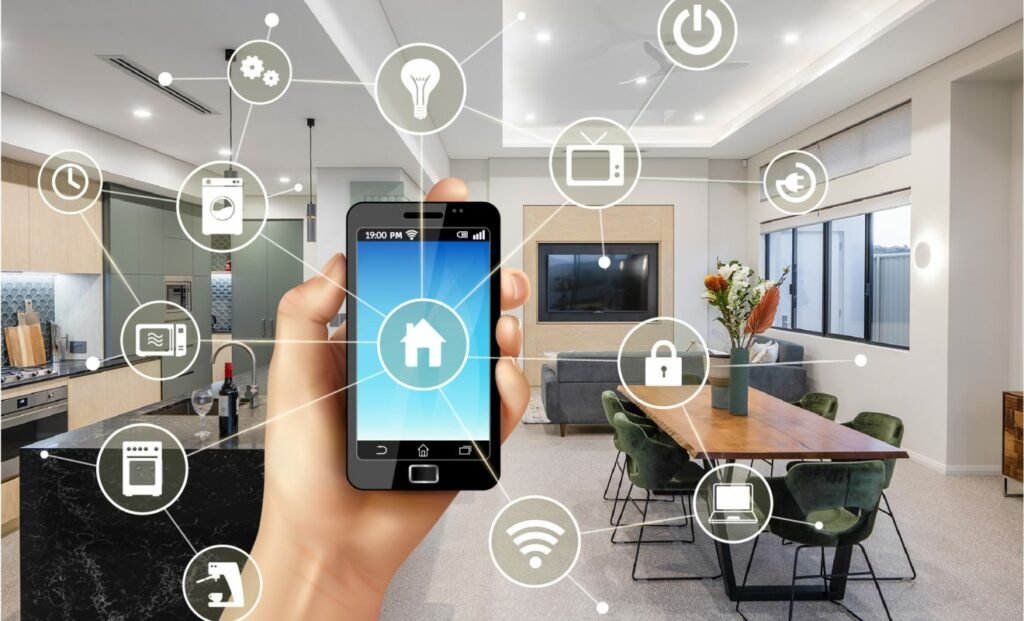
Modern homes are becoming increasingly connected as homeowners look for practical ways to improve convenience, security, comfort, and control. Smart technology can now connect lighting, climate controls, entertainment systems, security equipment, access control, networking devices, and other household technologies into a coordinated environment. Instead of managing every device separately, homeowners can use integrated systems to simplify everyday routines and create a property that responds more effectively to their needs. However, successful automation requires more than purchasing several smart products and connecting them to a wireless network. The technology needs to be planned according to the home’s layout, existing infrastructure, daily routines, and future requirements. A professional home automation company can help homeowners evaluate these factors and create an integrated technology environment where different systems can communicate reliably while remaining easy for the household to manage.
- Understanding Modern Home Automation
- Creating a Strong Networking Foundation
- Automating Home Lighting
- Improving Climate Control and Comfort
- Connecting Home Security With Automation
- Integrating Entertainment Systems
- Smart Access Control and Entry Management
- The Importance of Structured Cabling
- Designing Technology Around the Property
- Choosing Compatible Smart Technology
- Professional Installation and Configuration
- Planning for Future Expansion
- Smart Technology for Different Property Environments
- Maintaining a Smart Home System
- Creating a Simple User Experience
- Getting More Value From Connected Technology
- Conclusion
Understanding Modern Home Automation
Home automation involves connecting different technologies so that household functions can be controlled individually or coordinated through a centralized system. Depending on the property and the homeowner’s requirements, automation may include lighting, climate control, audio systems, entertainment equipment, security cameras, smart locks, sensors, and other connected devices. The purpose is to make common tasks more convenient while giving homeowners greater control over their property. For example, lighting can be organized into rooms or zones, climate settings can be adjusted according to daily schedules, and security devices can be monitored through connected controls. A well-designed system should not make a home more complicated. Instead, it should reduce unnecessary manual tasks and provide an organized way to manage the technology already being used throughout the property.
Creating a Strong Networking Foundation
Reliable networking is one of the most important foundations of a modern smart home because many connected devices depend on consistent communication. Cameras, smart locks, lighting controls, thermostats, entertainment systems, mobile devices, and other technologies may all use the home’s network. As more devices are connected, network capacity and coverage become increasingly important. A property with multiple floors, thick walls, large outdoor areas, detached spaces, or numerous connected devices may require more extensive planning than a basic wireless router can provide. Residential network design should consider access point placement, wired connections, Wi-Fi coverage, device capacity, security settings, and potential future expansion. Bandera Networks provides residential networking solutions focused on coverage, speed, reliability, mesh Wi-Fi, and secure configurations, helping create the connectivity foundation required for an integrated smart home.
Automating Home Lighting
Smart lighting is one of the most practical ways to introduce automation into a residential property because it can simplify routines that homeowners perform every day. Instead of manually switching individual lights throughout the home, users can organize lighting by room, zone, schedule, or activity. Different settings can be created for working, relaxing, entertaining, preparing for bedtime, or other common routines. Connected lighting can also be integrated with other smart technologies when the systems are compatible, allowing homeowners to create coordinated routines. The goal should be to make lighting easier to manage without creating unnecessary complexity. Professional planning can help determine which areas would benefit from automation, how controls should be organized, and how lighting technology can work alongside networking, security, and other connected systems.
Improving Climate Control and Comfort
Smart climate control can provide homeowners with greater convenience by making it easier to manage indoor temperature settings around daily routines. Connected thermostats and compatible climate systems can allow users to adjust settings according to schedules, occupancy patterns, and changing preferences. A household may have different comfort requirements during mornings, working hours, evenings, and overnight periods, and automation can make these adjustments easier to manage. However, smart controls should complement properly maintained heating and cooling equipment rather than replace necessary HVAC service. The automation system is responsible for providing convenient control, while the underlying equipment still requires appropriate inspection, maintenance, and repair. When dependable HVAC equipment is combined with a well-configured smart control system and reliable network connectivity, homeowners can create a more convenient indoor environment without adding unnecessary complexity.
Connecting Home Security With Automation
Security technology can become an important part of a broader smart home environment. Modern systems may include cameras, sensors, smart locks, access control, monitoring technology, and connected alerts. When these systems are properly integrated with automation and networking infrastructure, homeowners can manage security functions more conveniently while maintaining greater awareness of activity around the property. Cameras can provide visibility around important entry points, sensors can identify activity, and smart access systems can help manage authorized entry. Connected lighting may also complement security technology in appropriate situations. Professional planning is important because security systems require reliable network connections, suitable equipment placement, and careful configuration. Bandera Networks provides home security solutions involving cameras, sensors, monitoring, and smart integrations, making security an important part of its broader connected technology services.
Integrating Entertainment Systems
Entertainment technology can also benefit from automation and reliable networking. Televisions, streaming devices, speakers, gaming systems, and other equipment can be organized so homeowners can control them more easily across different rooms. Multi-room audio and connected entertainment systems can provide a more coordinated experience when the network and equipment are designed appropriately. However, entertainment devices can place considerable demands on a residential network, particularly when multiple people are streaming high-quality content, gaming, or using other bandwidth-intensive applications at the same time. Professional network planning can help determine whether wired connections, additional wireless access points, or other infrastructure may be appropriate. When entertainment technology is integrated thoughtfully, homeowners can enjoy greater convenience without dealing with a confusing collection of disconnected controls.
Smart Access Control and Entry Management
Access control is another area where connected technology can improve convenience and organization. Smart locks and electronic access systems can provide homeowners with additional ways to manage entry into their properties. Depending on the technology selected, authorized users may be able to receive controlled access without relying entirely on traditional keys. This can be useful for family members, guests, service providers, or other individuals who may need access at different times. Access control can also work alongside security cameras and other smart systems to create a more coordinated approach to property management. Professional installation is important because access equipment must be compatible with the existing doors, network infrastructure, and security requirements. Bandera Networks provides access control solutions as part of its broader technology services, supporting properties that require connected entry management.
The Importance of Structured Cabling
Although wireless technology provides flexibility, structured cabling remains a valuable foundation for many smart homes. Wired connections can provide dependable communication for networking equipment, access points, cameras, entertainment systems, and other devices. Structured cabling can also create an organized infrastructure that makes maintenance and future expansion easier. This can be especially valuable during new construction or major remodeling, when wiring can be installed before walls and ceilings are completed. Planning cable routes and equipment locations in advance can reduce the need for disruptive work later. A properly organized cabling system can support both current technology and future upgrades, allowing homeowners to expand their connected environment without rebuilding the entire infrastructure. Bandera Networks offers structured cabling services to support reliable connectivity for residential and commercial technology installations.
Designing Technology Around the Property
Every property has different physical characteristics, which means automation should be designed around the actual environment rather than based on a standard package. The size of the home, number of floors, wall construction, room layout, outdoor areas, existing wiring, and number of connected devices can all influence the appropriate technology solution. A larger home may require multiple wireless access points and extensive structured cabling, while a smaller property may need a simpler network with strategically selected smart devices. Professional assessment can identify areas where connectivity may be limited and determine where equipment should be positioned. It can also help homeowners avoid purchasing technology that does not provide meaningful benefits for their particular property. A customized approach allows automation to serve practical household needs rather than becoming an unnecessarily complicated collection of devices.
Choosing Compatible Smart Technology
Compatibility should be considered carefully when selecting smart home equipment. Products from different manufacturers do not always communicate effectively, and using too many separate platforms can create a confusing user experience. Homeowners should consider how lighting, security, climate control, entertainment, access control, and networking technologies will work together before making major purchases. A coordinated system can reduce the number of separate applications and controls required to manage the property. Professional consultation can also help identify technologies that are appropriate for existing infrastructure and future expansion. The goal should be to build an environment where different components support one another instead of creating isolated systems that homeowners have to manage individually.
Professional Installation and Configuration
Professional installation can be particularly valuable when a smart home involves multiple interconnected technologies. Equipment must be positioned correctly, network connections need to be established, and different systems may require configuration before they can communicate properly. A professional team can also test the completed installation and identify issues such as weak connectivity, incorrect settings, poor equipment placement, or compatibility limitations. Bandera Networks describes its process as including consultation and site assessment, professional installation, testing, optimization, and support. This type of approach can help ensure that the system is not simply installed but also properly configured for everyday use. Professional support can also make future troubleshooting easier because the technology infrastructure is organized and understood as one connected system.
Planning for Future Expansion
Technology changes quickly, and homeowners may want to add new devices as their needs evolve. A property that begins with smart lighting and reliable Wi-Fi may eventually include security cameras, smart locks, additional entertainment equipment, climate controls, or other connected technologies. Planning for future expansion can make these additions easier and reduce the need for major infrastructure changes. Sufficient network capacity, structured cabling, organized equipment locations, and compatible systems can all provide a foundation for future improvements. Homeowners do not need to install every possible technology immediately, but they can benefit from creating infrastructure that leaves room for reasonable expansion. This allows smart home improvements to happen gradually as needs and budgets change.
Smart Technology for Different Property Environments
Automation can be useful across a wide range of property types and does not have to be limited to large luxury homes. Smaller residences can benefit from smart lighting, security, networking, access control, and climate management, while larger properties may require more extensive integration. Multifamily properties can use smart apartment technology to support connectivity, access control, security, and shared technology infrastructure across multiple units. Commercial environments may require business Wi-Fi, surveillance, controlled access, structured cabling, and other technology solutions. Because each property has different requirements, the system should be designed around its intended use and physical characteristics. Bandera Networks offers solutions for residential, multifamily, and commercial environments, allowing connected technology to be adapted to different operational requirements.
Maintaining a Smart Home System
Smart home technology requires ongoing attention to remain dependable. Connected devices may need software updates, network equipment can eventually become outdated, and additional devices may place greater demands on the existing infrastructure. Homeowners should periodically review their systems to ensure that cameras remain properly positioned, access controls continue working as intended, and network coverage remains adequate. Keeping records of installed equipment, warranties, configurations, and network components can also make troubleshooting and upgrades easier. Changes to the property, such as renovations, new rooms, additional occupants, or expanded entertainment systems, may create new technology requirements. Regular maintenance provides an opportunity to identify these changes and adjust the system before small issues become larger problems.
Creating a Simple User Experience
The best automation systems are not necessarily the ones with the greatest number of features. A useful smart home should make everyday activities easier rather than requiring homeowners to constantly manage complicated technology. Controls should be organized around actual household routines, and frequently used functions should be easy to access. When different systems are integrated properly, homeowners can spend less time switching between applications or manually adjusting individual devices. Professional design can help identify which functions are genuinely useful and which features may add unnecessary complexity. A simple user experience also makes it easier for family members and guests to understand how the system works, reducing frustration and increasing the practical value of the technology.
Getting More Value From Connected Technology
A smart home represents an investment in technology infrastructure, so homeowners should consider long-term usefulness when selecting equipment and services. High-quality installation, reliable networking, appropriate equipment, and professional configuration can help systems perform consistently over time. It is also important to consider support because connected technology may eventually require troubleshooting, upgrades, or expansion. A provider that understands networking, security, automation, access control, and structured cabling can address multiple parts of the technology environment instead of treating each system as an isolated project. This integrated approach can make it easier to maintain the property and plan future improvements as technology and household requirements change.
Conclusion
Modern automation can transform a collection of individual smart devices into a connected technology environment designed around the needs of a household. Lighting, climate control, security, entertainment, access control, networking, and structured cabling can all contribute to a more convenient and organized property when they are carefully planned and integrated. The success of an automation project depends on more than the features of individual devices.
Reliable infrastructure, compatibility, proper installation, system configuration, testing, and ongoing maintenance all have an important role in long-term performance. Bandera Networks provides services covering home automation, residential networking, home security, access control, structured cabling, business Wi-Fi, commercial security, and smart apartment technology, allowing homeowners and property managers to approach connected technology as a complete system. Working with a professional home automation company can help create an environment that is easier to control today while remaining flexible enough to accommodate future technology. With thoughtful planning and dependable infrastructure, smart technology can become a practical part of everyday living rather than a complicated collection of disconnected devices.


Think about the last time you bought something small, like a snack, a bus ticket or a cup of tea. Now imagine logging it in your expense tracker. How many times did you have to tap your screen?
For many apps, the honest answer is six, seven or more. And that’s the quiet reason so many expense trackers end up forgotten.
The Hidden Cost of Every Tap
A single tap feels like nothing. But expense tracking isn’t a one-time task. It’s something you repeat several times a day, every day.
Here’s what a typical entry looks like in a feature-heavy app:
- Open the app
- Tap the “Add” button
- Choose expense or income
- Select a category
- Select an account or wallet
- Enter the amount
- Add a note or date
- Tap save
That’s eight steps for one small purchase. Multiply it by four or five purchases a day, and you’re spending a real chunk of your time just recording what you spent.
Nobody decides to quit tracking. It happens because the effort slowly outweighs the reward. One skipped entry becomes a skipped day, and then a skipped week.
Where Complexity Creeps In
Many budgeting apps try to do everything: investment tracking, bank syncing, reports, goals, reminders. Each feature adds a new button, tab or menu. The result is an app that is powerful on paper but tiring in practice.
For people who just want to know where their daily money goes, most of that is noise. What they need is a fast, simple way to record spending and a clear way to see it.
The KashPlo Approach: Count Fewer Taps
KashPlo was designed around a simple question: how few steps can it take to record an everyday expense? Its answer is built on four ideas.
Saved Favorites Remove the Repetition
We spend on the same things again and again: groceries, tea, fuel, lunch, rent. KashPlo lets you save these as Favorites, each with its wallet, category and item already set.
To record one, you:
- Tap the Favorite.
- Type the amount.
- Save.
That’s roughly three steps, and it takes about 4 seconds. Compare that with the eight steps above. The details you’d normally pick every time are already there.
A Table-Style Home Screen You Can Read at a Glance
Many apps greet you with graphs, banners and cards. KashPlo’s home screen is a simple, table-style list of your transactions, similar to a paper ledger.
You don’t need to interpret a chart to answer “What did I spend today?” The information is right there in rows, which also means fewer taps to check or confirm anything.
A Clean Interface That Stays Out of Your Way
KashPlo is intentionally basic. There are fewer buttons, fewer competing elements and fewer distractions. When you open it, you can see what to do next without thinking.
A cleaner screen also lowers the small mental effort of opening the app, which makes you more likely to open it at all.
Direct Access to What Matters
The essential features, adding an expense, viewing transactions and checking your spending, are placed where you can reach them directly. You don’t have to remember which menu hides which option.
Tap Count: A Quick Comparison
| Task | Typical feature-heavy app | KashPlo with Favorites |
| Record a repeat expense | About 7 to 8 steps | About 3 steps |
| Check today’s spending | Open app, find reports or dashboard | Open app, view the home screen |
| Time per entry | Often 20 to 30 seconds | About 4 seconds |
These figures are illustrative and vary by app and by how you use it. KashPlo’s roughly 4 seconds applies to saved Favorites.
Simple on the Surface, Capable Underneath
Simplicity doesn’t mean KashPlo can’t handle more. When you need it, the app also offers:
- Multiple wallets and categories to organize spending your way.
- A Monthly Tasks checklist to track which recurring bills are paid and which are due.
- A budget dashboard with spending charts for a bigger-picture view.
- Travel expense tracking with currency conversion.
These sit in the background. They don’t crowd the everyday experience of logging a quick expense.
Is KashPlo Right for You?
KashPlo suits you if you:
- Have given up on an expense tracker because it felt like too much work.
- Mostly want a quick, reliable record of daily spending.
- Prefer a clean app over one packed with options.
- Are starting a tracking habit and want the easiest possible way in.
If you love detailed financial analysis and automatic bank syncing, a more complex tool may suit you better. But if your goal is to track consistently without the hassle, simple is the way to go.
Final Thoughts
Tracking your expenses only helps if you keep doing it, and people keep doing what’s easy. By cutting unnecessary taps, saving your frequent transactions as Favorites and keeping the interface clean, KashPlo turns tracking from a chore into a few-second habit.
Ready to try it? KashPlo is available on the App Store for iPhone and iPad, and on Google Play for Android. It’s free to download, with optional in-app subscriptions.


Migration day is supposed to feel like Christmas. Lid off the box, new iPhone 18 in your palm, tap through setup, watch the little progress circle promise that everything is coming with you.
Except for a lot of people this fall, it didn’t.
Scroll the forums and the complaints repeat in an eerie loop. Photo libraries missing whole years. WhatsApp histories that didn’t make the jump. Notes folders half-empty. And in a parallel wave, people who never bought a new phone at all — they just updated an older iPhone to iOS 27, and now it’s frozen on the Apple logo, taunting them.
Apple hasn’t called it a bug, and honestly, most of it isn’t one. But that doesn’t make your missing photos any less missing. Here’s what’s actually going on, and what works.
Two different problems wearing the same costume
First, the migration stuff. Quick Start is genuinely good at moving the obvious things: contacts, messages, most app data. It’s worse at the invisible stuff. Media cached under “System Data,” some third-party app databases, and files sitting in app-specific sandboxes don’t always hop across the wireless transfer. And in a surprising number of forum threads, the “lost” photos were never lost at all — they were still sitting on the old device, which the owner had already wiped, traded in, or handed to a kid.
Second, the update stuff. iOS 27 is a big install. Phones with nearly full storage, flaky Wi-Fi, or aging batteries fail mid-write more often than you’d think. A failed write doesn’t always brick the phone, but it can leave the operating system unable to boot: recovery mode, boot loops, the endless logo.
Different causes. Same panic. And the fixes are nothing alike.
Why “just restore from backup” makes it worse
The reflexive advice — restore from iCloud — is a blunt instrument. A restore rolls the whole phone back to the moment the backup was taken. Do that on a brand-new iPhone 18, and you’ll undo weeks of new messages, new photos, new everything, just to get back one folder of old notes.
Worse, plenty of people discover mid-restore that their only backup is months stale, or encrypted with a password nobody wrote down.
What actually works, in the right order
Start boring. Keep the old phone. Charged, switched on, in a drawer. Do not wipe it until you’ve confirmed every last photo made the jump, because in half these stories the old phone is the rescue.
Then check the dumb stuff: Recently Deleted, app-level trash bins, and whether iCloud Photos got toggled off during setup. You’d be amazed how many “migration disasters” turned out to be a settings switch.
If the data truly isn’t on the new device, go surgical instead of nuclear. Desktop suites like the Stellar Toolkit for iPhone can read your old local iTunes or Finder backups — including encrypted ones — and let you pull out just the missing album or chat history without touching the new phone’s current state. The current build already supports iOS 27 and the iPhone 18 line, which matters more than it sounds. Plenty of older recovery tools simply can’t parse the new backup format yet.
For the frozen-phone crowd, skip the DFU restore on your first attempt. A system-level repair that rebuilds the corrupted OS files around your data beats a wipe-and-pray restore every time. The same suite includes a module to repair a boot-looped iPhone without wiping it, and it’s one of the few routes that keeps your data intact while the phone learns to start again.
And to be fair to Apple: if the device is under warranty and physically misbehaving — overheating, battery swelling, storage failing — Genius Bar first. Software can’t fix solder.
The boring checklist nobody follows
Free up storage before updating. A phone at 99% capacity is how most iOS 27 boot loops get born. Make a fresh encrypted local backup and write the password on actual paper. Update your apps before the OS, not after. And if your phone is your livelihood, sit on .0 releases for a week or two while the early adopters find the gremlins for you.
Questions people are asking right now
Are my photos gone forever after the iPhone 18 transfer?
Probably not. In most cases, they’re still on the old device, in an old local backup, or hidden behind an iCloud Photos toggle that got switched off during setup. Check all three before mourning anything.
Can a phone stuck on the Apple logo after iOS 27 be saved?
Usually, yes. The storage is typically fine. It’s the operating system that’s confused. A system-repair pass that replaces only the corrupted OS files will bring most of these phones back with user data untouched. DFU restore works too, but it empties the device first.
Does recovery software even work on iPhone 18 and iOS 27 yet?
Some does, some doesn’t. New hardware and new backup formats break older tools until vendors ship updates, so check the compatibility list before buying anything. Stellar’s iPhone toolkit shipped iOS 27 support alongside the launch, which is why it keeps coming up in these threads.
Will iOS 27 slow down my older iPhone?
Marginally, in some cases, and usually only for the first few days while indexing runs in the background. If it’s still sluggish after a week, the culprit is more often storage pressure than the OS itself.
Should I update to iOS 27 right now?
If the phone is your only camera, bank key, and work device? Give it a fortnight. Security patches matter, but so does not being the person debugging a .0 release on a Tuesday night.
The last word
Every major iPhone launch produces the same story: new hardware, new OS, and a thousand people convinced their digital life evaporated overnight. It almost never evaporated. It’s misplaced, half-migrated, or locked inside a backup nobody can open. Stay calm, keep the old device alive, and work the problem in the right order. That’s the whole trick.
Technology
The Rise of AI Macro Dramas: How Solo Creators Are Producing Binge-Worthy Cinematic Series at Home


We are living in the undisputed golden age of the binge-watch. From sweeping fantasy epics to gritty sci-fi dystopias, our appetite for deep, narrative-driven content is insatiable. For decades, the power to create these sagas was locked behind the towering gates of Hollywood studios, requiring millions of dollars, massive crews, and months of grueling production. If you had a brilliant idea for a complex, multi-season drama, it usually stayed exactly where it started: in your head.
But the entertainment landscape is experiencing a seismic shift. We are witnessing the birth of a entirely new genre of digital storytelling: the AI Macro Drama. Thanks to rapid advancements in generative artificial intelligence, solo creators—writers, dreamers, and cinephiles—are bypassing traditional production bottlenecks entirely. They are sitting in their bedrooms and directing cinematic, binge-worthy series using nothing but their imagination and an internet connection.
This is no longer about generating a quirky three-second clip of a cat riding a skateboard. This is about real storytelling. This is about constructing rich worlds, developing complex characters, and stringing together episodic narratives that keep viewers hitting “Next Episode.”
What Exactly is an AI Macro Drama?
To understand the AI Macro Drama, we first have to look at the evolution of AI video. In its infancy, generative video was a novelty. It was plagued by inconsistencies, bizarre morphing, and an inability to maintain a coherent visual style for more than a few seconds. You could generate a beautiful still image, but the moment you tried to animate it, the illusion shattered.
An AI Macro Drama represents the maturation of this technology. It is a long-form or episodic narrative created primarily through AI generation, characterized by consistent character identities, distinct cinematic direction, and a structured plot. These aren’t just random visuals stitched together with an AI voiceover; they are intentional, scripted, and meticulously directed pieces of cinema.
Creators are treating these projects like actual TV shows. They are writing pilot scripts, creating storyboards, and dropping episodic releases on platforms like YouTube and TikTok. For fans of deep lore and expansive universes, AI Macro Dramas offer a new frontier of content to consume. When one creator’s imagination isn’t limited by budget constraints, the stories they can tell are boundless. We are seeing independent creators produce cyberpunk thrillers, historical dramas, and mind-bending sci-fi series that rival the conceptual ambition of major streaming networks.

Breaking Down the Traditional Filmmaking Barriers
Why is this happening now? Because the traditional barriers to entry in filmmaking have always been brutally high.
Consider what it takes to shoot a standard dialogue scene in a traditional indie film. You need to cast actors, secure a location, hire a camera crew, arrange lighting, manage audio, and then spend weeks in post-production color grading and editing. If your script calls for an explosion, a futuristic cityscape, or a period-accurate costume, your budget immediately skyrockets.
For the average storyteller, these logistical nightmares often mean compromising their vision. The sprawling sci-fi epic gets rewritten into a “two people talking in a diner” indie flick just to get made.
AI generation eliminates these physical and financial constraints. The creator assumes the role of the ultimate auteur: writer, director, cinematographer, and casting director, all rolled into one. The “set” is virtual, the “actors” are generated, and the lighting is dictated by algorithms rather than heavy equipment.
The Next Generation of Text-to-Video Technology
The engine driving this revolution is the incredible leap in text-to-video capabilities. Just a year ago, generating video from text required complex coding knowledge and a massive amount of computational power. Today, the process has been streamlined into intuitive, user-friendly interfaces that prioritize the creator’s vision over technical hurdles.
Instead of setting up physical cameras, modern creators direct their films using highly specific prompts. They dictate camera angles (e.g., “low angle, wide shot”), lighting conditions (e.g., “cinematic lighting, neon rim light, volumetric fog”), and character actions.
This democratization of cinema is largely fueled by advanced AI-powered filmmaking platforms like APOB.ai, which have transformed the complex process of video generation into an accessible, browser-based workflow. For solo creators, having a centralized platform where they can type a script and watch it materialize into dynamic video is the equivalent of handing them the keys to a virtual Hollywood backlot.
The focus has shifted from how to make the video to what the video should be about. Storytelling is taking center stage once again.

Directing High-Fidelity Scenes: The Cinematic Edge
Of course, if a creator wants an audience to binge-watch a five-part AI Macro Drama, the visual quality has to be impeccable. Audiences are trained to recognize the visual language of high-end cinema—the depth of field, the texture of film grain, the realistic physics of movement.
This is where the underlying AI models make all the difference. To achieve true cinematic immersion, creators are relying on heavy-duty rendering models. For example, utilizing the Ultra S model (driven by the robust Seedance 2.5 architecture) allows directors to push past the “uncanny valley” and generate high-fidelity footage.
When generating scenes with these advanced models, the difference is night and day. Skin textures look porous and real, clothing fabrics move naturally with the character’s gait, and lighting bounces accurately off different surfaces. This level of photorealism is essential for Macro Dramas because it allows the audience to forget they are watching an AI-generated piece and simply get lost in the saga.
Solving the Multi-Character Dilemma: The Key to True Drama
While beautiful visuals are important, the beating heart of any drama—whether it’s a soap opera or an HBO thriller—is human interaction. It’s the tension between two people in a room. It’s dialogue, conflict, and chemistry.
Historically, this has been the Achilles’ heel of AI video generation. AI models are notoriously bad at handling multiple subjects in a single frame. If you asked early AI to generate “a man and a woman arguing at a table,” you would often get a horrifying amalgamation of limbs, blending faces, and distorted backgrounds. The AI simply couldn’t keep track of who was who.
To produce a compelling AI Macro Drama, creators absolutely must be able to direct multi-character scenes. You cannot tell a compelling story if your characters can never share the same screen.
Thankfully, the technology has finally caught up to the narrative demands of creators. Modern tools have introduced precise control mechanisms to ensure spatial consistency. A major breakthrough for indie directors is creating multi-character scenes via APOB’s Add Element feature.
By allowing creators to specifically isolate and add new elements or additional characters into a generated environment, the AI is forced to understand the spatial relationship between subjects. A director can now generate a stunning background, place their protagonist in the frame, and subsequently “add” an antagonist stepping out of the shadows, all without the video warping into a glitchy mess.
This capability unlocks the true potential of the Macro Drama. It allows for over-the-shoulder dialogue shots, complex action sequences, and the subtle, unspoken reactions between characters that define great television. It elevates the medium from “moving pictures” to actual acting and directing.
The Future of the Binge-Watch
As these tools become faster, cheaper, and even more intuitive, we are going to see a flood of new cinematic voices. The next great saga might not come from a writers’ room in Los Angeles; it might be produced by a teenager in a small town who finally has the tools to bring their universe to life.
We are entering an era where the only limit to cinematic creation is the depth of the creator’s imagination. As viewers, we should be thrilled. The streaming queues of tomorrow won’t just be filled with studio greenlights; they will be populated by wildly original, visually stunning AI Macro Dramas born from the minds of independent visionaries.
For anyone who has ever watched a movie and thought, “I have a better story to tell,” the wait is over. The studio is open, the camera is ready, and it only takes a few keystrokes to call “Action.”

Inside a China Eyewear Factory: How Eyewear Goes from Design and Material Selection to Mass Production

Building Emotional Wellness Through Professional Guidance and Support

How to Choose an Eyewear Manufacturer in China for Your European or American Private Label Brand

Alex Pettyfer Net Worth, Wife, Age, Height, Children, Career and More

Brad Williams Net Worth, Wife, Height, Age, Daughter, Family, Career and More

Eldorado.gg Review 2026: How It Works, Safety, Fees, and Risks
-
Celebrity11 months ago
Alex Pettyfer Net Worth, Wife, Age, Height, Children, Career and More
-
Celebrity11 months ago
Brad Williams Net Worth, Wife, Height, Age, Daughter, Family, Career and More
-
Blog3 months ago
Eldorado.gg Review 2026: How It Works, Safety, Fees, and Risks
-
 Anime12 months ago
Sanzoku Bandits of One Piece: Origins, Higuma, and Their Role in Dawn Island
-
 Celebrity11 months ago
John McGinn Net Worth, Age, Height, Wife, Childrens, Career and More
-
 Celebrity11 months ago
Frances de la Tour Net Worth, Age, Height, Husband, Childrens, Career and More
-
 Anime12 months ago
Shimotsuki Ushimaru – The Last Daimyo of Wano Country Explained
-
 Celebrity12 months ago
Will Trickett Net Worth, Wife, Childrens, Age, Career and More