
Business
Furniture Storage Dubai: Costs, Unit Sizes and How to Keep Your Furniture Safe


Moving out of your apartment before the new one is ready? Renovating your villa and wondering where to keep the furniture? It’s a familiar problem in Dubai, especially when moving dates don’t line up or a home renovation takes longer than expected.
- What Is Furniture Storage in Dubai?
- Why Furniture Storage Matters in Dubai
- Types of Furniture Storage Services Available
- Climate-Controlled Furniture Storage
- Self-Storage Units
- Managed Furniture Storage
- Short-Term and Long-Term Storage
- How to Choose the Right Furniture Storage Unit Size
- Step-by-Step Guide to Storing Furniture Safely
- How Much Does Furniture Storage Cost in Dubai?
- Common Furniture Storage Mistakes to Avoid
- Expert Tips for Choosing a Reliable Storage Facility
Leaving expensive sofas, wooden cabinets and mattresses in an empty room isn’t always a good option. Heat, humidity, dust and careless stacking can damage furniture that took years to collect.
That’s where furniture storage Dubai services can help. Whether you need a secure space for a few weeks or several months, the right storage facility can protect your belongings while giving you flexibility.
This guide explains how furniture storage works, which unit size you might need, what affects the price and how to avoid paying for services you don’t actually need.
What Is Furniture Storage in Dubai?
Furniture storage is a service that allows individuals and businesses to keep household or office furniture in a dedicated storage space for an agreed period.
Instead of leaving furniture in an unused apartment or crowded garage, you can arrange for items to be packed, collected and placed in a storage facility.
Depending on your needs, self storage dubai services allow you to rent a private unit with direct access to your belongings, while managed warehouses offer collection, handling and retrieval services for customers who prefer a more hands-off storage arrangement.
People commonly use furniture storage when:
- Moving between apartments or villas
- Renovating or repainting their homes
- Relocating temporarily outside the UAE
- Downsizing to a smaller property
- Storing office desks, chairs and cabinets
- Keeping seasonal or unused furniture
For example, a family moving from Dubai Marina to Arabian Ranches may need to vacate their apartment two weeks before their villa becomes available. Temporary storage keeps their furniture protected without requiring another short-term property rental.
Why Furniture Storage Matters in Dubai
Dubai’s climate makes furniture storage a little different from storing belongings in cooler regions.
During summer, high temperatures and humidity can affect wood, leather, fabrics and certain adhesives. Poor storage conditions may cause unpleasant smells, mould growth or changes in furniture finishes.
Protection From Heat and Humidity
Wooden furniture can expand or contract as surrounding moisture levels change. Leather may dry out under unsuitable conditions, while upholstery can develop odours if stored damp.
A properly maintained climate-controlled facility helps provide more stable conditions for sensitive furniture.
However, not every warehouse offering indoor storage has active temperature and humidity control. Ask what environmental conditions the provider maintains before signing an agreement.
More Space During Renovations
Renovation projects become difficult when workers need to move furniture from room to room.
Keeping larger items in storage creates working space and reduces the chance of accidental paint spills, scratches or construction dust settling on upholstery.
Flexible Storage Periods
You might only need storage for two weeks, or your plans could change and require another three months.
Some providers offer flexible monthly arrangements, while others apply minimum rental terms. Understanding those conditions early can save unnecessary charges.
Types of Furniture Storage Services Available
Not every storage option offers the same level of convenience or protection.
Climate-Controlled Furniture Storage
Climate-controlled storage is generally worth considering for wooden beds, leather sofas, upholstered furniture and other items affected by environmental conditions.
It helps limit temperature fluctuations, although the exact temperature and humidity ranges depend on the facility.
Ask whether environmental monitoring operates throughout the year rather than only during business hours.
Self-Storage Units
With self storage Dubai services, customers typically rent a private unit and arrange access according to the facility’s rules.
This suits people who want to manage their own furniture and retrieve particular items occasionally.
Some facilities provide access outside standard office hours, while others require advance appointments.
Managed Furniture Storage
Managed storage is designed for customers who prefer the company to handle transportation, packing, loading and warehouse placement.
It can be convenient when storing several rooms of furniture or large items that require professional dismantling.
Check whether collection, packing, inventory preparation and redelivery are included or billed separately.
Short-Term and Long-Term Storage
Short-term storage works well for moving delays, repairs and temporary renovations.
Long-term storage is more suitable for extended travel, overseas assignments or furniture you want to keep without using immediately.
For longer commitments, ask whether discounted rates apply and what happens if you need to end the agreement early.
How to Choose the Right Furniture Storage Unit Size
Choosing a unit that’s too small can lead to unsafe stacking. Renting one that’s much larger than necessary increases your monthly bill.
Storage facilities often describe unit sizes in square feet, but the actual capacity also depends on ceiling height, furniture dimensions and how the items are arranged.
| Storage unit size | Suitable furniture |
| 25–50 sq ft | Selected furniture pieces, chairs, small tables and boxes |
| 50–75 sq ft | Studio furniture or a compact one-bedroom selection |
| 75–100 sq ft | Typical one-bedroom furniture, depending on volume |
| 100–150 sq ft | Furniture from some two-bedroom homes |
| 150–200+ sq ft | Larger apartment or villa furniture collections |
These are approximate planning ranges, not guaranteed capacities. Large wardrobes, non-stackable sofas and assembled beds can require considerably more space.
Before booking, send the storage provider an inventory with photographs and dimensions of bulky items. A video survey can also help the team recommend an appropriate unit.
Step-by-Step Guide to Storing Furniture Safely
Good storage begins before the moving truck arrives.
1. Prepare a furniture inventory. List sofas, beds, wardrobes, tables, appliances and other belongings. Photograph valuable pieces and record their condition.
2. Measure large furniture. Check dimensions of wardrobes, dining tables and sectional sofas. Confirm which pieces can be dismantled safely.
3. Clean and dry everything. Vacuum upholstery, wipe wooden surfaces with suitable products and ensure furniture is fully dry before wrapping.
4. Choose suitable packing materials. Use furniture blankets, protective covers, corner guards and sturdy cartons. Avoid sealing moisture inside delicate furniture with unsuitable plastic wrapping.
5. Label dismantled parts. Keep screws, hinges and fittings in labelled bags. Attach them securely to the corresponding furniture without damaging the finish.
6. Confirm transport arrangements. Check whether the company provides collection, loading assistance and protective handling during transportation.
7. Review the storage agreement. Verify rental duration, access arrangements, insurance coverage, payment conditions and redelivery charges.
When everything arrives at the warehouse, request an inventory confirmation or receipt showing which items were accepted.
How Much Does Furniture Storage Cost in Dubai?
Furniture storage prices vary according to the amount of space required, storage duration, facility standards and additional services.
As an example, one Dubai storage provider advertises the following monthly price ranges, inclusive of VAT. These are supplier-specific published rates, not a verified Dubai-wide market average.
Climate-Controlled & Insured
| Unit size | Example monthly cost |
| 50 sq ft | AED 850–1,500 |
| 75 sq ft | AED 1,200–2,000 |
| 100 sq ft | AED 1,750–2,800 |
| 150 sq ft | AED 2,400–3,800 |
| 200+ sq ft | From AED 3,400 |
Actual quotations may differ considerably between providers and storage arrangements.
What Affects the Final Price?
Several factors can change your total storage bill:
- Storage volume: More furniture usually requires a larger unit.
- Rental duration: Longer bookings may qualify for discounted monthly rates.
- Climate control: Facilities with maintained temperature and humidity systems may charge more.
- Packing services: Materials, wrapping and furniture dismantling may cost extra.
- Collection and delivery: Transport charges depend on distance, item volume and building access.
- Insurance: Additional coverage may be required for high-value furniture.
In the UAE, the standard VAT rate is 5% for taxable supplies. Confirm whether the quoted storage price includes VAT rather than assuming the advertised amount is your final bill.
United Arab Emirates
Ask for an itemised quotation showing rent, handling charges, deposit requirements and any optional services.
Common Furniture Storage Mistakes to Avoid
A low monthly price won’t help much if the furniture comes back damaged or unexpected charges appear.
One common mistake is storing upholstered furniture before it has dried completely. Even a little trapped moisture can create problems during extended storage.
Another is stacking heavy boxes on sofas or placing cabinets directly against damp surfaces. Furniture needs suitable protection and stable positioning.
Other mistakes include accepting verbal promises about insurance, failing to photograph existing scratches and booking a unit without checking the access policy.
Perhaps the most expensive mistake is ignoring the full contract. A provider may advertise affordable monthly rent while charging separately for collection, loading, retrieval or early cancellation.
Always compare the total expected cost rather than the monthly rate alone.
Expert Tips for Choosing a Reliable Storage Facility
Before trusting a company with your furniture, ask to see the actual storage conditions.
Check whether the facility has CCTV monitoring, controlled entry, suitable fire protection arrangements and documented procedures for handling customer belongings.
Dubai’s fire-safety framework includes requirements concerning prevention systems, inspections and compliance for relevant facilities. A storage company’s marketing claim of being secure isn’t a substitute for checking its actual safety arrangements.
Dubai Land Department
For expensive items, request written details explaining what the insurance covers. Standard coverage may have limits, deductibles or exclusions.
It’s also worth asking how your furniture will be identified inside the warehouse. A clear inventory and retrieval process becomes especially important when storing numerous items for several months.
Finally, check recent customer reviews for repeated complaints about damaged furniture, missed deliveries or unexpected billing. Those experiences can reveal problems that aren’t obvious during a sales conversation.
Conclusion
Furniture storage can make moving, renovating or downsizing considerably easier. The important part is choosing a facility that suits your furniture, your schedule and your budget.
Measure your belongings, understand the storage conditions and request a complete written quotation before committing. Pay particular attention to protection, insurance and collection arrangements when storing valuable items.
Need furniture storage in Dubai? Contact a local storage provider, share your furniture inventory and request a personalised quote. Comparing a few clear offers will help you choose a practical storage solution without paying for space or services you don’t need.

Key Takeaways
- Use reputable platforms like ConvertPDF, Small PDF, and PDF24 for quick and trustworthy PDF conversions through a variety of file formats.
- Choose tools with intuitive interfaces and the ability to work in batches for added convenience and productivity.
- Choose services that offer strong protection and security when handling sensitive documents.
- Look for features and services like OCR for scanned documents or cloud integration to make document management and accessibility easier.
- Enjoy free or low-priced conversion tools without sacrificing quality or restricting core features.
- Look for formatting retention, editing options, professional-looking conversions, and rapid post-conversion editing flexibility.
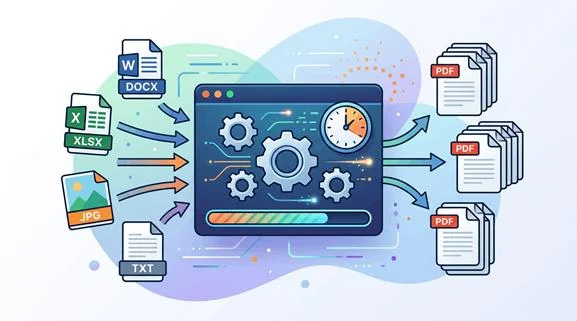
PDFs faster converts files to and from PDF format in less time, with fewer steps and less fuss!
Plenty of online services allow you to exchange, combine or divide files in seconds. Batch uploads, drag-and-drop tools and cloud sync all help things along for both work and study.
This post rounds up the top methods and tools for rapid PDF alterations, from one-click web apps to convenient mobile solutions.
1. ConvertPDF
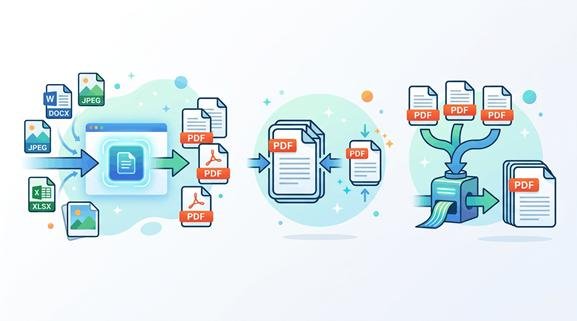
You can do Fast and smooth PDF conversion across multiple file types with this online converter. Switching a PDF into an editable Word document or an AI file for graphic work is only a couple of clicks away with ConvertPDF. Most will find the interface straightforward and clear, making it simple for both newcomers and seasoned pros. Jobs that would take hours, like copy-pasting text or extracting images manually, now finish in minutes.
For instance, someone who needs to convert multi-page PDFs into editable presentations no longer has to copy and paste each paragraph or reformat headings. The site takes care of these steps in seconds, saving time and hassle. The output quality is one of ConvertPDF’s strongest points. The service’s clever algorithms preserve formatting, fonts, and images sharp and true to the original file.
When you move a PDF image into Adobe Illustrator, the converter preserves the information and the structure, so you can modify without losing quality. It’s a dependable go-to for students writing up reports, designers needing to bring vector graphics up to date, or business users tidying files for clients. Sometimes, large or intricate files can delay conversions, but these are mostly completed fast. A typical report of under 10 MB, for example, takes less than a minute.
Getting to ConvertPDF is straightforward as it’s web-based and works on any device. A laptop in the office, a tablet in a coffee shop, or a phone on the go. This flexibility means your documents are always to hand, so you can keep projects rolling wherever you are. The platform offers both free and premium service options.
The free tier assists with basic conversions, while premium users receive quicker support and better-quality results if they need more complex assistance. Manually working with PDFs is oftentimes slow and drab, especially for longer documents or if you’re looking to turn a PDF into a web-optimised post. ConvertPDF takes much of that hassle away by doing the heavy lifting.
Users simply upload the file, choose the output type, and sit back for a moment. Naturally, file type and size still make a difference. Massive or intricate files might take a bit longer, or some features may not convert flawlessly. Still, the time savings are evident. What would once have taken a week’s work, say converting a pile of reports, now takes an afternoon.
2. Small Pdf
Small PDF is a reliable online PDF converter with a lot to offer. Users rely on it to convert files quickly, but its toolbox extends way beyond that. Small PDF provides a complete suite of PDF capabilities, from merging and splitting to unlocking and e-signing.
Its web-based nature means you don’t have to download anything or even sign up for basic conversions, so it’s a good option for anyone who likes to get things done fast and without hassle. For example, uploading a scanned invoice to compress it or converting a Word document into a PDF for work reports can be done in a couple of clicks.
Navigating Small PDF is easy and fluid. Its layout is tidy, and all the tools are on display. There is no secret menu or puzzling choices, which means even first-timers can find what they want quickly.
For those pressed for time, its batch processing capability is a godsend. It allows users to convert or compress multiple PDFs at once, which means jobs that used to take ages can now be done in minutes. Someone with a dozen receipts from a business trip can zip them all up instead of fussing around with each file.
A great advantage is that Small PDF doesn’t require you to pay just to get started. Basic tools, such as compression and conversion, are free to use without registering. Compression achieves this by identifying and eliminating repeated patterns, reducing file size while preserving information and maintaining the appearance of the text.
We know many users are concerned with document quality. Small Pdf maintains crisp fonts and imagery even when reducing files. It can reduce PDF file sizes by up to 99%, which is handy for anyone who needs to email them or upload them to systems with strict size limits.
For example, reducing a 10 MB PDF to less than 1 MB puts it within reach of many web forms. Some tools allow you to set a target size, like reducing a PDF to 100 KB.
Speed and privacy are discussed. Files can be compressed in seconds by dragging and dropping them into the tool. For extra peace of mind, files are removed from the servers after just one hour.
That’s a big tick in the box when dealing with private or sensitive data, as it means there’s no long-term storage or risk of leaks.
3. Pdf24
Next up is Pdf24, which excels with its extensive suite of PDF tools, suitable for nearly any document task. Users are presented with options to merge, split, compress, and rearrange PDFs, which means you can trim or join even large files without a hitch. For example, if someone needs to extract a single page or batch files for a work report, Pdf24 provides speedy methods to do so.
Batch processing is a boon for anyone working with dozens of documents at a time, making it a time-saver in busy office environments. One of Pdf24’s main attractions is its secure file handling. We built each conversion with privacy in mind, enforcing strong data protection so files won’t leak or fall into the wrong hands.
In the case of confidential contracts or personal records, users can count on the tool’s security protocols. For those who want some extra peace of mind, Pdf24’s offline version, the PDF24 Creator, keeps files on your local Windows machine instead of online. It’s Windows 10 and 11 only, meaning Microsoft users get the complete suite of tools in a secure offline environment.
PDF24 appeals to all experience levels with its straightforward, easy-to-use interface. Beginners will be comfortable with straightforward menus and step-by-step processes, while pros will value advanced settings such as file compression and format tweaks. You can even print to a virtual PDF24 printer, making PDF creation as simple as sending a file to print.
For example, a student can create a PDF of their essay by printing from Word, and an office worker converts a presentation to PDF for distribution. Cloud storage integration adds another layer of convenience. Users can save and manage their converted files in the cloud, ready to be accessed from anywhere, be it your home desktop or work laptop.
This alleviates the need for teams to share resources and collaborate by sending massive email attachments. The software is free for everyone — companies and agencies included, which is why it has such a strong following.
Even better, users can choose different editions of the Creator. The 9.x version, for instance, builds on 11.x but omits some of the latest additions, providing additional flexibility based on what works best.
4. Pdf Simpli

Pdf Simpli – Best for quick and easy PDF conversion. Pdf Simpli is notable for its fast and straightforward conversions, making it a good option when time and simplicity are important. Converting files from Word, Excel, or image formats to PDF or vice versa is effortless.
Accuracy-wise, the tool does a pretty good job too. For instance, a DOCX CV maintains its structure and formatting after converting to PDF, so the end result looks identical. That reliability is useful when it is a race against the clock.
Next up, Pdf Simpli works directly from any browser. There is no need to install any software or worry about device compatibility. It is perfect for those who want to work with files on trains, in coworking spaces or simply toggling between home and office PCs.
User privacy is a top concern, the platform says, with 100% security for all uploads and downloads. This gives peace of mind to anyone handling personal or work documents.
For editing purposes, the annotation tools on Pdf Simpli are user-friendly and customisable. Making annotations, moving text boxes with the Pointer button, or marking key points is seamless.
To highlight, users tap the Highlight icon in the top toolbar, select the text, and release the mouse. There is no steep learning curve. It is excellent for small adjustments, such as signing a document or making a final change to a report.
It’s not all black and white. The three buttons – Convert, Download, Save – all look the same, which can trip people up if they’re in a hurry. For a newcomer, it’s all too easy to click the wrong one and waste time. Worth mentioning is the payment system. One-click downloads usually trigger a monthly subscription that auto-renews and can be more expensive than you realise.
The words are frequently harder to spot prior to purchase, so consumers might want to read the small print before buying. If anything does go wrong, refunds are generally processed in one or two business days, which is fair by industry standards.
In a nutshell, Pdf Simpli serves the would-be fast and furious PDF users. It’s handy for those just wanting to get a job done, particularly for instant or once-off jobs.
5. Pdf House
Pdf House is notable for its quick and easy file conversion. Preparing a PDF takes only a couple of clicks, and it’s swift even with larger files. Nobody wants to hang around for a single-file change, so quickness is a genuine selling point here.
For instance, uploading a multi-page report or a bundle of scanned receipts doesn’t choke or hang. Pdf House simply gets on with it, converted files appear in your downloads before you’ve had a chance to switch tabs.
A lot of these free PDF conversion tools make you pay at the last step. Pdf House is clear about its service. There are no hidden charges and you’ll never hit a paywall unexpectedly. Everyone can convert any file, be it a school paper, business contract or travel plan, without unexpected fees. For students or freelancers who are watching their pennies, this can really help.
A batch of Word documents, PowerPoint slides, or images gets processed with no size limit or frequency of use for the tool. One of the real worries with online PDF converters is preserving the aesthetic of the original. House will keep the formatting in place. Fonts, images, spacing and tables carry over, so you don’t have to correct formatting errors post-conversion.
This is useful for documents such as CVs, invoices or marketing brochures, where an adjustment in layout can be distracting or unprofessional. For example, a contract with significant header sections emerges just as neat as it went in. That level of consistency saves time and headaches, particularly for anyone sending out client-facing documents.
Once converted, Pdf House provides plenty of editing tools to make adjustments without hopping to another app. You can merge files, add text, incorporate images or draw shapes directly in the PDF. These features serve to spruce up a document or add finishing touches.
Imagine refreshing a project proposal with a logo or adding a digital signature to an agreement. Everything is done online, so there is no need to download heavy software or fret about compatibility. The workflow remains slick and focused.
6. ILovePdf
ILovePdf’s extensive suite of online PDF conversion and editing tools makes this a go-to option for all sorts of document requirements. It is more than just a converter. It collates tools for editing, merging, splitting and securing PDFs all in one place.
Whether it’s contracts, reports or presentations, the versatility is useful. For example, merging multiple travel receipts into one file or splitting a bulky research paper into smaller chunks gets done in seconds.
ILovePdf’s editing tools offer much more than simple edits. You can play with font types, sizes, colours, and formatting for a polished finish. Images or clickable links are easy to add, so a training manual could feature brand logos or links to further reading.
Editing visuals post-conversion means you do not have to hop around apps to get the layout right. There is even a way to build interactive forms with signature fields, text boxes, and checkboxes, so gathering feedback or signatures is straightforward. It is good for team surveys, event registrations or approval forms.
Simplicity is at the heart of ILovePdf. Each task receives step-by-step instructions, meaning even novice users will feel comfortable. A neat list of things to do pops up whenever you upload a file, and suggestions lead you through converting, merging or editing.
You don’t have to go searching for secret settings or untangle baffling jargon. This proves to be a time and stress saver on busier days.
It’s not just browser access either. The platform does both a desktop app and a mobile app so you can work on documents on the go or at your desk. Safety comes first, with servers protected under European law.
Uploaded files are cleared automatically after 2 hours to protect sensitive data from unwanted eyes. This provides peace of mind, particularly when working with sensitive documents such as invoices or contracts.
An extra newcomer is the translation function. Translating PDFs into various languages opens up opportunities to share documents with overseas teams or clients. This allows a business to send the same brochure in French, Spanish, or Japanese without special software.
7. Go Nitro
Go Nitro is an app with robust PDF conversion tools and time-saving features, a must for anyone who deals with documents on a daily basis. Go Nitro gives you faster conversions so you’re waiting less and working on things that matter!
A couple of clicks are all it takes to convert a PDF to an editable document, spreadsheet or even a PowerPoint slide, with the original formatting intact.
The PDF to Excel tool is one I like most, as it pulls tables into spreadsheets, so you don’t need to copy and paste, which is great for finance reports or data analysis. Going Go Nitro opens up advanced OCR (Optical Character Recognition). This feature enables users to change scanned PDFs into searchable and editable files.
For example, if someone has a pile of dusty paper contracts that have been scanned, Go Nitro takes those scans and creates Word documents from them, ready for you to update or quickly reference.
The program deals with awkward file structures well, such as files containing extensive tables, pictures, or sophisticated formatting. Users can switch between PDF and Microsoft Office formats, making document management seamless.
One of the big strengths is the editing suite. Logos, bookmarks, hyperlinks, watermarks or page numbers can be added directly to your PDFs. This is useful when you need to prepare files for presenting, sharing with coworkers, or simply keeping your documents tidy for later. You can export PDF content to PowerPoint slides.
Meetings will run more smoothly with visuals and text transferring cleanly to be discussed or collaborated on. Thousands of professionals, from lawyers to teachers, can access clean, editable slides in only a few steps. Pricing is flexible, with options to suit a range of needs and budgets.
Freelancers, small businesses, or large teams can choose what works for them without unnecessary extras. For the undecided, Go Nitro includes a free trial, letting you test all features before you purchase. This is useful if you want to preview conversion quality or investigate the tools without risk.
In this day and age, turning PDFs to Word, Excel, PowerPoint, or images is a daily routine, and Go Nitro takes care of it all hassle-free.
8. Free PDF Convert
Free PDF Convert is notable for its straightforward and affordable solution to manage file conversions. The tool bypasses complex setups and circumvents the paywalls that frequently prevent access to key features. Anyone who needs to convert files to PDF or revert from PDF back to Word or image formats can do so quickly and for free.
Free PDF Convert functions on both desktop and mobile, so it fits into daily life at work, school or home. For example, someone might use it to convert a Word job application into a PDF for emailing or save a scanned receipt as a PDF for record-keeping.
Unlimited access to basic tools is one of the best things about Free PDF Convert. There is no need to purchase a monthly subscription or create an account. Users simply upload files, select a format, and then start the process.
Word files, image formats such as JPEG or PNG, and even spreadsheets can all be converted into PDF with a few clicks. The reverse works as well, so PDFs can be converted back into Word and other formats. It is great for anyone who wants fast results without waiting long or incurring hidden fees.
Take one student who uses it to convert notes scribbled in disparate file types into one tidy PDF, thus saving precious moments when exams roll around.
A reliable internet connection is essential for seamless PDF conversion. As Free PDF Convert operates online, the quality of your connection determines how fast and reliable the service is. Files upload faster, and downloads complete faster when the internet is stable.
This is most important for larger files or when you have a short deadline. A person working from a café with shaky Wi-Fi, for example, may experience slower speeds or have to retry uploads. Using a trusted home or office network generally scores more.
Free PDF Convert offers a variety of output formats, so it’s versatile for different uses. Files can be converted to PDF, Word, Excel, PowerPoint, or image formats. It even supports multiple languages: English, Spanish, and French.
This helps global users get the most out of the tool. Security is another consideration. Free services occasionally display ads or provide basic security, but uploading sensitive files requires caution.
Most users just want to convert regular documents, such as forms and flyers, while keeping personal or important files on more secure systems.
Conclusion
To save time and avoid headaches, pick a tool that works best for you. All of the above PDF converters save you time in a real sense. For example, Small Pdf is great for quick jobs, while ConvertPDF.ai handles larger volumes with less lag. ILovePdf is simple, clean, and good for people who like less fuss.
Just like a well-oiled office or a speedy working day, these tools assist you with more, fewer clicks and lower strain. Give a few a go and see which fits your workflow the best. Keep work smooth and sharp, choose a service that fits your rhythm and scale, and let the robots do the legwork.

Salt water pools still need regular testing to keep the water balanced and the salt chlorination system working as intended. These pools will not have chlorine added as they do the majority of pools, but the water chemistry needs to be monitored regularly.
The process can be made easier and more convenient if you select the correct salt water pool test kit and are able to monitor critical water parameters. But with different testing options available, what should you actually look for when choosing one?
Check What the Kit Measures
One of the first things to take into consideration is what water parameters the test kit can measure. You can’t just check the level of salt in a salt water pool and be done with it.
A proper kit can be used to measure salt concentration, free chlorine, pH, total alkalinity, and more parameters. You can get a better idea of your pool’s overall water balance by testing multiple levels.
If you are already using a chlorine test kit and/or a pH test kit, you might only need a salt specific test kit. If you need to perform multiple checks during the same test session, however, then a multi-parameter kit may be more convenient.
Look for Accurate Salt Measurements
The salt concentration is the most significant factor in a salt water pool because the salt chlorinator is made to function within a particular salt concentration range. Too much or too little salt will impact the performance of the system.
The range of measurements and the compatibility of the product with your pool’s recommended salt level should be checked when you select a testing product. An easy-to-interpret result should also be provided by the test.
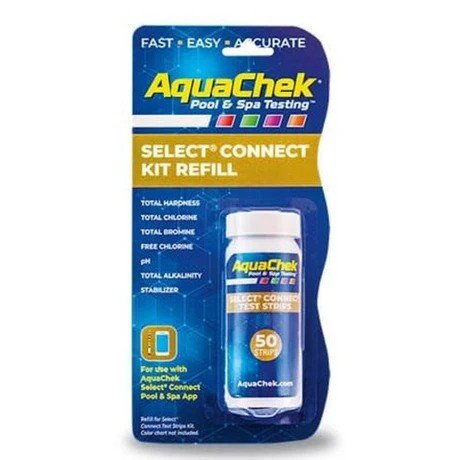
Salt test strips are an effective way to test the level of salt in the pool. They are easy to operate and may be helpful in instances where a quick reading is desired, without the preparation of a water sample or the use of several liquid reagents.
Consider Test Strips for Convenience
Convenience can improve your pool experience if you regularly test your pool. Test strips are small, simple to store and, in most cases, very easy to prepare.
A sample of water is typically taken, or the strip is dipped and the window is left open for a designated amount of time, and then compared to the chart.
But there are various testing methods and sensitivities for different products. Never rush through the instructions, and don’t judge the color before or after the recommended reading time.
Consider Liquid Test Kits for More Detailed Testing
If you need to test multiple water chemistry parameters, you may want to use liquid reagent kits. These are processes that consist of the addition of particular chemicals to a water sample and the comparison of the color produced with a reference scale.
These kits can take longer and be more meticulous in measuring than strips can and may offer a more detailed testing schedule.
For those who are okay with doing several steps and wish to track several factors of the pool chemistry, the liquid type pool test kit may be a great option to consider.
Check the Testing Range and Sensitivity
Some water-testing kits are meant for only specific water conditions. Check the range of the salt and other parameters tested prior to purchase.
A good kit should be suitable to your pool and give comparable results to the recommended level of the manufacturer.
A restricted testing range would result in not having enough information to make sure that your pool’s salt level is at the right level.
Think About Storage and Shelf Life
Test strips and liquid reagents must be kept in a proper manner to maintain the reliability of the tests. Some testing materials may be influenced by moisture, heat, and direct sunlight.
Store test strips in the container and securely close it when taking out test strips. Liquid reagents should also be stored according to the manufacturer’s instructions.
See the expiry date before buying. If an old test unexpectedly shows an abnormal result, the condition and/or expiry of the testing product may be the cause, so it is worth checking.
Choose a Kit That Fits Your Routine
The testing method that is best for your pool will depend on how often you test your pool as well as what information you are looking for from each test.
Pool salt test strips may be convenient for fast, frequent salt testing. A complete kit might be preferable if you are interested in measuring salt as well as chlorine, pH, alkalinity, and other parameters.
Consider your speed, convenience, preference for details, or all of the above.
Final thoughts
Testing is an important aspect of salt water pool maintenance. Regular salt level testing will help you ensure that the water is in the recommended parameters for your salt chlorination system. Other water parameters can also be tested to determine how the water has changed and may be indicators of other water quality issues.
Use pool salt test strips to check the pool for salt levels, or use a salt water pool test kit, following the manufacturer’s instructions carefully and taking note of the readings, if possible.
If you choose the proper test and monitor the water chemistry regularly, you will have a greater understanding of your pool’s water chemistry and keep your salt water system running as designed.


- What Is an eSIM and How Does It Work?
- Which Phones Support eSIM?
- How to Check the eSIM-Compatible Phones List by Holafly
- What Else Should You Check Before Buying an eSIM?
- FAQs
- Which phones are compatible with eSIM?
- How do I know if my phone is eSIM-compatible?
- Can I use an eSIM on a locked phone?
- Do all iPhones support eSIM?
- Can I use an eSIM and a physical SIM at the same time?
- Conclusion
Traveling internationally often means finding affordable, reliable internet. An eSIM makes it easier to activate a mobile data plan without a physical SIM card, but not all smartphones support it. The eSIM compatible phones list by Holafly helps travelers identify compatible devices from brands like Apple, Samsung, and Google. Checking your phone’s compatibility before purchasing a plan can help you avoid connectivity issues during your trip.
What Is an eSIM and How Does It Work?
The eSIM is a digital SIM that is built into the hardware of your mobile phone. It eliminates the need for you to use a physical SIM card. Your service provider will provide instructions on how to set up the eSIM. Typically, these instructions include either downloading an app that connects to the mobile network or receiving a QR voucher. For travelers, eSIM has many benefits:
- It allows you to activate your mobile internet plan without visiting a local outlet.
- You can keep your SIM card in the phone if it has dual SIM functionality.
- You get mobile Internet service in the chosen destinations.
- You can select the mobile data plan according to your travel type.
Which Phones Support eSIM?
The eSIM is supported by many smartphones from top manufacturers. But compatibility may vary based on model, carrier restrictions, and country of purchase.
1. Apple iPhones
The iPhone XS, XS Max, and XR were the first models to support eSIM. This technology is also available on many of the newer iPhones. Compatible models include:
- iPhone XR, XS, and XS Max
- iPhone 11, 12, and 13 series
- iPhone SE (2020 and 2022)
- iPhone 14 and 15 series
- iPhone 16 series, including the iPhone 16e
- iPhone 17 series and iPhone Air
2. Samsung Galaxy Phones
Some Samsung Galaxy models, including the Galaxy S series and Z series of premium smartphones, have eSIM capabilities. Examples include:
- Series like S20, S21, S22, S23, S24, and S25, depend on the model and region
- Samsung Galaxy Z Fold and Z Flip series
- Samsung Galaxy Note 20 series, subject to regional restrictions
- Selected Galaxy A series models, such as the A35, A36, A54, A55, and A56
3. Google Pixel Phones
Google Pixel gadgets are also another popular choice for eSIM customers. Earlier Pixel models were not compatible with eSIM, although some models and regions have restrictions. Examples include:
- Google Pixel 3 and 3a series, with some exceptions
- Google Pixel 4 and 5 series
- Google Pixel 6 and 7 series
- Google Pixel 8 and 9 series
- Google Pixel 10 series
Verify compatibility with all other device specifications and carrier specifications.
4. Other Android Phones
In addition to Apple, Samsung, and Google, there are other brands with eSIM support. These include:
- Motorola: Edge and Razr series
- Xiaomi: Selected Xiaomi 13, 14, and 15 series models
- OPPO: Selected Find X and Reno series models
- Sony: Selected Xperia 1 and Xperia 10 series models
- OnePlus: OnePlus 11, 12, and 13 series models
- Huawei: Selected P40 and Mate 40 Pro models
How to Check the eSIM-Compatible Phones List by Holafly
Before buying an eSIM, here are some easy steps to verify your device.
Check Your Phone Settings
For iPhone:
- Open Settings.
- Tap Mobile Service or Cellular.
- Look for an option such as Add eSIM.
For Android:
- Open Settings.
- Go to Connections or Network & Internet.
- Look for SIM Manager or SIM settings.
- Check whether an Add eSIM option is available.
Menu names are subject to change depending on devices and software versions. Another way is to call *#06# on your telephone. When an EID number is present, this typically means it supports eSIM.
What Else Should You Check Before Buying an eSIM?
While your phone might be on an eSIM-compatible list, there are a few reasons it may not be successful with an eSIM.
- Carrier unlocking: Your phone may need to be unlocked to use an eSIM from another provider.
- Regional restrictions: Identical phone models can have different capabilities depending on where they were purchased.
- Network coverage: Confirm that the eSIM provider offers service in your destination.
- Device specifications: Check the exact model number rather than relying only on the phone’s product name.
FAQs
Which phones are compatible with eSIM?
The technology has been integrated into many of the newer iPhones, Samsung Galaxy smartphones, Google Pixel phones, and some Motorola, Xiaomi, OPPO, and OnePlus phones. Not all models and regions are compatible.
How do I know if my phone is eSIM-compatible?
Look at the SIM options in the phone settings for Add eSIM. You can also call 06 and check for an EID number. Compare it with the manufacturer’s specifications.
Can I use an eSIM on a locked phone?
Your carrier-locked phone might not support eSIM from other carriers. Always ensure that you are aware of your carrier’s unlocking policy before buying a travel eSIM.
Do all iPhones support eSIM?
eSIM is not supported by older iPhones such as the iPhone X, iPhone 8, or iPhone 7. Compatibility may vary depending on region, as well.
Can I use an eSIM and a physical SIM at the same time?
Yes, dual SIM phones are compatible and will allow an eSIM and a physical SIM to coexist. Available combinations depend on the device and settings.
Conclusion
It’s crucial to select eSIM-ready phones for traveling. You can use the “eSIM compatible phones list by Holafly” to verify if your phone is compatible with eSIM. Each carrier has different regional coverage and compatibility requirements, so check your specific phone model, whether unlocking is necessary, and coverage before you buy it for use at the destination.

How Family Dentistry Prepares Children For Lifelong Dental Confidence

How Dentists Use Layered Composite To Recreate Depth And Dimension

How Dental Clearance Can Help Children Preparing For Major Medical Care

Alex Pettyfer Net Worth, Wife, Age, Height, Children, Career and More

Brad Williams Net Worth, Wife, Height, Age, Daughter, Family, Career and More

Eldorado.gg Review 2026: How It Works, Safety, Fees, and Risks
-
Celebrity10 months ago
Alex Pettyfer Net Worth, Wife, Age, Height, Children, Career and More
-
Celebrity10 months ago
Brad Williams Net Worth, Wife, Height, Age, Daughter, Family, Career and More
-
Blog1 month ago
Eldorado.gg Review 2026: How It Works, Safety, Fees, and Risks
-
 Anime11 months ago
Sanzoku Bandits of One Piece: Origins, Higuma, and Their Role in Dawn Island
-
 Celebrity10 months ago
John McGinn Net Worth, Age, Height, Wife, Childrens, Career and More
-
 Celebrity10 months ago
Frances de la Tour Net Worth, Age, Height, Husband, Childrens, Career and More
-
 Celebrity10 months ago
Will Trickett Net Worth, Wife, Childrens, Age, Career and More
-
 Blog2 months ago
Crackstube: A Complete Guide to the Digital Publishing Platform