
Technology
Navigating Digital Video Scale: Strategic OTT Consulting Services and Multi-DRM Architecture for Enterprise Streaming

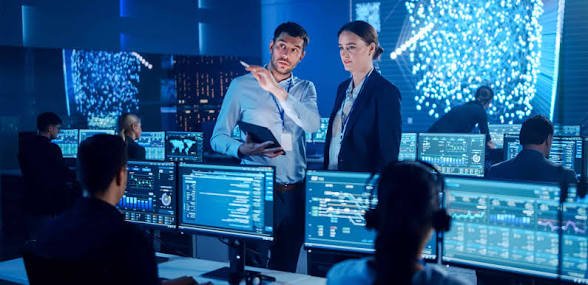
Building a high-concurrency digital streaming service requires far more than assembling front-end applications and selecting cloud storage buckets. As viewer expectations across global media markets demand sub-second startup times, 4K HDR playback, and uncompromised content security, media networks, sports rights holders, and telecommunications operators face complex technical choices. Engaging specialized OTT consulting services enables media businesses to define scalable system architectures, optimize cloud infrastructure costs, and deploy a studio-compliant multi drm solution that protects high-value media assets across every screen.
This technical architectural guide details how expert media consulting and robust digital rights management frameworks align business objectives with cloud video engineering to accelerate project execution and maximize platform lifetime value (LTV).
Executive Overview: Bridging Strategic Planning and Video Engineering
Launching a direct-to-consumer (DTC) streaming platform involves managing interconnected technical dependencies: adaptive bitrate (ABR) encoding ladders, dynamic origin packagers, multi-CDN traffic routing, localized payment gateways, and studio-grade content protection. Without specialized technical guidance, media organizations risk budget overruns, delayed launch timelines, and architectural debt that hinders long-term scalability.
Expert consulting bridges business goals with technical execution, helping platform owners evaluate build-versus-buy trade-offs, design low-latency ingestion pipelines, and implement multi-DRM encryption frameworks that satisfy major Hollywood studios and sports leagues.
Core Strategic Focus Areas
- Architectural Blueprinting: Designing microservices-based, headless video pipelines engineered for high concurrency and auto-scaling.
- Content Rights & Multi-DRM Security: Enforcing Widevine, FairPlay, and PlayReady encryption to safeguard premium media assets.
- Monetization & Infrastructure Optimization: Balancing cloud bandwidth egress expenses against hybrid SVOD, AVOD, and FAST revenue models.
Technical Architectural Pillars: Enterprise Video Pipeline & Security Stack
A resilient streaming platform relies on a decoupled, API-driven architecture that separates content governance and security licensing from client-side application presentation layers.
End-to-End Media Pipeline Execution
- Ingest / Live Signal Ingestion: Mezzanine video files and live signals pass into hardware-accelerated cloud encoding clusters.
- ABR Transcoding & Dynamic Packaging: Source feeds are transcoded into adaptive bitrate profile ladders (H.264, HEVC, AV1) and dynamically formatted into encrypted HLS and DASH manifests.
- Multi-DRM Key Exchange & Licensing: The packager requests encryption keys from the unified DRM license gateway, securing video chunks prior to distribution.
- Ad Insertion & CMS Orchestration: Streams pass through Server-Side Ad Insertion (SSAI) engines for dynamic ad stitching, while the Video CMS synchronizes metadata and EPG schedules.
- Multi-CDN Delivery Layer: Traffic routes dynamically to regional CDN edge nodes to guarantee low-latency, buffer-free playback.
- Client Application Endpoints: Encrypted streams reach native client applications across iOS, Apple TV, Android, Smart TVs, and Web browsers.
1. Unified Multi-DRM Licensing Architecture
Deploying a single DRM protocol leaves streaming services incompatible across diverse client devices or vulnerable to piracy. A complete enterprise security stack orchestrates three primary DRM systems simultaneously:
- Google Widevine (L1/L3): Secures playback across Android smartphones, Chrome browsers, and Android TV hardware.
- Apple FairPlay Streaming: Encrypts HLS streams delivered to iOS, iPadOS, macOS, Safari, and Apple TV devices.
- Microsoft PlayReady: Protects DASH streams on major Smart TV ecosystems (Samsung Tizen, LG WebOS) and Windows platforms.
2. Forensic Watermarking & Session Tracking
To defend exclusive live sports and premium VOD titles against restreaming piracy, enterprise architectures integrate session-based forensic watermarking. Invisible viewer tokens and IP identifiers are embedded directly into the video playback buffer, enabling security operations to identify and sever unauthorized restreaming sources in real time.
Monetization Frameworks: Aligning Infrastructure Costs with Yield
Structuring a sustainable monetization model requires balancing infrastructure operating expenses (OpEx) with viewer yield across regional demographics.
| Monetization Model | Technical Mechanism | Primary Application |
|---|---|---|
| SVOD (Subscription) | Multi-DRM token validation + automated recurring billing | Premium ad-free original series, exclusive live sports, and movie catalogs |
| AVOD (Ad-Supported) | SCTE-35 cue detection + Server-Side Ad Insertion (SSAI) | Broad VOD libraries and catch-up TV monetized via programmatic ad pods |
| TVOD (Pay-Per-View) | Temporary license key generation + transactional checkout | High-profile sporting events, live concerts, and early-access theatrical releases |
| FAST (Ad-Supported Linear) | Virtual cloud playout scheduling + manifest ad stitching | Converting archival VOD libraries into 24/7 scheduled linear streams |
Server-Side Ad Insertion (SSAI) stitches advertisements directly into the video stream manifest at the cloud origin level, delivering a seamless, broadcast-like viewing experience that bypasses client-side ad blockers.
Build vs. Buy: Strategic Evaluation Matrix
Engineering leaders evaluating streaming infrastructure must determine whether to build custom microservices internally or deploy a modular, turnkey platform engine.
| Evaluation Metric | Custom Microservices Engineering | Modular / Managed Platform Engine |
|---|---|---|
| Time-to-Market | 10 to 18 Months | 2 to 4 Months |
| Upfront Capital Expenditure | High ($150,000 – $500,000+) | Moderate ($20,000 – $60,000) |
| DevOps & Security Team Needs | Large Dedicated Engineering Team | Minimal; Vendor-Managed |
| Multi-DRM & Compliance | Complex Custom Integration | Pre-configured & Studio-Compliant |
| Maintenance Overhead | Internal Engineering Responsibility | Included in Managed Services |
Real-World Industry Deployment Scenarios
1. Regional Sports Broadcaster – Live Event Scaling & Anti-Piracy
- Challenge: Stream high-demand live sporting events to over 400,000 concurrent viewers while maintaining sub-3-second end-to-end latency and preventing restreaming piracy.
- Solution Architecture: Implemented an auto-scaling cloud encoding pipeline integrated with dynamic multi-CDN switching, unified Multi-DRM licensing, and forensic watermarking.
- Outcome: Delivered stable 4K streams with 99.99% uptime during peak concurrent viewer spikes while identifying and shutting down unauthorized restreaming sources within minutes.
2. Media Publisher – Legacy Platform Modernization & DRM Upgrade
- Challenge: Upgrade an aging video architecture to support modern Smart TV platforms and replace a legacy, single-DRM security pipeline without taking services offline.
- Solution Architecture: Designed a dual-key packaging migration strategy backed by a headless Video CMS and a unified Multi-DRM key server.
- Outcome: Successfully migrated over 150,000 active subscribers to updated native Smart TV apps with zero playback downtime.
Frequently Asked Questions (FAQs)
1. What do OTT consulting services cover for streaming businesses?
OTT consulting services provide end-to-end advisory across platform architecture design, cloud vendor selection, Multi-DRM implementation, monetization strategy, multi-CDN delivery optimization, system middleware integration, and Quality of Experience (QoE) monitoring.
2. Why is Multi-DRM mandatory for enterprise streaming platforms?
Multi-DRM is required to meet studio content licensing guidelines and ensure cross-device playback compatibility. Implementing Google Widevine, Apple FairPlay, and Microsoft PlayReady guarantees that video streams remain encrypted and playable across all mobile devices, web browsers, and Smart TV platforms.
3. How does a multi-DRM solution protect video content during playback?
A multi-DRM solution encrypts video chunks at the packaging origin using industry-standard AES-128 encryption algorithms. When a user requests playback, client application SDKs authenticate with a secure key management server to acquire an encrypted license token required to decrypt and view the stream.
4. How long does it take to launch an enterprise OTT platform with expert guidance?
Building a bespoke microservices architecture from scratch typically requires 10 to 18 months. Working with experienced media consultants to customize a modular, managed platform engine allows organizations to go live in 60 to 90 days.
5. What is the difference between SVOD, AVOD, and FAST monetization models?
SVOD relies on recurring subscription fees for ad-free content access. AVOD offers ad-supported VOD streaming at lower costs or for free. FAST (Free Ad-Supported Streaming TV) delivers scheduled 24/7 linear channels monetized through Server-Side Ad Insertion (SSAI).
6. Can an existing streaming service upgrade its DRM protection without taking content offline?
Yes. By deploying a dual-key packaging workflow during the migration phase, active video streams and VOD catalogs continue playing without interruption while client application SDKs transition smoothly to the updated DRM key management server.


A farm retreat can offer much more than a change of scenery. One of the most memorable aspects of a stay in the countryside is the food that is closely tied to the surrounding landscape. A farm to table experience is a delicious way for people to learn where food is produced, enjoy all the local produce, and enjoy the meal in a relaxed setting.
This way of eating can make an impact when you are travelling with your family, friends, or partner.
Enjoy Fresh and Seasonal Ingredients
Farm to table dining is one of the best parts of the experience. Grow vegetables, herbs, fruits, and other produce as per the season and prepare food using the same when they are naturally available.
Seasonal food can also be an introduction to new tastes for guests. Rather than pick from a pre-made menu of ingredients available all year round, guests can expect dishes that are inspired by the seasons.
Know Where Your Food Comes From
Eating at a farm to table restaurant fosters a sense of closeness between what you eat and where it comes from. Visitors can see where specific ingredients were cultivated, how they were harvested, and how they got to the guest tables.
This can help make a regular meal more special. A farm stay will give a good context to the work needed to produce food by seeing the gardens, crops, orchards, or livestock.
Experience Local Flavors
Food is a close link to local culture, and rural areas can have their own traditions in terms of ingredients, recipes, and cooking techniques. An authentic farm to table dinner can be an experience of these flavors in an authentic setting.
Locally inspired cuisine can be part of the farm retreat experience for guests looking to explore the farm retreats. They don’t just have to visit a place to learn more about the area around them; they can learn more about the area through the ingredients and what the menu offers during their visit.
Support Local Producers
Farm-to-table dining meals can also promote the farmers and other local producers. For accommodation providers, if they are able to buy ingredients from their own farm or local growers, then there is more of a connection to the local community in the food supply chain.
It can be beneficial to smaller producers and allow for the opportunity for guests to taste products that may have traveled a shorter distance. It can also help create more awareness of seasonal and locally produced foods.
Make Meals Part of the Experience
Dinner at a farm retreat doesn’t always have to be considered a separate experience. Food preparation, serving, and sharing can turn into an activity itself.
A cooking demo, harvest, or learning about special ingredients may be available on some properties. Guests may have some opportunity to get involved in basic food preparation. These experiences can make mealtimes more interactive and leave visitors with an experience to write about when they get back home.
Create a More Relaxed Dining Atmosphere
Your setting can help to make your meal feel a lot different. Guests can eat their meals outside in the fields, gardens, or countryside rather than in a busy restaurant.
The slower pace of a rural place can encourage people to take their time, to converse and to enjoy the meal. This can make dinner a wonderful time for couples and families to enjoy quality time together.
Learn About Sustainable Food Practices
A farm to table experience can also give you an idea of the production and use of food. Visitors can find out about growing, composting, and sustainable farming practices or how they can reduce food waste.
Not every farm follows the same practices, so the experience will vary from one property to another. However, learning about the connection between agriculture and food can encourage guests to think differently about their own choices at home.
Enjoy a More Personal Experience
One reason farm-to-table dining stands out is its sense of connection. The food might be created for a farm rather than a typical dining setting. The food is created to suit the farm and to suit the season and local area.
This characteristic can be added to the tranquil ambiance for visitors residing at farm retreats. The use of fresh ingredients, local recipes, and the welcoming environment can make the meals feel like an important part of the getaway rather than just another service offered while you are here.
Final thoughts
A farm to table experience makes a farm getaway extra memorable by bringing guests together with fresh food, local farmers, and nature. These experiences are more than a meal – they might bring a smile to your face during the season, and they might teach you something about how food is grown and prepared.
For anyone considering farm retreats, choosing a property that includes locally sourced food or farm-based dining can add another layer to the getaway. It combines the enjoyment of good food with an opportunity to slow down, discover local flavors, and develop a stronger connection with the place being visited.

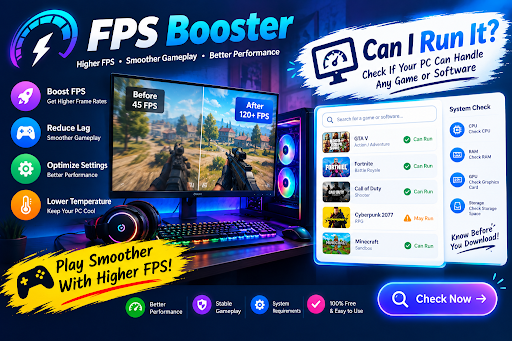
Buying a new game is exciting until you discover that your computer struggles to run it properly. Low frame rates, unexpected stutters, and long loading times can turn an enjoyable experience into a frustrating one. Before spending money on new hardware, it helps to understand what your current PC can handle and which performance adjustments might be worthwhile. Two useful concepts to explore are an FPS Booster and a Can I Run It checker.
Discover Your PC’s Gaming Potential
Every computer has its own performance limits. A system built for everyday browsing may handle lightweight games comfortably but struggle with graphically demanding releases. Even gaming computers can have limitations when a particular title requires more processing power than expected.
This is where a Can I Run It tool becomes useful. It helps users compare their computer’s specifications with the hardware requirements listed for a game. Instead of guessing whether a title will work, you can examine the processor, graphics card, memory, operating system, and storage requirements before installing it.
For example, someone planning to play a demanding adventure game can check whether their graphics hardware meets the minimum specifications. The result provides a starting point for deciding whether the game is suitable for their system.
Understanding What Can I Run It Checks
Game compatibility tools generally compare your computer against two categories of specifications: minimum and recommended requirements.
Minimum requirements specify the basic components needed to run a game, though performance may be limited. Recommended specifications describe a more capable PC setup designed to deliver smoother gameplay and improved visual quality. comfortable experience under suitable conditions.
A compatibility result should not be treated as a precise prediction of frame rate. Two computers with similar specifications can produce different results because of driver versions, cooling, memory configuration, graphics settings, and game updates.
I’d treat a Can I Run It result as a starting guide and perform further tests if the game doesn’t perform as expected on my PC.
Where an FPS Booster Comes In
Once you know that your hardware is reasonably suitable for a game, you can explore ways to improve its performance. An FPS Booster is a program that seeks to make games run more efficiently by tweaking certain computer settings and reducing unnecessary resource usage.
Depending on the software, it may offer background application management, performance-related settings, system monitoring, or shortcuts for preparing the PC before launching a game.
These functions can be useful when unnecessary applications are consuming resources during gameplay. However, an FPS Booster cannot guarantee an increase in every situation. If a graphics card has reached its processing limit, closing a few background programs may make little difference.
The purpose of optimization is to remove avoidable obstacles, not to make hardware perform beyond its physical capabilities.
What Makes Gameplay Feel Smooth?
FPS stands for Frames Per Second, which describes how many frames a computer renders within a second. Higher frame rates can make movement appear more fluid, but consistency is equally important.
Consider a game that normally runs smoothly but occasionally slows down during explosions or crowded scenes. Those sudden changes may be more noticeable than a slightly lower but stable frame rate.
Graphics settings offer one way to address this problem. Reducing demanding effects such as shadows, reflections, or volumetric lighting can lower the workload on the graphics card. The ideal settings depend on the game, the hardware, and the visual quality you are willing to sacrifice.
A Practical Method for Testing Improvements
I would approach performance optimization as a small experiment rather than changing every setting at once.
First, record the game’s current performance under familiar conditions. Next, check whether the graphics drivers are current and close applications that are not needed. Adjust one graphics option or optimization setting, then repeat the same section of gameplay.
Reviewing the results side by side makes it easier to determine whether the adjustment actually improved performance.If performance remains poor, monitor CPU and GPU usage and temperatures to identify possible limitations.
It is also important to review any FPS Booster recommendations before applying them. Disabling essential services or installing software from questionable sources can create security and stability problems.
Should You Upgrade Your Hardware?
A Can I Run It checker and an FPS Booster can help you decide whether an upgrade is necessary, but neither provides the complete answer on its own.
If a game fails to meet its minimum requirements, a hardware upgrade may be the most effective solution. If the computer meets those requirements but suffers from unnecessary background activity or unsuitable settings, optimization could be enough to improve the experience.
Checking the actual cause of poor performance before purchasing components can help prevent unnecessary spending.
Conclusion
An FPS Booster and a Can I Run It tool serve different purposes but can support the same gaming goal. The compatibility checker helps you evaluate whether your PC is suitable for a particular title, while an FPS Booster may help optimize selected system settings.
Combining compatibility checks with real-world testing, sensible graphics adjustments, and careful system maintenance provides a more reliable way to improve gaming performance. Rather than relying on promises of instant FPS increases, focus on understanding your hardware and making changes that address the actual problem.

Every appointment for the installation of a breath analyzer begins with a Court Order, Monitoring Authority Reference Number and often little knowledge of the install process from the Service Center, Installer, Attorney and Case Manager of the client referred for installation. The appointment is the starting point for full compliance and problems which surface weeks later can be avoided if the install process is troubleshot the moment any problems are detected.
What happens at the installation appointment and what decisions are taken during the appointment. Also what are the obligations of the installed breath alcohol ignition device once it has been installed in a client’s vehicle and they have driven off from the appointment.
Pre-appointment checks that prevent a failed install
Confirm the following before the service starts to avoid the biggest parts of same day failures.
- Vehicle ownership or written permission from the registered owner, since the installation involves cutting into the ignition circuit.
- Battery condition and charging system health. A weak battery produces voltage drops that the device logs as power interruptions.
- Any aftermarket remote start, alarm, or anti-theft immobilizer, which changes the wiring approach and sometimes the device model.
- The monitoring authority’s specific requirements, including whether a camera, GPS, or real-time reporting is mandated.
- Hybrid or push-button start configuration, which affects where the relay sits and how the retest window is calculated.
Documentation the client must bring
Ideally, every client must provide the following documentation for servicing of the vehicle equipped with an alcohol testing device, a valid photo ID, a copy of the court order or a reference number to the monitoring authority, proof of insurance of the vehicle equipped with the alcohol testing device, and vehicle registration.
Vehicle preparation and the wiring itself
Before we start the installation, we will take note of the vehicle’s odometer reading, take a picture of the dash and take a note of the vehicle’s VIN number. Additionally, we will note any existing electrical faults on the vehicle before we start the installation.
1. Connect the positive lead to the power wire of the ignition harness.
2. Connect the negative lead to the ground wire of the ignition harness.
3. Connect the wire from the starter interrupt relay to the crank wire.
4. Mount the control unit of the breath tester so that it is not located in a region where condensation may collect (e.g. Below the climate control air outlets).
5. Position the handset of the breath tester so that it is within easy reach of the driver while ensuring that it does not obstruct the airbag and steering wheel area.
Wiring is loomed up, tamper-evident seals are placed over the joins and each of the seals is logged and associated with the particular join they have been used on. The device is then powered up and configured, set to monitor on behalf of the issuing authority, for a number of things such as fail point, retest interval and the various lockout thresholds for violations such as failure and retest etc.
Typical appointment stages and timing
| Stage | Typical duration | What determines the variance |
| Paperwork and account setup | 15 to 25 minutes | Completeness of court documentation |
| Vehicle inspection and photos | 10 minutes | Pre-existing electrical faults |
| Wiring and mounting | 45 to 90 minutes | Aftermarket alarms, push-button start, hybrids |
| Calibration check and program settings | 15 minutes | Authority-specific parameters |
| Client training and test blows | 20 to 40 minutes | Client comprehension and language needs |
Training the client, not just demonstrating the device
Training others is where most future problems with client breaches are caused. Give the client enough information that within a week they can be tested unaided 3 times for a breath sample and re-test within a couple of minutes for a rolling re-test.
Introduce the full breath test sequence and complete a warm-up series. Explain the method for a successful rolling retest and describe what action to take in each scenario including error messages that appear on the breath test device. Most importantly, inform the client that there are some foods, and certain mouthwashes and medications that can cause a person to test positive for up to 20 minutes after use. The simple action of rinsing the mouth with water and waiting a few minutes will resolve this and does not require another person to drive in your place.
Setting expectations about reporting
Be sure to explain to the client that the device in question logs ALL activity on the device in question, that activity is communicated to the monitoring authority in question and as such all data on the device is the authority’s to utilize as they so choose. This will typically prevent numerous future service center calls asking to edit or even worse, suppress data in question for a client.
Calibration visits and the ongoing service relationship
Recurring service is required for almost all car breathalyzer installations, usually scheduled every 30 to 60 days. Service involves downloading of the device data log and verification of the sensor against a known alcohol sample. The seals are also inspected for tamper and the service countdown on the device is reset.
Fail to complete the required service work within the specified time frame and the unit may enter into a permanent lockout position requiring a tow to have it serviced back to normal operation. Many licensing authorities also require an incident report to be filed with them as a result of such lockout events. Remind the client of the required work time frame for service work in 2 telephone calls spaced 5 days apart (e.g. 5 days and 1 day prior to required service work). Drivers in southwest Virginia are best served by booking car breathalyzer installation in Roanoke at a center that also handles their monthly calibrations, since one location keeps the service history and seal records together.
What ends the program
Formal written authorization must be obtained from the issuing authority to remove the device and restore the ignition circuit to its original functioning configuration. A Removal Certificate should be provided to the client along with a copy of the final data download from the device. Such documentation can be demanded by the client months after compliance with all terms and conditions of the court order has been met.

What Is SEO by HighSoftware99.com? A Complete Guide for 2026

Can IVF Help With Unexplained Infertility?

8 Simple Tools That Help You Handle PDFs Conversion Faster

Alex Pettyfer Net Worth, Wife, Age, Height, Children, Career and More
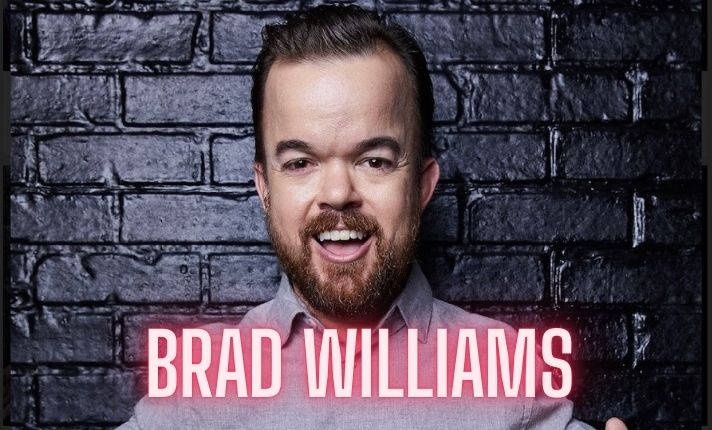
Brad Williams Net Worth, Wife, Height, Age, Daughter, Family, Career and More

Eldorado.gg Review 2026: How It Works, Safety, Fees, and Risks
-
Celebrity10 months ago
Alex Pettyfer Net Worth, Wife, Age, Height, Children, Career and More
-
Celebrity10 months ago
Brad Williams Net Worth, Wife, Height, Age, Daughter, Family, Career and More
-
Blog1 month ago
Eldorado.gg Review 2026: How It Works, Safety, Fees, and Risks
-
 Anime11 months ago
Sanzoku Bandits of One Piece: Origins, Higuma, and Their Role in Dawn Island
-
 Celebrity10 months ago
John McGinn Net Worth, Age, Height, Wife, Childrens, Career and More
-
 Celebrity10 months ago
Frances de la Tour Net Worth, Age, Height, Husband, Childrens, Career and More
-
 Celebrity10 months ago
Will Trickett Net Worth, Wife, Childrens, Age, Career and More
-
 Blog2 months ago
Crackstube: A Complete Guide to the Digital Publishing Platform