
Tech
The Missing Ticket: Building Suspense with Seedance 3.0


A mystery can begin before a character enters the frame. Imagine a small theater lobby after closing: a ticket lies on the counter, a curtain shifts in the background, and a light goes out beyond the doorway. For an original short-film concept, I would use those details to suggest that someone has just left or is about to arrive. The scene would offer a question rather than an answer.
This would be a proposed production exercise, not a recap of footage I have already made. My goal would be to explore suspense through composition and timing. There would be no borrowed movie characters, recognizable film posters, or imitation of a particular director’s signature style. A fictional venue and a few original props would provide enough material for a distinctive scene.
I would call the concept The Missing Ticket, although the ticket would be visible at first. The title would create an expectation that the object matters. By the end, I would cut to the same counter without it. The audience would not see who removed it. That missing action would be the story’s central gap, leaving the viewer to connect two ordinary images.
For the moving images, Seedance 3.0 offers a way to combine a written scene brief with original visual references. The AI video model supports text-to-video, image-to-video, and reference-based generation, including text, image, video, and audio inputs. I would use those options to develop the lobby’s atmosphere while keeping the actual mystery simple enough to explain with two shots.
Design the counter before the mystery
I would photograph a small wooden counter with a blank rectangular ticket and a shaded lamp. The ticket would have a colored stripe but no readable venue name or date. Exact printed details are unnecessary for this story, and avoiding them makes continuity easier to assess. I would leave a visible patch of counter around the ticket so its later absence can register clearly.
The doorway would sit in the background, slightly to one side. I would avoid placing it directly behind the ticket, where the two focal points might compete. A dark curtain could frame the doorway without hiding it completely. The scene should feel quiet and slightly uncertain, but viewers still need enough light to understand where they are looking.
Ask one shot to hold one question
My opening Seedance 3.0 brief would describe a fixed view of the counter, a still ticket, and a faint movement of the curtain. I would ask for restrained lighting and no people. The question would be whether anything is about to happen beyond the doorway. A moving camera would answer a different question by exploring the space, so I would save that idea for another project.
I would collect an original video reference of fabric moving gently in a draft. Its purpose would be to communicate the scale of the movement. The curtain should not billow like a storm has entered the building. Small motion matters here because it asks the viewer to notice a change without announcing the story too loudly.
Make the disappearance an editing decision
The second shot would begin from a matching composition with the ticket absent. I would prepare a reference photograph of the empty counter and compare its lamp position, shadows, and camera angle with the first image. The disappearance would happen across a cut rather than through a visible transformation. That choice keeps the effect understandable and avoids requiring the object to dissolve or fly away.
With Seedance 3.0, I would generate the two views as separate drafts and inspect whether they belong to the same fictional lobby. The lamp should retain its shape, the doorway should stay in the same place, and the wood grain should not become the main source of distraction. Perfect matching may require revision, so I would leave time for that comparison in the plan.
Let sound suggest a space beyond the picture
I would record a quiet footstep and a soft door latch for the edit. A footstep could occur near the end of the first shot, while the latch could bridge the cut to the empty counter. These sounds would suggest an unseen action without proving exactly what happened. I would keep their volume close to the scene’s small scale rather than using a sudden dramatic impact.
An audio reference could also inform a Seedance 3.0 experiment, but I would still review the final relationship between sound and image in the editor. The suspense depends on when the viewer hears the sound relative to noticing the missing ticket. If the sound arrives too early, it may reveal the cut’s purpose; too late, and the disappearance may feel like an accidental continuity error.
Watch for accidental answers
I would review each draft for details that solve the mystery unintentionally. A visible hand, a moving shadow shaped like a person, or a ticket sliding across the counter would change the premise. Those could become interesting scenes in their own right, but they would not support this version. I would revise the brief to remove them or choose a quieter result.
My Seedance 3.0 review would also consider whether the image is simply too dark. Suspense does not require hiding the objects the audience needs to understand. I would check the clip on an ordinary screen and make sure the ticket is visible in the opening. If its absence cannot be noticed, the central story beat has not been communicated, regardless of how atmospheric the lighting appears.
Use the title as an invitation
I would add The Missing Ticket as a separate title card in a conventional editor. The lettering would stay simple, with no exaggerated horror treatment. A short pause after the empty-counter shot would let the viewer form a question before the title appears. I would compare that order with placing the title first, since the title’s timing changes what the audience expects to notice.
For a public creative post, I would describe the video as an original AI-generated concept. I would explain the two-shot idea without inventing a completed audience reaction or claiming it has proven engagement value. The interesting part is the construction: a visible object, an unexplained sound, and a matching view where the object is gone.
This Seedance 3.0 exercise would be complete when those elements form a readable question. I would not need a chase, a reveal, or a complicated backstory. The lobby could remain empty and the mystery unresolved. Sometimes a short film becomes more inviting when it gives the viewer one missing piece and enough space to imagine who took it.

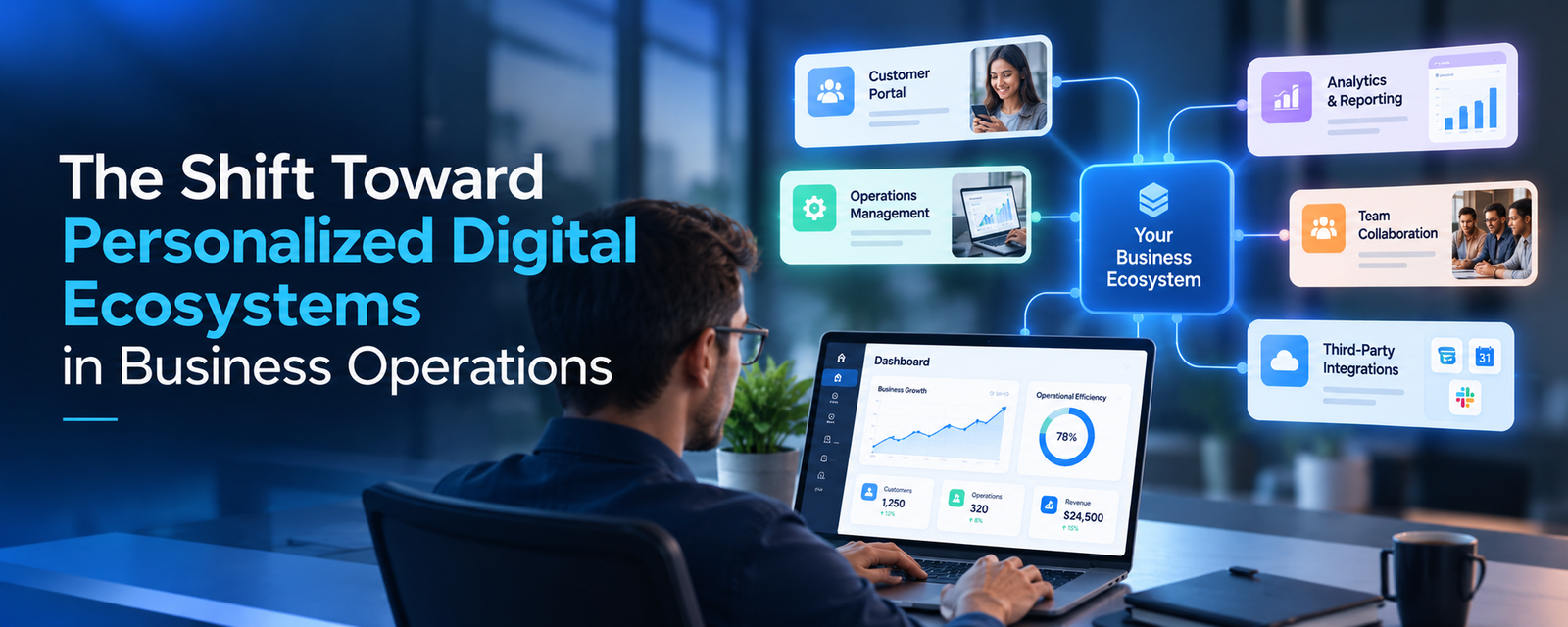
Most growing businesses run on a patchwork of software. There is a CRM for sales, a separate tool for invoicing, spreadsheets for inventory, and a chat platform holding it all together with copied and pasted updates. Each tool works on its own. Together, they create friction that quietly slows the entire company.
That is why a growing number of organizations are moving toward personalized digital ecosystems. Instead of forcing teams to adapt to generic software, these businesses build connected systems shaped around their own workflows, roles, and customers. A useful comparison is a tailored suit versus one bought off the rack. Both cover the basics, but only one fits the way the wearer actually moves. Because so much work now happens away from a desk, many companies extend that fit to the phones and tablets their teams already carry, often through custom mobile application development services that give field staff, managers, and customers access to the same connected system.
The cost of staying fragmented grows with the business. Data lives in silos, so leaders make decisions from incomplete reports. Employees spend hours re-entering the same information across systems. Customers notice when sales, support, and billing do not share the same view of their account. And every new tool added to fix one problem tends to create two more. These bottlenecks rarely come from bad people or bad processes. They come from software that was never designed to work as one system.
What Defines Enterprise-Grade Applications in a Personalized Ecosystem
A personalized ecosystem is only as strong as the applications inside it. As businesses add intelligent features, often through custom AI software development services, the standard rises, because those tools depend on clean data flowing safely between systems. Five qualities separate enterprise-grade applications from tools that simply work today.
Scalability
A personalized system must grow without being rebuilt. When the business adds a location, a product line, or fifty new employees, the platform should absorb that growth through configuration, not a fresh round of development.
Security
Connecting systems means more data moving between them. Role-based access, encryption, and detailed audit trails ensure each person sees only what their role requires, which matters even more when customer or financial data is involved.
Performance
Personalization only helps if it feels instant. Dashboards that take a minute to load or workflows that lag between steps push employees back to their old spreadsheets. Speed is what makes people adopt the system.
Reliability
When operations run through one connected environment, downtime affects every department at once. Redundant infrastructure, automated backups, and tested recovery plans keep the business running even when something fails.
Integration Capabilities
This is the heart of any ecosystem. Strong applications connect cleanly with ERPs, CRMs, payment systems, and partner platforms through well-documented APIs, so information is entered once and shared everywhere it is needed.
Key Pillars for Long-Term Growth
Building a personalized ecosystem that lasts depends on four foundational choices.
Modular Architecture: Microservices vs Monolith
A monolith is a single application where every feature lives in one codebase. It is simpler to build and often the right choice for a focused tool. Personalized ecosystems, however, tend to evolve unevenly. The sales team may need new features monthly while finance needs stability.
Microservices break the system into smaller, independent parts, so one area can change without disrupting the others. The practical middle ground for many businesses is a modular design: start with clear boundaries between functions, then separate them into independent services as needs grow. This keeps early costs reasonable without locking the business into a rigid structure.
Cloud-Native Development
Cloud-native applications are built to run on platforms such as AWS, Azure, or Google Cloud from the start. They scale up during busy periods, scale down when demand drops, and make it easier to give remote teams, field staff, and partners secure access from anywhere. For operations spread across locations, that flexibility is essential.
Data-Driven Decision Making
The real payoff of a connected ecosystem is a single source of truth. When sales, operations, and finance draw from the same data, leaders stop debating whose numbers are right and start acting on them. Personalized dashboards then show each role the metrics that matter to them, from daily order volume for a warehouse manager to cash flow trends for a CFO.
Automation and AI Readiness
Once data flows freely, repetitive tasks such as approvals, status updates, and report generation can be automated. AI builds on the same foundation. Personalized recommendations, demand forecasting, and smart routing all depend on clean, connected data. Businesses that structure their data well today can add these capabilities later without starting over.
Common Mistakes Businesses Make
Short-Term Development Mindset
It is tempting to solve each problem with the quickest available tool. A new app for scheduling, another for approvals, another for client portals. Each purchase makes sense alone, but over time the business ends up with a fragmented stack that is expensive to maintain and impossible to personalize as a whole.
Ignoring Scalability Early
Systems built for twenty users often struggle at two hundred. Workflows hard-coded around one team’s process break when a new department adopts them. Planning for growth from the first release, even when it seems unnecessary, avoids costly rebuilds a few years later.
Choosing the Wrong Tech Stack
Technology choices made for convenience or trend often become long-term constraints. A stack with poor integration support, limited community backing, or a small talent pool can make every future connection harder. The right stack should match the business’s integration needs, security requirements, and long-term hiring reality.
Best Practices for Building Future-Ready Applications
Strategic Planning Before Development
Start by mapping how work actually moves through the business. Where does information get stuck? Which tasks are repeated across teams? Which roles need different views of the same data? This map, not a feature wishlist, should guide what gets built first. It also reveals which existing tools are worth keeping and connecting rather than replacing.
Choosing the Right Development Partner
A personalized ecosystem touches every part of a business, so the partner building it needs to understand operations as well as code. Look for a team that asks about workflows, growth plans, and integration challenges before proposing solutions. NewAgeSysIT, a custom software engineering company headquartered in New Jersey, takes this kind of operations-first view, working primarily with businesses across the United States. Its New Jersey presence keeps the team close to the working hours, compliance expectations, and business practices of its American clients. Whichever partner a company selects, alignment on long-term goals should matter more than the lowest initial quote.
Continuous Optimization and Iteration
A personalized ecosystem is never finished. Track how employees and customers actually use the system, gather feedback from each department, and refine workflows in regular cycles. Small, steady improvements keep the ecosystem aligned with the business as it changes, and they prevent the slow drift back to spreadsheets and workarounds.
Real-World Use Case: Connecting a Distribution Business
Consider a scenario common among mid-sized companies. A regional distribution business ran sales in one CRM, inventory in spreadsheets, and invoicing in standalone accounting software. Sales reps could not see stock levels in real time, so they regularly promised orders the warehouse could not fill. Finance spent the first week of every month reconciling numbers across three systems.
The company replaced the patchwork with a connected platform built around its own order flow. Sales, inventory, and billing shared one data layer, and each role received a personalized dashboard. Reps saw live stock and customer history. Warehouse staff saw prioritized pick lists. Finance saw invoices generated automatically as orders shipped.
The changes compounded. Order errors dropped because everyone worked from the same numbers. Month-end reconciliation shrank from days to hours. With clean, connected data in place, the business later added AI-based demand forecasting to plan purchasing ahead of seasonal peaks. The software itself was not flashy. Its value came from fitting the way the company actually operated.
Conclusion
The shift toward personalized digital ecosystems reflects a simple reality: generic tools can only take a growing business so far. Connected, well-architected systems shaped around real workflows reduce friction, improve decisions, and give every team a clearer view of the work in front of them.
For business owners and CTOs, the most important step is treating software as long-term infrastructure rather than a series of quick fixes. Careful planning, sound architecture, and experienced guidance turn technology from a cost center into a genuine advantage. The businesses that adapt fastest in the coming years will be the ones whose systems were built to fit them from the start.

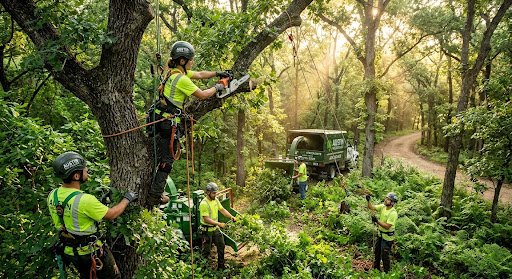
Trees do more than shade your backyard. They boost property value, clean the air, and give your landscape character that no amount of landscaping stone or mulch can replicate. But healthy trees don’t happen by accident — they need regular attention from people who understand how Central Texas soil, weather, and native species behave.
- Why Tree Health Matters More Than You Think
- Common Signs Your Trees Need Attention
- Dead or Dying Branches
- Unusual Leaning or Root Damage
- Pest Infestations or Fungal Growth
- Overgrowth Near Structures
- What Professional Tree Care Actually Involves
- How to Choose the Right Tree Care Provider in Austin
- Protecting Your Property Starts With the Right Care
That’s where Austin Tree Specialists comes in. With years of hands-on experience caring for trees across the Austin area, the team combines local knowledge with proven techniques to keep your trees thriving through every season. Whether you’re dealing with storm damage, overgrown limbs, or a tree that’s simply seen better days, knowing when and how to act makes all the difference.
This post walks through the most common tree care needs homeowners face, what causes them, and how professional care can protect your property for years to come.
Why Tree Health Matters More Than You Think
A healthy tree isn’t just a nice backdrop for your yard — it’s an investment. Mature, well-maintained trees can increase curb appeal and property value significantly, and they provide practical benefits too: shade that cuts cooling costs, windbreaks that protect your home, and root systems that help prevent soil erosion.
But trees under stress can quickly become liabilities. Weak limbs can snap during storms. Diseased trees can spread problems to healthy ones nearby. And overgrown branches can interfere with power lines or damage roofs. Austin’s climate, with its hot summers and occasional severe storms, adds extra pressure on local trees, making regular care even more important.
Common Signs Your Trees Need Attention
Most tree problems don’t appear overnight. They build gradually, and catching the early signs can save you money and prevent bigger headaches down the road.
Dead or Dying Branches
Branches that are brittle, discolored, or no longer growing leaves are a clear signal something is wrong. Left unaddressed, they can fall unpredictably, posing a risk to people, pets, and property.
Unusual Leaning or Root Damage
A tree that suddenly starts leaning, or one with roots that are cracking your driveway or lifting your foundation, needs a professional assessment right away. These issues often indicate instability that only gets worse with time.
Pest Infestations or Fungal Growth
Insects boring into bark, visible fungus at the base of the trunk, or unusual spotting on leaves can all point to underlying health issues that require targeted treatment before they spread.
Overgrowth Near Structures
Branches creeping toward your roofline, windows, or power lines aren’t just inconvenient — they’re a safety hazard, especially during Austin’s storm season.
What Professional Tree Care Actually Involves
Caring for trees goes well beyond trimming a few branches. It requires an understanding of tree biology, seasonal timing, and the right tools and techniques for each situation.
Pruning and Trimming
Proper pruning encourages healthy growth, improves a tree’s structure, and reduces the risk of falling limbs. Done incorrectly, however, pruning can stress a tree or open it up to disease. Knowing which branches to remove, and when, takes training and experience.
Tree Removal
Sometimes a tree is too far gone to save, or it’s located somewhere that poses an ongoing risk. Safe removal requires careful planning, especially near homes, fences, or utility lines, to prevent damage during the process.
Stump Grinding
Leftover stumps aren’t just an eyesore. They can attract pests, create tripping hazards, and take up valuable yard space. Grinding them down clears the way for new landscaping or simply a cleaner-looking yard.
Disease and Pest Management
Catching and treating disease or infestations early can mean the difference between saving a tree and losing it entirely. This often involves identifying the specific issue and applying treatments designed for that problem.
How to Choose the Right Tree Care Provider in Austin
Not all tree care is created equal, and the wrong approach can actually do more harm than good. When evaluating a provider, consider the following:
- Experience with local tree species: Austin’s trees, from live oaks to cedar elms, each have unique needs. A provider familiar with the local ecosystem can tailor their approach accordingly.
- Proper equipment and safety practices: Tree work can be dangerous, especially around power lines or tall structures. Professionals should have the right gear and training to work safely.
- Transparent communication: A good provider explains what they’re doing and why, rather than leaving you guessing about the health of your trees.
- Comprehensive service offerings: From pruning to removal to ongoing maintenance, working with a team that covers the full range of needs saves you the hassle of coordinating multiple providers.
Protecting Your Property Starts With the Right Care
Reliable tree service that keeps your property safe, beautiful, and stress-free year-round is exactly what busy Austin homeowners need, without the guesswork of DIY trimming or the risk of hiring an inexperienced crew. Austin Tree Specialists brings the local expertise, equipment, and attention to detail needed to keep your trees healthy through every season, from the summer heat to storm cleanup.
Whether you’re noticing early warning signs or simply want peace of mind that your trees are in good hands, reaching out to a trusted local team is the smartest first step. Healthy trees don’t just happen; they’re the result of consistent, knowledgeable care, and that’s a service worth investing in.
There’s a moment at every well-run outdoor event when nobody’s thinking about restrooms. The band’s playing, the food trucks have lines, kids are running around with face paint smudged across their cheeks. Nobody’s worried about the one thing that could’ve derailed the whole day. That’s not an accident. That’s the result of someone, somewhere, making a quiet decision weeks earlier to get the logistics right.
Event planners and job site managers rarely get applause for the things that go smoothly. They get complaints when something goes wrong. A broken-down unit, a long line, an overflowing tank — these are the details that turn a great event into a forgettable one, or worse, a viral complaint on social media. The people who avoid that fate have usually done one thing: they planned ahead for sanitation before it became an emergency.
This is the story of what it actually feels like when that part of the job is handled right — and why so many organizers, contractors, and hosts have stopped treating restroom logistics as an afterthought.
The Morning Before the Crowd Arrives
Picture a construction foreman walking the site at 6 a.m., coffee in hand, running through his mental checklist. Materials delivered? Check. Crew scheduled? Check. Restrooms stocked, clean, and placed where they won’t slow down foot traffic? Also check — because it was handled days ago, not scrambled together the night before.
That’s the difference between reactive planning and proactive planning. A job site with dozens of workers can’t afford downtime because someone has to drive off-site to find a restroom. A well-placed, well-maintained unit keeps people on the clock and focused on the work in front of them. It sounds like a small thing until you calculate the hours lost across a crew of twenty, thirty, or more over the course of a project.
Event organizers face a similar reality, just with higher stakes in terms of public perception. A wedding, a festival, a charity run — these are moments people remember, good or bad. Guests don’t typically compliment a host on restroom availability, but they absolutely notice when it’s missing or poorly managed. The invisible stuff is often the stuff that matters most.
What Actually Goes Into Getting It Right
Good sanitation planning isn’t just about dropping off a unit and walking away. It takes an understanding of guest count, duration of the event, site layout, and accessibility needs. A backyard birthday party has different requirements than a three-day music festival with ten thousand attendees. A six-month construction project needs a different service rhythm than a one-day 5K race.
This is where experience matters. Knowing how many units a crowd realistically needs, how often servicing should happen to avoid unpleasant surprises, and how to position units so they’re accessible without disrupting flow — these are details that separate a smooth operation from a logistical headache. It also means having ADA-compliant options ready for events that need to accommodate guests with mobility needs, something that’s increasingly expected rather than optional.
Reliability counts for a lot here too. A unit that’s delivered late, serviced inconsistently, or poorly maintained can undo all the other planning that went into an event. Cleanliness isn’t a nice-to-have; it’s the baseline expectation. People notice immediately if something feels off, and that impression can color how they remember the entire day.
Why Contractors and Hosts Are Rethinking Who They Trust With This Job
There’s been a shift in how construction managers and event planners approach sanitation. It used to be treated as a last-minute checkbox item — something ordered the week before and forgotten about. Now, more organizers are building it into their planning timeline from the start, right alongside permits, vendors, and staffing.
Part of that shift comes from experience. Anyone who’s dealt with a sanitation failure once tends to never make that mistake twice. The smarter move has become partnering early with a provider who understands the specific demands of the job or event, rather than treating the whole category as interchangeable.
Reliable sanitation solutions that keep crews working and guests comfortable without a second thought start with Express Portable, a company built around the idea that this part of the job should never be the reason an event or project runs into trouble. Whether it’s a single unit for a weekend gathering or a full rotation of units across a multi-week construction timeline, the goal is the same: keep things clean, keep things stocked, and keep people focused on what they came to do.
That kind of dependability builds trust fast. When a provider shows up on time, services units without being chased down, and answers questions before they even become problems, it changes the entire relationship. Planners stop worrying about that part of the checklist entirely, which frees them up to focus on the hundred other things competing for their attention.
The Real Payoff: Nobody Notices, and That’s the Point
The best compliment a sanitation provider can get is silence. No complaints, no lines, no awkward moments where someone has to apologize for a broken unit. When restrooms are clean, well-stocked, and conveniently placed, guests and workers alike simply move on with their day. That silence is the whole goal.
For event planners, this translates into glowing feedback about the parts of the day people do notice — the music, the food, the atmosphere — because nothing distracted from it. For construction site managers, it means a crew that stays productive instead of losing time to inconvenience. In both cases, the value isn’t flashy, but it’s real, and it compounds over every event or project where it’s done right.
Making the Invisible Part of the Job Easier
Every successful event or job site runs on dozens of small decisions made well in advance. Sanitation shouldn’t be the one detail left to chance. The organizers and contractors who’ve figured this out aren’t doing anything complicated — they’re just choosing to plan early, ask the right questions about crowd size and duration, and work with a provider who treats reliability as non-negotiable.
The next time an event goes off without a hitch, or a job site hums along without a single sanitation complaint, remember that it didn’t happen by luck. It happened because someone made a smart call early on, and because the quiet work of showing up, cleaning up, and following through got handled exactly as it should have.

The Missing Ticket: Building Suspense with Seedance 3.0

Alcohol Detox at New Leaf Detox: Medications

First Responder Mental Health Program

Alex Pettyfer Net Worth, Wife, Age, Height, Children, Career and More
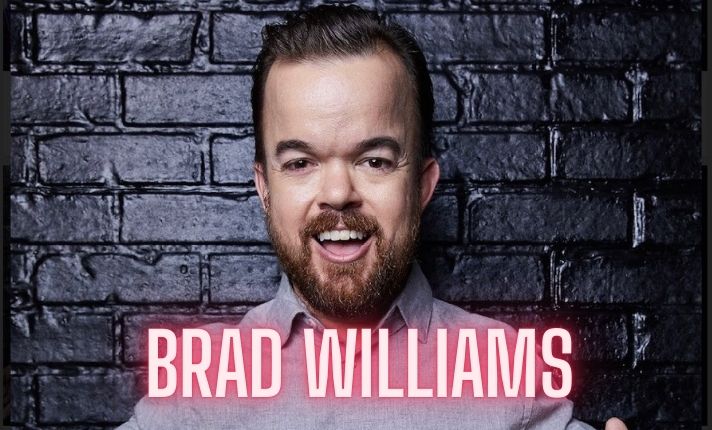
Brad Williams Net Worth, Wife, Height, Age, Daughter, Family, Career and More

Eldorado.gg Review 2026: How It Works, Safety, Fees, and Risks
-
Celebrity10 months ago
Alex Pettyfer Net Worth, Wife, Age, Height, Children, Career and More
-
Celebrity11 months ago
Brad Williams Net Worth, Wife, Height, Age, Daughter, Family, Career and More
-
Blog2 months ago
Eldorado.gg Review 2026: How It Works, Safety, Fees, and Risks
-
 Anime12 months ago
Sanzoku Bandits of One Piece: Origins, Higuma, and Their Role in Dawn Island
-
 Celebrity11 months ago
John McGinn Net Worth, Age, Height, Wife, Childrens, Career and More
-
 Celebrity11 months ago
Frances de la Tour Net Worth, Age, Height, Husband, Childrens, Career and More
-
 Celebrity11 months ago
Will Trickett Net Worth, Wife, Childrens, Age, Career and More
-
 Blog3 months ago
Crackstube: A Complete Guide to the Digital Publishing Platform