
Technology
Talking Photo AI, AI Dance Generator, and AI Clothes Changer: Explore the Future of Photo Editing

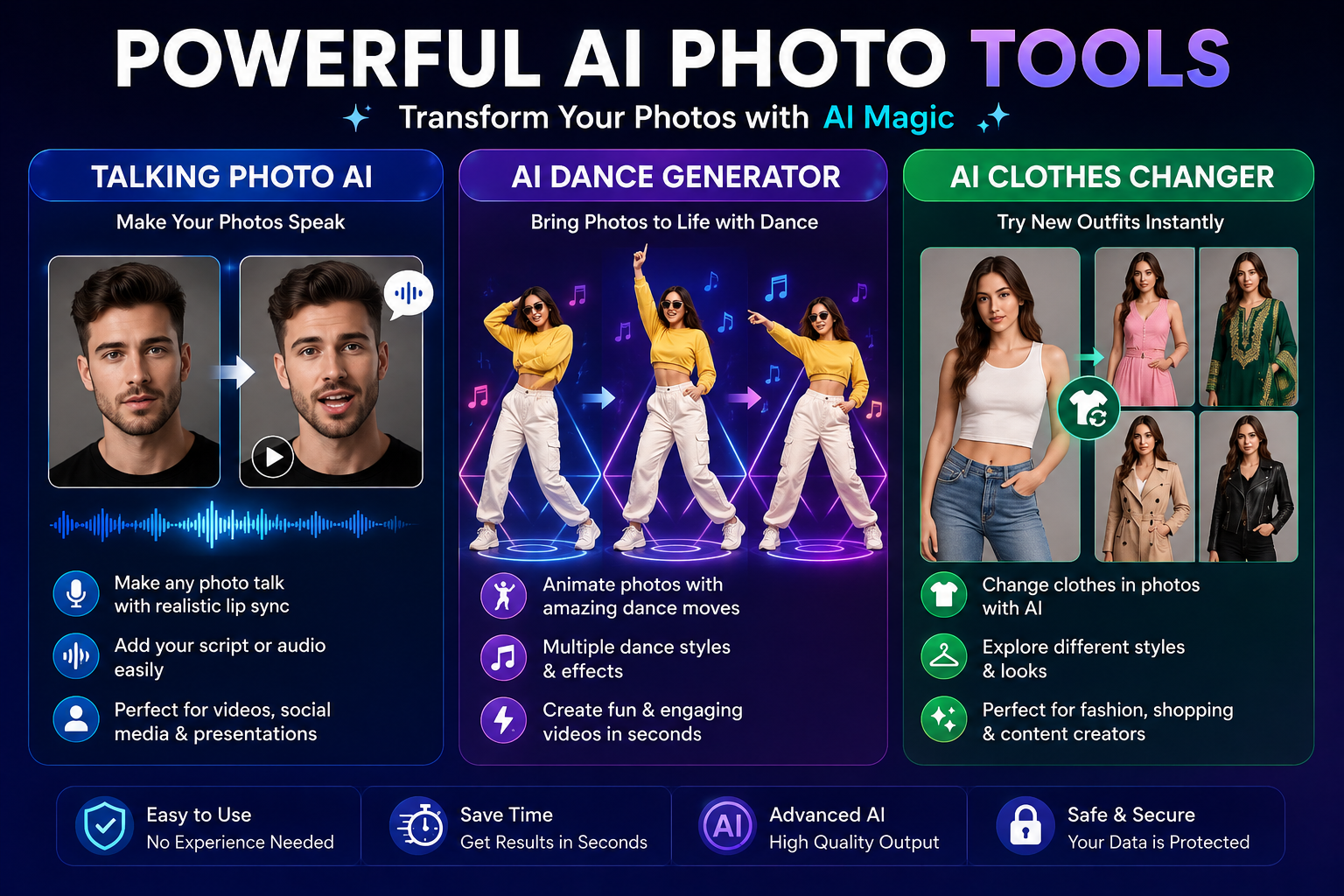
Artificial intelligence is transforming the way people create and edit digital content. Tasks that once required professional editing skills can now be completed with simple online tools. From making portraits speak to animating dance movements and changing outfits in photographs, AI technology offers new opportunities for content creators, influencers, marketers, and everyday users.
Three popular technologies attracting attention are talking photo AI AI dance generator, and AI clothes changer tools. Each provides a different way to transform ordinary pictures into engaging visual content. Whether you want to create entertaining social media videos or experiment with new fashion styles, these tools can help turn creative ideas into reality.
What Is Talking Photo AI?
Talking photo AI is a technology that transforms a still photograph into an animated portrait that appears to speak. Instead of leaving an image motionless, the AI generates facial movements, lip synchronization, and other subtle animations to create the impression of a talking person.
Depending on the platform, users may be able to upload a portrait, enter a written script, or provide an audio recording. The system then processes the image and generates an animated result.
For example, a content creator could use a talking photo to introduce a YouTube video, explain a product, or deliver a short educational message. Businesses can also explore this technology for presentations and promotional content.
Benefits of Talking Photo AI
One major advantage of talking photo AI is its accessibility. Users do not necessarily need cameras, recording equipment, or advanced animation software to produce a simple talking portrait.
Other benefits include:
- Easy content creation: Turn suitable photographs into animated presentations.
- Time savings: Produce certain video formats without recording a new on-camera performance.
- Creative flexibility: Experiment with different scripts, voices, and presentation styles.
- Educational applications: Create visual explanations and learning materials.
- Social media engagement: Develop distinctive content for digital platforms.
The quality of the animation depends on the source photograph, audio quality, and capabilities of the selected tool. Clear, front-facing portraits often provide better results than blurry images or photographs with obstructed faces.
What Is an AI Dance Generator?
An AI dance generator is a digital tool that uses artificial intelligence to animate a person or character with dance movements. Depending on the service, users may upload a photograph, select an animation template, or provide a video reference.
The AI processes the visual information and generates movement that resembles a dance performance. Some tools focus on full-body animation, while others specialize in short, stylized clips for entertainment and social media.
Imagine having a portrait of a fictional character or a personal photograph and wanting to turn it into a fun dance video. An AI dance generator may help you experiment with this idea without learning traditional character animation.
Why Are AI Dance Generators Popular?
Short videos are widely used for entertainment, marketing, and online communication. AI-powered dance tools offer creators another way to develop eye-catching clips without organizing a complete video shoot.
Common applications include:
- Creating entertaining social media videos.
- Animating fictional characters and digital avatars.
- Producing promotional content for online campaigns.
- Experimenting with different dance styles and movements.
- Making creative videos for friends and family.
To improve the result, start with a clear image in which the subject is visible. Follow the platform’s image requirements and choose movements that suit the subject and composition.
It is also important to remember that generated movements may sometimes appear unnatural. Reviewing the final clip before publishing helps ensure that the animation looks appropriate and meets your expectations.
What Is an AI Clothes Changer?
An AI clothes changer is an image-editing technology that allows users to preview different clothing styles in a photograph. Instead of physically changing outfits and taking multiple pictures, users can experiment with virtual clothing options through AI-powered editing.
Depending on the available features, a tool may allow users to select a clothing category, upload a reference garment, or describe a desired outfit in text.
For instance, someone preparing a fashion post might want to compare a formal suit, a casual jacket, and a traditional outfit. An AI clothes changer can help visualize different possibilities using a single suitable photograph.
Key Advantages of AI Clothes Changer Tools
Virtual outfit experimentation: Explore clothing combinations without purchasing or physically trying on every item.
Fashion content creation: Generate visual concepts for blogs, social media, and digital campaigns.
Style discovery: Compare colors, silhouettes, and clothing categories to explore personal preferences.
Marketing support: Fashion businesses can experiment with visual concepts for product presentations, subject to the tool’s terms and image rights.
Convenience: Test different looks using supported digital editing workflows.
However, virtual clothing previews are not always accurate representations of how garments will fit in real life. Fabric texture, body proportions, lighting, and garment details may differ from the generated result. Treat AI previews as creative references rather than guaranteed fitting simulations.
How to Choose the Right AI Tool
Although these three technologies use artificial intelligence, they serve different purposes. Choosing the right tool depends on the type of content you want to produce.
- Choose talking photo AI when you want a portrait to deliver a spoken message.
- Choose an AI dance generator when you want to animate a subject with dance movements.
- Choose an AI clothes changer when you want to explore different outfits in a photograph.
Before using a platform, check whether it supports your preferred image format, offers free access, and provides the export quality you need. Some services require account registration, paid credits, or a subscription for specific features.
You should also examine privacy policies before uploading personal photographs. Avoid submitting sensitive images to services unless you understand how the platform handles uploaded files and generated content.
Tips for Creating Better AI Content
Getting attractive results often starts with choosing the right source image. A high-resolution photograph with good lighting can help AI systems identify facial features, clothing, and body positions more clearly.
For talking photo AI, select a portrait with a visible face and provide clear audio or a well-written script. For an AI dance generator, follow the recommended image dimensions and choose an appropriate animation style. For an AI clothes changer, use a photograph that clearly shows the relevant clothing area.
You should also compare different outputs rather than automatically accepting the first result. Small changes in the source image, instructions, or selected settings may improve the final appearance.
If you plan to publish AI-generated content commercially, review the platform’s licensing terms and any applicable restrictions. Obtain permission before using another person’s photograph, voice, or likeness, particularly when creating realistic animations.
Conclusion
Talking photo AI, AI dance generator, and AI clothes changer technologies are making digital creativity more accessible. Talking photo tools can transform portraits into speaking presentations, dance generators can animate subjects with entertaining movements, and virtual clothing tools can help users explore different fashion ideas.
Each technology offers unique possibilities for social media creators, businesses, students, and people who enjoy experimenting with digital content. The best results come from selecting suitable images, understanding each tool’s limitations, and reviewing generated content before sharing it.
As AI editing continues to evolve, these tools may offer even more flexible ways to combine photography, animation, and fashion experimentation. By choosing reliable services and using them responsibly, creators can explore new visual ideas while keeping their content useful, engaging, and original.

- What Is Delivery Note Data Extraction?
- Why Automate Delivery Note Processing?
- How to Extract Delivery Note Data into Inventory Automatically
- Step 1: Collect Delivery Notes Digitally
- Step 2: Extract Data Using OCR or AI
- Step 3: Match Products with Existing Inventory Records
- Step 4: Validate Quantities and Delivery Details
- Step 5: Update the Inventory Management System
- Best Tools for Automated Delivery Note Extraction
- Google Drive and Google Sheets
- Make
- Zapier
- AI Document Processing Software
- Inventory Management Software
- Common Challenges and How to Overcome Them
- Different Supplier Document Formats
- Poor Image Quality
- Duplicate Delivery Notes
- Incorrect Product Matching
- Inventory Integration Errors
- Best Practices for Reliable Inventory Automation
- Conclusion
Managing inventory becomes increasingly difficult when businesses receive large numbers of deliveries from suppliers. Every shipment may include a delivery note containing important information such as product names, item quantities, supplier details, delivery dates, and reference numbers. Employees often need to read these documents and manually enter the information into an inventory management system.
This process takes time and creates opportunities for human error. A misplaced digit, incorrect product code, or missed item quantity can cause inventory discrepancies and disrupt daily operations.
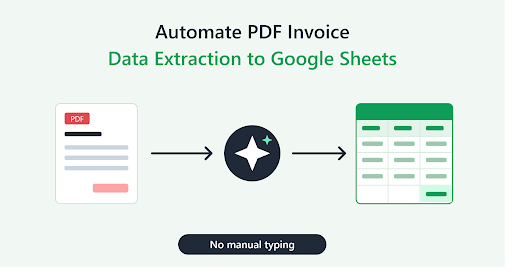
Businesses can solve many of these problems by learning how to extract delivery note data into inventory automatically. Using optical character recognition (OCR), artificial intelligence (AI), and workflow automation, companies can convert delivery notes into structured data and update inventory records with less manual effort.
This guide explains how automated delivery note processing works, which tools can support it, and how businesses can build a reliable workflow for managing incoming stock.
What Is Delivery Note Data Extraction?
Delivery note data extraction is the process of collecting relevant information from a delivery document and converting it into a digital format that inventory software can understand.
A delivery note, sometimes called a dispatch note or goods delivery note, usually accompanies products delivered by a supplier. It helps the receiving business verify what was shipped and compare the shipment against a purchase order.
Common data fields include:
- Delivery note number
- Supplier name and contact details
- Delivery date and time
- Purchase order reference
- Product names and descriptions
- SKU or product codes
- Delivered quantities
- Unit of measurement
- Batch or lot numbers
- Damaged or missing items
Once this information has been extracted, it can be matched against existing inventory records and used to support stock updates.
However, extracting data should not automatically mean accepting every delivery. Businesses still need appropriate checks to confirm that the physical goods match the document.
Why Automate Delivery Note Processing?
Manual delivery note processing can become a bottleneck for warehouses, retailers, wholesalers, manufacturers, and e-commerce businesses.
Employees may receive dozens of documents each day, particularly during busy periods. Entering every product and quantity individually slows down receiving operations and increases administrative costs.
Reduce Manual Data Entry
Automated delivery note processing reduces the need to type product details and quantities into inventory software. Instead, the system extracts the information and prepares it for verification or import.
Warehouse employees can spend more time checking shipments, organizing stock, and resolving discrepancies.
Improve Inventory Accuracy
Incorrect stock entries can cause overselling, purchasing mistakes, and delays in order fulfillment.
Automated extraction helps standardize how delivery information enters the inventory system. Validation rules can also identify missing product codes, unexpected quantities, and duplicate documents.
Speed Up Goods Receiving
When deliveries arrive, employees need to confirm the shipment and make stock available as quickly as possible.
A well-designed workflow can extract delivery details before or during the receiving process, allowing staff to compare expected quantities with the actual goods more efficiently.
Improve Record Keeping
Digital delivery records are easier to search, filter, and audit than stacks of paper documents.
Businesses can maintain links to original delivery notes, track receiving dates, and investigate inventory differences using a consistent record of each transaction.
How to Extract Delivery Note Data into Inventory Automatically
An effective automated workflow combines document capture, data extraction, product matching, validation, and inventory updating.
Step 1: Collect Delivery Notes Digitally
The first step is to determine how delivery notes enter your business.
Common sources include scanned paper documents, PDF attachments, mobile phone photographs, supplier portals, and shared folders.
You can create a dedicated folder for incoming delivery notes in Google Drive or another document management platform. Alternatively, a warehouse application can capture images directly from a mobile device.
For best results, use clear scans with readable text and ensure the entire document is visible.
Step 2: Extract Data Using OCR or AI
After a delivery note is received, an extraction tool reads the document and identifies the required fields.
OCR technology converts text within scanned images into machine-readable text. It works well when the document is clear and the layout is reasonably consistent.
AI-powered document processing can go further by identifying the meaning of individual fields, recognizing different supplier layouts, and extracting product line items.
For example, one supplier might label a field “Qty Delivered,” while another uses “Quantity Shipped.” An AI-based system may recognize that both refer to the number of units delivered.
The extracted information should be returned in a structured format, such as JSON, a spreadsheet row, or a list of product records.
For documents with tables, test whether the extraction tool can preserve the relationship between each product description, SKU, and quantity.
Step 3: Match Products with Existing Inventory Records
This is one of the most important stages of the workflow.
The product description on a delivery note may differ from the name used in your inventory system. A supplier might use an abbreviated description, while your warehouse software uses a standardized product name.
Use SKU numbers, barcodes, supplier product codes, or other unique identifiers wherever possible.
When a product code is unavailable, the system can compare descriptions against a product catalog. However, uncertain matches should be sent for human review rather than accepted automatically.
For example, “Blue Cotton Shirt – Large” and “Cotton Shirt Blue L” may describe the same product. A reliable matching process should verify the item using available product attributes instead of relying on a vague text similarity score alone.
Step 4: Validate Quantities and Delivery Details
Before updating stock, compare the extracted information with the purchase order and the physical shipment.
Important checks include:
- Does the supplier match the expected purchase order?
- Are the product codes recognized?
- Do delivered quantities match the physical count?
- Are any items missing or damaged?
- Are units of measurement consistent?
- Has the delivery note already been processed?
Suppose a delivery note lists 120 units, but warehouse staff count only 115. The system should record the discrepancy and request review instead of blindly adding 120 units to available stock.
This step prevents document extraction errors from becoming inventory problems.
Step 5: Update the Inventory Management System
After validation, the workflow can create a goods-received record or update stock quantities in the inventory system.
The integration method depends on the software you use. Some inventory platforms provide APIs, while others support spreadsheet imports, webhooks, or built-in automation features.
A typical process looks like this:
- A delivery note arrives in a monitored folder.
- The automation system detects the new document.
- OCR or AI extracts supplier, reference, product, and quantity details.
- Extracted products are matched with inventory records.
- The system compares the data with purchase orders and receiving checks.
- Approved quantities are recorded in inventory.
- The original document and processing result are saved for auditing.
If your software does not support direct integration, an intermediate Google Sheets file may serve as a staging area. However, the spreadsheet should not become a substitute for a properly controlled inventory system when stock accuracy is critical.
Best Tools for Automated Delivery Note Extraction
The best solution depends on document volume, software compatibility, and the complexity of supplier documents.
Google Drive and Google Sheets
Google Drive can provide centralized document storage, while Google Sheets can hold extracted data for review and reporting.
This approach is suitable for smaller businesses that want to test a workflow before investing in a dedicated inventory integration.
However, spreadsheet-based processing requires careful controls to prevent duplicate entries and unauthorized changes.
Make
Make is a visual automation platform that connects supported applications and APIs. It can coordinate document collection, extraction services, product validation, and spreadsheet updates.
It is useful for businesses that want to create workflows with limited coding.
Zapier
Zapier connects compatible business applications through automated workflows. Depending on the available integrations, it can trigger processing when a document is uploaded and transfer extracted information to another system.
Check that the required document processing and inventory applications support the actions your workflow needs.
AI Document Processing Software
Specialized document processing platforms can extract structured information from delivery notes, purchase orders, invoices, and other business documents.
Look for features such as table extraction, custom field recognition, confidence scores, API access, and support for multiple document formats.
Before selecting a tool, test it with real delivery notes from your suppliers rather than relying exclusively on demonstrations using clean sample documents.
Inventory Management Software
Inventory systems provide the final destination for approved stock transactions. Depending on the platform, you may be able to integrate delivery note extraction through a built-in receiving workflow, API, or third-party connector.
The integration should update stock only after the relevant receiving checks have been completed.
Common Challenges and How to Overcome Them
Different Supplier Document Formats
Suppliers use different layouts, field names, and table structures. A workflow built around one template may fail when a new supplier is introduced.
Use flexible document extraction and maintain supplier-specific rules when necessary. Test new formats before allowing automatic processing.
Poor Image Quality
Blurry photographs, folded pages, shadows, and low-resolution scans can reduce extraction accuracy.
Improve document capture procedures and send unreadable files to a review queue.
Duplicate Delivery Notes
A document may arrive by email and later be uploaded by a warehouse employee. Processing both copies can lead to duplicate stock entries.
Use a unique delivery reference, supplier identifier, and processing status to detect duplicates. Where necessary, combine these fields with additional checks.
Incorrect Product Matching
Similar product descriptions can refer to different sizes, colors, models, or packaging quantities.
Prioritize unique SKUs and barcodes. Require manual approval whenever the system cannot establish a sufficiently reliable match.
Inventory Integration Errors
An API failure or interrupted workflow can leave a delivery note extracted but not recorded in inventory.
Maintain processing statuses such as “Received,” “Extracted,” “Pending Review,” “Posted,” and “Failed.” This makes it easier to resume processing without adding the same stock twice.
Best Practices for Reliable Inventory Automation
To get better results from automated delivery note processing, follow these recommendations:
- Start with a small batch of delivery notes from several suppliers.
- Standardize product codes and units of measurement.
- Keep original documents linked to their digital records.
- Validate extracted quantities against physical stock.
- Match delivery notes with purchase orders whenever possible.
- Use duplicate detection before creating inventory transactions.
- Require human review for damaged goods and uncertain matches.
- Record who approved each stock adjustment.
- Monitor failed extractions and integration errors.
- Review extraction accuracy regularly as supplier formats change.
Security also matters. Limit access to supplier documents, protect API credentials, and confirm how third-party services store and process business data.
Conclusion
Learning how to extract delivery note data into inventory automatically can help businesses reduce repetitive data entry, accelerate goods receiving, and improve stock visibility.
By combining OCR or AI-powered document extraction with product matching, purchase order validation, and inventory software integration, businesses can create a more efficient receiving process.
The most reliable approach is not to automate every decision immediately. Begin by extracting delivery information into a reviewable format, test the results, and gradually automate approved transactions as accuracy improves.
Ultimately, successful inventory automation depends on more than reading documents. It requires connecting accurate delivery information with the right products, verified quantities, and controlled stock updates. When these elements work together, businesses can manage incoming inventory with greater consistency and confidence.
Technology
Code to Architecture: How AI Agents and Modern Workflows Are Transforming Web Development


A few years ago, the fastest way to judge a web developer was to watch how quickly they could turn a design file into working markup, styles, and scripts. Typing speed, memorized syntax, and familiarity with a framework’s quirks were the visible marks of skill. Today, a capable AI agent can produce a first draft of a page layout, a form handler, and a test suite in the time it takes to refill a coffee. That fact changes what skill means in this field, and it changes what business owners should expect from the people they hire to build their websites.
- The Old Model of Web Development and Why It Hit a Ceiling
- What AI Agents Actually Change
- The Developer’s Role Shifts from Writer to Architect
- The Modern Workflow, from First Conversation to Launch
- Discovery and Systems Thinking
- Design Systems and Design Tokens
- Component-Driven Development
- Agent-Assisted Implementation
- Automated Quality Gates
- Continuous Deployment and Observability
- Architecture Decisions That Matter More Than Ever
- Composable and Headless Approaches
- Performance as an Architectural Concern
- Accessibility and Compliance Built In
- Security When Code Is Generated Quickly
- What This Means for Businesses Investing in a Website
- Faster Iteration and a Lower Cost of Change
- Smaller Businesses Can Compete on Quality
- Questions Worth Asking a Development Partner
- Choosing an Expert Partner
- Common Pitfalls to Avoid
- Treating Speed as the Only Goal
- Accepting Generic Output
- Ignoring Content
- Launching Without a Maintenance Plan
- Skills That Will Matter Most in the Coming Years
- Looking Ahead
- Conclusion
The shift is easy to misread. Some people hear “AI writes code” and conclude that developers are being replaced. Others assume the technology is a novelty that produces fragile pages. Both readings miss the actual change. Writing code is becoming cheaper and faster, which moves the valuable work somewhere else: deciding what should be built, how the parts should fit together, and how the result will hold up under real traffic, real users, and real business pressure. In short, web development is moving from code to architecture.
This article walks through how that transition works in practice. It covers what AI agents do well and where they fall short, how the developer’s role is changing, what a modern workflow looks like from first conversation to launch, and what all of this means if you are a business owner trying to get a website that performs.
The Old Model of Web Development and Why It Hit a Ceiling
To understand why the current changes matter, it helps to look at the model they are replacing. For most of the web’s history, building a site meant a long chain of manual steps, each carried out by a specialist, each dependent on the one before it.
Everything Written by Hand
Even routine pieces of a website were built from scratch or copied and adapted from earlier projects. Navigation menus, contact forms, image galleries, pricing tables, and cookie banners were rebuilt again and again. Developers spent a large share of every project on work that had been done a thousand times before, and clients paid for that repetition without getting anything distinctive in return.
Manual coding also meant that quality depended heavily on individual habits. Two developers could build the same page and produce different levels of accessibility, performance, and maintainability. Standards existed, but enforcing them relied on memory and discipline, and both run short near a deadline.
The Handoff Problem
The second weakness was the gap between design and development. A designer would finish a mockup, export it, and pass it along. The developer would interpret it, make decisions the mockup never covered, and send back a build that was close but not identical. Rounds of feedback followed, each one costing days. Spacing was off by a few pixels, hover states were missing, and the mobile layout had never been designed at all, so the developer improvised.
These handoffs were not a failure of people. They were a failure of the process. Information was lost every time work crossed from one person to another, and the only repair was more meetings and more revisions.
What AI Agents Actually Change
The phrase “AI in web development” covers a wide range of tools, and it is worth separating them, because they affect the work in different ways.
From Autocomplete to Collaborators
The first generation of AI coding tools worked like a very good autocomplete. You typed a few characters, and the tool suggested the next line or the next function. That saved keystrokes but left the structure of the work unchanged. The developer still planned everything and typed most of it.
The current generation behaves differently. An AI agent can be given a goal, such as “add a booking form that validates input, stores submissions, and sends a confirmation email,” and then carry out the steps needed to reach it. It reads the existing project, decides which files to create or modify, writes the code, runs the tests, notices when something fails, and tries again. The developer describes the outcome and reviews the result instead of dictating each line.
What Agents Do Well
Agents are strongest on work that is well defined and well documented. That includes several categories of tasks:
- Scaffolding new pages, components, and routes that follow patterns already present in a project.
- Converting designs and written specifications into responsive layouts.
- Writing unit tests, end-to-end tests, and the fixtures they need.
- Refactoring older code to newer conventions across dozens of files at once.
- Migrating between frameworks, libraries, or hosting setups.
- Producing first-pass documentation, alt text, metadata, and structured data.
- Tracking down the cause of a bug by reading logs, stack traces, and recent changes together.
Each of these used to consume hours of a skilled developer’s day. Handing them to an agent frees that time for decisions that need judgment.
Where Agents Still Fall Short
Agents do not understand a business. They do not know that a local clinic’s patients are mostly older adults who need large tap targets and clear contrast, or that a restaurant group’s online ordering must survive a Friday dinner rush, or that a legal practice cannot publish certain claims on its pages. They produce code that runs, and running code is not the same as correct code for a particular situation.
They also tend to be confident when they are wrong. An agent may invent a function that does not exist in a library, pull in a package that is unmaintained, or solve a problem in a way that works today and creates a maintenance burden next year. It may repeat a security mistake that appears often in its training material. Without a knowledgeable person reviewing the output, these flaws ship to production.
This is why the human role has not shrunk. It has moved up a level.
The Developer’s Role Shifts from Writer to Architect
When the cost of producing code drops, the cost of choosing the wrong thing to produce stays the same. A poorly conceived site built in a day is still a poorly conceived site. The developers who gain the most from AI agents are the ones who can think clearly about systems.
Specifying Intent Precisely
Working well with an agent is largely an exercise in clear communication. Vague instructions produce vague results. A developer who can state the goal, the constraints, the existing conventions, and the definition of “done” gets dependable output. A developer who cannot will spend their time correcting misunderstandings.
This skill resembles writing a good project brief or a good ticket. It rewards people who understand both the business goal and the technical limits, and who can express each in plain language. Many teams now keep written project guidelines in the repository itself, covering naming conventions, preferred libraries, accessibility requirements, and testing expectations, so that agents and humans follow the same rules.
Reviewing as a Core Skill
Reading code critically has always mattered. It matters more when a large share of the code was not typed by the person responsible for it. Review now includes questions that go beyond style: Does this change match the architecture we agreed on? Does it add a dependency we will regret? Does it handle the case where the network is slow or the input is malformed? Is it secure?
Good reviewers also check what the agent left out. Missing error handling, missing loading states, and missing keyboard support are common gaps, and they are invisible if you only look at what is on the screen.
Owning the Boundaries of the System
Architecture is mostly about boundaries: where the front end ends and the back end begins, which service owns which data, how content flows from an editor’s screen to a visitor’s browser, and what happens when one part fails. Agents can implement a boundary once it is drawn, but drawing it well requires an understanding of how the business will grow, how often content changes, who will maintain the site, and what integrations are coming.
A site for a single-location shop and a site for a company planning to open a dozen more locations might look similar on launch day. Their architectures should differ, and that difference is a human decision.
The Modern Workflow, from First Conversation to Launch
The tools matter less than the process that surrounds them. The teams producing the best results have rebuilt their workflows so that design, development, testing, and deployment feed each other continuously instead of passing work down a line.
Discovery and Systems Thinking
Every strong project starts with questions that have nothing to do with code. Who are the visitors, and what are they trying to accomplish? Which actions on the site produce revenue: phone calls, form submissions, bookings, purchases? Which pages already attract traffic, and which ones lose it? What systems does the website need to connect to, such as a customer database, scheduling software, a payment processor, or an inventory system?
The answers produce a map of the site’s structure, content types, and integrations. That map is the first piece of architecture, and it guides every later decision. Skipping this stage is the most common reason fast projects end in expensive rebuilds.
Design Systems and Design Tokens
Instead of designing page after page, modern teams design a system. A design system defines the building blocks of a brand’s web presence: color values, type scales, spacing rules, buttons, form fields, cards, and layout grids. These values are stored as design tokens, named variables that both designers and developers reference, so a change to a brand color is made once and carried everywhere.
This is the point where the handoff problem begins to disappear. When the design file and the codebase draw from the same set of tokens and components, there is far less to interpret. An agent can read the system and generate new pages that already match the brand, because the rules are explicit.
Component-Driven Development
With a design system in place, developers build interfaces from reusable components. A product card, a testimonial block, or a booking widget is built once, tested thoroughly, documented, and then used wherever it is needed. Pages become assemblies of proven parts.
This approach pairs naturally with AI agents. Components give agents clear patterns to follow, and the surrounding tests give them immediate feedback when a change breaks something. The result is faster delivery without the drift in quality that used to accompany speed.
Agent-Assisted Implementation
During implementation, developers and agents work in short loops. The developer describes a task, the agent proposes a change, the developer reviews it, and the cycle repeats. Larger features are split into small, reviewable steps. Each step is committed separately so that problems are easy to find and easy to undo.
The best teams treat the agent as a fast, tireless junior colleague who needs clear direction and careful review. They do not let it make architectural decisions on its own, and they do not merge its work unseen.
Automated Quality Gates
Because code can now be produced quickly, automated checks carry more weight. A well-run pipeline runs on every change and covers several areas at once:
- Unit and integration tests that confirm the logic works.
- Visual regression tests that catch unintended layout changes.
- Accessibility scans that flag missing labels, poor contrast, and broken keyboard navigation.
- Performance budgets that fail a build if a page becomes too heavy.
- Security scans that check dependencies and common vulnerability patterns.
- Linting and formatting rules that keep the codebase consistent.
These gates protect the project from mistakes made by humans and agents alike. They also make it safe to move quickly, because a bad change gets caught before a customer sees it.
Continuous Deployment and Observability
Launch is no longer a single event. Modern hosting platforms create a preview version of the site for every change, so stakeholders can review real pages on real devices before anything goes live. Deployments are automated and reversible. After launch, monitoring tools track page speed, errors, uptime, and user behavior, and the findings feed the next round of improvements.
This turns a website into a product that improves over time rather than a project that ends on delivery day.
Architecture Decisions That Matter More Than Ever
As code generation becomes routine, a handful of architectural choices determine whether a website succeeds. These are the areas where experienced human judgment has the greatest effect.
Composable and Headless Approaches
Many businesses are moving away from all-in-one platforms in which content, design, and logic are tightly bound together. In a headless or composable setup, content lives in a content management system and is delivered to the front end through an interface. The front end can be rebuilt without touching the content, and the same content can feed a website, a mobile app, and an email campaign.
This flexibility has a cost: more pieces to coordinate. Deciding when a composable approach is justified, and when a simpler setup serves the business better, is a judgment call that depends on budget, team size, and growth plans.
Performance as an Architectural Concern
Page speed is shaped by decisions made early: how pages are rendered, how images are served, how much script is shipped to the browser, and where content is cached. Search engines measure real-world experience through metrics such as Largest Contentful Paint, Interaction to Next Paint, and Cumulative Layout Shift, and visitors on mobile connections abandon slow pages quickly.
Agents can apply known optimizations, but the underlying strategy has to come from the architecture. A site built around heavy client-side rendering will struggle no matter how many small fixes are applied afterward.
Accessibility and Compliance Built In
Accessibility is both the right thing to do and a practical business concern. Websites that are difficult for people with disabilities to use exclude real customers, and inaccessible sites have become frequent targets of legal complaints under the Americans with Disabilities Act and similar rules. Following the Web Content Accessibility Guidelines from the start is far cheaper than retrofitting later.
The same applies to privacy. Consent banners, data handling, and form practices need to be planned into the structure of the site, particularly for businesses that collect customer information.
Security When Code Is Generated Quickly
Faster code production means faster production of vulnerabilities if nobody is watching. Secure architecture includes sensible handling of user input, careful management of secrets and credentials, minimal and well-chosen dependencies, and regular updates. Teams that use agents responsibly add security review to their standard process and do not rely on the agent to remember it.
What This Means for Businesses Investing in a Website
If you own or manage a business, you do not need to follow every tool or acronym. You do need to understand how these changes affect what you should expect from a development partner.
Faster Iteration and a Lower Cost of Change
When routine work is automated, more of the budget goes toward strategy, design quality, and testing. Changes that once took weeks, such as adding a landing page for a seasonal promotion or reorganizing a service menu, can often be completed in days. For businesses with busy seasons, that agility is valuable. A retailer preparing for the holiday rush or a home services company heading into its peak months can respond to demand while it is still happening.
Smaller Businesses Can Compete on Quality
A modern workflow narrows the gap between a local company’s website and that of a much larger competitor. A regional business can now have a fast, accessible, well-designed site that follows the same standards as national brands. What separates the strong results from the weak ones is no longer budget alone. It is the quality of the process and the people behind it.
Questions Worth Asking a Development Partner
Because the tools are available to everyone, the quality of the team is the real variable. Before hiring, ask direct questions:
- How do you plan a site’s structure before design and development begin?
- Do you work from a design system, and will we own it after launch?
- How do you review and test work that was produced with AI assistance?
- What performance and accessibility targets will the finished site meet?
- How will the site be maintained, monitored, and improved after launch?
- Who owns the code, the content, and the hosting accounts?
A partner who answers these clearly and without hesitation has probably built their process around the way modern development actually works.
Choosing an Expert Partner
As web development rapidly shifts from manual coding to intelligent system design, having an expert partner is essential. If you’re looking for a high-performance website development company in San Antonio, get in touch with Odyssey Design Company. Their team specializes in guiding businesses through modern design workflows, delivering scalable, high-quality, and fully responsive websites.
Common Pitfalls to Avoid
Even with strong tools, projects go wrong in predictable ways. Knowing the patterns helps you avoid them.
Treating Speed as the Only Goal
Generating a site in an afternoon is impressive, but a site that is fast to produce and hard to maintain costs more in the long run. Speed should come from a good process, not from skipping planning and review.
Accepting Generic Output
Agents trained on enormous amounts of public work tend to produce familiar, average results. A site that looks like every other site in its category gives visitors no reason to remember it. Distinct brand expression, thoughtful copy, and original design decisions still come from people who understand the business.
Ignoring Content
A technically excellent site with thin, unclear content will underperform. Search visibility, trust, and conversions depend on pages that answer real questions in the customer’s own terms. Architecture should include a plan for who writes content, how often it is updated, and how it is organized.
Launching Without a Maintenance Plan
Libraries release updates, browsers change, and security issues are discovered continuously. A site with no one responsible for it slowly degrades. Ongoing monitoring and scheduled updates should be agreed on before the project begins.
Skills That Will Matter Most in the Coming Years
For developers, designers, and technical leaders, the direction of travel is clear. Several capabilities are rising in value:
- Systems thinking, meaning the ability to see how data, interfaces, and services affect one another.
- Clear written communication, since instructions to agents and teammates are written in plain language.
- Critical code review, including a security mindset.
- Design system fluency across both design tools and code.
- Performance and accessibility expertise.
- Business understanding, so that technical choices serve revenue and customer goals.
Memorizing syntax matters less than it used to. Understanding why a system is built a certain way matters more.
Looking Ahead
The tools will keep improving. Agents will handle larger tasks, hold more context about a project, and connect to more services directly. Workflows will tighten further, with design changes flowing into code and production data flowing back into design decisions. Some tasks that need human attention today will be automated tomorrow.
What is unlikely to change is the need for people who can decide what a website should accomplish and shape a system that accomplishes it. The business that understands this will invest in strategy and architecture, and will use automation to deliver them faster. The business that treats AI as a shortcut around thinking will end up with a site that is cheap to produce and expensive to live with.
Conclusion
Web development is no longer defined by how quickly someone can write code. It is defined by how well a team can understand a business, design a sound system, direct powerful tools, and verify that the result works for real people. AI agents have taken over much of the typing, and the best teams have used the time they gained to plan more carefully, test more thoroughly, and refine more often.
For any organization planning a new website or a rebuild, the practical takeaway is simple. Look past the tools and evaluate the process. Ask how the team thinks about architecture, quality, and long-term care. A site built on strong foundations will keep earning its place long after the technology behind it changes again.

Two hours before doors open at a fan convention, an exhibitor is standing in an empty booth. Their banner stand, display props, and three boxes of limited-edition merch were all marked “delivered” days ago, but nobody at the loading dock can say where they went. Situations like this play out at trade shows, festivals, and conventions every season, and they rarely come down to a careless courier. More often, parcels arrive safely and then get lost in the busy space between the dock and the booth, exactly the gap flexible parcel management software is designed to cover.
Most event planning focuses on the visible parts: the venue, the schedule, and the guest experience. The deliveries that make those parts possible tend to get far less attention, even though a single missing box can leave an exhibitor with nothing to show.
Why Event Deliveries Go Wrong
Events compress weeks of logistics into a few frantic days. Hundreds of exhibitors, vendors, and sponsors ship materials to the same address, often at the same time. Boxes arrive from different carriers, with different label styles, and with varying levels of detail about who they’re for.
Add temporary staff, shared loading docks, and tight setup windows, and the conditions for lost parcels are almost perfect. The issue isn’t usually volume alone. Responsibility changes hands several times between the courier and the booth, and each handoff is a chance for something to slip.
At most events, parcels don’t get lost on the road. They get lost in the last few hundred feet.
Labeling Is the First Line of Defense
The simplest way to protect a shipment is to label it clearly before it leaves the vendor. Good event labels include the exhibitor’s company name, booth number, event name, a contact phone number, and a box count such as “3 of 5.”
Many event organizers publish shipping guidelines with a required label format. Following them closely matters, because staff unloading a truck at speed rely on that information to route boxes correctly. A parcel addressed only to the venue, with no booth number, is the kind most likely to end up in a corner marked “unknown.”
Advance Warehouse vs Direct-to-Show
Exhibitors usually have two options for getting materials to an event, and each one carries different risks.
| Factor | Advance Warehouse | Direct-to-Show |
| Arrival timing | Days or weeks before the event | During setup days only |
| Storage | Held by the event’s logistics provider | Delivered straight to the venue |
| Risk of missing setup | Lower, as items are already on site | Higher if carriers run late |
| Handling steps | More handoffs between warehouse and floor | Fewer, but more time pressure |
| Best for | Large displays and critical items | Last-minute or smaller shipments |
Neither option removes the need for tracking. Both require someone to record each box as it moves from one stage to the next.
Logging Every Box at the Dock
The loading dock is the busiest point in any event’s delivery chain. Logging parcels as they arrive, rather than sorting them first and recording later, creates a reliable starting point for everything that follows.
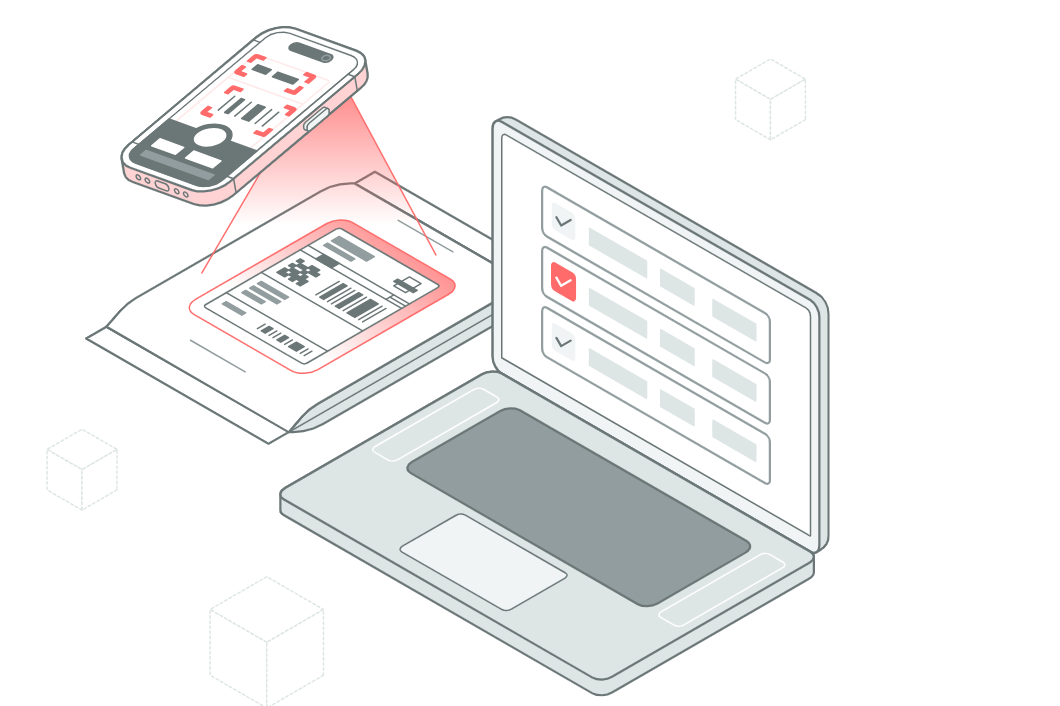
Scanning labels with a phone or tablet captures the carrier, tracking number, and recipient in seconds. Adding the booth number and a storage location gives staff a clear record of where each box is waiting. If an exhibitor asks about a missing delivery, the team can check the log instead of searching every pallet.
The Last Few Hundred Feet: Dock to Booth
Moving parcels from the dock to individual booths is where many events lose track of them. Carts pile up, boxes get dropped at the wrong stand, and temporary crews may not know the floor plan well.
A simple fix is to confirm delivery at the booth itself. A quick scan or photo when a box reaches its stand, along with the name of the person who received it, closes the loop. It also settles disputes quickly if an exhibitor believes something never arrived.
Proof of delivery to the booth is worth more than proof of delivery to the building.
Keeping Exhibitors Informed
Exhibitors setting up a booth rarely have time to walk back and forth to the dock asking whether their boxes have arrived. Automatic notifications, sent when a parcel is logged and again when it reaches the booth, save everyone time.
These updates also reduce pressure on event staff. Fewer people crowd the loading area with questions, and the team can focus on moving parcels instead of answering the same inquiries repeatedly.
The Forgotten Half: Outbound Shipments
When an event ends, the logistics run in reverse. Exhibitors pack displays, leftover merch, and equipment for return shipping, often in a rush to leave the venue. Outbound parcels left without proper labels or carrier pickups can be stranded, delayed, or disposed of.
Treating outbound shipments with the same care as inbound ones prevents this. Logging each box, its carrier, and its pickup time creates a clear record if something doesn’t make it home.
Delivery Records Make Next Year Easier
Every event produces useful data about deliveries. Records can show which days had the heaviest volume, which carriers tended to arrive late, and which booths had the most issues.
Organizers can use that information to adjust shipping deadlines, plan dock staffing, and update exhibitor guidelines. Exhibitors benefit too, learning whether advance warehousing or direct shipping worked better for their setup.
Bringing It Together
Event logistics don’t end when a courier reaches the venue. The real test is whether every box makes it from the dock to the right booth, on time, and back again afterward.
Clear labels, quick arrival logging, confirmed delivery to the booth, and careful outbound handling turn a chaotic setup day into a manageable one. When each handoff leaves a record, exhibitors can focus on their audience instead of hunting for their merch.

Full Service Removalists Sydney: What’s Included, Costs & How to Book (2026)

Why Furnace Repair Can’t Wait: Signs Your Heating System Needs Help

Why Cesar’s Concrete Is the Concrete Contractor Your Property Deserves

Alex Pettyfer Net Worth, Wife, Age, Height, Children, Career and More

Brad Williams Net Worth, Wife, Height, Age, Daughter, Family, Career and More

Eldorado.gg Review 2026: How It Works, Safety, Fees, and Risks
-
Celebrity10 months ago
Alex Pettyfer Net Worth, Wife, Age, Height, Children, Career and More
-
Celebrity10 months ago
Brad Williams Net Worth, Wife, Height, Age, Daughter, Family, Career and More
-
Blog2 months ago
Eldorado.gg Review 2026: How It Works, Safety, Fees, and Risks
-
 Celebrity10 months ago
John McGinn Net Worth, Age, Height, Wife, Childrens, Career and More
-
 Anime11 months ago
Sanzoku Bandits of One Piece: Origins, Higuma, and Their Role in Dawn Island
-
 Celebrity10 months ago
Frances de la Tour Net Worth, Age, Height, Husband, Childrens, Career and More
-
 Celebrity10 months ago
Will Trickett Net Worth, Wife, Childrens, Age, Career and More
-
 Blog2 months ago
Crackstube: A Complete Guide to the Digital Publishing Platform