
Business
How to Speed Up an Old Samsung Phone Like It’s Brand New

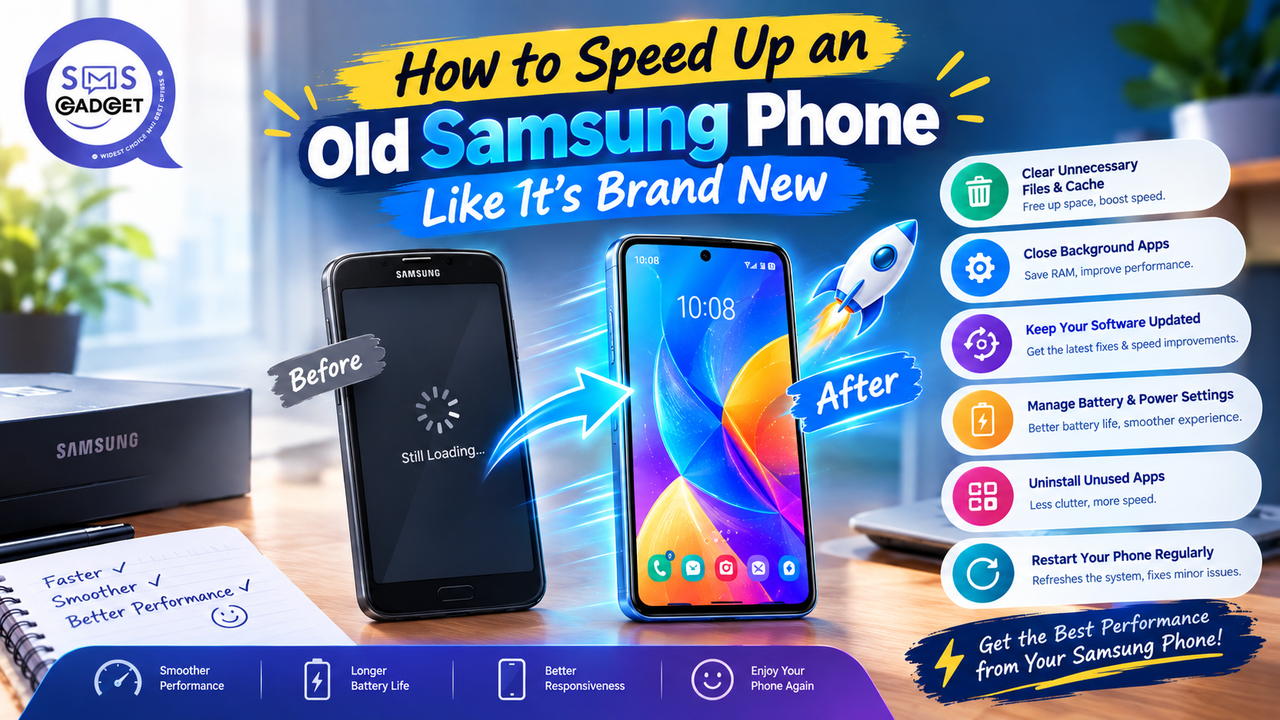
Your Samsung phone used to feel snappy, apps opened instantly, switching between them was smooth, and nothing hesitated. Now every tap feels like it’s waiting for something. Sound familiar?
- Why Does an Old Samsung Phone Slow Down Over Time?
- Storage Getting Full
- Too Many Background Apps & Bloatware
- Battery Degradation
- Outdated Software / Missed Updates
- Accumulated Cache & Junk Files
- Quick & Safe Fixes (Start Here — No Risk)
- Restart Your Phone Properly
- Clear App Cache via Device Care
- Free Up Storage with the Memory Cleaner Tool
- Turn Off Unnecessary Animations
- Update to the Latest One UI/Software Version
- Samsung-Specific Tools You’re Probably Not Using
- Using Device Care for Full Optimization
- Running Diagnostics with the Samsung Members App
- Disabling Bixby and Other Rarely-Used Samsung Features
- Managing Galaxy Store Auto-Updates and Background Syncing
- Turning Off/Limiting Good Lock Modules
- Free Up Storage the Right Way
- Finding and Deleting Large/Duplicate Files
- Moving Photos & Videos to Google Photos or Cloud Backup
- Uninstalling Apps You Don’t Use
- Using a MicroSD Card for Extra Storage
- Battery & Performance — The Hidden Connection
- How an Aging Battery Silently Slows Down Your Phone
- Checking Battery Health in Settings
- When a Battery Replacement Makes Sense
- Advanced Options (Try These If Basic Fixes Aren’t Enough)
- Factory Reset — When and How to Do It Safely
- Reinstalling Only Essential Apps After Reset
- Disabling/Uninstalling Pre-Installed Bloatware
- A Word of Caution on Custom ROMs
- When Should You Stop Trying and Upgrade Instead?
- Signs Your Phone Has Genuinely Reached Its Limit
- Repair/Upgrade Cost Comparison
- Budget-Friendly Samsung Upgrade Options in Bangladesh
- Frequently Asked Questions
- Does a factory reset really make an old Samsung phone faster?
- Why does my Samsung phone lag even after clearing cache?
- Is it safe to disable Bixby and other Samsung apps?
- How often should I restart my Samsung phone for best performance?
- Does replacing the battery actually improve phone speed?
- Final Checklist — Speed Up Your Samsung Phone Step by Step
This happens gradually, not overnight, and it’s rarely just one thing. Software bloat builds up, storage fills with clutter, the battery ages and starts throttling performance, and background apps quietly eat into resources the phone used to have to spare. The good news is that most of this is fixable, some of it in minutes, with zero risk.
This guide moves from the safest, quickest fixes through to more advanced options in order, so the easy wins get tried before anything more involved.
Why Does an Old Samsung Phone Slow Down Over Time?
Storage Getting Full
Android and,, by extension, One UI, need a reasonable amount of free storage to manage temporary files and background processes efficiently. Once storage creeps above roughly 90% full, the whole system can noticeably slow down, even if none of the individual apps have changed.
Too Many Background Apps & Bloatware
Every app running in the background, whether actively used or not, competes for RAM and processing power. Over time, installed apps and pre-loaded bloatware accumulate, and a phone that once ran five background apps comfortably might now be juggling twenty.
Battery Degradation
As a battery ages, its ability to deliver consistent power output declines. To protect the aging cell, the phone’s system can throttle CPU performance, meaning a big part of that “slow” feeling might actually be the battery, not the software at all.
Outdated Software / Missed Updates
Skipped software updates mean missing out on the performance optimizations and bug fixes Samsung regularly ships, older, unpatched software is often measurably less efficient than the current version for the same hardware.
Accumulated Cache & Junk Files
Cached data is supposed to speed things up by avoiding repeated downloads, but over months and years, poorly managed cache can bloat past its usefulness and start dragging the system down instead of helping it.
Quick & Safe Fixes (Start Here — No Risk)
Restart Your Phone Properly
A simple restart clears temporary memory and stops any runaway background processes accumulated since the last reboot. Setting up an auto-restart schedule (Settings > General Management > Reset > Auto restart) once a week keeps this maintenance running without having to remember it.
Clear App Cache via Device Care
Go to Settings > Battery and Device Care > Storage, and clear cached data across apps. This is completely safe, it doesn’t touch personal data, just temporary files apps can regenerate as needed.
Free Up Storage with the Memory Cleaner Tool
Device Care’s built-in storage cleaner identifies unused apps, duplicate files, and large media automatically, making it the fastest way to reclaim space without manually hunting through folders.
Turn Off Unnecessary Animations
In Developer Options (enabled by tapping Build Number seven times under Settings > About Phone), reducing Window, Transition, and Animator animation scale to 0.5x, or off entirely, makes the interface feel noticeably snappier, even on hardware that hasn’t changed at all.
Update to the Latest One UI/Software Version
Checking Settings > Software Update regularly ensures the phone is running Samsung’s latest performance and security optimizations for that model.
Samsung-Specific Tools You’re Probably Not Using
Using Device Care for Full Optimization
Beyond just cache clearing, Device Care’s one-tap “Optimize Now” feature checks battery, storage, memory, and security together, closing unused background processes and flagging issues in a single pass, most users only ever touch a fraction of what this tool actually does.
Running Diagnostics with the Samsung Members App
The Samsung Members app includes a built-in diagnostics tool that checks hardware components, battery, touchscreen, and sensors directly, which can help rule out (or confirm) whether a hardware issue is contributing to the slowdown.
Disabling Bixby and Other Rarely-Used Samsung Features
Bixby, along with features like Bixby Vision and Bixby Routines, run background processes even when rarely used. Disabling what isn’t actively used (Settings > Advanced Features, or holding the relevant button/gesture shortcut) frees up a small but real amount of background resource usage.
Managing Galaxy Store Auto-Updates and Background Syncing
The Galaxy Store, much like the Play Store, can auto-update apps and sync data in the background. Adjusting this to Wi-Fi-only updates, or manual updates entirely, under Galaxy Store > Settings, reduces unnecessary background activity.
Turning Off/Limiting Good Lock Modules
For anyone who’s installed Good Lock modules for extra customization, it’s worth reviewing which are still active, each module adds a small amount of background overhead, and modules installed years ago and forgotten about are an easy thing to overlook.
Free Up Storage the Right Way
Finding and Deleting Large/Duplicate Files
Device Care’s storage analyzer breaks down usage by file type and size, making it straightforward to spot large downloads, duplicate screenshots, or forgotten video files taking up disproportionate space.
Moving Photos & Videos to Google Photos or Cloud Backup
Backing up photos and videos to Google Photos (or Samsung Cloud) and then removing the local copies can free up a substantial chunk of storage, particularly on phones that have accumulated years of camera media.
Uninstalling Apps You Don’t Use
Any app not opened in the last few months is a reasonable candidate for removal. Where available, switching to a “Lite” version of an app (common for social media and messaging apps) keeps the functionality while using a fraction of the storage and background resources.
Using a MicroSD Card for Extra Storage
On Samsung models that still support expandable storage, a microSD card offers a low-cost way to offload photos, videos, and some apps, relieving pressure on internal storage without deleting anything.
Battery & Performance — The Hidden Connection
How an Aging Battery Silently Slows Down Your Phone
As battery capacity and its ability to deliver peak current both decline with age, the phone’s power management system can automatically reduce CPU clock speeds to prevent unexpected shutdowns, a protective measure that shows up to the user simply as the phone feeling slower.
Checking Battery Health in Settings
Under Settings > Battery and Device Care > Battery > Battery Information (or through the Samsung Members diagnostics tool), the current battery health percentage relative to original design capacity can be checked directly.
When a Battery Replacement Makes Sense
Once battery health drops meaningfully below its original capacity, commonly cited as a rough threshold around 80%, a replacement often restores a noticeable amount of the phone’s original responsiveness. In Bangladesh, getting this done through Samsung’s official service centers ensures a genuine battery and keeps any remaining warranty intact, rather than risking a lower-quality aftermarket part from an unauthorized repair shop.
Advanced Options (Try These If Basic Fixes Aren’t Enough)
Factory Reset — When and How to Do It Safely
If the basics haven’t resolved the slowdown, a factory reset (Settings > General Management > Reset > Factory Data Reset) wipes accumulated software clutter entirely. Before starting, back up photos, contacts, and app data through Samsung Cloud or Google’s backup tools, and make sure the Google account and Samsung account credentials are on hand to sign back in afterward.
Reinstalling Only Essential Apps After Reset
After a reset, resist the urge to reinstall everything at once, bringing back only the apps actually used regularly avoids recreating the same clutter that caused the slowdown in the first place.
Disabling/Uninstalling Pre-Installed Bloatware
Many pre-loaded apps can be disabled (if not fully uninstalled) under Settings > Apps, even if Samsung doesn’t allow full removal, disabling stops them from running in the background even though the app icon remains present in the app list.
A Word of Caution on Custom ROMs
Installing a custom ROM can, in theory, strip out even more bloat and squeeze out extra performance, but it also voids warranty, carries a real risk of bricking the device if done incorrectly, and loses access to Samsung Knox-dependent features like Samsung Pay. For most users, the risk far outweighs the marginal performance gain, and it’s not something to attempt without already being comfortable with the process.
When Should You Stop Trying and Upgrade Instead?
Signs Your Phone Has Genuinely Reached Its Limit
If a factory reset doesn’t meaningfully improve performance, if the battery can no longer make it through a normal day even after replacement, or if the phone can no longer run the current app versions smoothly, that’s a fairly reliable sign the hardware itself, not just the software, has reached its practical limit.
Repair/Upgrade Cost Comparison
A battery replacement is almost always worth it relative to its cost. But if a phone needs a battery replacement and is also short on storage and RAM by today’s standards, the combined cost of fixing all three can start approaching a meaningful fraction of a new budget phone’s price, at which point upgrading often makes more financial sense than continuing to patch an aging device.
Budget-Friendly Samsung Upgrade Options in Bangladesh
For anyone deciding it’s time to move on, checking current Samsung mobile price listings across the A series is a good starting point, several current models deliver a meaningfully faster, smoother experience at a genuinely accessible price, without needing to stretch to a flagship. Buying through an authorized Samsung mobile shop also means the new device comes with a valid local warranty from day one.
Frequently Asked Questions
Does a factory reset really make an old Samsung phone faster?
Yes, in most cases, it clears out years of accumulated software clutter, cache buildup, and fragmented settings that gradual maintenance alone can’t fully undo. It’s most effective as a later step, after the simpler fixes have already been tried.
Why does my Samsung phone lag even after clearing cache?
If lag persists after clearing the cache, the cause is often either an aging battery throttling performance, storage still running close to full capacity, or too many background apps still active; it is worth checking all three rather than assuming cache was the only issue.
Is it safe to disable Bixby and other Samsung apps?
Yes. Disabling features like Bixby doesn’t affect core phone functionality and can be re-enabled at any time through Settings if needed later.
How often should I restart my Samsung phone for best performance?
Once a week is a reasonable rule of thumb for most users, and setting up the built-in auto-restart schedule removes the need to remember to do it manually.
Does replacing the battery actually improve phone speed?
Yes, often noticeably, an aging battery can trigger automatic performance throttling to prevent unexpected shutdowns, so a fresh battery can restore a real portion of the phone’s original responsiveness, separate from any software fixes.
Final Checklist — Speed Up Your Samsung Phone Step by Step
- Restart the phone and set up a weekly auto-restart
- Clear app cache through Device Care
- Run the Memory Cleaner / Optimize Now tool
- Reduce or turn off animations in Developer Options
- Update to the latest software version
- Disable Bixby and other unused Samsung features
- Back up and delete large or duplicate files
- Uninstall unused apps, switching to Lite versions where possible
- Check battery health and consider a replacement if it’s significantly degraded
- If nothing else works, back up and perform a factory reset
Working through this list in order usually brings back a meaningful chunk of that original snappy feeling, and if it doesn’t, at least there’s a clear answer as to why.


An AI-generated packaging design can make an impressive first impression. It may show a beautifully shaped box, carefully arranged graphics, attractive colors, and production-ready details. However, a digital concept is only the beginning. Before it becomes a physical package, businesses need to make practical decisions about materials, printing finishes, construction, and prototype testing.
- Start by Matching the Material to the Product
- Translate the Digital Appearance into Real Printing Choices
- Use Finishes to Give the Package a Distinctive Look
- Why a Physical Prototype Is Worth the Extra Step
- Prepare the artwork and die line for manufacturing
- Make Better Decisions Before Moving to Bulk Production
- Where CEFBox Fits into the Packaging Development Process
- Turning a Promising Concept into Packaging That Works
These choices determine whether the finished packaging looks as expected, protects the product, and packs and ships smoothly. A design that looks excellent on a screen may need adjustments once it becomes a physical structure. That is why moving from an AI concept to a finished package requires more than simply sending an image to a printer.
Start by Matching the Material to the Product
Choose materials early in the process because they affect strength, appearance, print quality, and overall cost. The right option depends on what the box will contain, how it will be handled, and where it will be sold.
For example, a lightweight retail product may need a neat folding carton, while a heavier item traveling through a delivery network may require a stronger corrugated structure. Food, cosmetics, electronics, and gift products can all have different packaging requirements.
Common material considerations include:
- Paperboard: Often suitable for retail cartons, cosmetics, bakery products, and other lightweight goods. It provides a smooth surface for printed artwork.
- Corrugated board: Offers additional cushioning and structural strength, making it useful for shipping and e-commerce packaging.
- Kraft paperboard: Gives packaging a natural appearance and can suit brands that want a simple, understated presentation.
- Recyclable board options: May help businesses align packaging choices with their environmental goals, depending on the material composition and local recycling facilities.
An AI image may suggest a particular texture or thickness, but it cannot reliably establish the exact material specification. Businesses should confirm board grade, thickness, strength, and suitability with their packaging manufacturer before production.
Translate the Digital Appearance into Real Printing Choices
AI tools can produce detailed artwork, but printed colors and textures don’t always match their digital versions. Screen brightness, color settings, printing methods, and the material surface can all affect the final result.
A useful next step is to prepare the artwork for the selected printing process. This includes checking image resolution, text clarity, color consistency, and the placement of important design elements.
Small details deserve particular attention. Fine lettering may become hard to read when printed small, while very thin lines can lose definition. Similarly, colors that appear vibrant on a monitor may look different on an uncoated or textured board.
Use Finishes to Give the Package a Distinctive Look
Finishing techniques can change how packaging looks and feels in a customer’s hands. They are especially useful when a brand wants a premium look without changing the entire box structure.
The best finish depends on the product, artwork, target audience, and budget. Adding every available effect is rarely necessary. A carefully selected detail can often produce a stronger result than combining several finishes.
Some options worth considering include:
- Matte or gloss lamination: These coatings change the surface appearance and can add a protective layer.
- Soft-touch finishing: Creates a smooth, velvety feel that may suit premium retail products.
- Foil stamping: Adds metallic details to logos, borders, names, or selected design elements.
- Embossing: Raises specific parts of the artwork to create a tactile effect.
- Spot UV: Applies a glossy coating to selected areas, helping particular graphics stand out against a contrasting surface.
For an AI-generated concept, treat these effects as production decisions rather than visual decorations alone. A digital mockup may show a gold logo or raised lettering, but the artwork and finishing instructions must clearly identify how those effects should be manufactured.
Why a Physical Prototype Is Worth the Extra Step
A digital preview can communicate a package’s overall appearance, but it cannot fully show how the structure performs in real conditions. A prototype lets businesses examine the design before committing to a larger production run.
This stage can reveal issues that are easy to overlook on a screen. A box might be difficult to assemble, the lid may not close properly, or the product may move around inside. A printed sample can also show whether the selected colors, finishes, and materials create the intended impression.
During prototype testing, check the following:
- Dimensions: Confirm that the product fits comfortably, including any inserts or protective components.
- Assembly: Fold and assemble the package to identify awkward tabs, weak joints, or complicated steps.
- Closure: Test whether lids, flaps, sleeves, and locking sections stay in place.
- Protection: Consider how the package handles ordinary movement, stacking, and transportation.
- Appearance: Review the printed colors, surface texture, finish quality, and overall presentation.
For products that will be shipped, additional testing may be necessary to assess how the packaging responds to handling and transit conditions. A prototype is not simply a presentation sample; it is a practical way to identify improvements before production.
Prepare the artwork and die line for manufacturing
Once you’ve selected the material and visual direction, the next step is to turn the design into production-ready files. This is where the packaging dieline becomes essential.
A dieline shows the flat layout of a package, including cutting lines, fold lines, panels, tabs, and other structural details. It helps designers understand how the artwork will appear after the flat sheet is cut, folded, and assembled.
Artwork should be positioned with the final structure in mind. A logo placed too close to a fold may become distorted, while important text could disappear into a glued section. Also consider bleed and safe areas according to the manufacturer’s specifications.
Businesses can explore CEFBox’s packaging dieline resources when preparing structural layouts for their packaging projects. Still check the correct dieline against the chosen box style, dimensions, material, and production requirements.
Make Better Decisions Before Moving to Bulk Production
The transition from an AI concept to a manufactured package is easier when you review each stage separately. Instead of approving the complete design in one step, businesses can evaluate the structure, artwork, materials, and finish before giving final production approval.
A practical workflow might look like this:
- Review the concept: Decide which parts of the AI-generated design are suitable for the product and brand.
- Select the structure: Choose a box style and dimensions that support the product’s size and handling needs.
- Confirm the material: Discuss board type, thickness, and strength with the manufacturer.
- Prepare the artwork: Adjust the graphics for the actual panels, folds, cuts, and print requirements.
- Produce a sample: Request a prototype to assess construction and appearance.
- Approve the final specification: Confirm the dieline, artwork, material, finishing instructions, and production details.
This approach gives businesses a clearer understanding of what they are ordering and reduces the chance of discovering major design problems after a production run has started.
Where CEFBox Fits into the Packaging Development Process
An online packaging platform can help bring several parts of this process together. CEFBox provides packaging design resources that businesses can use while developing and refining their box concepts. Its online design environment supports arranging artwork and exploring packaging layouts before a project moves toward manufacturing.
Businesses can also review the CEFBox online design tool to explore its design workflow. This can help you adapt a visual concept into a more organized packaging layout.
The platform is one part of the development process, not a replacement for physical testing or manufacturer approval. Always confirm material specifications, print methods, structural strength, and finishing requirements before placing an order.
Turning a Promising Concept into Packaging That Works
AI can speed up and expand the early stages of packaging design, but a successful package must do more than look good in a digital presentation. It needs suitable materials, practical dimensions, accurate artwork, appropriate finishes, and a structure that performs as intended.
By reviewing these elements and testing a prototype before bulk production, businesses can move from an initial AI-generated idea towards packaging that reflects their brand and meets real product requirements.


There is a difference between watching television and settling in for a proper binge. Three episodes in, the difference announces itself in your neck, your eyes and the nest of cables you keep meaning to sort out. A room that works for a half-hour show can quietly punish you over a five-hour finale weekend, which is why the best viewing rooms are designed for endurance as much as for looks.
The encouraging part is that none of the fixes require a cinema room or a wall-sized screen. They come down to five decisions: what the television sits on, how high the screen is, where the cables go, what you sit on, and how the light behaves after dark. Get those right and the room disappears, leaving just you and the story.
Start with the console and the screen height
The piece under the television does more than hold it up. A well-chosen tv console sets the screen at a comfortable height, hides the boxes and consoles every setup collects, and gives soundbars and speakers a stable home. Too high and you will feel the strain in your neck before the second episode ends. Too low and you end up looking down, which is just as tiring over a long session.
A reliable guide is that the centre of the screen should sit close to eye level when you are seated, roughly one hundred to one hundred and ten centimetres from the floor for most sofas. Measure your seat height first, then work backwards to the console height you need. If you wall-mount the screen, the console still earns its place below it, grounding the setup visually and housing everything that would otherwise sprawl across the floor.
Choose a stand that suits the room, not just the screen
Style is not a distraction from function here; it decides whether the viewing wall feels calm or chaotic for the hundreds of hours you will spend facing it. A modern tv stand with clean lines, closed cabinets and a low profile tends to suit binge rooms especially well, because it hides visual clutter and keeps attention on the screen once the lights go down.
Win the cable war once and for all
Nothing breaks immersion like a glowing power strip and a tangle of leads reflected in a dark scene. The fix takes an afternoon and lasts for years. Route everything through the back of the console, group cables by destination, and label both ends of each one with a small tag. When you eventually swap a device, you will thank yourself.
A cable management box on the floor behind the console hides the power strip and the worst of the slack. Velcro ties beat plastic zip ties because you can undo them without scissors. Keep power cables and speaker or signal cables in separate bundles where you can, which reduces the chance of interference hum through speakers.
Seating for the long haul
Your sofa is the true marathon equipment. For long sessions, look for a seat depth that lets you sit back with your feet up without sliding forward, lumbar support that holds you when you stop paying attention to posture, and armrests at a height that supports a drink, a bowl and a tired arm. Recliners and chaise ends are popular for a reason, but a firm, supportive sofa with good cushions and a footstool can serve just as well.
Distance completes the equation. As a comfortable starting point, sit roughly one and a half to two and a half metres from a large television, adjusting until text on screen is easy to read and your eyes are not scanning left and right during wide shots. If two people watch at very different angles, a curved arrangement or swivel chairs at the edges keep necks happier than a straight line of seats facing forwards.
Lighting that protects your eyes and the picture
Watching in total darkness feels cinematic and strains your eyes, because they constantly adjust between the bright screen and the black room. A soft light behind the television, known as bias lighting, eases that contrast and can make dark scenes look richer. Failing that, a dim lamp behind the seating, pointed away from the screen, achieves a similar balance.
What you want to avoid is any light reflecting in the screen. Position lamps to the side or behind viewers, use shades that direct light down or up, and put everything on dimmers if you can. Blackout curtains or a good blind matter for daytime viewing, especially in rooms with windows opposite the television, where one bright reflection can wash out an entire afternoon match or matinee.
Sound and the small finishing touches
Soft furnishings are quiet sound treatment. A rug between sofa and screen, curtains and upholstered furniture all reduce echo in hard-floored rooms. Finish with the ritual objects: a tray for snacks, coasters where drinks actually land, and a blanket that lives in the room. The perfect binge room is not the most expensive one. It is the one where, at episode four, nothing hurts, nothing buzzes, and nothing pulls you out of the story.
Ready when the next season drops
A great binge-watching room is built from unglamorous decisions made carefully: the screen at eye level, a console that swallows the clutter, cables tamed once and forgotten, a seat that supports you for hours and light that flatters the picture instead of fighting it. None of it needs to happen in one weekend. Start with screen height and cables, and each upgrade after that will be felt in every episode. When the next season lands at midnight, your room will be ready, even if you pretend you will only watch one.
Business
Custom Label: How to Choose the Right Materials, Adhesives, and Manufacturer for Your Business

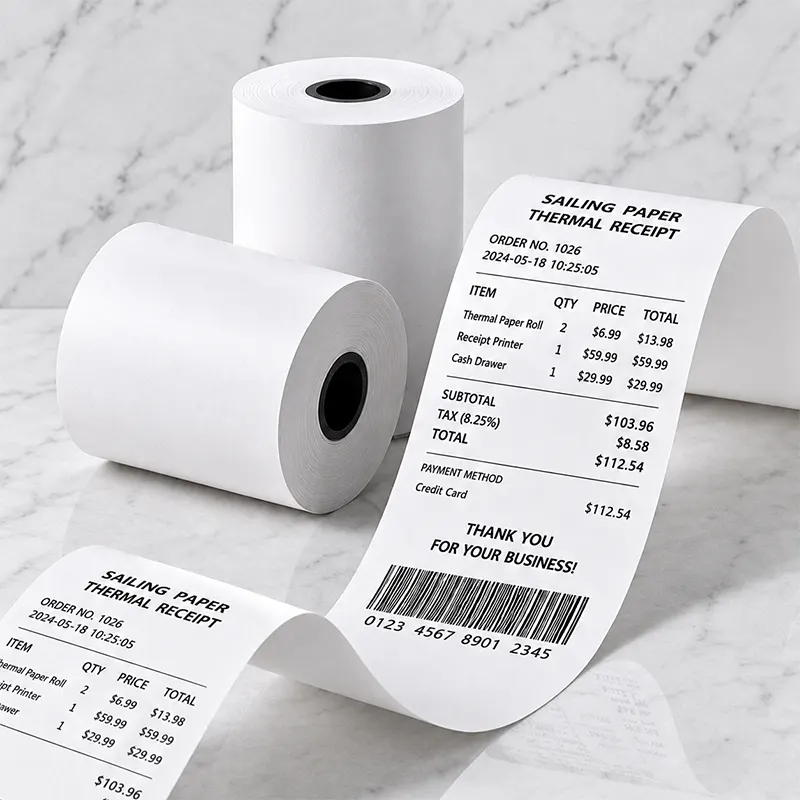
A custom label plays an important role in product identification, packaging, branding, and everyday business operations. Manufacturers, retailers, wholesalers, and eCommerce companies use labels to display product information, organize inventory, support shipping processes, and maintain a consistent brand image. Choosing the right label is therefore an important decision for businesses that depend on reliable packaging and product presentation.
- Quick Answer: What Should You Consider When Ordering a Custom Label?
- 1. Understand the Different Types of Custom Label Materials
- 2. Select the Right Adhesive for Your Custom Label
- 3. Customize the Label Design According to Your Business Needs
- 4. Check Printing Compatibility Before Placing an Order
- 5. Choose the Right Custom Label for Different Industries
- 6. Why Choose a Reliable Custom Label Manufacturer?
- 7. Evaluate Standard Label Quality Before Bulk Purchasing
- 8. Consider International Shipping, Storage, and Long-Term Supply
- Frequently Asked Questions About Custom Label
- 1. What is a custom label?
- 2. Which material is best for a custom label?
- 3. Can custom label have different adhesive options?
- 4. What information should I provide when requesting a custom label quotation?
- 5. Why should I request samples before bulk production?
- 6. Can custom label be supplied for international markets?
- Final Takeaway
However, selecting a suitable custom label involves more than choosing a design or printing a company logo. Material quality, adhesive performance, label dimensions, printing compatibility, and manufacturing consistency all affect how well a label performs. A label designed for a cardboard package, for example, may require different material and adhesive characteristics from one applied to a plastic container or glass bottle.
For businesses purchasing labels in bulk, understanding these factors can help reduce production problems, improve packaging consistency, and establish a dependable supply relationship. This guide explains what buyers should consider when selecting standard custom label and evaluating a suitable manufacturer.
Quick Answer: What Should You Consider When Ordering a Custom Label?
When choosing a custom label for your business, focus on the following factors:
- Label material: Select paper or synthetic material according to the packaging surface and application.
- Adhesive type: Choose an adhesive that provides reliable bonding under normal storage and handling conditions.
- Label dimensions: Confirm the required width, length, shape, and roll specifications.
- Printing requirements: Make sure the material supports your preferred printing method.
- Design and customization: Consider branding, product information, barcodes, and packaging requirements.
- Quality inspection: Evaluate material consistency, print clarity, adhesive performance, and cutting accuracy.
- Manufacturer reliability: Choose a supplier that can support samples, bulk orders, and repeat production.
These factors help businesses select standard labels that meet their practical requirements rather than making purchasing decisions based only on appearance or price.
1. Understand the Different Types of Custom Label Materials
Material selection is one of the first decisions buyers need to make when ordering custom label. The right option depends on the product being labeled, the packaging surface, the printing method, and the conditions in which the label will be used.
Paper labels are widely used for retail products, shipping packages, cartons, and general product identification. They provide a practical printing surface for text, logos, barcodes, and other product information. For many everyday packaging applications, paper labels offer a cost-effective solution.
Synthetic materials may be more suitable when a label needs additional resistance to moisture, oil, tearing, or frequent handling. They are commonly considered for products that require more durable identification during storage and distribution.
Thermal label materials are another option for businesses that print variable information, including shipping addresses, barcodes, product details, and inventory codes. They are particularly useful in retail, logistics, and warehouse operations.
Before choosing a material, buyers should consider:
- The type and texture of the packaging surface.
- Whether the product will be stored indoors or outdoors.
- The expected exposure to moisture, heat, or cold.
- How long the label needs to remain readable.
- The printing equipment and process used by the business.
- The required appearance and durability of the finished label.
A suitable manufacturer should explain the available material options and help buyers select a product that matches their actual application.
2. Select the Right Adhesive for Your Custom Label
The adhesive is just as important as the label’s face material. Even a well-designed custom label may fail if it cannot remain securely attached to the intended surface.
Different packaging materials have different surface characteristics. Cardboard, glass, plastic, metal, and coated packaging may require different adhesive performance. Buyers should therefore avoid assuming that one adhesive will work equally well for every product.
Permanent adhesives are commonly used when labels need to remain attached throughout normal product handling, storage, and transportation. Removable adhesives are suitable for applications where labels need to be taken off without leaving excessive residue or damaging the underlying surface.
Some products also require specialized adhesives. For example, labels applied to refrigerated packaging may need an adhesive designed for low-temperature conditions. Similarly, packaging with textured or difficult surfaces may require stronger initial bonding.
| Adhesive Type | Main Characteristics | Common Applications |
| Permanent adhesive | Designed for lasting attachment | Product packaging and shipping |
| Removable adhesive | Allows easier removal when required | Temporary identification and promotional labels |
| High-tack adhesive | Provides strong initial bonding | Selected packaging surfaces requiring stronger adhesion |
| Freezer-grade adhesive | Designed for low-temperature applications | Refrigerated and frozen product packaging |
The best way to evaluate adhesive performance is to test a sample on the actual packaging surface. Buyers should check whether the label attaches evenly, stays in place, and performs as expected under normal working conditions.
3. Customize the Label Design According to Your Business Needs
Customization allows businesses to create labels that match their product identity and operational requirements. A custom label can include a company logo, product name, barcode, instructions, ingredients, or other information relevant to its application.
However, customization should not focus only on visual appearance. The design must also remain practical and readable after printing and application.
Important design considerations include:
Label layout: Arrange product information, branding elements, and other details in a clear and organized way. Important information should be easy to locate.
Color and printing: Select colors and printing methods that produce consistent results and support brand recognition. The chosen material should be suitable for the intended printing process.
Finish: Depending on the application, businesses may consider glossy, matte, or other available surface finishes. The finish should complement the product design without affecting readability.
Shape and cutting: The label shape should fit the available packaging surface. Accurate cutting also helps maintain a consistent appearance across different products.
Functional information: Consider whether the label needs to include barcodes, batch numbers, product details, handling instructions, or variable information.
For businesses with multiple product lines, it is useful to maintain consistent branding while adjusting label dimensions and information according to each product. A well-planned design can improve product presentation and make packaging operations more organized.
4. Check Printing Compatibility Before Placing an Order
Printing compatibility is an important part of the purchasing process. A custom label must work with the printing equipment used by the business. Otherwise, companies may experience feeding problems, inconsistent print quality, or unnecessary material waste.
Different applications may require different printing methods. Direct thermal printing is commonly used for shipping, retail, and logistics labels because it supports the printing of variable information without requiring a separate ink ribbon. Thermal transfer printing may be preferred for applications requiring a different material and printing combination.
Other printing methods may be suitable for pre-printed product labels, depending on the design, quantity, and material selected.
Before approving an order, buyers should confirm:
- Whether the material supports the intended printing method.
- Whether the label dimensions are compatible with the printer.
- Whether barcodes and small text print clearly.
- Whether the labels feed and dispense properly.
- Whether the adhesive and surface finish suit the application.
- Whether the printed design remains consistent across the production batch.
Requesting samples and testing them with the actual equipment is a practical way to identify compatibility issues before purchasing in bulk.
5. Choose the Right Custom Label for Different Industries
Different industries have different labeling priorities. A manufacturer labeling industrial products may focus on durability and clear identification, while a food business may need labels that display product information and remain attached under the expected storage conditions.
Understanding the application helps buyers avoid selecting a label based only on general specifications.
| Industry | Important Label Requirements | Key Buying Consideration |
| Food and beverage | Clear product information and suitable material performance | Moisture and storage conditions |
| Retail and eCommerce | Product details, branding, and barcodes | Printing and application efficiency |
| Logistics and warehousing | Readable shipping information and dependable adhesion | Printer compatibility and handling |
| Manufacturing | Consistent product identification | Material suitability and durability |
| Healthcare and laboratory | Clear identification and accurate information | Application-specific material requirements |
For international buyers, regional requirements may also influence material and design decisions. Products distributed across different markets may need multilingual information, specific product details, or labeling formats suitable for local business and regulatory requirements.
Companies selling across North America, Europe, the Middle East, and Asia should discuss these requirements with their manufacturer before production begins. This helps ensure that the selected custom label supports the intended market without requiring avoidable changes later.
6. Why Choose a Reliable Custom Label Manufacturer?
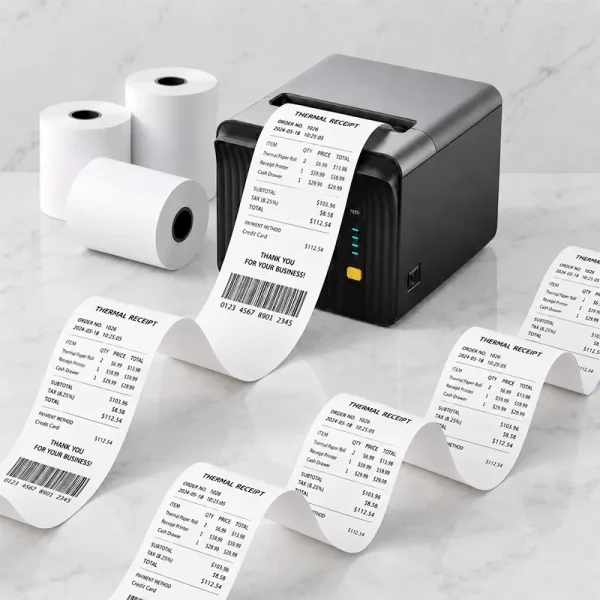
Finding a suitable manufacturer is an important step for businesses that purchase labels regularly. A supplier should understand the buyer’s application, explain available material and adhesive options, and provide clear information about customization and production.
SailingLabel is a brand that businesses can explore when looking for customized labeling solutions. Buyers can review its available label products and discuss their requirements regarding materials, adhesives, dimensions, printing, and finishes.
When evaluating a potential manufacturer, consider the following:
- Experience with the type of label your business requires.
- Availability of suitable face materials and adhesives.
- Support for customized designs and product specifications.
- Printing and converting capabilities relevant to the order.
- Die-cutting and slitting options, where applicable.
- Quality inspection procedures.
- Sample availability before bulk production.
- Communication and support for international orders.
It is also important to understand which production processes the manufacturer performs directly. Some companies produce label materials, while others focus on printing, converting, slitting, and finishing. Confirming these capabilities helps buyers understand what the supplier can provide for a specific order.
A reliable manufacturing relationship should be based on product suitability, consistent quality, and clear communication rather than simply the lowest quotation.
7. Evaluate Standard Label Quality Before Bulk Purchasing
Standard labels are widely used for product identification, packaging, shipping, retail operations, and inventory management. Before placing a bulk order, businesses should evaluate whether the labels meet their everyday operational requirements.
Quality assessment should cover several practical areas.
Material consistency: Check that the label material has a uniform surface and is suitable for the intended packaging application. The material should also support the required printing process.
Printing clarity: Examine text, logos, graphics, and barcodes to ensure that important information is sharp, readable, and correctly positioned.
Adhesive performance: Apply the label to the intended packaging surface. Check that it attaches evenly and remains in place during normal storage, handling, and transportation.
Cutting accuracy: Review the label dimensions, shape, and edges. Consistent cutting helps ensure that labels fit the packaging and can be applied properly.
Printer compatibility: Test the labels with the equipment used in daily operations. Check whether they feed smoothly, print correctly, and dispense without unnecessary interruptions.
Packaging condition: Confirm that finished labels are properly packed to protect them from dust, moisture, and physical damage during storage and transportation.
For wholesalers, distributors, and manufacturers, these checks are particularly important because product inconsistencies can affect multiple customers and repeat orders. Approving a sample before mass production helps businesses confirm the required specifications and reduce the risk of receiving unsuitable products.
8. Consider International Shipping, Storage, and Long-Term Supply
For businesses sourcing labels internationally, the purchasing process does not end when the product is manufactured. Packaging, transportation, communication, and repeat-order planning can all affect the overall buying experience.
Before confirming an international order, buyers should clarify the agreed delivery terms, shipping method, production schedule, and packaging arrangements. They should also confirm how the manufacturer will communicate progress and handle any quality concerns.
Storage is another consideration. Unused labels should be kept in suitable conditions and protected from excessive moisture, direct sunlight, dust, and other factors that may affect the material or adhesive.
For businesses operating in multiple regions, it is also useful to maintain consistent product specifications between orders. Keeping approved samples, design files, and material details can make repeat purchasing more straightforward.
A dependable supply arrangement helps businesses maintain product consistency and plan their packaging operations with greater confidence.
Frequently Asked Questions About Custom Label
1. What is a custom label?
A custom label is a label designed according to a business’s specific requirements. It may include a company logo, product information, barcode, instructions, or other details, with selected materials, adhesives, and finishes.
2. Which material is best for a custom label?
The best material depends on the product, packaging surface, printing method, and working environment. Paper, thermal paper, and synthetic materials may all be suitable for different applications.
3. Can custom label have different adhesive options?
Yes. Depending on the manufacturer’s available materials, buyers may choose permanent, removable, or specialized adhesives for particular applications, including low-temperature environments.
4. What information should I provide when requesting a custom label quotation?
Buyers should provide the intended application, label design, material preference, adhesive requirements, printing method, estimated order quantity, and delivery destination. Sharing a sample or reference image can also help clarify the requirements.
5. Why should I request samples before bulk production?
Samples allow businesses to evaluate material quality, printing clarity, adhesive performance, and compatibility with their packaging or equipment before committing to a larger order.
6. Can custom label be supplied for international markets?
Manufacturers may support international buyers with customized products and export arrangements. Buyers should confirm product specifications, labeling requirements, shipping terms, and delivery arrangements for their destination market.
Final Takeaway
Choosing the right custom label requires a clear understanding of the product, packaging surface, printing process, and conditions in which the label will be used. Material selection, adhesive performance, design quality, and manufacturing consistency all contribute to the final result.
Businesses should evaluate their requirements carefully, request samples, and confirm production details before placing bulk orders. Working with a manufacturer that understands customization and can communicate clearly about product options can also make international sourcing more manageable.
By focusing on practical performance rather than appearance alone, businesses can choose a custom label that supports product identification, brand presentation, and reliable day-to-day operations.

Bringing AI Packaging Designs to Life: Materials, Finishes, and Prototypes

Pilonidal Cyst: Recognizing the Symptoms and Exploring Modern Treatment Options

Gallstones and Cholecystectomy: When Is Gallbladder Removal Necessary?

Alex Pettyfer Net Worth, Wife, Age, Height, Children, Career and More

Brad Williams Net Worth, Wife, Height, Age, Daughter, Family, Career and More

Eldorado.gg Review 2026: How It Works, Safety, Fees, and Risks
-
Celebrity11 months ago
Alex Pettyfer Net Worth, Wife, Age, Height, Children, Career and More
-
Celebrity11 months ago
Brad Williams Net Worth, Wife, Height, Age, Daughter, Family, Career and More
-
Blog3 months ago
Eldorado.gg Review 2026: How It Works, Safety, Fees, and Risks
-
 Anime1 year ago
Sanzoku Bandits of One Piece: Origins, Higuma, and Their Role in Dawn Island
-
 Celebrity12 months ago
John McGinn Net Worth, Age, Height, Wife, Childrens, Career and More
-
 Anime1 year ago
Shimotsuki Ushimaru – The Last Daimyo of Wano Country Explained
-
 Celebrity12 months ago
Frances de la Tour Net Worth, Age, Height, Husband, Childrens, Career and More
-
 Celebrity12 months ago
Will Trickett Net Worth, Wife, Childrens, Age, Career and More