
Blog
Classroom 30x: What Students Should Know Before Playing


Classroom 30x is a browser gaming site built with Google Sites. It offers a wide mix of games that run inside a web browser. The main audience is students who use Chromebooks, tablets, or school computers. The site focuses on quick access, simple controls, and games that do not need a normal desktop install.
- What Is Classroom 30x?
- Why Has Classroom 30x Become Popular?
- How Does the Platform Work?
- What Games Can You Find?
- Rhythm and Skill Games
- Racing, Sports, and Physics Games
- Puzzle, Adventure, and Indie Challenges
- Does Classroom 30x Work on Chromebooks?
- Is Classroom 30x Safe to Use?
- Classroom 30x and School Rules
- Is Classroom 30x an Educational Platform?
- Bottom Line
The platform includes arcade games, racing titles, sports games, skill challenges, and puzzles. Some games suit short sessions. Others take more time to master. This range has helped the site gain attention among people who search for free browser games.
Still, access does not mean every game is approved by a school. Students should follow local rules, class rules, and device policies. A game site can be easy to open while still being restricted by a teacher or network policy.
What Is Classroom 30x?
Classroom 30x is best known as a Google Sites-hosted collection of browser games. Its home page describes the service as a place for “unblocked games” and highlights both classic and modern titles.
The site does not work like a large game store. You do not need to buy a launcher or install a full game client. Many pages load games through embedded web content, which keeps the setup simple.
The name can cause confusion because similar “Classroom” gaming sites use other numbers. Users should check the exact site they are visiting before opening third-party pages.
Why Has Classroom 30x Become Popular?
The main reason is ease of use. Many users want a game that starts fast and does not require a large download. Browser games fit that need. They can also work on devices such as many school Chromebooks.
Another reason is variety. A student may want a racing game one day and a puzzle game the next. The site collects different genres in one place, so users do not need to search for each title on a new website.
Short games also fit break time. A physics match or racing level may last only a few minutes. This works well for light entertainment rather than a long gaming session.
How Does the Platform Work?
The site uses Google Sites as its main web structure. Individual game pages can contain embedded content, including frames that load game code or assets. This lets a player use a game through a web page instead of a normal software install.
The platform may remain reachable on some managed devices because Google Sites is common in school and work settings. Yet access can change from one network to another. A school can block a page, script, or game at any time.
Users should not try to defeat school security tools or device controls. If a game is blocked, the safe choice is to use an approved site or wait until using a personal device and network.
What Games Can You Find?
The catalog includes several popular browser game styles. The live site has pages for Basket Random, Moto X3M, Smash Karts, Geometry Dash Wave, and Getting Over It Scratch. These titles cover sports, driving, action, timing, and challenge-based play.
Other versions and pages linked with the service have featured games such as Riddle School, Timberman, and Slope. The exact list can change as pages are added, removed, or updated.
This broad mix is part of the appeal of the site. Someone who likes speed can choose a racing game, while a puzzle fan can look for slower and more thoughtful play.
Rhythm and Skill Games
Timing games are simple to understand but hard to master. Geometry Dash-style games ask players to react at the right moment. A small mistake can end a run, so each attempt becomes a test of focus and rhythm.
Games such as Timberman also use short input patterns. The player must act fast while watching the screen for danger. These games feel rewarding because progress is easy to see.
The best part of this genre is that a full round can be short. Players can stop after one or two attempts instead of committing to a long match.
Racing, Sports, and Physics Games
Moto X3M is a strong example of a stunt-based driving game. The goal is not only speed. Players also need timing, balance, and control to move through hazards.
Basket Random uses loose physics and simple controls. The strange movement is part of the fun. Matches can change in seconds, so it works well as a casual sports game.
Smash Karts brings a more competitive feel. It mixes driving with arena action. These titles suit users who want fast and lively play without installing a large game.
Puzzle, Adventure, and Indie Challenges
Not every browser game is built around speed. Puzzle and point-and-click games give players time to think. Riddle School, for example, is known for simple puzzles, item use, and escape-style tasks.
Challenge games can be slower but more demanding. Getting Over It Scratch is built around careful movement and repeated attempts. A small error may send the player back, so patience matters.
These games suit users who prefer problem solving, exploration, or skill practice over direct competition.
Does Classroom 30x Work on Chromebooks?
Many games are designed to run in a browser, which makes Chromebook access possible in many cases. The home page also presents its collection as games for school tablets.
Performance still depends on the device. A simple 2D game may run well on an older Chromebook. A larger 3D title may need more memory or graphics power. Network speed can also affect loading.
Some embedded games may fail if a browser blocks scripts, cookies, or other web features. This can be caused by browser settings or school controls rather than the game itself.
Is Classroom 30x Safe to Use?
Users should treat any free game hub with care. The main Google Sites page can load embedded material from other web sources. That means every game page may not have the same privacy or ad behavior.
Do not install unknown browser extensions just to make a game work. Avoid pages that ask for passwords, payment details, or unusual permissions. Students should also avoid signing into personal accounts on unfamiliar third-party pages.
Save data can be another issue. Some browser games keep progress in local browser storage or cookies. Clearing site data may remove scores, settings, or progress.
Classroom 30x and School Rules
A site being available does not mean it is allowed during class. Schools often set rules for gaming, streaming, chat, and personal use of managed devices. Teachers may also have their own rules for free time.
Students should use the site only when gaming is permitted. Playing during a lesson can distract from work and may lead to device restrictions. Approved breaks or personal time are better choices.
Parents and teachers should also check the type of game being played. Some titles may include combat, chat, user-made content, or ads. Age needs and school standards can vary.
Is Classroom 30x an Educational Platform?
The term has also appeared in articles about a very different idea: an AI-powered learning model with adaptive lessons, analytics, and immersive tools. That use should not be confused with the Google Sites game hub.
The gaming site itself is mainly an entertainment collection. Some games may involve memory, timing, logic, or problem solving, but that does not make the full platform a learning management system.
This difference matters for searchers. If you want browser games, the Google Sites version is the likely match. If you are researching AI in education, you may be looking for the separate learning concept that uses the same name.
Bottom Line
Classroom 30x is a simple browser-based gaming hub with a wide range of quick-play titles. Its Google Sites format makes navigation familiar, while embedded game pages reduce the need for normal desktop installs.
Its strongest feature is variety. Racing, sports, skill, puzzle, and challenge games can appear in the same place. That gives casual players many choices without a complex setup.
Users should still think about safety, privacy, and school policy. Avoid unknown downloads, respect network rules, and use managed devices as intended. With those limits in mind, the service is easy to understand: it is mainly a free web gaming collection built for fast browser access.

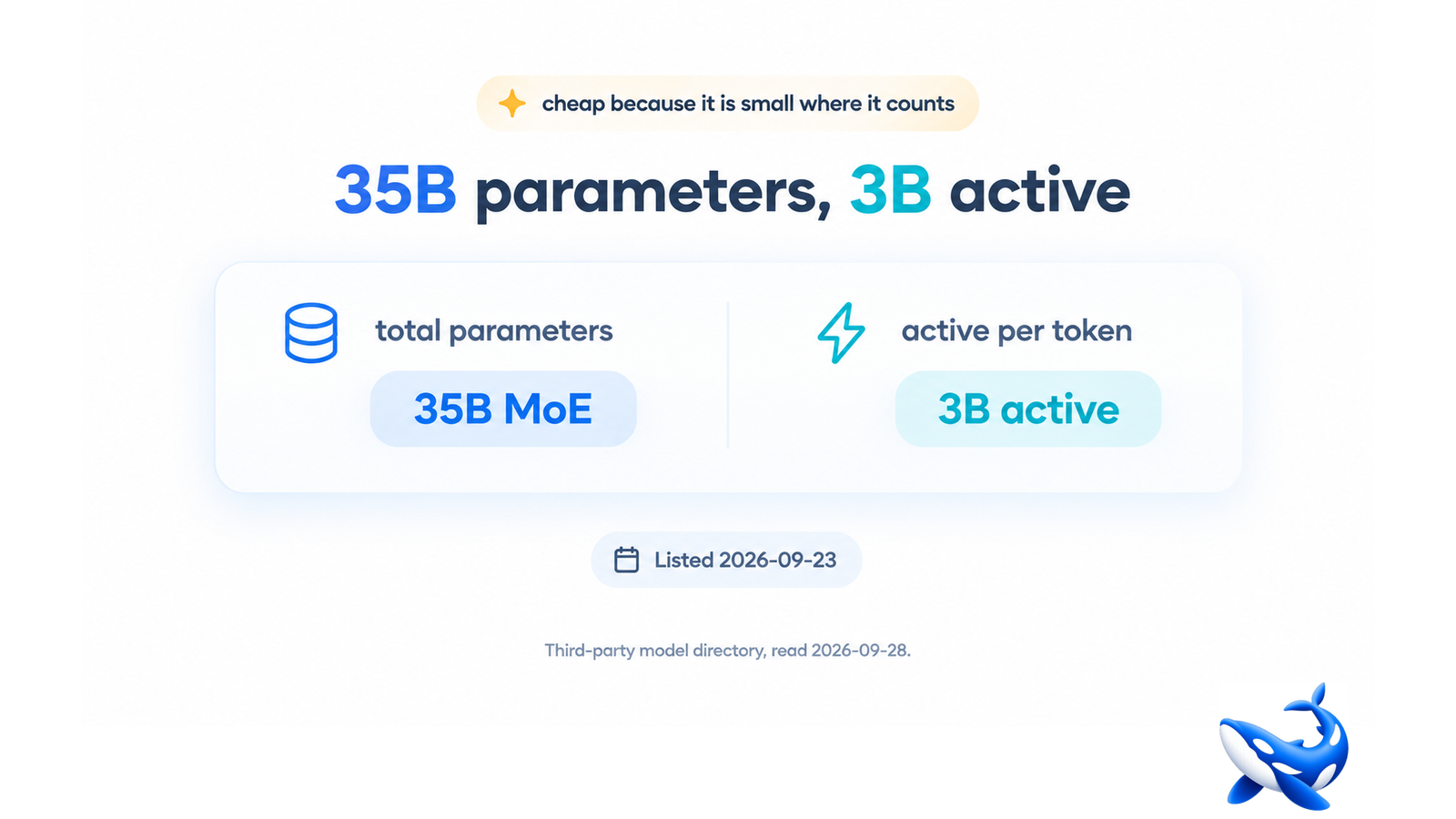
Among this week’s new AI models, the cheapest agentic entry is not the weakest one, and the reason is a single number that most coverage will skip: it is a mixture-of-experts model with thirty-five billion parameters in total and roughly three billion active per token. That gap is the whole story of its price. It is also the thing that makes it easy to misread — a small active count and a large total count point in opposite directions depending on which question you are asking. On OrcaRouter the catalogue of new ai models this week lists models by what they cost to call, and that is the frame in which the active count is the number that matters.
Two numbers, two different jobs
Total parameters describe how much the model knows. Active parameters describe how much work it does to produce one token.
In a dense model those are the same number, which is why the habit of reading parameter counts as a size label is so hard to break. In a mixture-of-experts model they diverge, and the divergence is the architecture’s entire purpose: route each token through a small subset of the network that happens to be relevant, and you get the capacity of a large model at something close to the compute cost of a small one.
So thirty-five billion and three billion are both true, and they answer different questions. Thirty-five billion is the answer to “how much does it know”. Three billion is the answer to “how fast and how cheap”. A comparison table that lists only the first will make this model look expensive; one that lists only the second will make it look incapable.
Why the architecture suits agent loops
There is a specific reason this shape fits agentic workloads better than it fits chat, and it is about what an agent loop spends its tokens on.
An agent spends most of its life on work that is not hard. It reads a tool result, decides the result was expected, and picks the next action — over and over. A small number of steps in any trajectory are genuinely difficult; the rest are routine. A dense model pays its full parameter cost on every one of those routine steps. A sparse model pays its active cost on them and can still bring its full capacity to bear on the step that needs it.
That is not a claim that a sparse model is smarter. It is a claim about the shape of the spend, and it is why a model with a modest active count can be the right choice for a long autonomous loop while a smaller dense model struggles: the dense model’s per-step cost is not the problem, its per-step ceiling is.
What to compare it against
The honest comparison for an agent model is not another agent model’s headline score. It is cost per completed task, and the variable that dominates it is not the per-token rate but the number of turns a task takes.
Two models at the same per-token rate can differ by a factor of three in cost per task if one of them reliably finishes in fewer steps. That difference is invisible in every table that lists rates, and it is the largest single term in an agent budget. Running a fixed set of tasks against the candidate, counting turns and tokens together, will tell you more than any leaderboard column will.
The other thing to check before trusting a cheap number is tokenisation. A model’s rate is quoted per token, and tokens are not a universal unit — the same English sentence can tokenise to different counts across tokenizers. A low rate on a tokenizer that produces twenty percent more tokens for your content is not a low rate. This is a five-minute check and it is the most commonly skipped one.
The score question, handled honestly
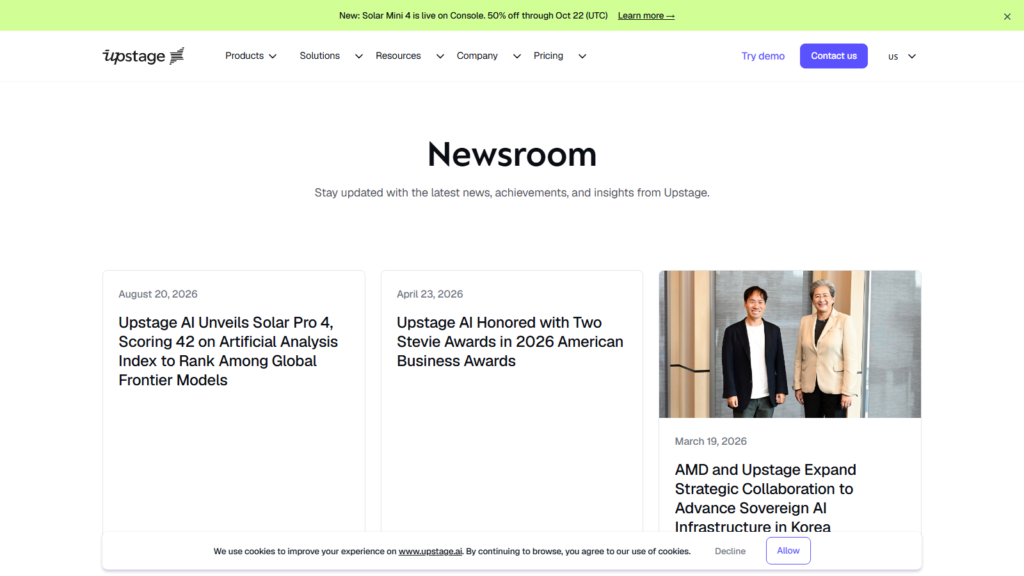
If you look for this model on the independent intelligence index, be careful about what you find. There is a page on that index whose slug resembles this model’s name, but it describes a different, much older entry with a context window in the low thousands — it is not this release and its score does not belong to this release. We checked on 28 September 2026 and found no page for this version.
The reason to spell that out is that misattributing a score is worse than having none. A missing number invites a question; a wrong number ends one. And this is the exact failure mode that a similarly named predecessor creates: the search succeeds, the page loads, and nothing on it announces that it is four versions out of date.
What you can rely on instead is the vendor’s own description of the model’s shape — the architecture, the active-parameter count, the agent framing — which is the vendor’s characterisation, plus whatever you measure yourself.

Where a sparse model is the wrong choice
Sparsity is not free, and the cases where it hurts are worth knowing before routing anything.
If your workload is a single hard question with a long input and a short answer — a document question, a classification over a large text — the active-parameter advantage has nothing to amortise against. You pay the routing overhead and get nothing back, and a dense model of comparable total size will often do the job at least as well for a simpler operational story.
If your workload depends on every token being informed by every other, as in fine-grained reasoning over a tight logical chain, the router’s choices become a source of variance rather than a saving.
And if your workload is genuinely tiny — short prompts, short outputs, no loop — the cheapest dense model available will usually beat a sparse one, because there is no long tail of routine steps for the architecture to make cheap.
What this entry says about the week
The interesting thing about this release is not that it is cheap. It is that it is cheap for a stated architectural reason that you can check. That is rarer than it should be: most cheap entries in this week’s crop are cheap because they are small, or because they are a preview, or because a price has not been recorded yet.
A cost advantage with a mechanism behind it is one you can reason about. You can predict when it will hold and when it will not, which is what makes it usable in a budget rather than merely attractive in a comparison. That is the standard worth applying to every cheap row on the calendar: not “how little does it cost”, but “why”.
Sourcing note: Solar Mini 4’s listing date of 23 September 2026, its mixture-of-experts architecture with thirty-five billion total parameters and roughly three billion active per token, and its agentic positioning are from a third-party public model directory read on 28 September 2026 and from the vendor’s own description of the model. The absence of an independent intelligence index page for this version was our own check on 28 September 2026, as was the finding that the index does have a separate page for a much older entry with a similar name and a context window in the low thousands, whose score does not apply to this release. The statement that this model is not in OrcaRouter’s catalogue is a statement about our own catalogue on 28 September 2026. No per-token price and no index score is quoted, because none is published for this version; nothing has been estimated. The arguments about agent-loop token spend, cost per completed task, tokenisation and the cases where sparsity is the wrong choice are editorial framing rather than measured results. This article names no competing platform and describes none.


You finally have a few days off work. There’s no alarm to rush you out of bed, no commute to worry about and, hopefully, a little more time to yourself.
But after a few days, you notice something unexpected. You might notice lower back pain or stiffness when you get up, a sore neck, or tightness around your shoulders that wasn’t there before the break.
It’s frustrating, especially when the whole point of taking time off was to relax.
One thing people often overlook is how much their bodies get used to their normal routine. During the working week, you might walk to the station, move between meetings, sit at your desk for a few hours and take regular trips around the office. When the holidays arrive, all of that can change almost overnight.
You might spend more time in the car, sleep in a different bed, stay up later or spend an afternoon sitting around with family. None of these things is unusual. It’s the sudden change in what your body is doing that can leave you feeling a little worse for wear.
It’s Not Always the Holiday Activities That Cause the Problem
A long drive, a few hours on the couch or an afternoon in the garden might not seem like much. The difference is that your body may not be used to doing these things for so long.
Think about someone who spends most of the year working at a desk. During the holidays, they decide to spend the day gardening, moving pots, pulling weeds and bending over garden beds. By evening, their lower back is aching.
The same person might feel uncomfortable after spending an entire day travelling to visit relatives, even though they’ve done very little physical work.
These situations are quite different, but they have something in common. The body has been asked to manage a different pattern of movement or a longer period in one position than usual.
Muscles can become tired, and joints may feel stiff after prolonged sitting or repetitive activity. That doesn’t automatically mean an injury has occurred. It does mean you should pay attention to how your body responds rather than assuming the discomfort will always settle on its own.
Why Long Drives Leave Your Back Feeling Stiff
Holiday travel is one of the first things I’d look at when someone mentions that their back started playing up during a break.
A drive that normally takes 20 minutes can turn into several hours on the road. You remain seated, your hips and knees stay bent, and your lower back spends much of that time in a fairly fixed position.
You might not notice anything while driving. It’s often when you get out of the car that the stiffness becomes obvious. Straightening up can feel uncomfortable, and those first few steps might be slower than you’d like.
For longer journeys, plan to stop and walk around rather than waiting until your back starts aching. Check that your seat allows you to reach the pedals without stretching, and avoid sitting so far away from the steering wheel that you have to lean forwards.
There’s another thing worth remembering: lifting luggage after a long drive. Your back might already feel stiff, and pulling a heavy suitcase out of the boot can put extra demands on it. Get close to the suitcase before lifting and turn your feet rather than twisting your body under load.
Small adjustments like these are often easier to make before the discomfort starts.
A Different Bed Can Change How You Feel in the Morning
Sleeping somewhere unfamiliar is another common holiday experience.
Perhaps you’re staying with family, spending a few nights in a hotel or sleeping on a mattress that feels nothing like the one at home. You may also be going to bed later and getting less sleep than usual.
Then you wake up with a stiff neck or an ache across your lower back.
It’s easy to blame the mattress, but it isn’t always that simple. Your sleeping position, the quality of your sleep and what you did the previous day can all influence how you feel when you get up.
If you’re stiff in the morning, start with some gentle movement. Walk around for a few minutes and allow yourself time to loosen up rather than forcing your neck or back into a stretch.
Occasional stiffness that settles is different from pain that keeps returning or regularly interrupts your sleep. If it persists, it’s worth having it assessed.
When Rest Means You’re Moving Less
Some people spend their holidays doing more than usual. Others barely leave the couch.
Neither is necessarily a problem. But if you’re accustomed to moving throughout the day, suddenly spending several hours sitting can leave you feeling uncomfortable.
You might notice it after a long family lunch, an afternoon watching television or a few hours reading in bed. Your back feels tight when you stand up, and you need a moment before moving comfortably.
Rather than trying to maintain a strict exercise schedule during your break, look for easy opportunities to move. Get up between television episodes, take a short walk after meals or change position while chatting with family.
If you’re doing more physical activity than usual, the same principle applies in reverse. Break demanding jobs into smaller tasks and avoid spending hours on one activity without a rest.
Your holiday doesn’t need to become another work schedule. A little variation throughout the day is a sensible place to start.
When Should You Get the Pain Checked?
Most importantly, don’t assume that every ache is simply part of having a different routine.
If your back, neck or shoulders continue to hurt after you’ve returned to your usual activities, or the discomfort is affecting your sleep, walking or everyday tasks, consider getting professional advice.
A chiropractor in Sydney can assess your movement, symptoms, relevant medical history and the activities that seem to aggravate the problem. If you’re looking for a Chiropractor in Penrith, the assessment should focus on understanding what may be contributing to your discomfort rather than automatically attributing it to posture or a particular joint.
Depending on the findings, care might involve movement advice, exercises or hands-on treatment where appropriate. Chiropractic treatment isn’t suitable for every cause of pain, and referral to another healthcare professional may be necessary.
Seek urgent medical attention if you develop new bladder or bowel control problems, numbness around the groin or saddle area, or significant or worsening weakness, particularly alongside back pain.
Enjoy the Break Without Ignoring Your Body
You don’t need to spend your holidays worrying about every movement. Travel, late nights, family gatherings and a change of pace are all part of having time off.
Just notice when your routine changes considerably. Take breaks on long drives, move regularly if you’re sitting for hours, and give yourself time to recover after an unusually active day.
And if the same discomfort keeps coming back, don’t keep working around it and hoping it disappears.
A holiday should leave you with good memories, not a problem that follows you back to work. If pain persists, getting it assessed is a sensible next step.


Publishing an article online is easy. Creating something that attracts the right readers, answers their questions, and remains useful after publication is much more challenging. Modern digital publishers need more than a collection of posts. They need a clear approach to selecting topics, organizing information, and delivering content that meets readers’ expectations.
- Every Good Article Begins With a Question
- Why Topic Selection Matters
- Building a Logical Article Structure
- Writing for Different Audiences
- Research Makes Content More Dependable
- Making Content More Useful Through Examples
- The Difference Between Originality and Repetition
- How Guest Contributors Can Add Value
- Measuring Content Value Beyond Word Count
- Keeping Articles Relevant Over Time
- What Effective Digital Publishing Looks Like
- Final Thoughts
Crackstube.com is associated with a multi-category publishing model covering subjects such as technology, business, finance, education, health, and lifestyle. This type of publication provides an interesting example of the challenges involved in managing content across different industries. Public information about Crackstube.com also identifies guest publishing as part of its model.
Understanding the principles behind effective digital publishing helps explain why topic selection, article structure, and reader-focused writing matter so much in a competitive online environment.
Every Good Article Begins With a Question
Many weak articles start with a keyword instead of a genuine reader’s need.
A writer might choose a popular search phrase and begin writing immediately without considering what the audience actually expects to discover. The result can contain plenty of words but very little practical value.
A stronger process starts by identifying the question behind the search.
Someone researching technology might want to compare tools, understand a feature, or solve a specific problem. A reader interested in business may be looking for practical steps rather than an abstract explanation. A person exploring finance may need definitions and examples before moving to more advanced information.
When an article answers the underlying question, its structure becomes easier to plan.
Why Topic Selection Matters
A multi-category publication has many possible subjects to cover, but not every topic deserves the same approach.
Writers need to consider whether a subject is relevant to the audience, whether reliable information is available, and whether the proposed article adds something useful to existing discussions.
For a platform such as Crackstube, its broad editorial range creates opportunities to address different interests. However, a broad topic range also requires careful planning so that each article has a clear purpose.
Instead of publishing several nearly identical explanations, contributors can explore different questions within the same subject.
For example, an article about digital productivity could explain the underlying concept, examine practical tools, or discuss common mistakes. Each approach serves a different reader need even though all three belong to the same general topic.
Building a Logical Article Structure
A useful article should guide readers from the central question toward a clear understanding of the subject.
The introduction should establish the topic without delaying the main point. The following sections should explain the important details in a logical order, with each heading introducing information that contributes to the overall discussion.
This structure benefits readers who prefer to scan an article before reading it fully.
It also prevents unnecessary repetition. When every section has a defined purpose, writers can avoid explaining the same fact several times merely to increase the word count.
For multi-topic publishers, consistent organization can make articles easier to navigate even when their subjects differ substantially.
Writing for Different Audiences
One challenge of digital publishing is that readers rarely have identical levels of knowledge.
An experienced professional may understand industry terminology, while a beginner may need a simple explanation. Writing exclusively for experts can exclude newcomers, whereas oversimplifying every topic can frustrate knowledgeable readers.
The solution is to establish the intended audience before drafting the article.
For beginner-focused content, define unfamiliar terms and use relatable examples. For professional audiences, provide more specific detail and explain practical implications. In both cases, clarity should remain a priority.
This approach allows a publication to cover different industries without making every article sound the same.
Research Makes Content More Dependable
Good writing depends on more than confident language. Important claims need reliable support.
Technology articles may require product documentation or official technical guidance. Business articles may benefit from company reports and industry information. Finance and legal content require additional care because outdated or inaccurate statements can have serious consequences.
Writers should distinguish verified facts from estimates, opinions, and assumptions.
They should also check whether information is still current. A statistic from several years ago may not describe today’s market, while a software guide may need revision after a major update.
For a broad publication such as Crackstube, this research discipline is particularly important because different categories require different kinds of evidence.
Making Content More Useful Through Examples
Abstract explanations can be difficult to apply. Examples make ideas easier to understand by connecting concepts with situations readers recognize.
Suppose an article explains the importance of managing digital files. Instead of simply recommending better organization, the writer could demonstrate how a small business might arrange invoices, project documents, customer records, and backups.
The example turns a general recommendation into something practical.
Examples should remain relevant, accurate, and clearly identified as illustrations when they are hypothetical. Writers should avoid inventing statistics or presenting fictional scenarios as documented real-world cases.
The Difference Between Originality and Repetition
A topic does not have to be completely new to support an original article.
Many useful subjects have been discussed thousands of times. Originality comes from the question being answered, the quality of the explanation, the examples provided, and the way the information is organized.
For instance, a basic article about online marketing may offer little new value if it repeats familiar advice. A focused examination of how small businesses evaluate campaign performance could be more useful because it addresses a specific practical challenge.
This principle is relevant to guest contributors working with multi-category websites. A familiar subject can still produce a distinctive article when it offers a meaningful perspective.
How Guest Contributors Can Add Value
Guest publishing creates an opportunity for writers to contribute knowledge to an audience beyond their own websites.
However, the strongest contribution is one that stands on its own. Readers should gain useful information from the article even if they never follow an external link.
A contributor should therefore select a relevant subject, conduct appropriate research, organize the information clearly, and follow the publication’s editorial requirements.
A contextual link can then direct readers toward a related resource when it genuinely adds value.
For example, an article discussing content research could reference a relevant guide that explains a particular publishing platform in greater detail. The connection should be clear enough that readers understand why the additional resource is worth visiting.
Measuring Content Value Beyond Word Count
Longer articles are not automatically better than shorter ones.
The right length depends on the complexity of the subject and the information needed to address the reader’s question. A simple definition may require only a few paragraphs, while a detailed comparison or practical guide may need substantially more explanation.
Writers should prioritize completeness over unnecessary expansion.
Useful indicators of content quality include factual accuracy, clear organization, meaningful examples, relevance, and the absence of avoidable repetition. Search visibility can provide another performance signal, but it should not be confused with the actual usefulness of the information.
An article that attracts visitors but fails to answer their questions has not fulfilled its main purpose.
Keeping Articles Relevant Over Time
Some subjects remain useful for years, while others change rapidly.
General explanations of established concepts may need few updates. Technology instructions, product comparisons, market information, and regulatory guidance can become outdated much sooner.
Publishers should identify which articles require periodic review and correct information when circumstances change.
Updating a page should involve checking its important claims rather than merely changing the displayed date. Substantial revisions should improve accuracy, add missing information, or resolve problems identified by readers.
This approach helps maintain the value of a digital archive after the original publication date.
What Effective Digital Publishing Looks Like
Effective publishing combines several connected activities: selecting relevant subjects, understanding the audience, researching the topic, writing clearly, organizing information, and maintaining accuracy.
Crackstube’s multi-category publishing model illustrates why these principles matter across different types of content. An article about technology may require different examples from one about education or business, but both still need a clear purpose and dependable information.
The specific subject changes. The underlying responsibility to readers does not.
Final Thoughts
Successful digital publishing involves much more than uploading articles and choosing keywords. It requires an understanding of what readers need, how information should be organized, and what makes an explanation genuinely useful.
Crackstube represents a multi-category approach to online publishing, where different subjects can serve different audiences. Within this environment, thoughtful topic selection, reliable research, original explanations, and appropriate content organization can help individual articles deliver greater value.
For writers, the practical lesson is straightforward: begin with a real question, support the answer with dependable information, and remove anything that does not help the reader understand the subject.
That approach creates content with a clear purpose and gives digital publications a stronger foundation for serving their audiences over time.

What Should You Know Before Moving to Mississauga?

How to Choose Durable Materials and Ensure Long-Lasting Protection for Your Home

Home Window Tinting: A Practical Guide to Better Privacy, Comfort, and Energy Efficiency

Alex Pettyfer Net Worth, Wife, Age, Height, Children, Career and More

Brad Williams Net Worth, Wife, Height, Age, Daughter, Family, Career and More

Eldorado.gg Review 2026: How It Works, Safety, Fees, and Risks
-
Celebrity10 months ago
Alex Pettyfer Net Worth, Wife, Age, Height, Children, Career and More
-
Celebrity10 months ago
Brad Williams Net Worth, Wife, Height, Age, Daughter, Family, Career and More
-
Blog2 months ago
Eldorado.gg Review 2026: How It Works, Safety, Fees, and Risks
-
 Anime11 months ago
Sanzoku Bandits of One Piece: Origins, Higuma, and Their Role in Dawn Island
-
 Celebrity10 months ago
John McGinn Net Worth, Age, Height, Wife, Childrens, Career and More
-
 Celebrity10 months ago
Frances de la Tour Net Worth, Age, Height, Husband, Childrens, Career and More
-
 Celebrity11 months ago
Will Trickett Net Worth, Wife, Childrens, Age, Career and More
-
 Blog2 months ago
Crackstube: A Complete Guide to the Digital Publishing Platform